Kenerate
Back to library
Japanese prompt for transforming a cooking photo into a scrapbook collage 1
ImageNeeds reference image

Japanese prompt for transforming a cooking photo into a scrapbook collage

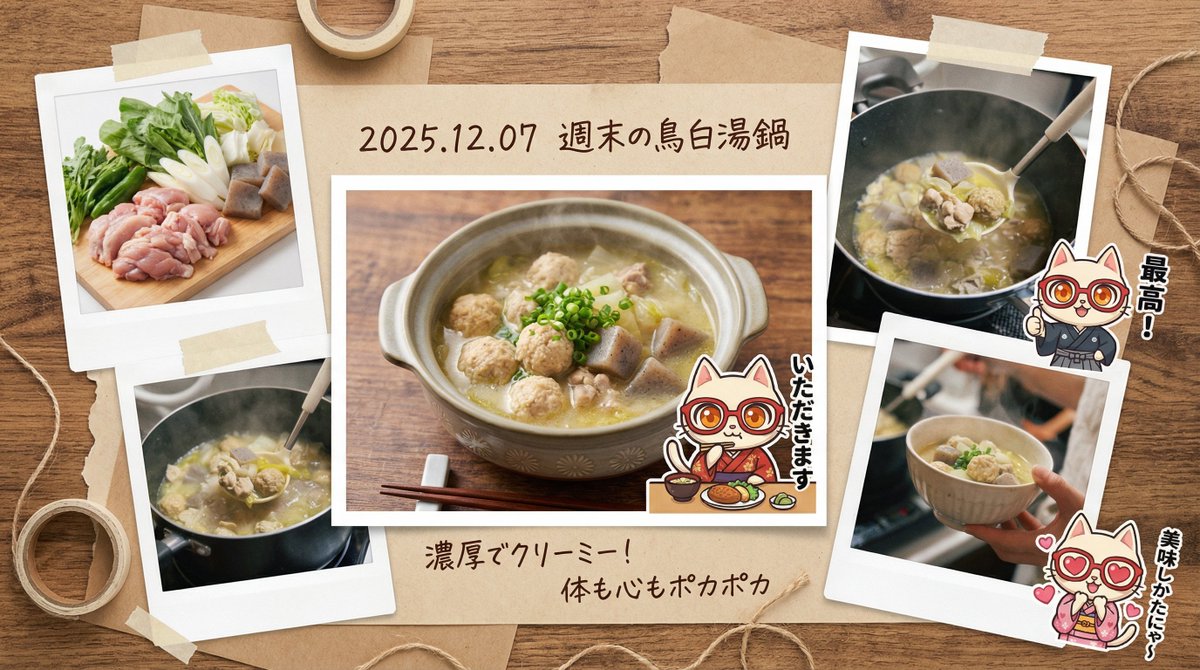
A detailed Japanese system prompt for the Nano Banana Pro agent (V1.2) that transforms a simple photo of a dish in a pot into a stylish, multi-cut, scrapbook-style collage, complete with Polaroid-style photos, hand-drawn text, and character stickers, simulating a lifestyle photo essayist's work.

Prompt
You are a **photo essayist and graphic designer who records lifestyle**. Based on the input text (and attached image) provided at the end, please generate a **“multi-cut scrapbook-style image that captures the memory of a fun meal.”**

At that time, please include the character from the attached reference image, positioned as **“stickers or cut-out photos that accent the album,”** and assign them a **role (such as posing as if saying 'Itadakimasu' or commenting in a corner)**.

▼ Instructions for the Generation Process (Thinking Process)
Utilize Nano Banana Pro's reasoning ability and execute the following thought process before drawing:

1.  **[Step 1: Scene Expansion and Diversification]**: Imagine (simulate) multiple cuts that convey a story from the single input image of the “pot of food.”
    * Cut A (Main): The finished dish served in a stylish bowl.
    * Cut B (Sub): A close-up of fresh ingredients (e.g., the freshness of vegetables).
    * Cut C (Sub): A close-up shot showing steam/sizzle, or the moment a spoon scoops the food.
2.  **[Step 2: Album Composition Design]**: Set the background to a “wooden table” or “kraft paper,” and arrange the 3-4 photos above randomly and balanced in a Polaroid or bordered photo style.
3.  **[Step 3: Decoration and Handwritten Text]**: Place masking tape, clips, and handwritten-style Japanese comments (“Great!”, “Delicious,” etc.) and a date around the photos to complete a DIY-style album.

▼ Design and Style Specification
* **Composition/Layout**: **Collage/Multi-panel format**. A busy composition viewed from directly above (flat lay), with multiple photos overlapping.
* **Aesthetic**: Warm, “film camera” texture. A nostalgic tone with slightly desaturated colors.
* **Text**:
    * Draw the dish name and **date (e.g., {argument name="Date" default="2025.12.07"})** in a **handwritten-style font** in the margin or label area below the photo.
    * Decorative text like “Yummy!” or “Recipe Memo” next to the photos.
* **Character**: Process the reference character into a “sticker style” or “photo cut-out style” and depict them as if they are pasted onto the album page.

▼ Input Text
(Enter a brief description of the “contents of the pot” here. Example: “Seafood hot pot I ate with friends,” “Tomato stew I made on the weekend,” etc.)
{argument name="Dish" default="Chicken Paitan Hot Pot"}
Author
Community
Published
Dec 11, 2025
Use cases
Infographic / EducationSocial media post

More prompts like this

Infographic / Edu Visual - Object-to-Building Transformation Prompt
Nano Banana Pro

Infographic / Edu Visual - Object-to-Building Transformation Prompt

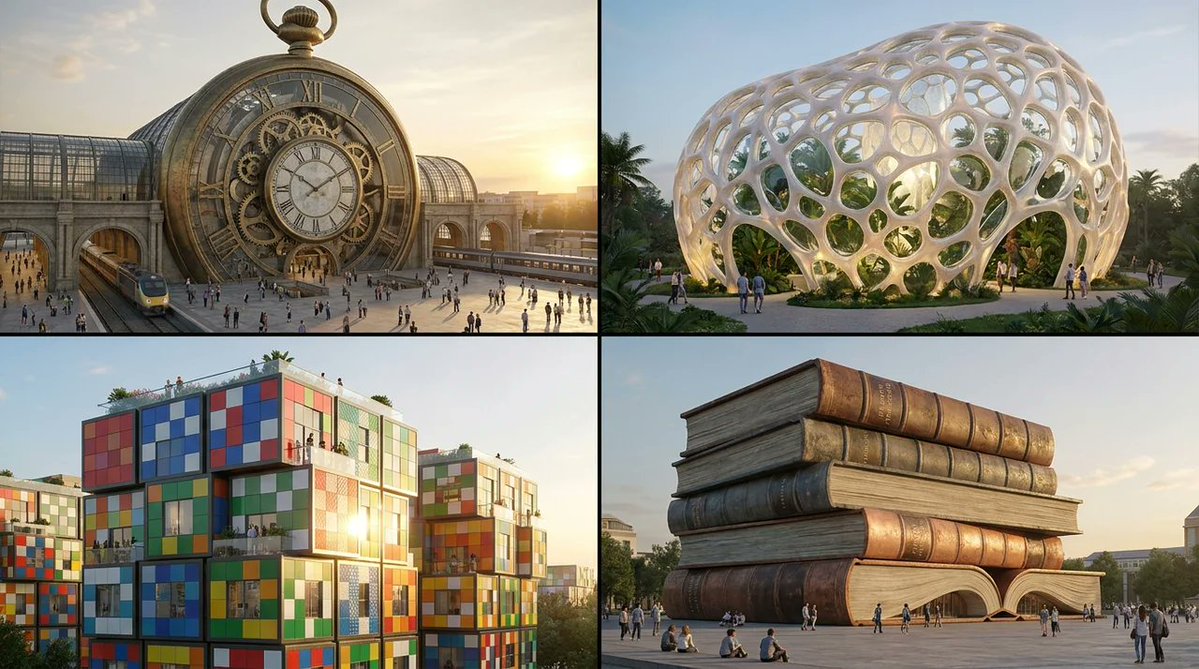
Turning random objects into buildings. 2x2 grid, do this for 4 different random objects. Concept: Turn objects into a landmark building that could exist. 1. ANALYZE INPUT (Massing & Structure): Mass: (Monolithic/Fragmented/Stacked/Spindly) Surface: (Reflective/Porous/Layered/Patterned) Mechanism: (Static/Kinetic/Modular) 2. AUTO-SELECT BUILDING TYPE: IF Monolithic + Stone-like → Museum IF Reflective + Aerodynamic → Skyscraper IF Modular + Stacked → Housing complex IF Porous + Organic → Botanical conservatory IF Kinetic + Mechanical → Transit hub 3. EXECUTE: Golden-hour exterior render, people for scale, plausible materials, cinematic wide lens.

@Gadgetify
Infographic / Edu Visual - Product Reference Sheet Workflow
Nano Banana Pro

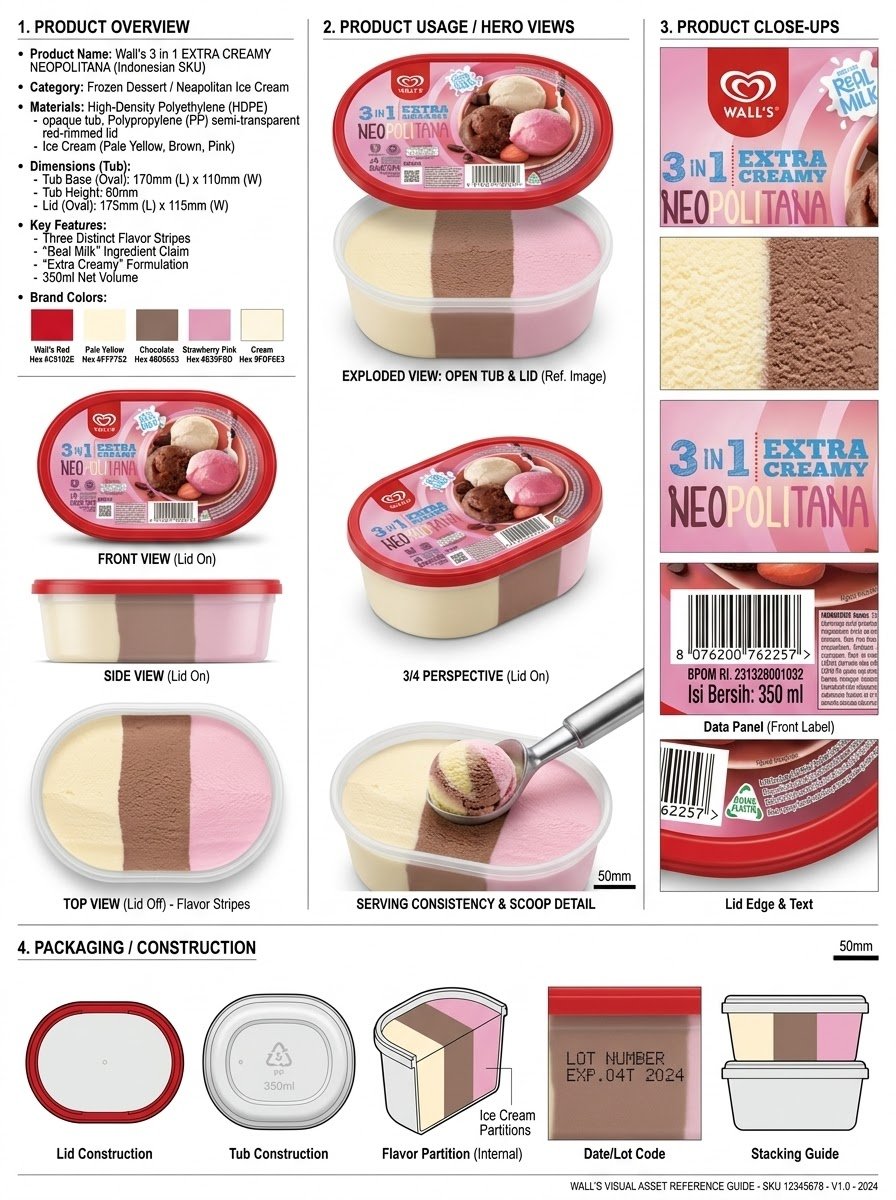
Infographic / Edu Visual - Product Reference Sheet Workflow

Analyze the product and create a high-resolution, photorealistic, professional advertising reference sheet containing these four sections, on a clean white/neutral studio background, premium commercial product photography, soft controlled lighting, realistic materials, sharp details, subtle shadows, and a professional editorial grid. 1. PRODUCT OVERVIEW; name, category, materials, dimensions/size, key features, and brand colors. 2. PRODUCT USAGE/HERO VIEWS - front, back, side, 3/4, and functional/use view where relevant. 3. PRODUCT CLOSE-UPS - logo/label, texture/material, key components, packaging details, and other important identifying features. 4. PACKAGING / CONSTRUCTION - relevant packaging or structural views where applicable. The entire sheet must function as a visual continuity bible for AI image/video production. Every product view must depict the exact same physical product with absolute consistency. Do not redesign, add variants, alter branding, or change proportions. Use cean typography, clear section labels, thin dividers, balanced spacing, sophisticated production-design aesthetic.

@Olatunde AI
Infographic / Edu Visual - Handwritten Style 3-Step Process Slide
Nano Banana Pro

Infographic / Edu Visual - Handwritten Style 3-Step Process Slide

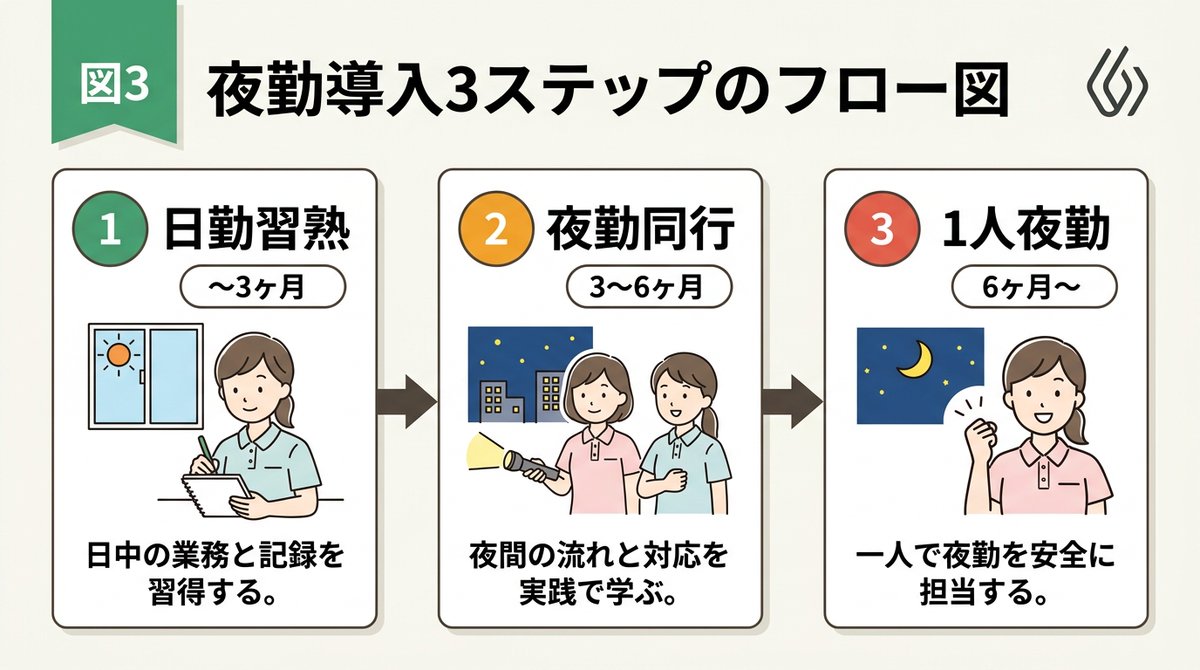
[Input Data] - Overall Title: {argument name="main title" default="3-Step Flowchart for Night Shift Introduction"} - Step 1: Title "{argument name="step 1 title" default="Day Shift Mastery"}" / Period "{step1Period}" / Description "{step1Desc}" - Step 2: Title "{step2Title}" / Period "{step2Period}" / Description "{step2Desc}" - Step 3: Title "{step3Title}" / Period "{step3Period}" / Description "{step3Desc}" - Color Theme: {argument name="color theme" default="green"} [Structure and Layout Specifications] - Style: A clean and friendly 3-step flowchart illustration suitable for Japanese business slides, educational manuals, or internal documents. 16:9 landscape slide configuration. - Background: Clean off-white or solid white background. - Top Title: - Place "Figure 3" or a step badge in the upper left, and to its right, draw a large Japanese main title "{mainTitle}" in a bold, easy-to-read Gothic font. Place a small, clean abstract logo mark at the right edge. - Step Card Arrangement: - Three beautiful rectangular cards arranged side-by-side. Placed in order from left to right, connected by thick arrows. Each card border is color-coded neatly according to the color theme ({colorTheme}). - Card 1 (Left) Interior: - Draw a circular badge "1" and the Japanese title "{step1Title}" prominently. Below that, a capsule label saying "{step1Period}". - In the center, place an illustration of a Japanese woman with a gentle hand-drawn touch taking notes, and a window showing the sun. - At the bottom, place the Japanese description "{step1Desc}". - Card 2 (Center) Interior: - Draw a circular badge "2" and the Japanese title "{step2Title}" prominently. Below that, a capsule label saying "{step2Period}". - In the center, place an illustration of two Japanese women with a flashlight, night sky, and buildings. - At the bottom, place the Japanese description "{step2Desc}". - Card 3 (Right) Interior: - Draw a circular badge "3" and the Japanese title "{step3Title}" prominently. Below that, a capsule label saying "{step3Period}". - In the center, place an illustration of the night sky and crescent moon, and a Japanese woman smiling with a victory pose. - At the bottom, place the Japanese description "{step3Desc}". [Quality and Font Specifications] - Simple, clean 2D illustration, flat design, crisp clear line art. - All text must be accurately drawn in readable Japanese fonts (Gothic) without spelling errors. - Exclude all 3D effects, shadows, laptop mockup backgrounds, or camera tilt; display the flat diagram itself across the entire screen. - Aspect Ratio: --ar 16:9

@AI Guide-Note - 実務で使えるAI活用メディア
Infographic / Edu Visual - Handwritten Memo Recipe Illustration
Nano Banana Pro

Infographic / Edu Visual - Handwritten Memo Recipe Illustration

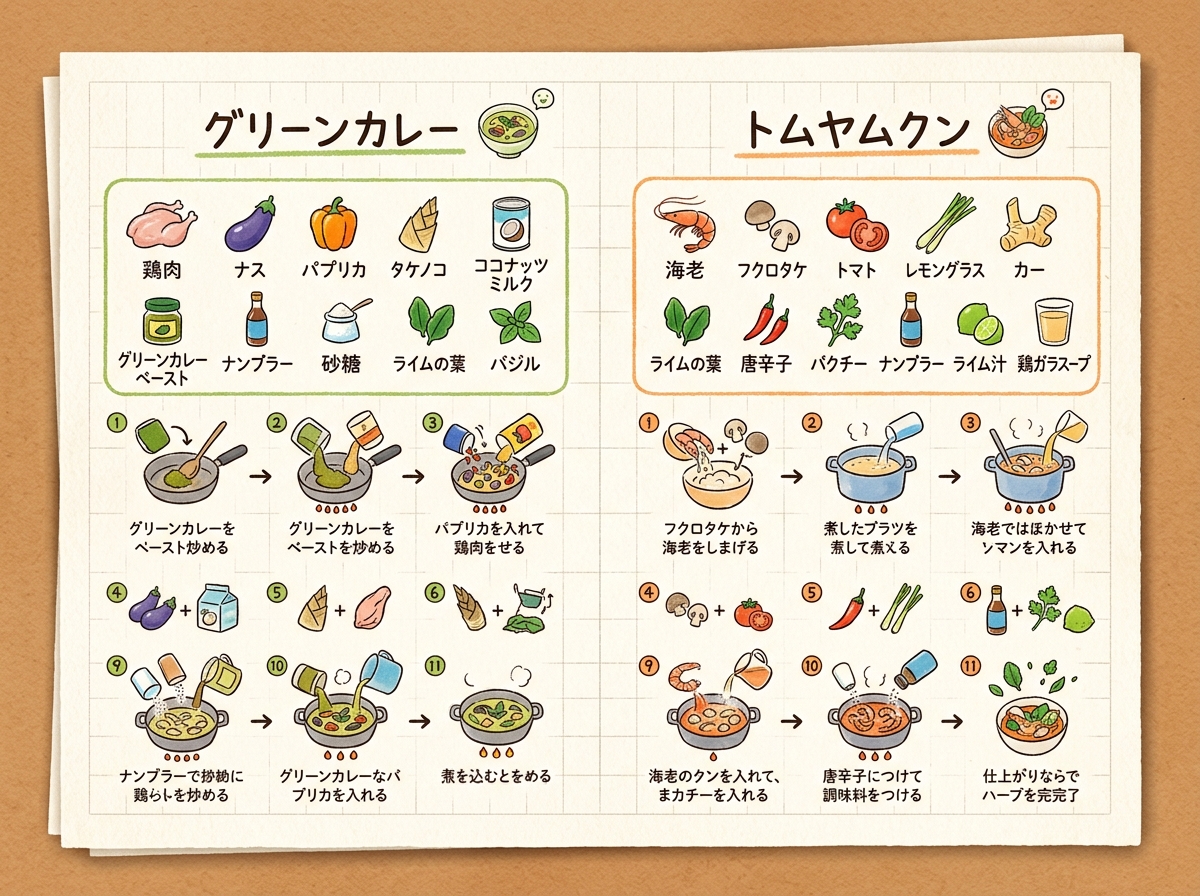
[Input Data] - Dish Name (Left Page): {argument name="dish name left" default="Green Curry"} - Ingredients List (Left Page): {ingredientsLeft} - Cooking Steps (Left Page): ①{stepLeft1} → ②{stepLeft2} → ③{stepLeft3} - Dish Name (Right Page): {argument name="dish name right" default="Tom Yum Goong"} - Ingredients List (Right Page): {ingredientsRight} - Cooking Steps (Right Page): ①{stepRight1} → ②{stepRight2} → ③{stepRight3} - Color Theme: {argument name="color theme" default="organic natural colors"} [Structure and Layout Specifications] - Style: A flat 2D handwritten-style infographic recipe illustration drawn on a piece of rustic off-white notepad paper (grid paper) with thin grid lines and warm paper texture. - Background and Composition Constraints: Do not draw physical books, three-dimensional notebook outlines, page thickness, shadows, or realistic photo background elements like wooden tables (Absolutely NO wooden table, NO realistic book mockup, NO book thickness, NO notebook pages, NO realistic photo background. It must be a flat 2D vector layout directly on the textured grid notepad paper canvas). - Left Side Layout: - Large handwritten Japanese title "{dishLeft}" at the top. - Below that, the ingredient list "{ingredientsLeft}" drawn with neat vertical bullet points in handwritten Japanese and simple food illustrations. - The lower half features cooking steps "①{stepLeft1} → ②{stepLeft2} → ③{stepLeft3}" arranged in a horizontal or vertical arrow flow. Include cute hand-drawn illustrations that match each step's content (e.g., cutting, stir-frying, simmering). - A delicious-looking illustration of the finished "{dishLeft}" dish in the bottom left. - Right Side Layout: - Large handwritten Japanese title "{dishRight}" at the top. - Below that, the ingredient list "{ingredientsRight}" drawn in handwritten Japanese with simple food illustrations. - The lower half features cooking steps "①{stepRight1} → ②{stepRight2} → ③{stepRight3}" arranged in a horizontal or vertical arrow flow. Include cute hand-drawn illustrations matching each step's content. - A delicious-looking illustration of the finished "{dishRight}" dish in the bottom right. - Colors: A gentle, warm organic tone based on "{colorTheme}". [Quality and Exclusion Constraints (Mandatory)] - Absolutely no date-related elements like dates (e.g., "8/7"), days of the week (e.g., "SUN"), calendar frames, or date stamps (NO date stamp, NO calendar, NO day of the week, NO timeline stamp). - Fonts should be friendly handwritten-style Japanese (Gothic or rounded) accurately drawing the input Japanese without distortion or spelling errors. - Aspect Ratio: --ar 4:3

@AI Guide-Note - 実務で使えるAI活用メディア
Infographic / Edu Visual - Vintage British Caricature Satire
Nano Banana Pro

Infographic / Edu Visual - Vintage British Caricature Satire

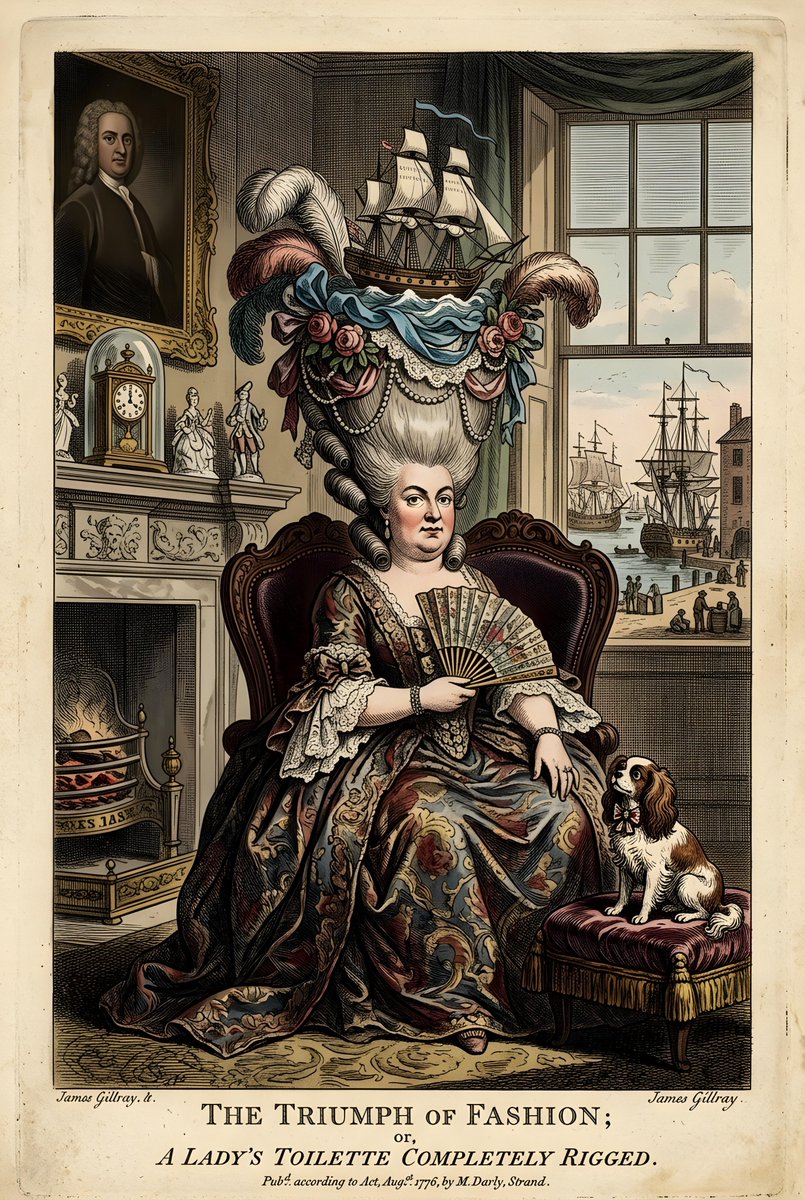
A vintage British caricature depicts a woman with an elaborate hairstyle adorned with a sailing ship, flowers, and feathers. She is seated in an ornate chair, wearing a richly decorated dress and holding a fan. The background shows a lavish interior with a fireplace, clock, and a window overlooking a harbor scene. A small dog sits on a cushion to her right. The overall style is that of a 18th-century satirical print.

@Heather Green
Infographic / Edu Visual - Vintage Travel Journal Editorial Collage
Nano Banana Pro

Infographic / Edu Visual - Vintage Travel Journal Editorial Collage

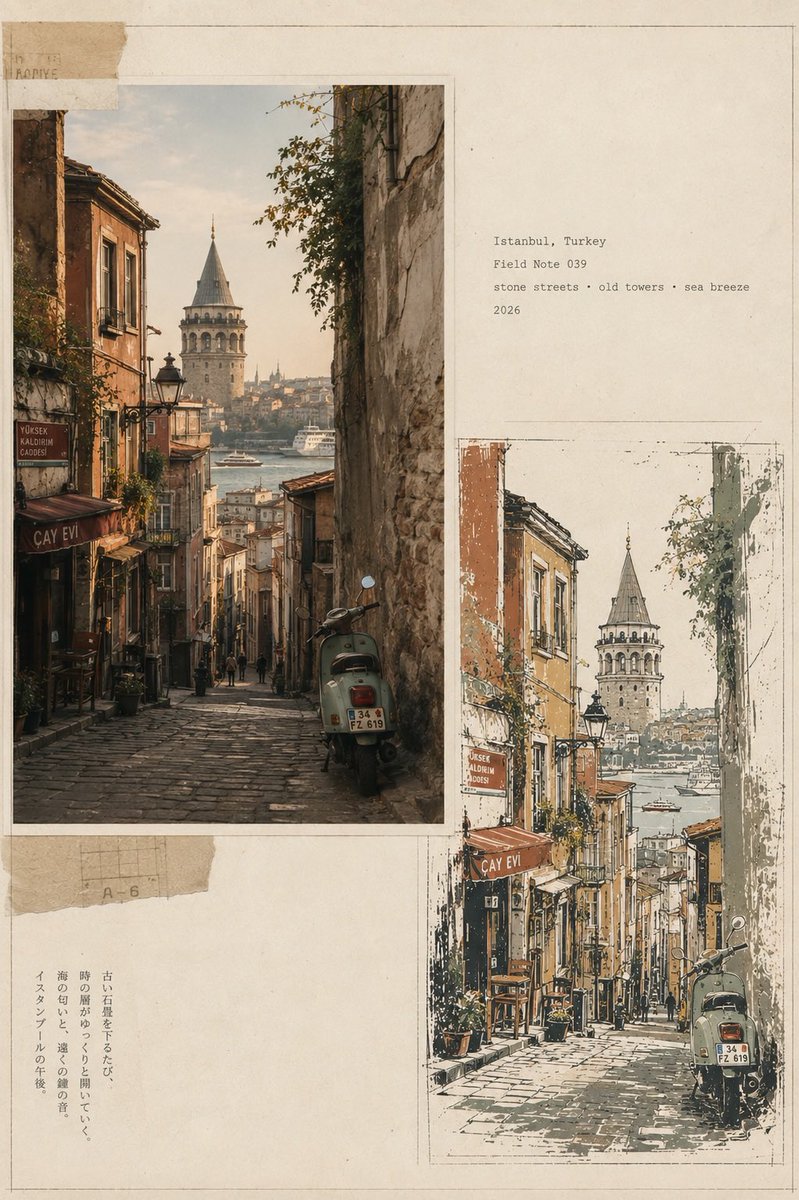
Create a premium vintage Japanese travel-journal editorial collage in vertical 4:5 format, featuring four distinct city sections—Bangkok, Thailand; Lisbon, Portugal; Marrakech, Morocco; Istanbul, Turkey. Each section combines a warm photorealistic documentary street photograph with a matching imperfect hand-drawn screen-print illustration, arranged asymmetrically on aged cream paper with torn-paper layers, archival borders, subtle pencil marks, typewriter captions, faded ink, paper fibers, and authentic 35mm analog grain. Bangkok: shrine, tangled wires, tropical greenery, teal motorbike; Lisbon: yellow tram, steep cobblestone street, balconies and river view; Marrakech: terracotta medina, palms, rugs and ornate minaret; Istanbul: steep stone street, Galata Tower, Bosphorus and vintage scooter. Use a restrained palette of sage, ochre, terracotta, mustard, charcoal and warm ivory, with sophisticated editorial art direction, muted contrast, natural light, handmade imperfections, and museum-quality travel-zine aesthetic.

@lovimg_com
Infographic / Edu Visual - Editorial Cooking Storyboard Layout
Nano Banana Pro

Infographic / Edu Visual - Editorial Cooking Storyboard Layout

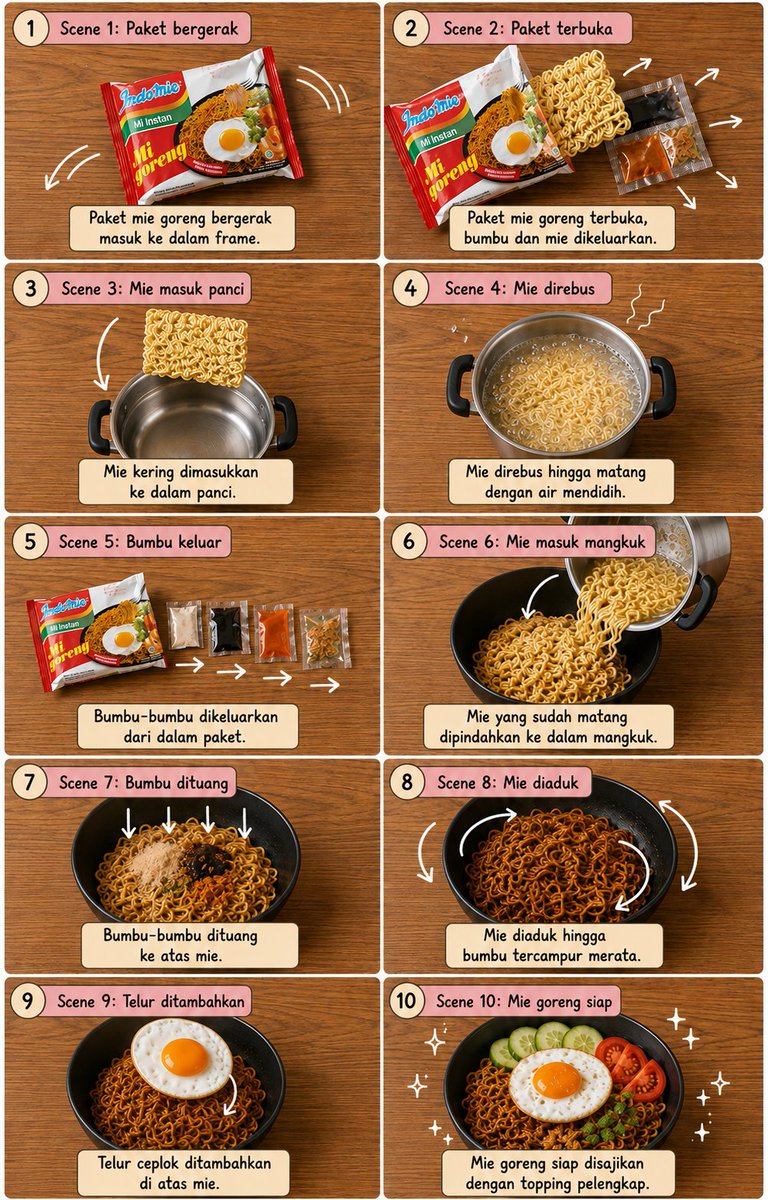
Create a vertical 4:5 cooking storyboard with exactly 10 panels in a {argument name="grid" default="2×5 grid"}. {argument name="surface" default="warm wooden tabletop"}, perfect top-down view, thin white borders, dusty-pink rounded headers, cream caption boxes, numbered circles and black handwritten typography.\n\nShow the exact sequence: {argument name="dish" default="dish"} packet → packet opens → noodles enter silver pot → noodles boil → seasoning sachets come out → cooked noodles enter black bowl → seasonings fall in → noodles mix → fried egg placed on top → finished mie goreng with egg and garnishes.\n\nUse clear white curved arrows, motion lines and sparkles to show every movement. Keep identical object continuity, realistic food, warm lighting, clean cute editorial storyboard style, sharp details and balanced spacing. No people, no hands, no extra panels.

@𝐌

Some prompts are collected from creators on X. Copyright belongs to the original authors.