Kenerate

Prompt Library

AI Prompt Library

Curated image, video and web design prompts from creators around the world. Copy any prompt, swap the subject or style, and generate with the latest models.

15,630 prompts · Updated daily · 100% free

15,372 prompts

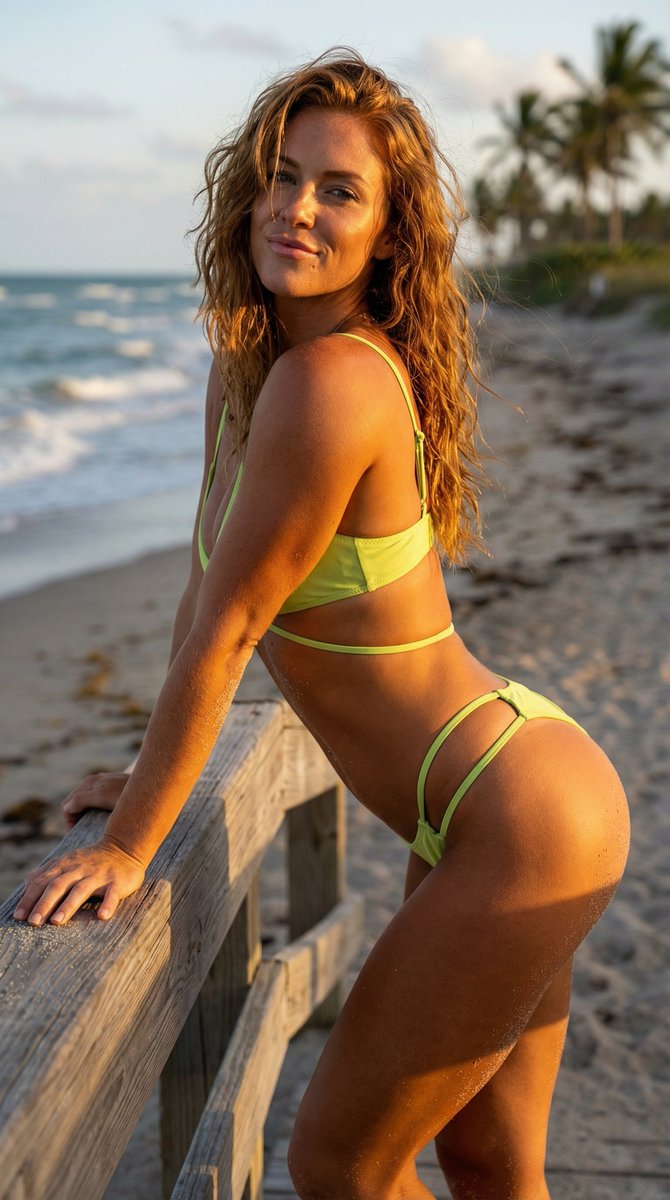
Golden Hour Beach Cabana Portrait Prompt

Golden Hour Beach Cabana Portrait Prompt

{ "image_specification": { "metadata": { "aspect_ratio": "9:16", "style_preset": "Cinematic Realism", "quality_level": "Ultra-High Definition", "render_engine": "Hyperrealistic Path-Tracing" }, "subject_details": { "identity": { "ethnicity": "American", "aesthetic": "Sun-kissed, athletic young woman", "reference_matching": "Maintain strict facial consistency with uploaded reference image" }, "physical_traits": { "skin": "Deep golden tan, visible micro-textures, subtle glow from saltwater and sun", "hair": "Redhead, beach-wave texture, wind-swept, voluminous, salt-textured strands", "physique": "Toned, athletic build, defined core" }, "attire": { "garment": "{argument name="bikini color" default="Green Lime"} strappy bikini", "details": "High-quality fabric sheen, intricate strap detailing, precise stitching textures", "fit": "Form-fitting, summer lifestyle aesthetic" }, "performance": { "pose": "Leaning forward toward the camera, playful and engaging stance", "expression": "Flirty smirk, confident gaze, direct eye contact", "mood": "Energetic, alluring, warm" } }, "environment_and_setting": { "location": "Tropical beach cabana", "background_elements": [ "Weathered exotic wood textures", "Soft-focus palm fronds", "Distanced turquoise ocean horizon", "White sand bokeh" ], "atmosphere": "Tropical warmth, hazy coastal air" }, "lighting_and_color": { "primary_source": "Golden hour sunlight", "lighting_physics": "Warm rim lighting on hair and shoulders, soft diffused shadows, natural skin highlights", "color_palette": "Teal and Orange contrast, warm ambers, vibrant turquoise" }, "camera_technical_specs": { "hardware": "85mm Prime Portrait Lens", "settings": { "aperture": "f/1.8 for creamy bokeh", "depth_of_field": "Shallow depth of field, sharp focus on eyes, soft background blur", "composition": "Close-up portrait, vertical orientation" } }, "constraints": { "negative_prompt": [ "nudity", "explicit content", "childlike proportions", "male features", "anatomical distortion", "extra limbs", "low resolution", "watermark", "unrealistic skin smoothing" ] } } }
High-Fashion Dynamic Leap Commercial Prompt

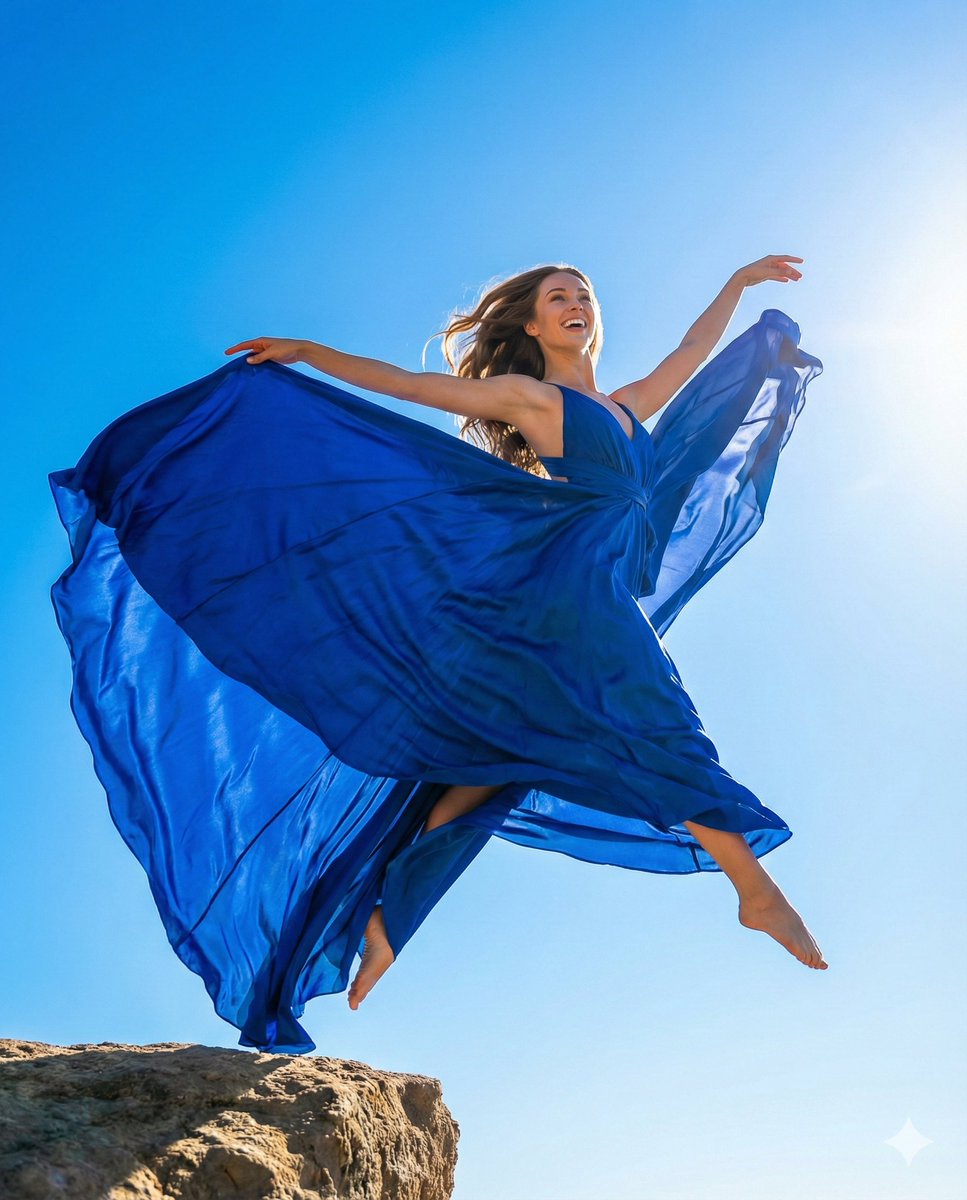
High-Fashion Dynamic Leap Commercial Prompt

{   "aspect_ratio": "4:5",   "meta_data": {     "concept": "Dynamic High-Fashion Leap",     "mood": "Elegant, Vivid, Euphoric, Breathtaking Beauty"   },   "subject_details": {     "character": "Stunningly beautiful woman, dancer-like grace",     "action": "A massive, graceful leap into the air, arms extended",     "shot_type": "Low angle looking up against the sky",     "details": "Metres of flowing, vibrant fabric (e.g., bright {argument name="fabric color" default="yellow or royal blue"} silk) billowing dramatically around her like wings. Hair flowing beautifully in the wind",     "expression": "Ecstatic, beautiful wide smile looking up towards the sun, flawless face"   },   "environment_context": {     "location": "Cliff edge or vast open landscape high up",     "background_elements": "Incredibly clear, saturated blue sky with endless horizon. Strong sunlight",     "atmosphere": "Freedom, majesty, vibrant energy"   },   "lighting_setup": {     "type": "Strong Sun Backlight",     "source": "Direct sun",     "effects": "Making the translucent fabric glow, rim lighting on hair and body. High contrast but flattering on face",     "color_grading": "Ultra-vivid primary colors, commercial cinematic look, sharp clarity",     "style": "High-end commercial photography (like a perfume ad)"   },   "camera_specification": {     "body": "Canon EOS R5",     "lens": "24-70mm F2.8",     "settings": "Aperture f/5.6, Shutter 1/2000s (Freeze motion perfectly), ISO 100",     "style": "Dynamic beauty editorial"   },   "image_quality": {     "resolution": "8k",     "texture": "Sharp fabric details, flowing hair strands, smooth skin, clear sky",     "focus": "Sharp on the face and body in mid-air"   },   "negative_prompt": [     "strained face", "ugly pose", "messy hair covering face", "dull colors", "cloudy", "static", "low resolution"   ] }

Mirror Selfie with Arched Back Pose Prompt

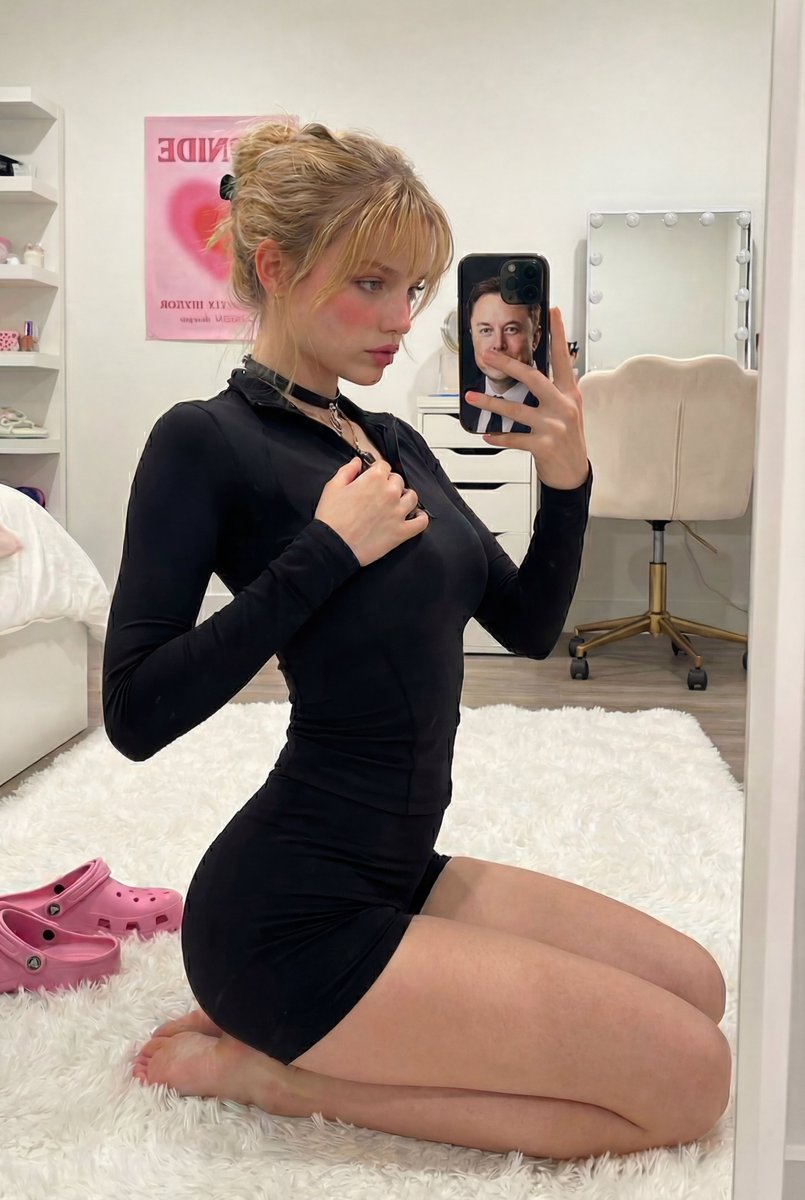
Mirror Selfie with Arched Back Pose Prompt

{   "prompt_data": {     "subject": {       "appearance": "Young woman with light skin tone, blonde hair pulled back into a high ponytail with loose strands framing the face, rosy cheeks, visible small tattoo on the side of the neck/behind ear.",       "body_type": "Fit, curvy physique.",       "accessories": "Gold ring on ring finger, gold anklet."     },     "clothing": {       "top": "{argument name="top style" default="Black long-sleeved tight-fitting compression top"} or bodysuit.",       "bottom": "Black tight-fitting mini shorts (booty shorts).",       "footwear": "Barefoot (pink Crocs visible on the floor nearby)."     },     "pose_and_action": {       "posture": "Kneeling on a white fluffy rug, body turned in profile to the mirror, back arched fully.",       "action": "Taking a mirror selfie with a smartphone, right hand holding the phone, left hand resting gently on chest/collarbone.",       "gaze": "Looking at the phone screen/mirror reflection."     },     "environment": {       "setting": "Modern bedroom or dressing room.",       "furniture": "White modern shelving unit/drawers on the left, white vanity chair with gold legs in background.",       "decor": "White fluffy area rug (shag carpet), pink artwork/poster on the wall.",       "objects": "Pink Crocs on the rug, clutter on dresser (cups, toiletries), smartphone with a black case covered in planet/space stickers."     },     "lighting": {       "type": "Soft indoor diffused lighting.",       "source": "Natural light mix with room ambience.",       "quality": "Even illumination, soft shadows, flattering skin tones."     },     "styling_and_mood": {       "aesthetic": "Influencer lifestyle, casual at-home aesthetic, Gen Z style.",       "mood": "Relaxed, confident, candid, selfie mode."     },     "technical_specs": {       "camera_simulation": "iPhone rear camera or high-end mirrorless mimicking a mirror selfie.",       "focal_length": "24mm (wide angle)",       "aperture": "f/2.0",       "quality_tags": [         "Ultra Photorealistic",         "8k resolution",         "Raw photo",         "Hyper-detailed skin texture",         "Masterpiece",         "Sharp focus",         "Nano Banana Pro optimized",         "High fidelity",         "Depth of field"       ]     }   } }

Nano Banana Pro Prompt Collection Summary (20 Prompts)

Nano Banana Pro Prompt Collection Summary (20 Prompts)

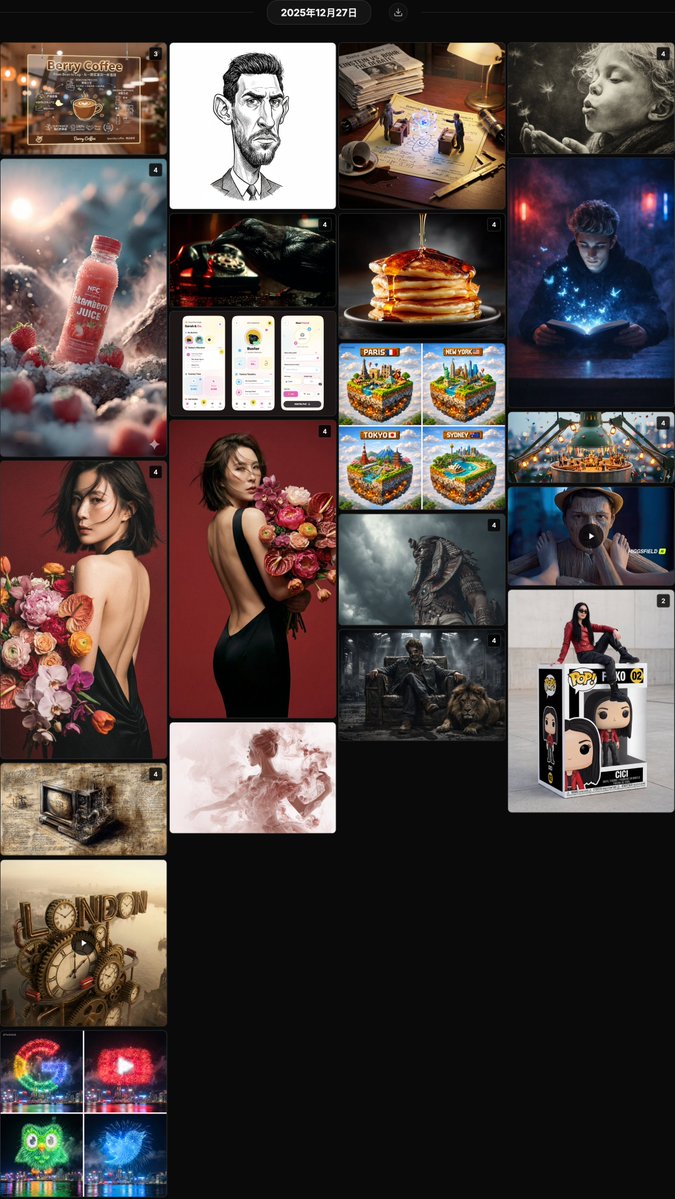
@hx831126 Fashionable backless photo shoot prompt sharing, combined with uploaded facial features to generate high-end magazine style portraits, with realistic and natural details @berryxia Sharing a prompt template for transparent acrylic shop signs, combining hand-drawn chalk style information layout with brand display, suitable for DIY in catering, technology, and other scenarios @LudovicCreator Smoke moment art prompt template, creating a fragile and fleeting atmosphere with soft blurred edges and dreamy charcoal texture @AllaAisling Liquid pouring product photography prompt, capturing the moment fluids like honey, paint, or milk make contact, creating an appealing sensory texture @anandh_ks_ Gangster king and lion cinematic style prompt, combining absolute facial lock with an industrial ruin scene, creating a strong sense of authority @TechieBySA Fireworks brand Logo prompt sharing, using night sky fireworks to accurately replicate the colors and shapes of logos like Google and YouTube @azed_ai Epic cinematic cultural fusion prompt, using symbolic armor and dramatic lighting to create a grand atmosphere for cross-cultural warriors @Arminn_Ai Giant Funko Pop toy box prompt, featuring a real person sitting in a custom package, with collector-grade detail restoration @YaseenK7212 Strawberry juice advertising photography prompt series, combining natural environment and condensation droplets to create a fresh and appealing commercial visual @David_eficaz Political cartoon style exaggerated portrait JSON prompt, emphasizing facial features with fine ink lines and shadows in an editorial style @RobotCleopatra Da Vinci manuscript style modern object prompt, restoring Renaissance aesthetics with ink line cross-sections and mirrored annotations @Gdgtify London city clockwork mechanical giant text prompt, dynamically blending Victorian gears with a red bus @aleenaamiir Miniature festival prompt on the edges of everyday objects, vividly narrating a story with small figures, lanterns, parties, and cinematic wide-angle close-ups @TechieBySA Minecraft style floating city cube prompt, building fun visuals with iconic landmarks and voxel sky @hx831126 Analysis of backless photo facial consistency prompt, using close-up half-body composition to improve identity feature retention rate @LudovicCreator Smoke art QT interactive prompt, capturing the fleeting, dreamy moment of the subject with a soft charcoal texture @Gdgtify Scientists' war macro diptych prompt, featuring miniature duels between historical rivals on patent drawings for educational fun @itis_Jarvo33 Mysterious smoky room magic book prompt, creating an immersive reading atmosphere with blue light, butterflies, and flocks of birds @RobotCleopatra Neo-noir cinematic golden prompt, recreating the classic atmosphere with Venetian blind shadows, smoke, and tungsten light effects @mattiapomelli Whimsical interface design for a pet management App, full of vitality with saturated colors, hand-drawn lines, and cartoon elements

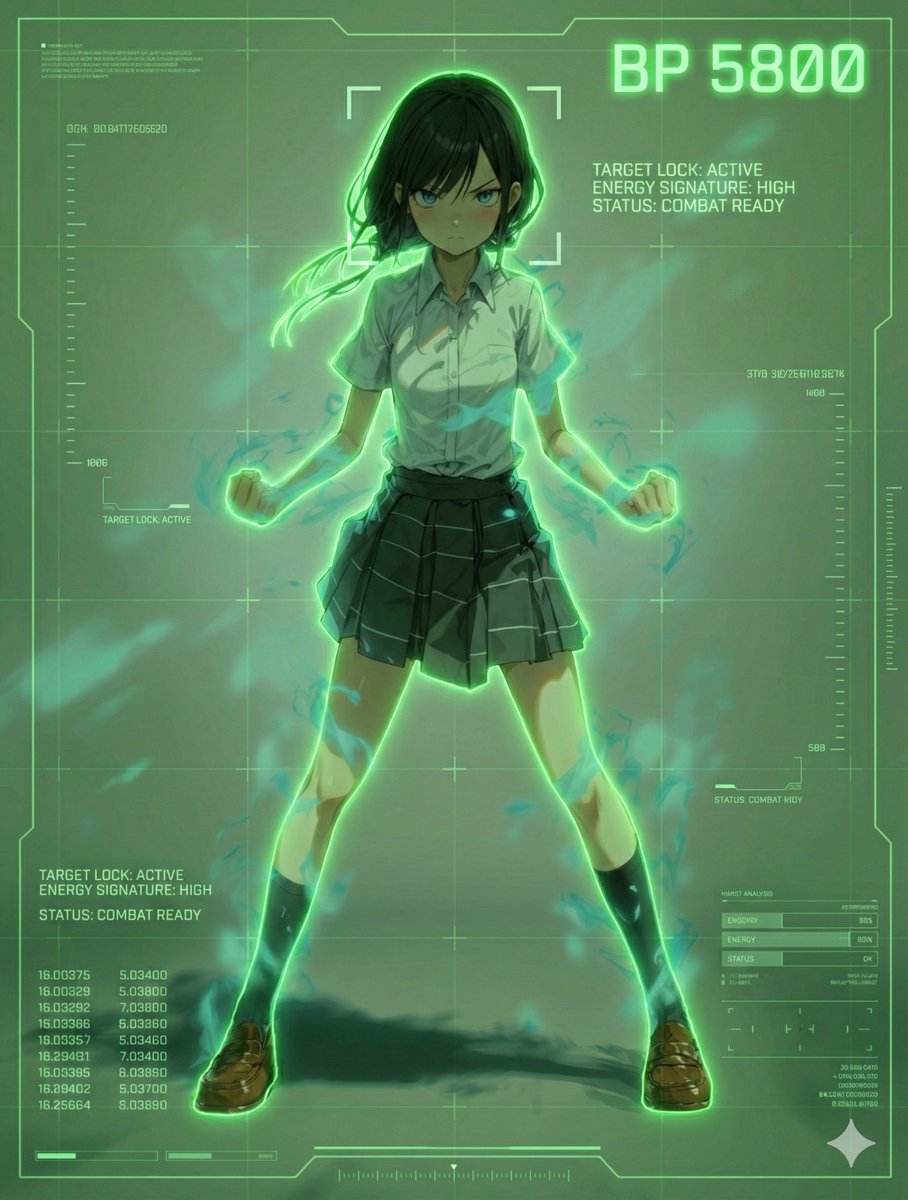
Scouter Prompt (Combat Power Analysis) - Summary

Scouter Prompt (Combat Power Analysis) - Summary

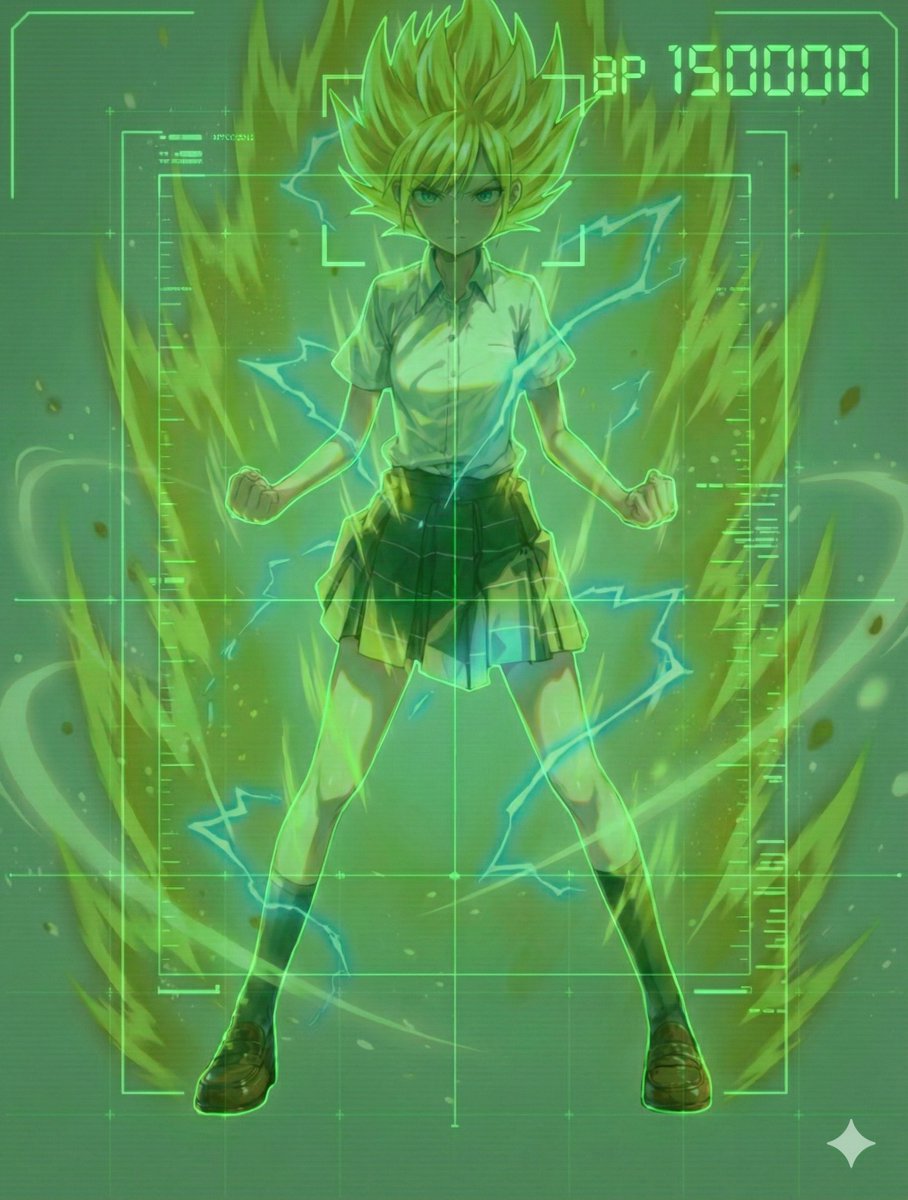
1. Scouter Prompt Recommendation: ★★★★★ Overlays a Scouter-style UI onto the reference image. Nano Banana Pro infers and displays combat power based on the character's features.

Nano Banana Pro Diagram Generation Prompts (15 Templates)

Nano Banana Pro Diagram Generation Prompts (15 Templates)

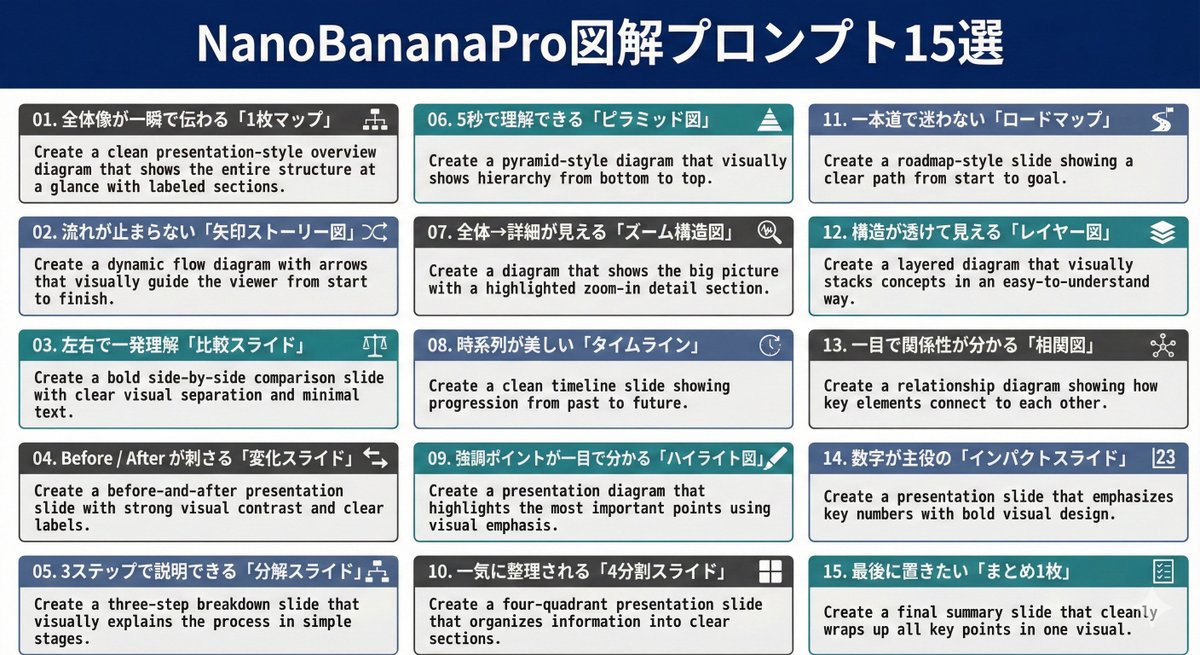
01. Create a clean presentation-style overview diagram that shows the entire structure at a glance with labeled sections. 02. Create a dynamic flow diagram with arrows that visually guide the viewer from start to finish. 03. Create a bold side-by-side comparison slide with clear visual separation and minimal text. 04. Create a before-and-after presentation slide with strong visual contrast and clear labels. 05. Create a three-step breakdown slide that visually explains the process in simple stages. 06. Create a pyramid-style diagram that visually shows hierarchy from bottom to top. 07. Create a diagram that shows the big picture with a highlighted zoom-in detail section. 08. Create a clean timeline slide showing progression from past to future. 09. Create a presentation diagram that highlights the most important points using visual emphasis. 10. Create a four-quadrant presentation slide that organizes information into clear sections. 11. Create a roadmap-style slide showing a clear path from start to goal. 12. Create a layered diagram that visually stacks concepts in an easy-to-understand way. 13. Create a relationship diagram showing how key elements connect to each other. 14. Create a presentation slide that emphasizes key numbers with bold visual design. 15. Create a final summary slide that cleanly wraps up all key points in one visual.

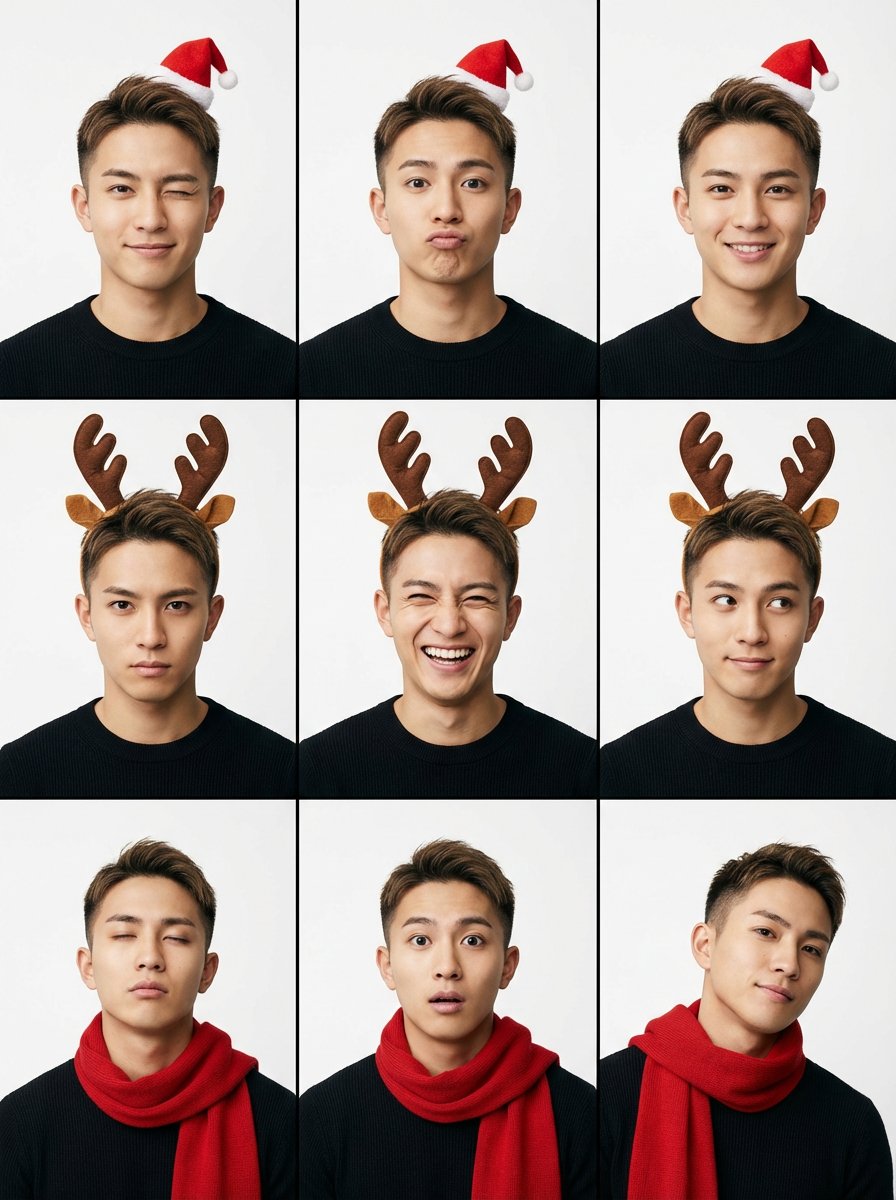
9-Grid Minimalist Christmas Portrait Prompt

9-Grid Minimalist Christmas Portrait Prompt

{ "project_settings": { "task_type": "9-grid minimalist portrait", "aspect_ratio": "3:4", "batch_size": 1 }, "theme_config": { "style": "Minimalist Christmas Accents", "intensity": "Subtle / Accessories Only", "logic": "Maintain the original clean aesthetic and add only one Christmas accessory per panel" }, "prompt_payload": { "structure": "A single contact sheet image containing a 3x3 photo grid matrix", "subject_base": { "identity": "Young Asian woman (Face ID compatible)", "outfit": "Simple gray knit tank top or white T-shirt (clean, modern impression)", "makeup": "Natural, clean, fresh" }, "festive_accents": { "option_1": "Wearing a small, cute red mini Santa hat", "option_2": "Wearing a subtle brown reindeer antler headband", "option_3": "Loosely wrapped in a simple red knit muffler" }, "visual_style": { "background": "Solid light gray or white studio background (avoid flashy decorations like Christmas trees)", "lighting": "Soft studio lighting, clean shadows", "color_palette": "Gray, white, skin tones, and red as an accent" }, "expression_flow": "9 types of playful expressions (wink, pout, laugh, serious expression, etc.)" } }

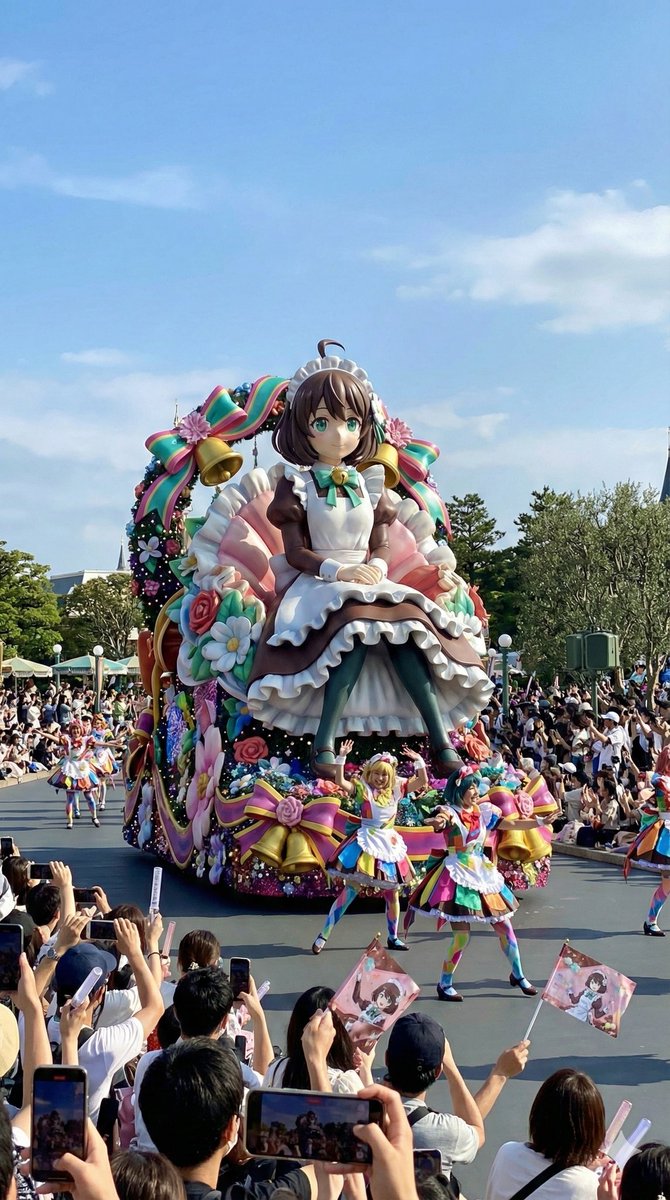
Theme Park Parade Float Generation Prompt for Nano banana Pro

Theme Park Parade Float Generation Prompt for Nano banana Pro

{ "purpose": "Generate a flashy and glamorous live-action style parade float image, modeled after a reference image, as if it were photographed in a real theme park", "style": { "expression": "Live-action photo style", "reality": "Structure that meets safety standards and appears to exist in reality", "worldview": "Large parade at a popular theme park" }, "main subject": { "type": "Parade float modeled after the reference image", "scale": { "impression": "Very flashy and eye-catching, but kept to a realistic height", "height_limit": "Height within the range considered safe for operation" }, "motif_interpretation": { "source": "Provided reference image", "reflection_method": "Reinterpret shape, color, and atmosphere as a three-dimensional sculpture", "abstraction_level": "Designed as a theme park float, not a direct reproduction" }, "main_sculpture": { "pose": "{argument name="main sculpture pose" default="sitting"}", "reason": "To keep the center of gravity low and ensure stability", "foot_handling": "Feet are integrated into the float structure or decoration and are not clearly depicted" }, "decoration": { "color_scheme": "High saturation and strong contrast based on the reference image", "elements": "Large decorative parts, ribbon-like or radial motifs", "density": "High decoration density that immediately conveys flashiness" }, "texture": "Realistic texture reminiscent of FRP molding and paint" }, "surrounding_elements": { "dancers": { "presence": true, "number": "Many", "costumes": { "design": "Abstracted design of the reference image motif", "color": "Flashy color scheme reflecting the reference image's color palette", "mobility": "Realistic structure that can actually be worn" }, "movement": "Dance with large, festive gestures" }, "audience": { "presence": true, "smartphone_photography": { "action": "Many spectators holding up smartphones to take pictures", "screen_representation": "Scattered smartphone screens showing the float" }, "fan_goods": { "action": "Cheering by waving items based on the reference image motif", "types": "Flags, light sticks, abstracted small items", "effect": "Gives movement and rhythm to the entire screen" } } }, "environment": { "weather": "{argument name="weather" default="Clear blue sky"}", "time_of_day": "Daytime", "location": "{argument name="location" default="Main parade route of a theme park"}" }, "camera": { "viewpoint": "Natural camera position from the perspective of a spectator", "equipment": "iPhone", "image_quality": "Slightly rough smartphone live-action image quality", "handheld_feel": "Slight blur for a sense of realism", "aspect_ratio": "9:16" } }

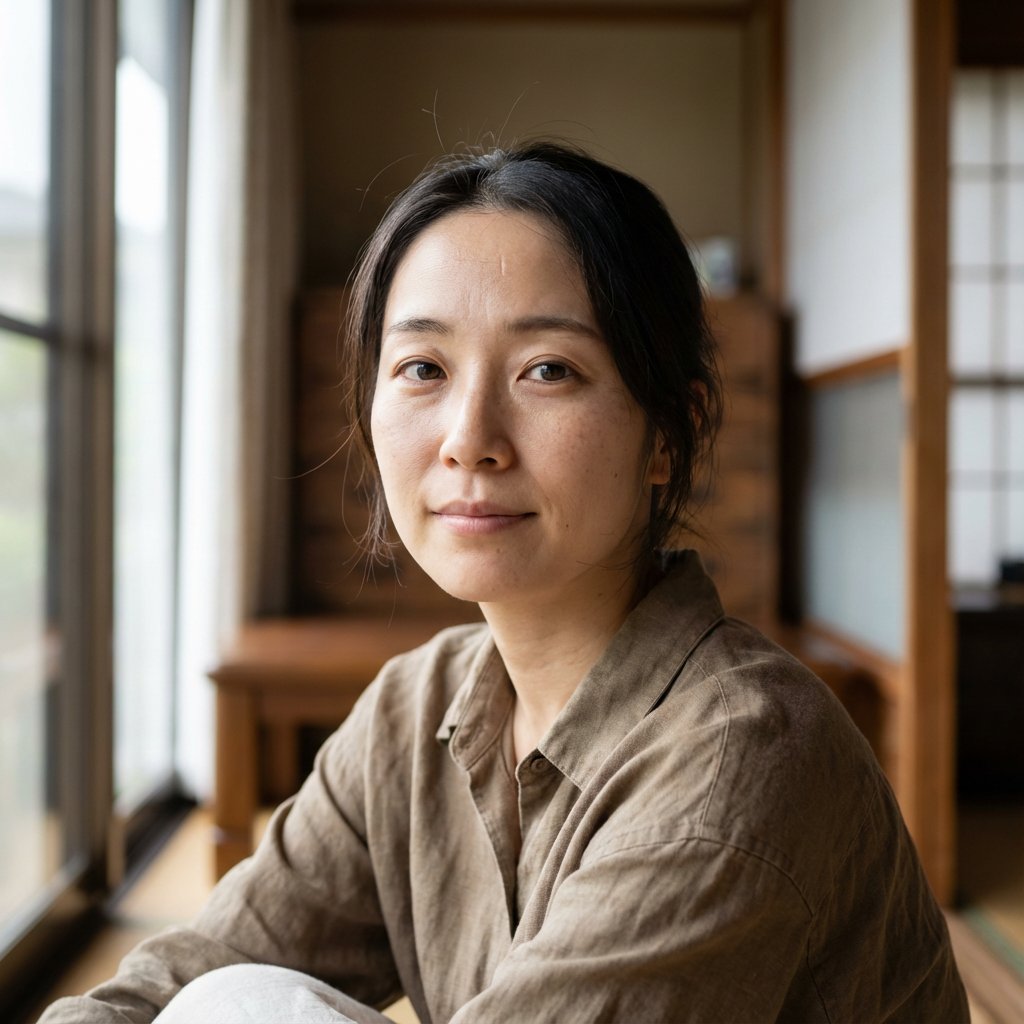
Nano Banana Pro Prompt for Realistic Japanese Female Character

Nano Banana Pro Prompt for Realistic Japanese Female Character

I tried to create a cute and realistic-looking girl, and initially generated it with only instructions like “{argument name="initial instruction" default="beautiful Japanese woman"},” but the AI look inevitably remained like in the first image.... So, I tested what would happen if I restructured the prompt, focusing on a subject image that the AI could easily understand, rather than just atmosphere!

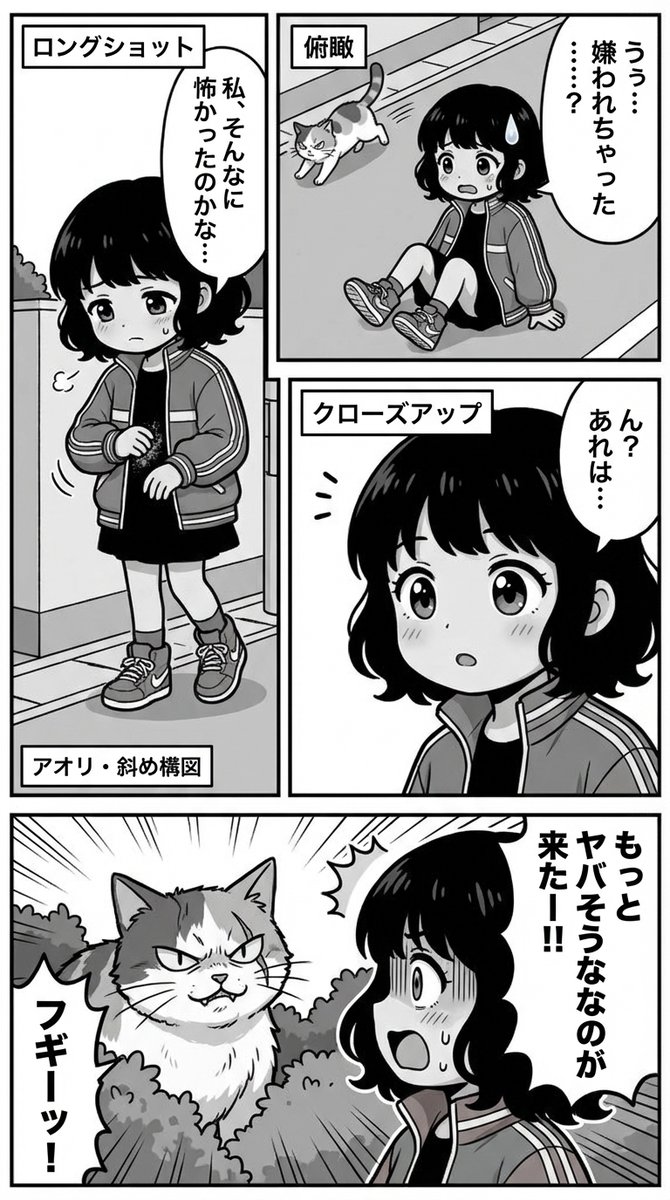
Nano Banana Pro Manga Generation Prompt with Character Consistency Rules

Nano Banana Pro Manga Generation Prompt with Character Consistency Rules

Please generate a manga page. #Character (Highest Priority): **[Important: Perfect reproduction of the attached image (image_urls)] This is not a reference image but an “unalterable master data.” Strictly adhere to the following processes in all generated panels.** 1. **Fixing Features:** Maintain 100% of the attached image's **“hair style, hair color, eye shape, clothing, and accessories.”** Unauthorized arrangements or simplifications are prohibited. 2. **Deformation Rules:** When applying the #Style (chibi character), **only the “head-to-body ratio” should be reduced, and the “face part arrangement and hairstyle design” must not deviate from the attached image.** 3. **Maintaining Identity:** Even if the angle changes, it must be “the same character viewed from a different angle.” Do not change the face to look like a different person. 4. **Do not cause “Prompt Bleed (instruction leakage).”** #Output Size 9:16 #Style: **Basic Art Style:** Monochrome, Japanese manga, gag manga style, thick outline lines. **Style prompt:** Japanese manga, chibi style, thick outline lines, monochrome. **Format:** Vertical writing, Japanese panel layout read from right to left. #Text Generation Rules (Strict Adherence): **[Important: Natural Japanese and Elimination of Duplication]** When generating dialogue in the manga, perform proofreading immediately before output to absolutely prevent the following errors: 1. **Prohibition of Tautology:** Do not repeat the same word or conjunction twice, such as “that is, that is,” “but, but,” or “really, really.” Stuttering expressions are prohibited. 2. **Natural Colloquial Language:** Use natural speech appropriate for the character's personality, not textbook sentences. 3. **Garbled Text Check:** Confirm that Kanji and Hiragana are not corrupted. #Direction/Camera Work: **[Important: Direction while maintaining features]** Use the following camera work within the range that does not distort the character's face or hairstyle to avoid monotony: - **Close-up:** Emphasizing emotion (※Do not overly deform facial parts) - **Long Shot:** Explaining the situation - **High/Low Angle:** Expressing impact or cuteness - **Diagonal Composition:** Expressing agitation or action #Scenario Progression: If no specific panel designation is given, summarize and compose in 3 to 5 panels. Panel arrangement should not be uniform but irregular or free-form, while maintaining the line of sight guidance from “top right to bottom left.” #Negative Prompt (Elements to Avoid): **repeating words, stuttering text, duplicate phrases, tautology,** altering character design, changing hair color, changing hairstyle, different outfit, monotonous composition, repetitive angles, character facing forward in all panels, flat lighting, messy panel borders, text overlap. #Scenario: {argument name="scenario" default="Think of the continuation of the attached manga."}

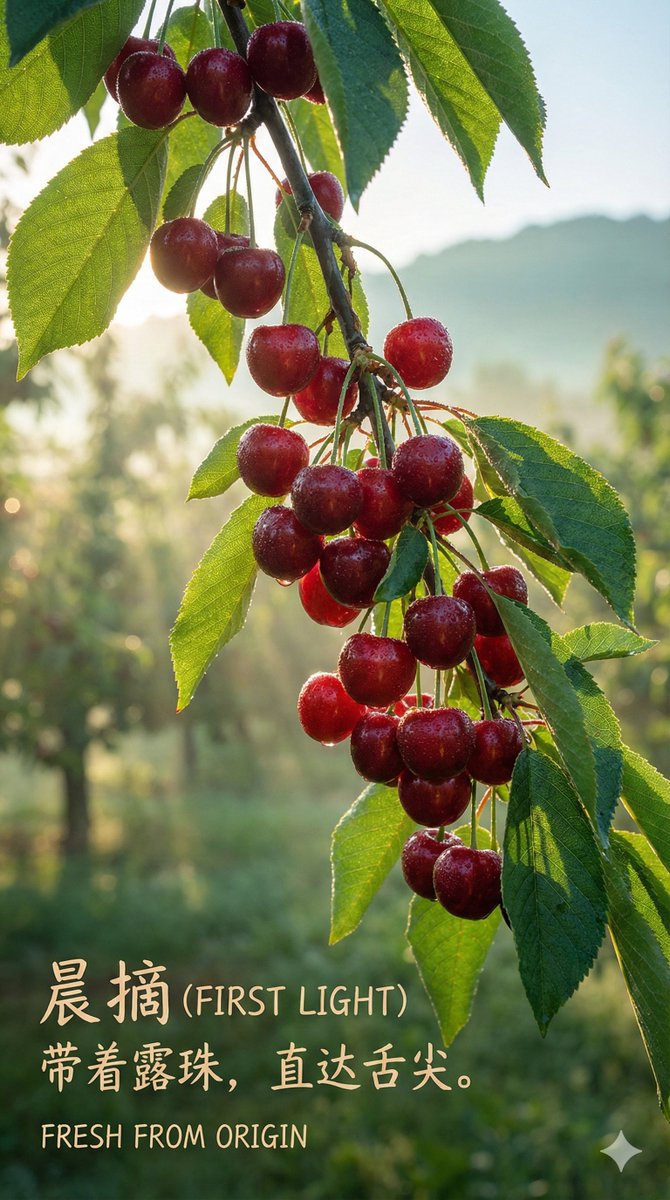
Luxury Cherry Product Photography Prompt (Black Diamond)

Luxury Cherry Product Photography Prompt (Black Diamond)

Subject: {argument name="subject" default="Two top-grade cherries, deep red, almost black"}, close together, with vibrant green stems connected. Details: Under a macro lens, the skin surface exhibits an extremely smooth, mirror-like texture, clearly reflecting the studio light source. A tiny, crystal-clear water droplet rests precariously on the roundest part of one of the fruits. Lighting: Fine professional jewelry photography lighting. Use a softbox to create sharp and clean long strip highlights, perfectly outlining the spherical curve and deep color of the fruit. Colors: Deep ruby red, ink black, highlight white, vibrant green (stem). Atmosphere: Extreme temptation, preciousness, luxury, mouth-watering. Technical Parameters: Macro photography, extremely shallow depth of field (focusing on the water droplet and highlights), 8K resolution, extreme sharpness, --ar 4:5 --v 6.0 [ 🖋️ Copywriting and Layout ] Main Title: {argument name="main title" default="BLACK DIAMOND"} Subtitle: 32mm+ Only for discerning palates. Bottom Text: RARE & EXQUISITE Layout Suggestion: Center alignment. Title uses a slender, elegant serif font, colored gold or white.

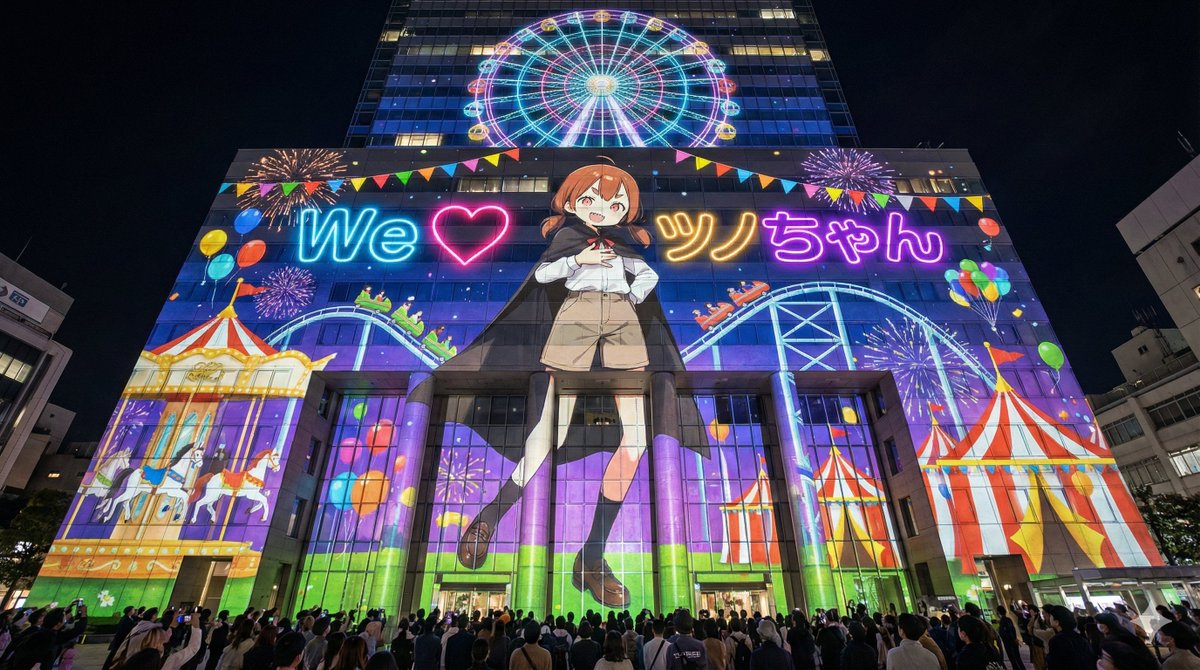
Projection Mapping Prompt for Nano Banana Pro (Amusement Park Theme)

Projection Mapping Prompt for Nano Banana Pro (Amusement Park Theme)

[Image Generation Prompt] [1. Character Features] {argument name="character features" default="Brown hair, short twin tails, wearing a black cloak, white long-sleeved shirt, beige shorts, black knee socks, brown loafers"} [2. Text to Display] "{argument name="displayed text" default="We ❤ Tsuno-chan"}" [3. Generation Instructions] Scene & Composition: Photorealistic night view photo of a huge modern skyscraper or large commercial facility in the city. A wide-angle shot looking up diagonally from the street, emphasizing overwhelming height and scale. Include a crowd of spectators looking up in the dark foreground. Crucial: Projection Physics & Texture Mapping: FULL FACADE COVERAGE: The projection mapping covers the entire visible facade of the station from edge to edge. No part of the red brick wall remains unlit; the whole building is transformed into a colorful amusement park canvas. SURFACE INTEGRATION (NO FLOATING): The images (character, text, effects) must act as a "texture skin" applied directly to the building's surface. Absolutely NO floating holograms or signboards in mid-air. The projection must follow the physical contours of the architecture. REALISTIC DISTORTION: The projected light bends around the curved pillars, dips into the window recesses, and reveals the rough grain of the brick texture underneath. The windows and reliefs modify the shape of the projected image. NO SPILLOVER: The projection is strictly confined to the building's silhouette. The night sky remains pitch black. Projection Content (Amusement Park Theme): Character: A dynamic dance pose of the giant [1. Character Features] is projected onto the building wall, but it is **"a picture drawn with light on the wall"** and is integrated with the building's structure. Text: [2. Text to Display] is projected as neon light, utilizing the space of windows and walls. Graphics of a rotating Ferris wheel are projected onto the upper floors of the building, making the area near the top floor look like a glowing circular attraction. Roller coaster tracks and coasters run along the wall. Decorations of merry-go-round horses and circus tents are placed on the lower floors. Balloons, flags, and fireworks graphics are placed without gaps. Style: Ultra-high-resolution night photo, cinematic lighting. Generate it strictly as a **"real landscape photo,"** not a digital illustration. Realistically depict the diffraction of light, the distortion of the image due to the unevenness of the wall surface, and the shadows of the bricks. Aspect ratio 16:9.

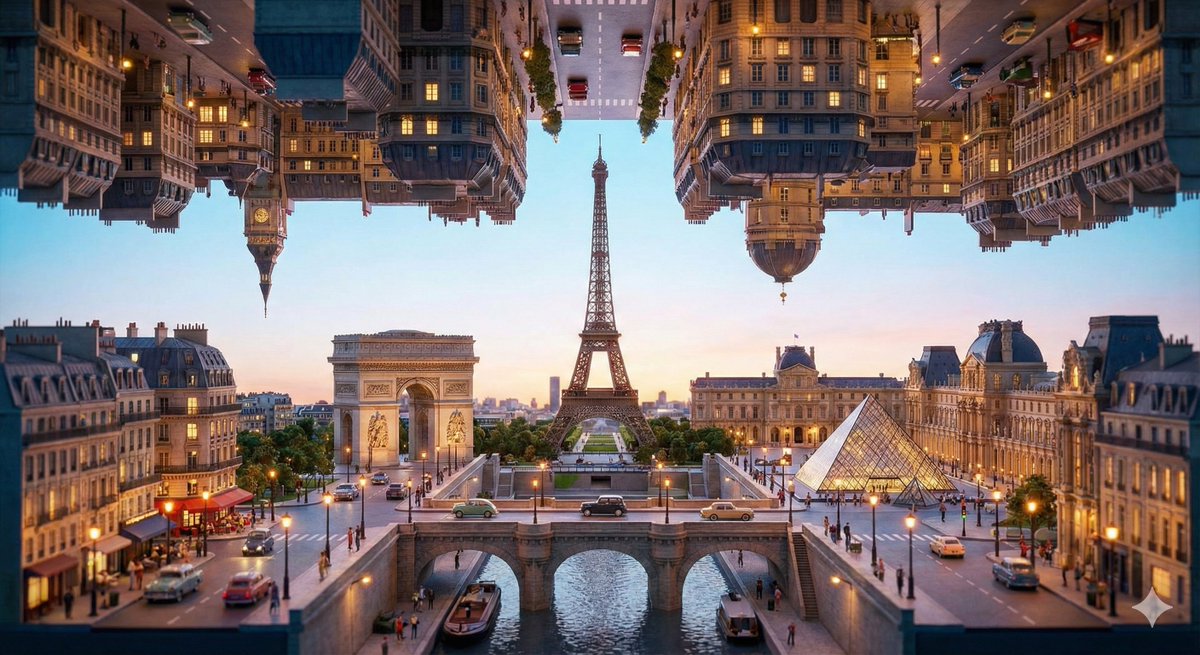
Inception-Style Folding City Diorama Prompt

Inception-Style Folding City Diorama Prompt

{   "design_logic": {     "spatial_structure": "Use '180-degree vertical fold' description to mimic the city folding effect in 'Inception,' creating a visual spectacle of two gravity planes, upper and lower.",     "scale_control": "Use keywords like 'Tilt-shift,' 'Diorama,' and 'Macro photography' to force the AI to compress the huge city into a desktop bonsai feel.",     "subject_details": "Reserve the [City Name] placeholder and request the inclusion of 'Miniature tiny figurines' to reinforce the scale contrast.",     "lighting_style": "Emphasize 'Cinematic lighting' and 'Global illumination,' utilizing shadows created by the folding gap and city neon lights to create a cinematic texture.",     "color_palette": "Specify 'Vibrant colors' and 'High saturation' to make the miniature model look more vivid and textured than the real world."   },   "prompt_template": "A stunning 3D miniature diorama of {argument name="city name" default="Paris"}, the entire cityscape is folded 180 degrees vertically in 'Inception' movie style, with buildings hanging from the top and rising from the bottom meeting in the center. Miniature tiny figurines of people walking on gravity-defying streets. High-detail macro photography, tilt-shift effect, realistic plastic and glass textures. Cinematic lighting,  vibrant and saturated colors, glowing city neon lights. Hyper-realistic, 8k resolution, octane render, unreal engine 5 style, intricate details.",   "usage_instruction": "Simply replace [City Name] with the city you want (e.g., Guangzhou, Tokyo, Paris, etc.) to generate a folding miniature landscape featuring that city's landmarks." }

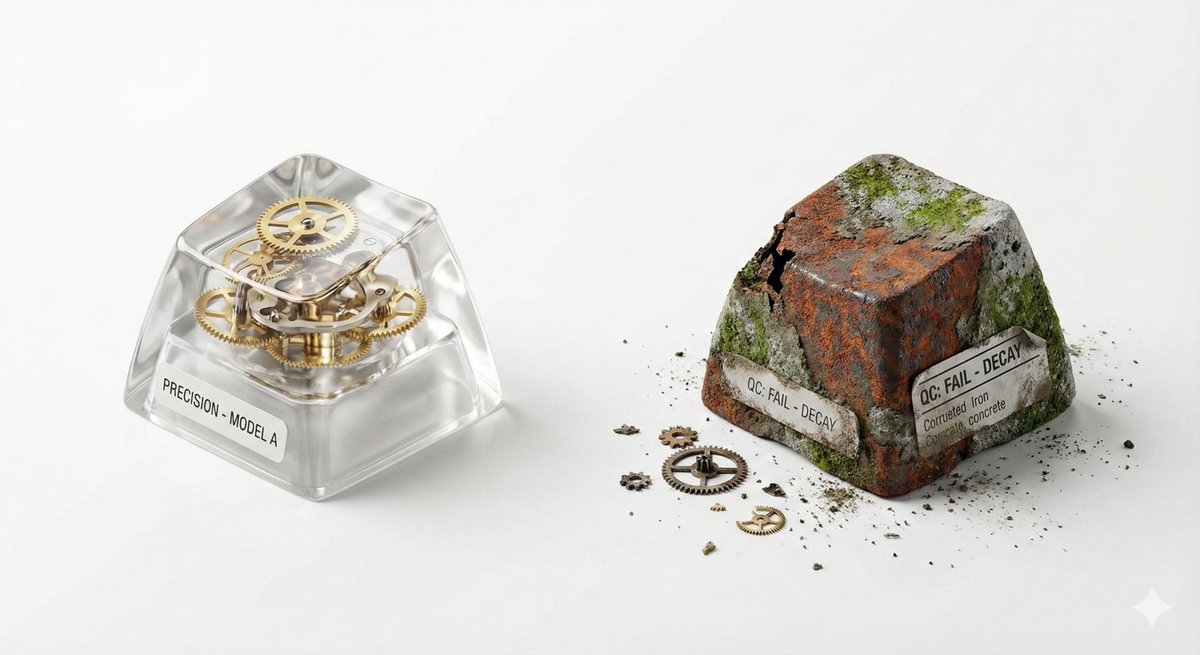
Visual Creator Mode Prompt for Product Photography (Precision vs. Decay)

Visual Creator Mode Prompt for Product Photography (Precision vs. Decay)

## 🎨 Visual Creator Mode You are a top visual creative director with AI image generation capabilities. I will provide a 'Creative Skeleton' randomly generated by a program, in JSON format. Your task is: 1. **Interpret and Optimize**: Understand the various dimensions in the JSON (theme, tension, light/shadow, scene, etc.) and integrate them into a coherent, visually impactful concept. 2. **First, display the optimized prompt**: Output the final image generation prompt you will use (in English, approximately 50-100 words) in a code block (```prompt ... ```). 3. **Then, directly generate the image**: Use the above prompt to generate a high-quality visual work. --- ### Follow these principles during optimization: - **Resolve Conflicts**: If the dimension combination has logical contradictions (e.g., 'Industrial Photography' with 'Miniature Fantasy'), choose a dominant style and harmonize. - **Visual Anchor**: Translate abstract tension (e.g., 'Whimsical vs. Real Material') into concrete visual elements (e.g., melted chocolate flowing over precise metal gears). - **Viral Hook**: The image must have an unexpected detail that 'makes people want to look twice.' - **Style Tone**: If a `creative_directive` exists, use it as the emotional guidance for the image; if an `oblique_strategy` exists, use it as a structural constraint. --- ### Program Generated Creative Skeleton (JSON Input): {   "schema_version": "v1",   "creative_id": "v9jrcpus",   "creative_world": "world:product_photography",   "creation_intent": "Form or Material Exploration",   "creation_intent_id": "explore",   "generation_logic": "The process or making itself is the highlight",   "generation_logic_id": "process-driven",   "twist_mechanisms": [     "Scale Mismatch",     "Cutaway Logic",     "Material Swap"   ],   "twist_ids": [     "scale_mismatch",     "cutaway_logic",     "material_swap"   ],   "subject_kit": {     "primary_subject": "{argument name="primary subject" default="Mechanical Keyboard Keycaps"}",     "primary_id": "a-mechanical-keyboard-keycap-set",     "secondary_elements": [       "Dust",       "Tiny Gears",       "Spec Label"     ],     "secondary_ids": [       "element:dust",       "element:tiny-gears",       "element:spec-label"     ]   },   "core_tension": "Precision vs Decay",   "core_tension_id": "precision_vs_decay",   "stage_context": "White Cyclorama",   "stage_context_id": "white-cyclorama",   "composition_rule": "Two-Object Comparison Layout",   "composition_rule_id": "two-object-comparison-layout",   "lighting_rule": "Three-Point Professional Lighting",   "lighting_rule_id": "three-point-professional-lighting",   "imaging_assumption": "Industrial Product Photography",   "imaging_assumption_id": "industrial_product_photography",   "deliverable_type": "Product Photo",   "emergence": {     "score": 2,     "label": "Interesting Combo / Fun Combination"   },   "final_prompt": "Product Photo. featuring Mechanical Keyboard Keycaps, Dust, Tiny Gears, Spec Label. inspired by Precision vs Decay. with Scale Mismatch, Cutaway Logic, Material Swap. set in White Cyclorama. following Two-Object Comparison Layout. lit by Three-Point Professional Lighting.",   "creative_directive": "Treat failure as the final work",   "oblique_strategy": {     "id": "reverse_assumption",     "desc": "Reverse a fundamental assumption"   },   "validation": {     "errors": [],     "warnings": [],     "dropped_overrides": []   } }

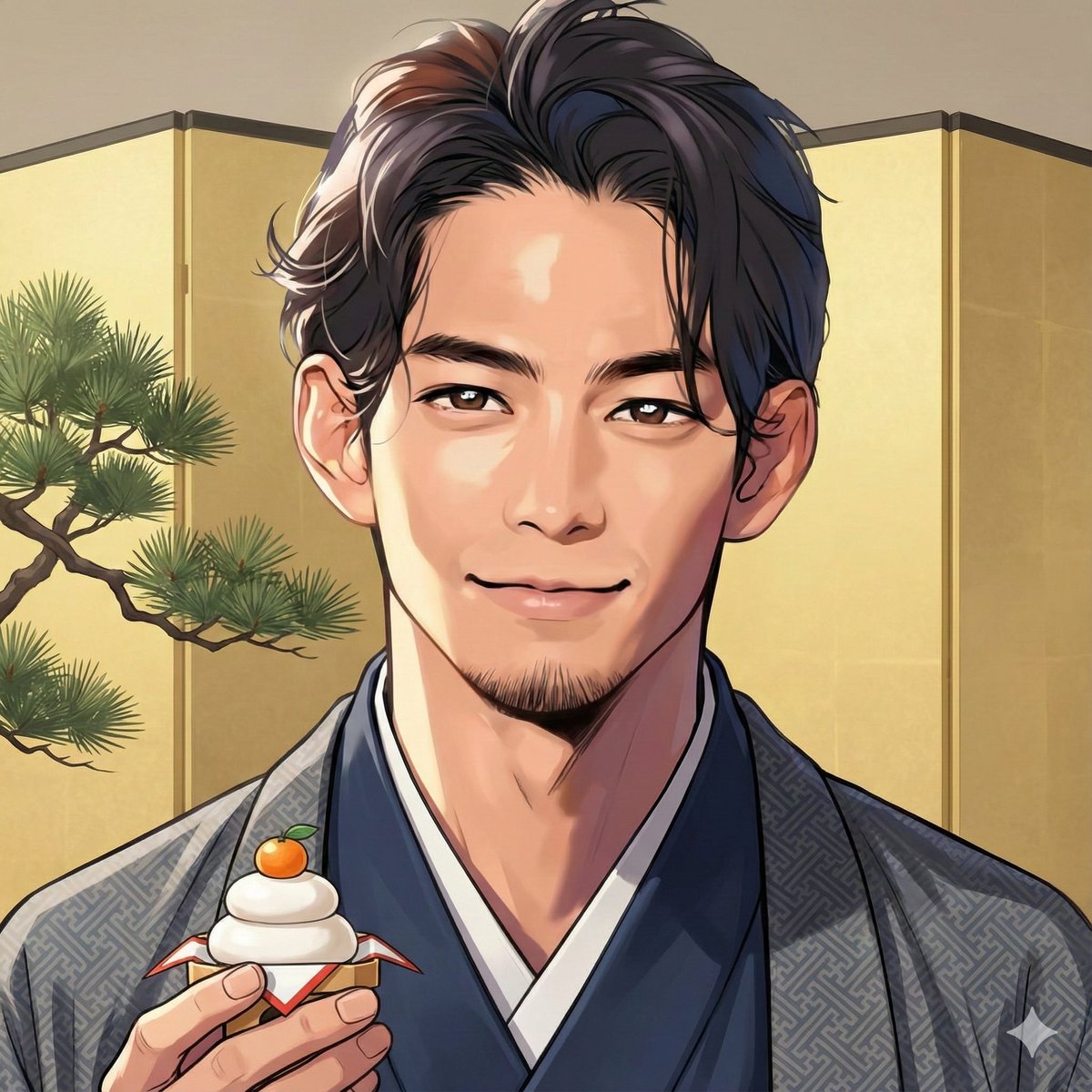
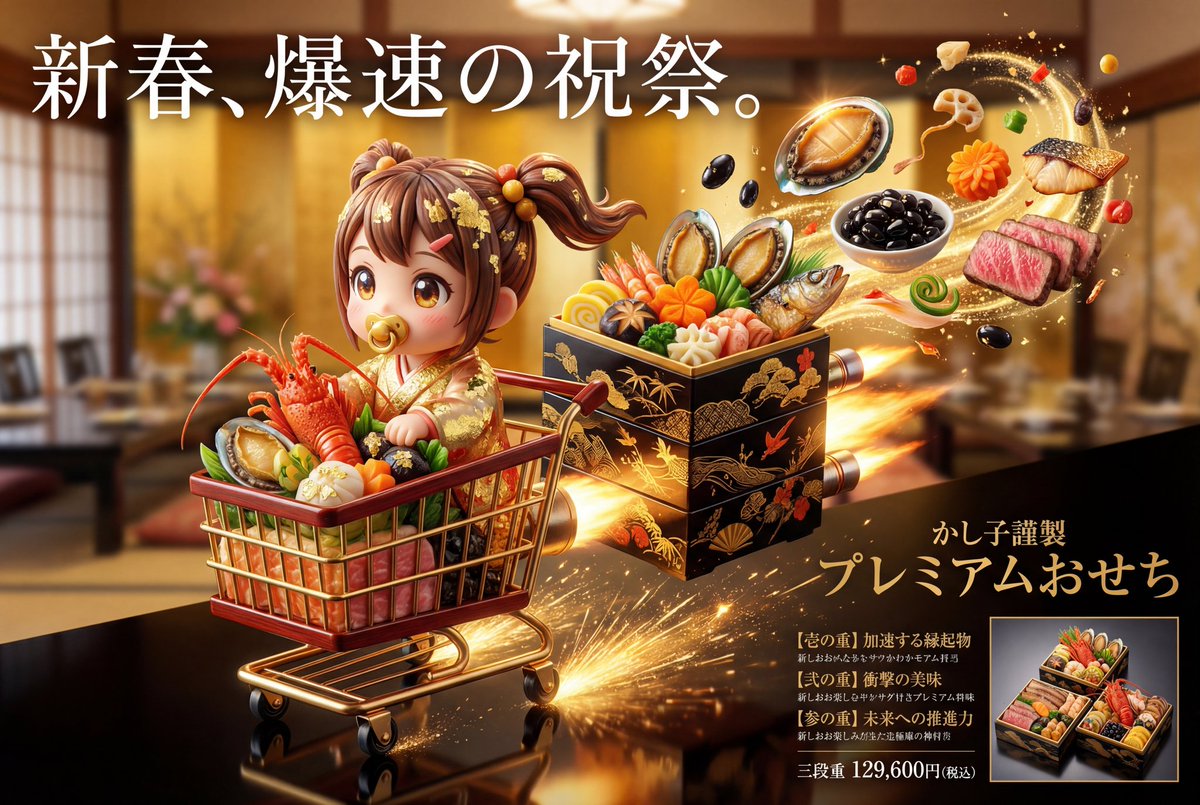
Luxury Osechi (New Year's Food) Key Visual Generation Prompt

Luxury Osechi (New Year's Food) Key Visual Generation Prompt

Character Name: [{argument name="character name" default="☆Set character name here☆"}] Advertising/Poster/Promotional Key Visual Generation Prompt 0. Purpose of this Prompt (Highest Priority) This prompt is for **“generating a photorealistic image of Osechi cuisine” that is also a “key visual for advertising posters and promotional materials aimed at department stores, luxury restaurants, and limited sales.”** The generated image must prioritize the following: Completion level recognizable as an “advertisement” at a glance. The Osechi is the “main product” but is strongly boosted by the tiered structure, menu, world view, and character elements. 1. Overall Visual Premise (Advertising Declaration | Boost Design) This key visual assumes an advertising design where the direction of expression significantly changes based on the characteristics of the reference image. This prompt does not aim for a stable solution but extracts the strongest element (luxury, strangeness, humor, specialty, etc.) from the reference image and boosts the entire advertising expression through high-quality, high-sense, and excessively eccentric, genius representation. The direction is automatically determined by the impression of the reference image. However, regardless of the direction, the image must be conscious of being an “advertisement that works in a department store's New Year's sale.” This boost result is consistently reflected and visualized in the subsequent composition, tier structure, copy, and menu. 2. Scene/Moment (A Moment Cut Out as an Advertisement) Automatically selects the moment that is most appealing as an advertisement and instantly conveys “what kind of existence” the Osechi is. This prompt does not fixate on a specific production pattern but defines the “moment cut out” as the state where the information density and narrative are highest among the tiered box, cuisine, structure, and world view. The tiered box may be closed or open. The whole may be visible, or only a part may be emphasized. The time is not fixed (just before, just after, or during movement). It must be a high-quality, high-sense, and uniquely eccentric Osechi that captures attention instantly, and the optimal structure, angle, and state are automatically selected for this purpose. 3. Composition/Shooting Style (Advertising Layout Premise) Place the Osechi tiered box in the center to slightly foreground of the screen. Luxury food advertising angle from the front to slightly diagonally above. Intentional negative space for placing copy and menu. Technical conditions: 8K resolution Ultra-photorealistic food photography Department store/luxury restaurant advertising quality 4. Packaging/Tiered Box Design The tiered box is designed as the **“outer shell” that most purely reflects the characteristics of the reference image.** The basic structure starts from a “tiered box that works under the supervision of a department store/long-established store,” but changes freely, high-quality, high-sense, and eccentric according to the impression of the reference image. 5. Osechi Body (Product Persuasiveness) The cuisine composition is not limited to “Japanese” but is designed as celebratory cuisine freely expanded based on the individuality of the reference image. It may follow or deviate from traditional Osechi, and the most suitable culinary system for the impression of the reference image is reconstructed each time. What is important is not the style, but the instant establishment of luxury, festivity, and specialness. 6. Character Expression (Edible Celebration World) All characters are entities composed of food ingredients, reinterpreted into New Year's costumes that match the concept while exaggerating the features of the reference image. Although the materials are food, priority is given to expressions that make them feel as if they are breathing, moving, and lively in that world. The character is treated as an existence that has existed in the Osechi world from the beginning, not as a “man-made object.” 7. Color Design The color scheme is automatically determined as the optimal solution derived from the reference image and concept, without fixed rules. The cuisine, tiered box, character, and background establish luxury and festivity through texture, density, and contrast, rather than color. 8. Advertising Copy/Menu Design (Most Important) Copy and menu naturally arise as a result of verbalizing the characteristics and concept of the reference image. Text is placed on the screen as a “visual element to make people feel something the moment they see it.” The menu is an enumeration of dish names that cleverly twist the features of the reference image with high sense and intense humor. The 2026 year display, selection concept, specially made, and main price are each placed in an effective position with high-sense, high-quality, ultra-unique, and genius design decorative text that matches the concept. 9. Variation Display (For Advertising) Display single-tier/two-tier/three-tier boxes in a wipe style. Small frame + product name + price. Size that does not interfere with the main tiered box. 10. Background/Light Based on soft New Year's light but arranged according to the characteristics of the reference image. Maximize the luster of lacquer, gold leaf, and food ingredients. 11. Final Tone (Output Guideline) An advertising visual that looks genuinely sellable but transcends reality—where celebration and strangeness arise simultaneously. Character × Osechi × Completed Advertising Key Visual.

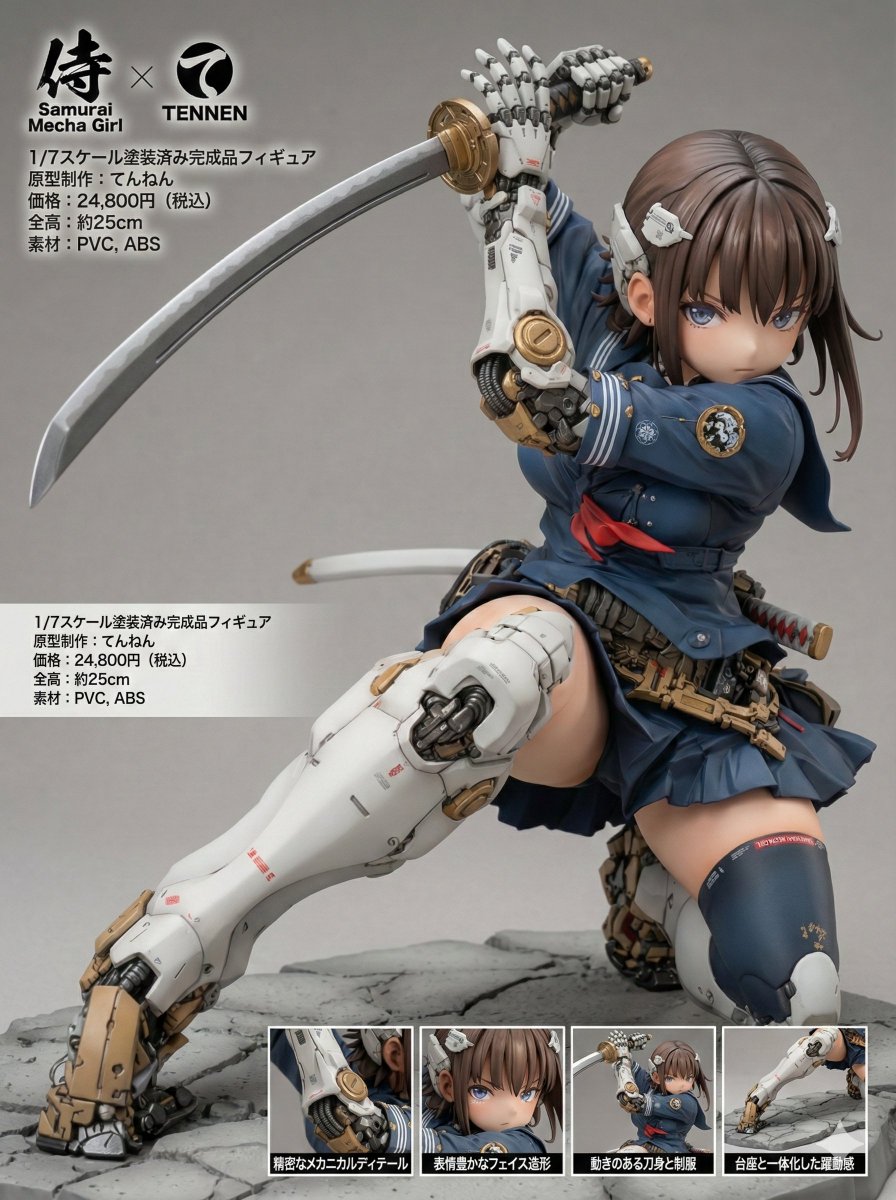
Multi-Language Figure Product Introduction Layout Prompt for Nano Banana Pro

Multi-Language Figure Product Introduction Layout Prompt for Nano Banana Pro

[Figure Product Introduction Style Layout Prompt – Multi-Language Compatible Version] This prompt allows you to transform a character from a reference image into a collectible figure and present it in a product introduction–style layout. The display language can be selected from four options: Japanese, English, German, or French. Please read this description carefully until the end. ※ This prompt is intended exclusively for Nano Banana Pro. ※ Unauthorized reproduction or redistribution of this prompt is prohibited. ◆ Overview Display Language (language) You can choose from: - "ja" (Japanese) - "en" (English) - "de" (German) - "fr" (French) Product Name (product_name) Manufacturer Name (manufacturer_name) You may specify any arbitrary strings for both values. Product Name Logo: The product name logo is inferred from the product name string and the visual atmosphere of the reference image. Manufacturer Logo: The manufacturer logo is inferred from the manufacturer name string. ※ Depending on the selected display language, these names may be translated or localized automatically. Size: The total height (in centimeters) is inferred and displayed based on the character’s body proportions and the 1/7 scale setting. Material: Appropriate materials for a collectible figure are inferred and displayed. Price: The retail price is inferred from the figure’s scale, modeling density, and paint detailing. Close-Up Views: Each close-up view is accompanied by a caption that explains a different part or feature of the figure. All captions are generated in the selected display language. ◆ How to Use Display Language (language) Rewrite the content inside the quotation marks ("") as shown below: language: "{argument name="display language" default="en"}" Available values: ja: Japanese en: English de: German fr: French Product Name (product_name) Manufacturer Name (manufacturer_name) Rewrite the content inside the quotation marks ("") using any arbitrary strings you like. The manufacturer name will also be reflected in the "Sculptor / Production" field. product_name: "{argument name="product name" default="ARBITRARY_PRODUCT_NAME"}" manufacturer_name: "{argument name="manufacturer name" default="ARBITRARY_MANUFACTURER_NAME"}" ◆ Precautions for Using This Prompt This prompt does not intentionally include any specific work titles, author names, character names, or brand names. However, due to the internal processing or training data of the image generation model, unintended associations may occur. As a result, generated images may resemble existing works, characters, trademarks, or brand logos. Please exercise sufficient caution when using, publishing, or distributing generated images. We assume no responsibility whatsoever for any outcomes produced by using this prompt, or for any issues, damages, or disputes arising from such use. All usage is at your own risk and discretion. ◆ Prompt The full prompt for actual use is provided in the replies.

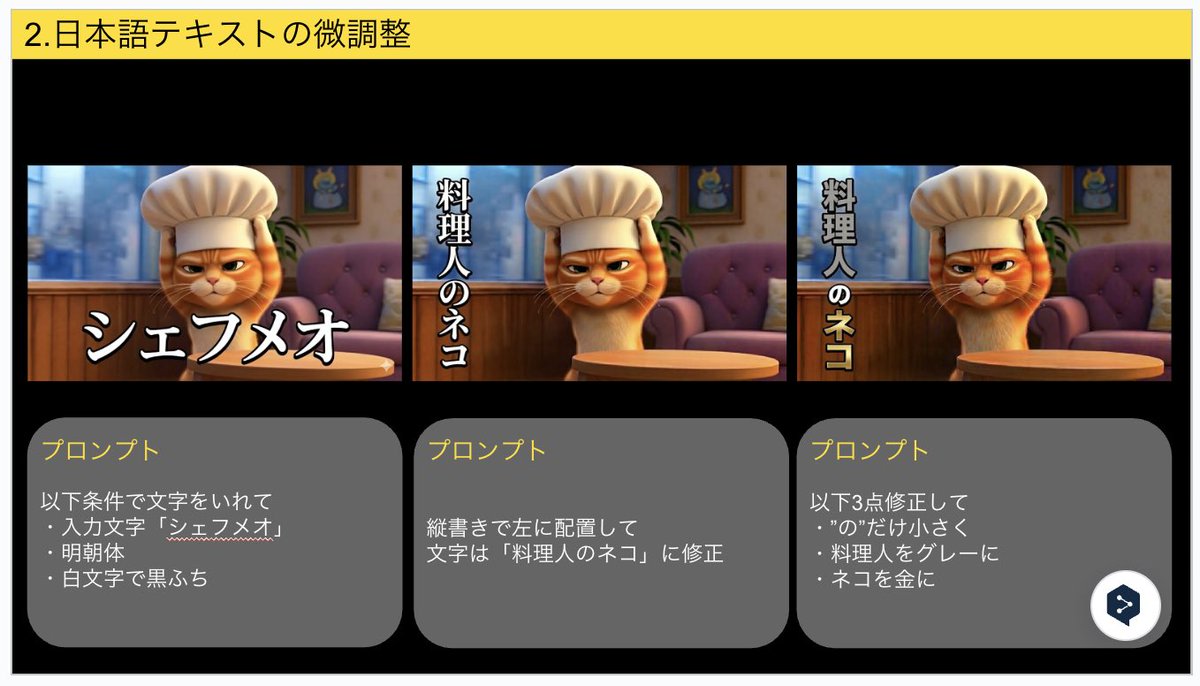
Advanced Japanese Text Adjustment for Nano Banana Pro

Advanced Japanese Text Adjustment for Nano Banana Pro

Insert text under the following conditions: ・Input text: "{argument name="input text" default="Chef Meow"}" ・Mincho font ・White text with black outline Place vertically on the left Correct the text to: "{argument name="corrected text" default="The Chef Cat"}" Make the following 3 corrections: ・Make only the character “の” smaller ・Change “料理人” (Chef) to gray ・Change “ネコ” (Cat) to gold

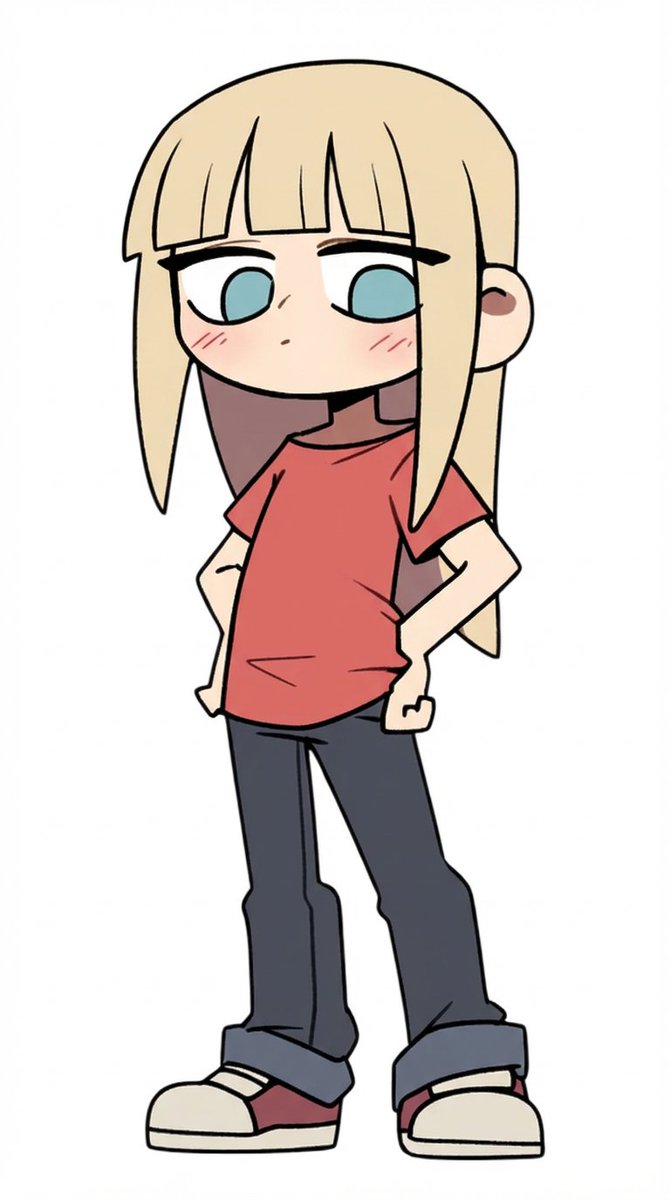
Multi-Step Comic Generation with MJ and Nano Banana Pro

Multi-Step Comic Generation with MJ and Nano Banana Pro

Step 1: Generate a satisfactory base image: MJ Prompt: cute anime character --sref 3076266117 Step 2: Upload Image 1 to Nano Banana to generate the character: create a sheet with various emotions for this character Step 3: Upload Image 2 to Nano Banana to generate the scene: make a picture in the same style where this character stands in a street

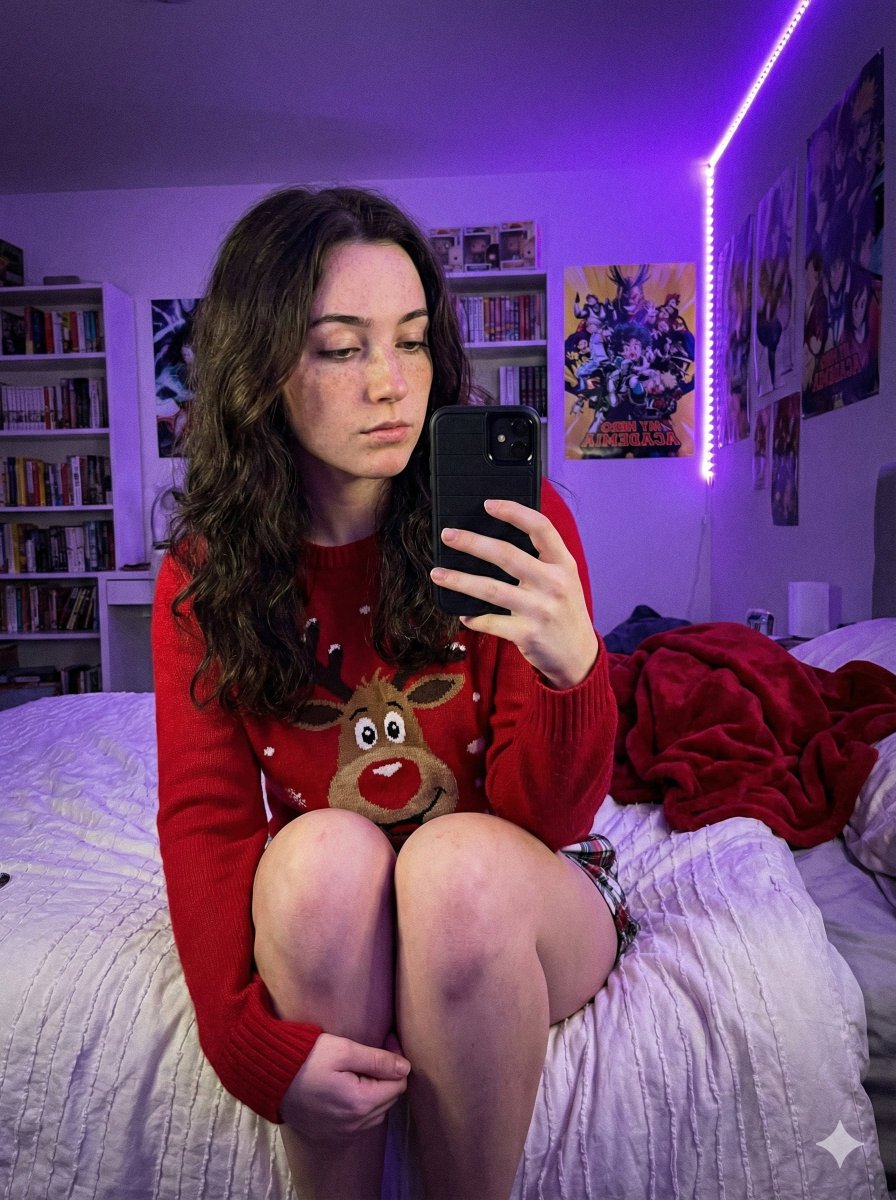
Low-Light Smartphone Selfie in Gen Z Bedroom

Low-Light Smartphone Selfie in Gen Z Bedroom

{   "prompt_structure": {     "subject_details": {       "demographics": "Young female, fair skin tone, natural appearance with distinct freckles across nose and cheeks",       "facial_features": "Soft facial structure, neutral to soft expression, gaze directed down at phone",       "hair": "Long, dark brown, loose wavy texture, center part, draping over shoulders",       "clothing": {         "top": "{argument name=\"sweater type\" default=\"Red crewneck holiday sweater featuring a large cartoon reindeer face\"}",         "bottom": "Plaid pajama shorts (only small section visible at upper thigh)"       },       "pose": "Sitting upright on a bed, body angled slightly to viewer's left. Both legs are bent sharply at the knees and drawn up tightly against the torso. The shins are prominent, and feet are tucked near the buttocks. Right hand holds a smartphone with a black case up in front of the body to take a selfie."     },     "environment_context": {       "setting": "Gen Z bedroom / dorm room context",       "background_elements": [         "White floating shelves packed with diverse colorful books",         "Anime posters on white walls (My Hero Academia clearly visible)",         "LED strip lights running vertically along the wall corner",         "Messy unmade bed with white textured duvet or blanket",         "Crumpled red fleece throw blanket in background on bed"       ]     },     "lighting_atmosphere": {       "primary_source": "Dominant Purple/Violet LED ambient lighting originating from corner strip",       "quality": "Dim, soft, moody, atmospheric, strong colored purple cast on skin, clothing, and surroundings",       "shadows": "Soft, diffused shadows created by the ambient colored light"     },     "camera_technical": {       "style": "Casual Smartphone Selfie, Candid shot",       "simulation": "Smartphone Main Sensor Simulation",       "angle": "Slightly low angle, looking slightly up at the subject",       "focal_length": "Approx 24-28mm wide angle (phone lens equivalent)",       "aperture": "f/1.7 wide open",       "iso": "High ISO (approx 800-1600) resulting in visible fine digital noise/grain",       "focus": "Sharp focus on subject's face and knees, slight depth of field blur on background bookshelf"     },     "quality_modifiers": {       "engine": "Nano Banana Pro",       "details": "Ultra Photorealistic, 8k resolution, raw photo style, realistic skin texture with highly visible pores and freckles underneath purple light, tangible fabric texture details on sweater and blanket, authentic low-light smartphone digital noise grain."     },     "negative_prompt": "cartoon, illustration, anime, painting, 3D render, drawing, sketch, abstract, low quality, blurry, pixelated, unnatural skin, doll-like, oversaturated, flat lighting, stylized, idealized, unrealistic, smooth skin, denoised"   } }

Scouter Prompt for Nano Banana Pro

Scouter Prompt for Nano Banana Pro

Nano Banana Pro infers the characteristics of the character in the reference image and displays their battle power. Since it is heavily influenced by 'appearance,' the battle power changes depending on the pose, aura, weapons, and facial expression. Images of babies or sleeping figures tend to result in low power levels. The interesting part is that when the character 'powers up' (超化), the battle power almost always increases properly.

Some prompts are collected from creators on X. Copyright belongs to the original authors.