Kenerate

Prompt Library

AI Prompt Library

Curated image, video and web design prompts from creators around the world. Copy any prompt, swap the subject or style, and generate with the latest models.

15,630 prompts · Updated daily · 100% free

15,372 prompts

Coastal Lifestyle Portrait with Identity Preservation

Coastal Lifestyle Portrait with Identity Preservation

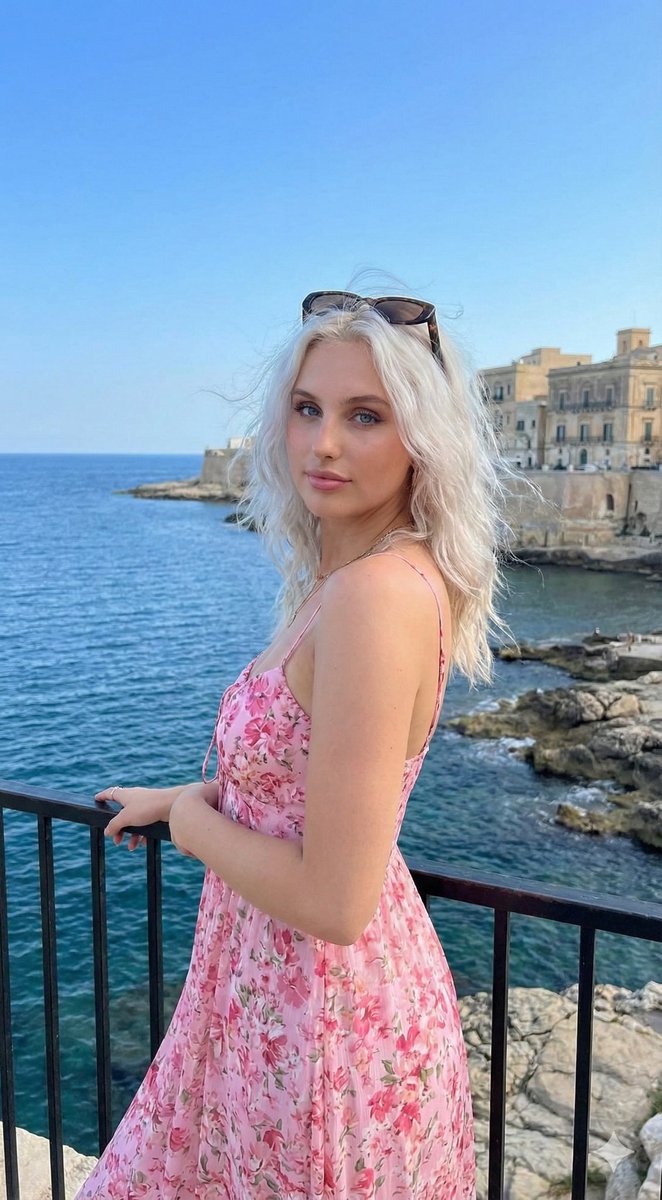
{ "image_prompt": { "reference": { "face_identity": "uploaded reference image", "identity_lock": true, "face_preservation": "100% identical facial structure, proportions, skin texture, eye shape, lips, nose, brows, moles, and natural expression" }, "subject": { "type": "young woman", "pose": { "position": "standing at a seaside viewpoint", "body_orientation": "slightly angled toward the camera", "arms": "one arm resting lightly on a black metal railing", "posture": "relaxed, confident, elegant" }, "expression": "calm, soft, subtly confident", "gaze": "looking directly at the camera" }, "hair": { "color": "dark brown", "style": "straight to slightly wavy, worn loose", "details": "lightly wind-touched strands" }, "makeup": { "style": "natural soft glam", "details": [ "even skin tone", "light blush", "defined lashes", "natural brows", "soft pink lips" ] }, "outfit": { "dress": { "type": "flowing summer dress", "color": "{argument name="dress color" default="blue base with vibrant floral pattern"}", "fabric": "lightweight, airy" }, "accessories": [ "sunglasses resting on head" ] }, "environment": { "location": "coastal cliffside viewpoint", "background_elements": [ "deep blue sea", "rocky shoreline", "historic coastal buildings", "clear blue sky" ], "atmosphere": "bright, fresh, Mediterranean summer mood" }, "lighting": { "type": "natural daylight", "characteristics": [ "soft sunlight", "even illumination on face", "natural highlights", "gentle shadows" ] }, "photography_style": { "style": "travel lifestyle portrait", "camera_look": "DSLR-quality realism", "depth_of_field": "moderate background blur", "mood": "elegant, serene, vacation-inspired" }, "render_quality": { "realism": "highly photorealistic", "detail_level": "high", "skin_texture": "natural and realistic", "resolution": "high resolution", "color_grading": "clean, vibrant coastal tones" } } }
Hyper-Realistic Optical Illusion: Woman Emerging from Smartphone Screen

Hyper-Realistic Optical Illusion: Woman Emerging from Smartphone Screen

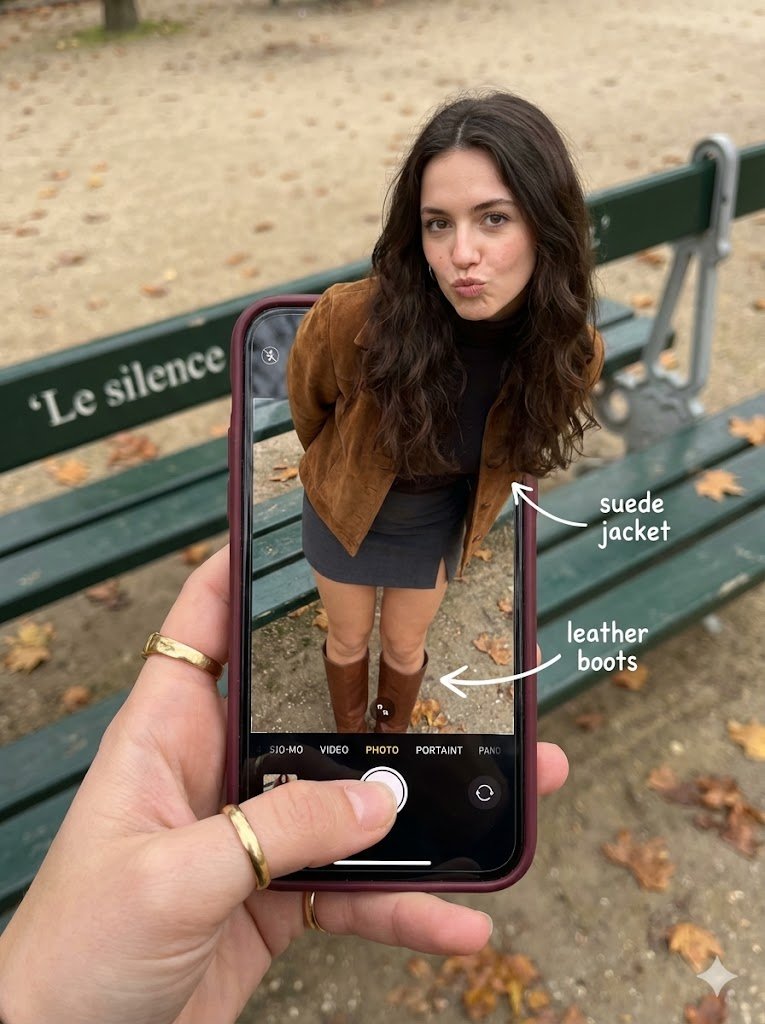
"subject": { "description": "A hyper-realistic optical illusion photograph. A young Caucasian woman appears to be stepping out of a smartphone screen held in a hand. The screen displays the camera interface, capturing her boots, while her real upper body extends out of the phone into reality.", "mirror_rules": "Ensure the phone screen clearly shows the iOS Camera UI (shutter button, mode text). Handwritten annotations must be legible and not mirrored.", "age": "20s", "expression": { "eyes": { "look": "Alluring and playful", "energy": "Confident, direct", "direction": "Looking at the viewer" }, "mouth": { "position": "Blowing a kiss or pouting", "energy": "Chic and charming" }, "overall": "Lifelike, engaging interaction" }, "face": { "preserve_original": "false", "makeup": "Natural glam, matte foundation, defined European features", "features": "High nose bridge, double eyelids, defined jawline" }, "hair": { "color": "{argument name="hair color" default="Dark brown"}", "style": "Long, loose waves, voluminous", "effect": "Realistic shine, wind-blown effect" }, "body": { "frame": "Petite but proportionally realistic", "waist": "Defined", "chest": "Covered by turtleneck", "legs": "Visible INSIDE the phone screen interface wearing boots", "skin": { "visible_areas": "Face, hands", "tone": "Fair Caucasian skin", "texture": "Ultra-realistic skin texture, visible pores, natural imperfections", "lighting_effect": "Soft daylight" } }, "pose": { "position": "Torso and head emerging vertically from the phone, legs displayed on the screen", "base": "Dynamic standing pose", "overall": "Dynamic random pose, making it feel full of vitality" }, "clothing": { "top": { "effect": "Exquisite outfit, High-quality textile photography" }, "bottom": { "type": "{argument name="bottom type" default="Mini Skirt and Leather Boots"}", "color": "{argument name="bottom color" default="Dark Grey (skirt), Brown (boots)"}", "details": "Boots visible on the screen beneath the UI elements" } } }, "accessories": { "jewelry": "Gold rings on the photographer's hand (foreground)", "device": "Smartphone with burgundy case. The screen is ACTIVE and DETAILED: it displays the IOS Camera App Interface (white circular shutter button at bottom, 'PHOTO' text).", "prop": "On the phone screen: White handwritten-style text overlays with arrows pointing to the outfit elements (e.g., text 'suede jacket' with arrow, 'leather boots' with arrow)." }, "photography": { "camera_style": "DSLR photography, Macro lens for phone details", "angle": "POV, High angle looking down at hand", "shot_type": "Composite photography", "aspect_ratio": "3:4", "texture": "Sharp screen pixels, fingerprint smudges on screen, realistic fabric texture", "lighting": "Overcast soft natural light", "depth_of_field": "Background bench blurred (Bokeh), Phone screen UI and subject sharp" }, "background": { "setting": "Parisian Park in Autumn", "wall_color": "Green bench, grey ground", "elements": [ "Green park bench with text 'Le silence'", "Autumn leaves" ], "atmosphere": "C

Candid Lifestyle Photo of a Woman on a Monaco Rooftop Terrace

Candid Lifestyle Photo of a Woman on a Monaco Rooftop Terrace

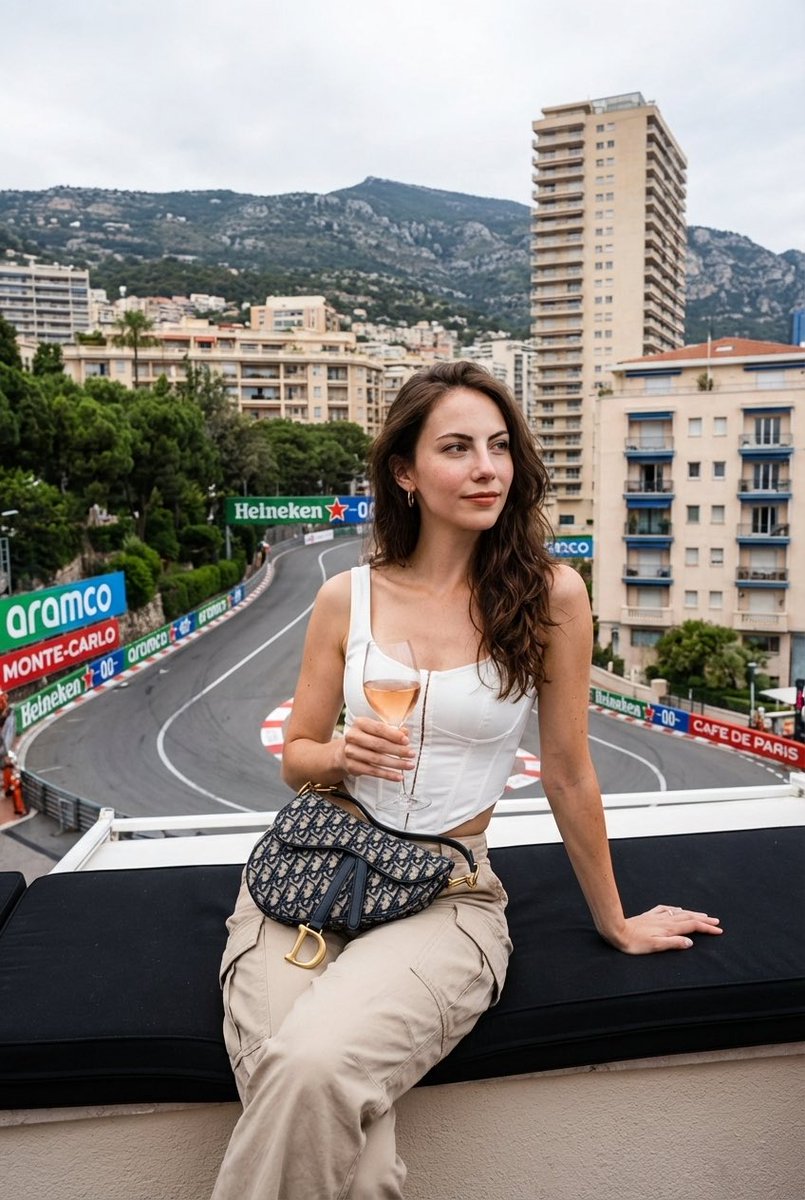
{ "subject": { "person": "{argument name="person description" default="Young woman, early 20s, Caucasian"}", "hair": "{argument name="hair style" default="Long, voluminous, tousled wavy with lighter highlights, framing the face"}", "pose": "{argument name="pose" default="Sitting comfortably on a black cushioned ledge, body angled slightly left, looking thoughtfully off-camera right"}", "expression": "{argument name="expression" default="Gentle, calm, slight Mona Lisa smile"}" }, "outfit": { "top": "{argument name="top clothing" default="White structured corset-style top with thin spaghetti straps and boning details"}", "bottoms": "{argument name="bottom clothing" default="High-waisted beige utility cargo pants with large side pockets"}", "accessories": "{argument name="accessories" default="Small patterned Dior Saddle bag under right arm, dainty necklace, rings on left hand, painted white nails"}" }, "action": { "hands": "{argument name="hand action" default="Left hand holds a stemmed glass of rosé by the stem; right hand rests flat on the ledge behind her hip"}" }, "location": { "setting": "{argument name="setting" default="Rooftop terrace overlooking the Fairmont Hairpin turn of the Monaco Grand Prix in Monte Carlo"}", "background": "{argument name="background details" default="Dense hillside with multi-story buildings, hotels, a prominent beige skyscraper, construction cranes, green trees, and distant mountains under a cloudy sky. Racetrack with red/white kerbing and vehicles below."}" }, "typography": { "text": "{argument name="typography text" default="aramco, UBS, Heineken 0.0, MONTE-CARLO, CAFE DE PARIS on racetrack advertising barriers"}" }, "lighting": { "type": "{argument name="lighting type" default="Natural daylight, overcast afternoon"}", "quality": "Soft, diffused, flat, shadowless, slightly hazy" }, "composition": { "style": "Candid lifestyle photograph, slightly low angle, medium shot, deep depth of field, asymmetrical balance, 4:5 portrait ratio", "color_palette": "Muted, earthy, overcast tones; low-medium contrast; moderately desaturated" } }

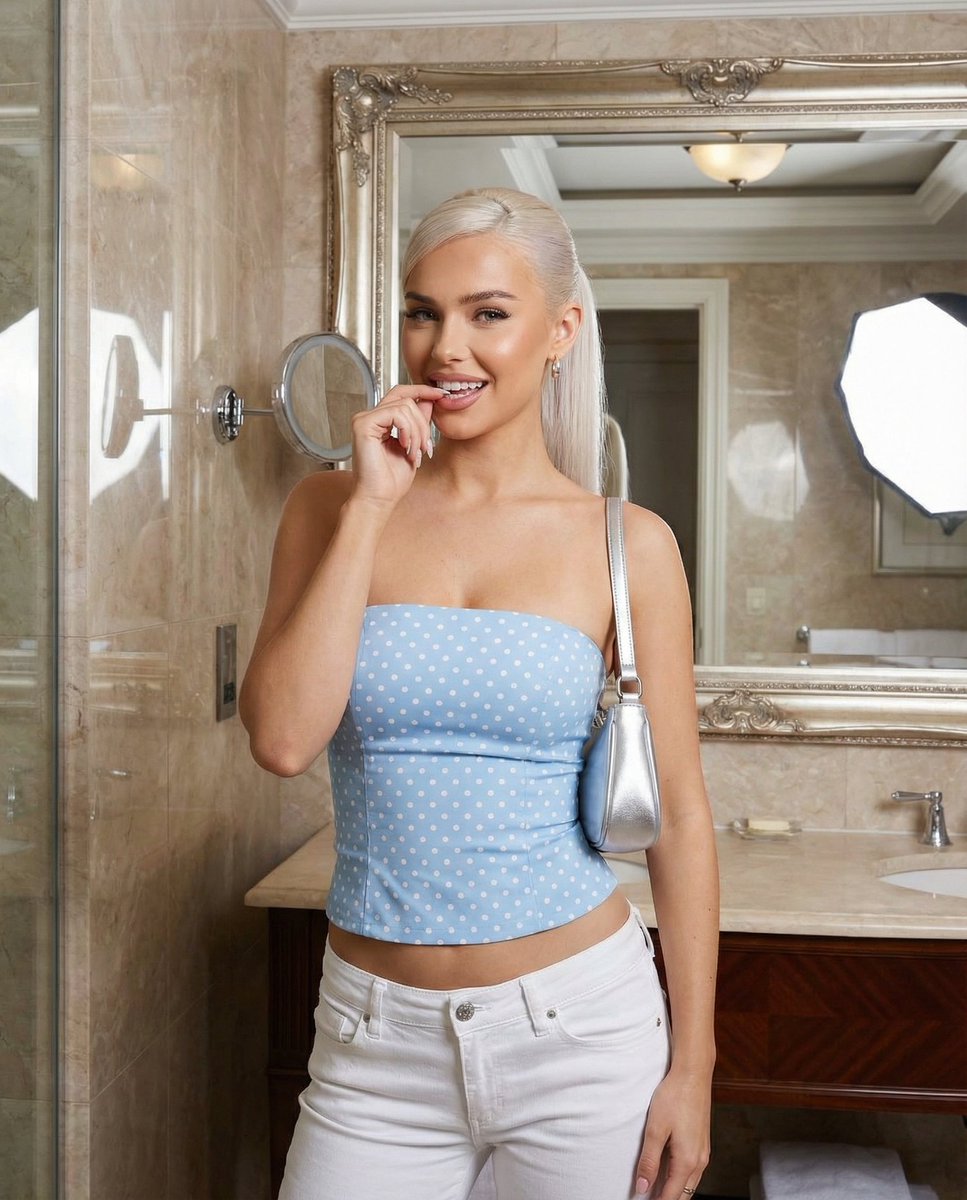
Baby Blue Polka Dot Top Bathroom Selfie Prompt

Baby Blue Polka Dot Top Bathroom Selfie Prompt

{ "aspect_ratio": "4:5", "scene_type": "indoor fashion snapshot", "environment": { "location": "luxurious bathroom", "background": { "wall": "marble wall", "mirror": "large mirror edge visible" } }, "subject": { "hair": { "color": "platinum blonde", "length": "long", "style": "high sleek ponytail" }, "wardrobe": { "top": { "item": "strapless fitted top", "color": "{argument name=\"top color\" default=\"baby blue\"}", "pattern": "small black polka dots" }, "bottom": { "item": "low-rise white denim jeans" } }, "accessories": { "bag": { "type": "small silver shoulder bag" }, "nails": { "color": "soft blue" } }, "pose": { "hand near mouth, direct teasing gaze" } }, "mood": { "vibe": "confident, glamorous, flirtatious" } }

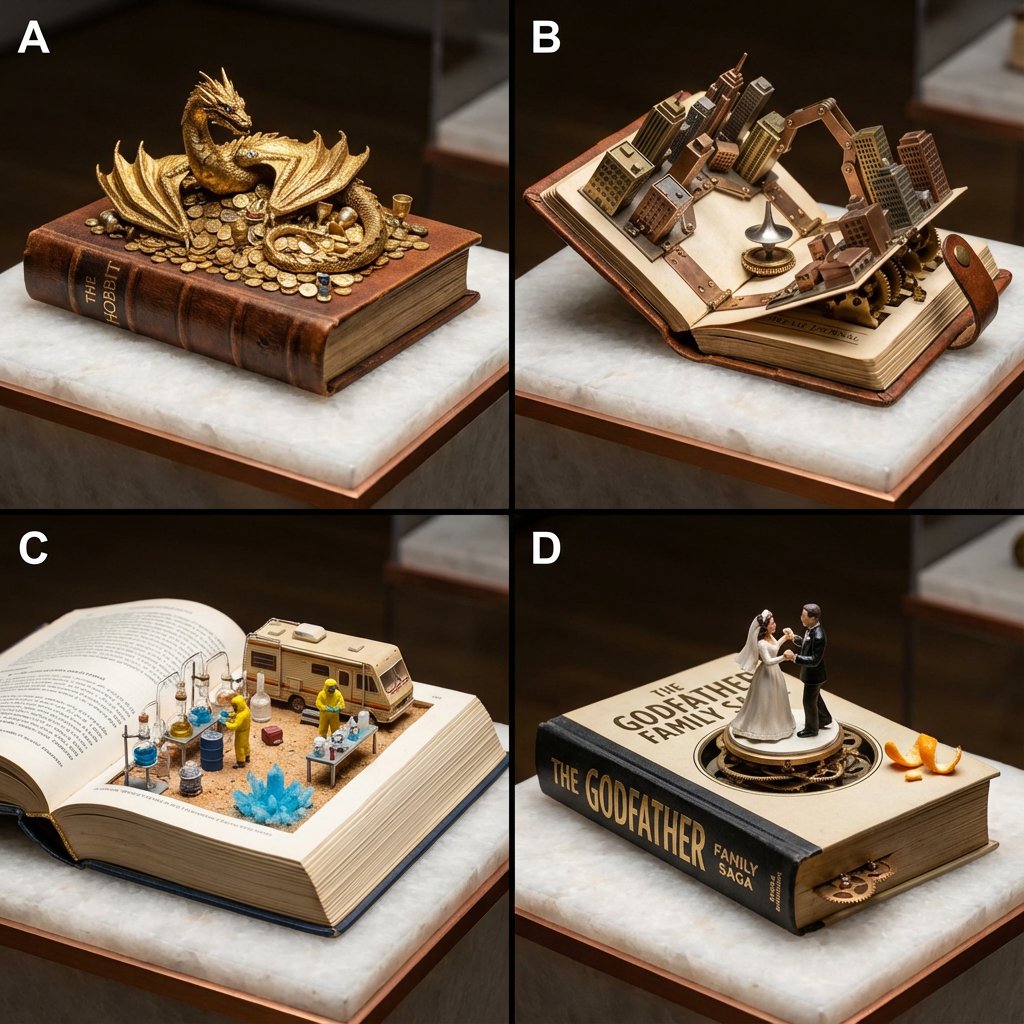
Book-Themed Diorama Grid Prompt

Book-Themed Diorama Grid Prompt

2x2 grid format, prestigious museum pedestal, quartz and copper elements, flawless extreme close-up realism. Panel A: “The Hobbit” as a dragon hoard diorama excavated from adventure book pages: golden treasures piled, smaug coiled protectively with jeweled eyes. Panel B: “Inception” as a dream-layer folding mechanical sculpture inside dream journal: cityscapes bending via articulated hinges, totem spinning eternally. Panel C: “Breaking Bad” as a desert RV lab miniature set carved into chemistry text: crystal production setup, tiny hazmat figures at work. Panel D: “The Godfather” as a wedding garden combo automaton over family saga volume: dancing couples with implied tension, orange peel details, subtle turning mechanisms.

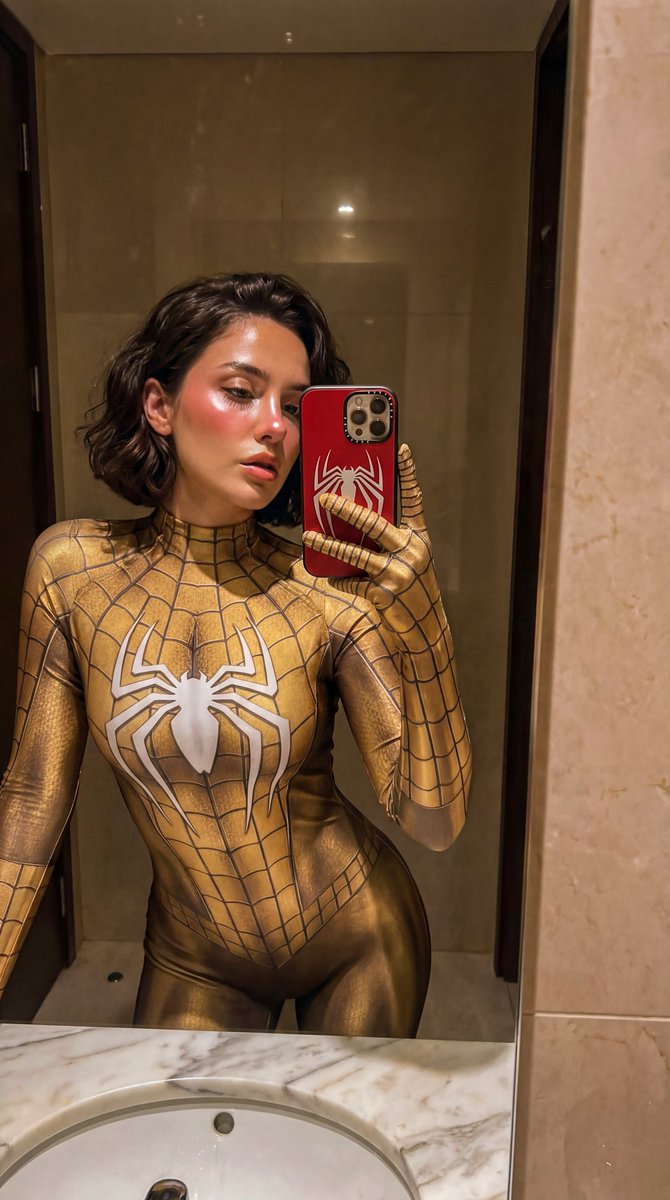
Gold Symbiote Mirror Selfie Prompt

Gold Symbiote Mirror Selfie Prompt

{ "shot": "A tight close-up mirror selfie", "subject": { "appearance": "a stunning woman", "hair": "short hair", "pose": "sitting casually sideways on a white bathroom vanity counter", "gaze": "looking at the mirror" }, "outfit": { "bodysuit": "form-fitting gold symbiote-inspired superhero bodysuit with subtle dark web texturing", "emblem": "prominent white spider emblem on the chest" }, "phone": { "device": "red smartphone", "case": "white spider logo case", "action": "holding it up to capture the reflection" }, "environment": { "location": "luxury bathroom", "lighting": "dimly lit with warm, soft indoor lighting", "atmosphere": "intimate atmosphere with soft shadows", "visible_elements": "only a partial section of the white sink basin and counter surface visible at the bottom of the frame", "mirror": "mirror edges are cropped out of view" }, "aesthetic": "high quality, photorealistic, lo-fi social media aesthetic", "makeup": { "blush": "prominent soft pink blush on her cheeks", "finish": "glowy makeup", "highlighter": "on the tip of her nose", "lips": "slightly parted soft warm pink lips" }, "skin": "highly detailed skin texture" "lighting_detail": "even, invisible front illumination that softly brightens the face with neutral white light, no visible light source, no shadows, no reflections, no hotspots", "quality": "no blur" }

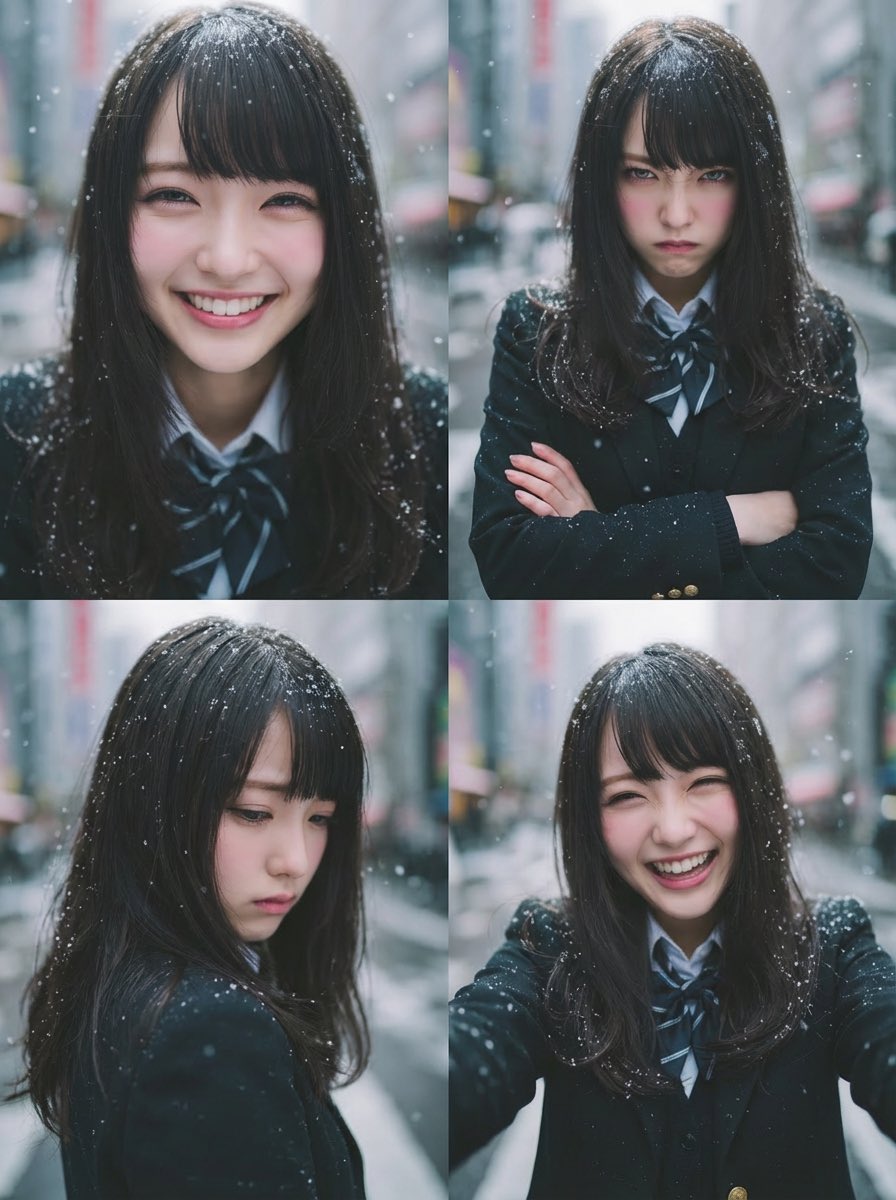
Four-Panel Emotion Grid Generator (Joy, Anger, Sadness, Fun)

Four-Panel Emotion Grid Generator (Joy, Anger, Sadness, Fun)

Using the uploaded reference image, generate a four-panel composition (upper-left, upper-right, lower-left, lower-right). Keep the person’s face, hairstyle, and clothing exactly the same as in the uploaded image for all panels. Maintain a realistic photo style, consistent identity, and natural lighting. Upper-left (Joy / Joy): A close-up of her face from a slightly high angle. She is smiling brightly with sparkling eyes, expressing pure joy and happiness. Her expression feels open, warm, and genuinely delighted. Upper-right (Anger / Anger): A medium shot of her upper body. She is visibly angry, with furrowed brows and a sharp, intense expression. Her posture is tense, and she slightly clenches her fists or crosses her arms, clearly showing irritation or frustration. Lower-left (Sadness / Sadness): An over-the-shoulder or slightly downward-angled shot. Her body language is subdued and closed off. She looks down with a sorrowful, quiet expression, conveying loneliness or emotional pain, with a soft, muted mood. Lower-right (Fun / Fun): A casual selfie-style shot. She looks playful and energetic, laughing or making a cheerful, fun expression. The mood is lighthearted and carefree, showing her enjoying the moment.

X Profile Mockup Generator (Clean and Modern)

X Profile Mockup Generator (Clean and Modern)

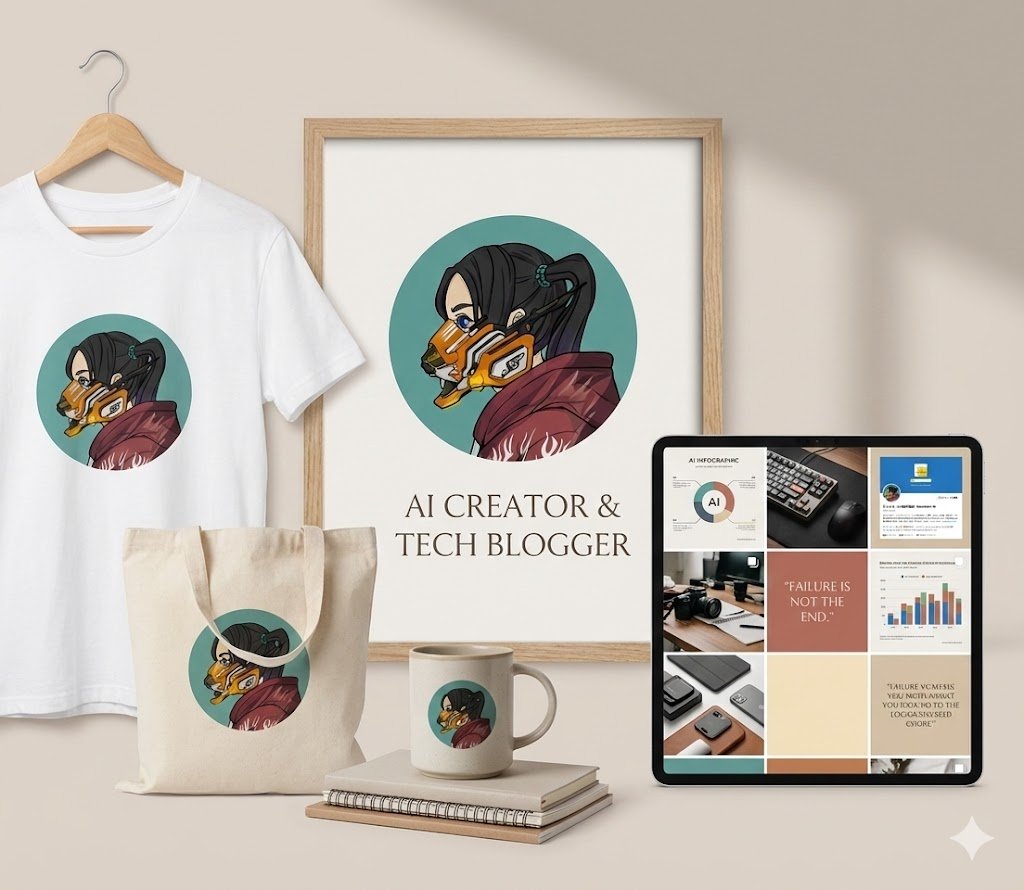
# Directive (Instruction) **Immediately generate** a clean, modern mockup image of the highest quality representing the provided X (formerly Twitter) profile. # Prohibitions (Prohibitions) - **Absolutely no text response, explanation, or prompt confirmation.** - Upon receiving user input (image and text), execute image generation only, without comment. # Input Interpretation & Visualization Process (Input Interpretation and Drawing Process) The AI should interpret the provided input information and reflect it in the image elements according to the following steps. 1. **Logo Identification and Depiction**:    - Analyze the visual characteristics (color, shape, atmosphere) of the provided **profile image** and recognize it as the main brand logo.    - Clearly depict this logo on framed portraits and merchandise within the scene. 2. **Occupation Identification and Activity Scene Depiction**:    - Identify the person's "occupation/activity genre" from the provided **URL/Bio**.    - On the social media grid screen, depict specific, sophisticated items or work scenes symbolizing the identified occupation (e.g., {argument name="Occupation Example 1" default="code screens and gadgets for an engineer"}, {argument name="Occupation Example 2" default="ingredients and cooking utensils for a chef"}, etc.). # Image Details & Structure (Image Composition Elements) Depict the overall scene according to the following structure. **Scene & Background**: A soft, neutral background setting with minimalist brand kits arranged. Express soft natural light, a high-quality lifestyle photography style, balanced composition, Scandinavian design, and a luxurious, editorial atmosphere. **Key Elements**: 1.  **Main Focus (Brand Identity)**:     - The logo based on the provided profile image is clearly displayed as a framed portrait with elegant typography. 2.  **Merchandise**:     - Brand merchandise such as white T-shirts, tote bags, and ceramic mugs printed with the same logo are arranged. 3.  **Social Media Grid**:     - A grid layout displayed on a tablet or smartphone screen.     - The content consists of "photos of activity scenes and items related to the occupation" identified in the previous process, behind-the-scenes content, quotes, and solid color brand tiles in warm beige, cream, and muted terracotta tones. # User Input Placeholder https://t.co/XcPInQDrVZ ――――

Handmade Christmas Wreath Generator with Custom Ornament

Handmade Christmas Wreath Generator with Custom Ornament

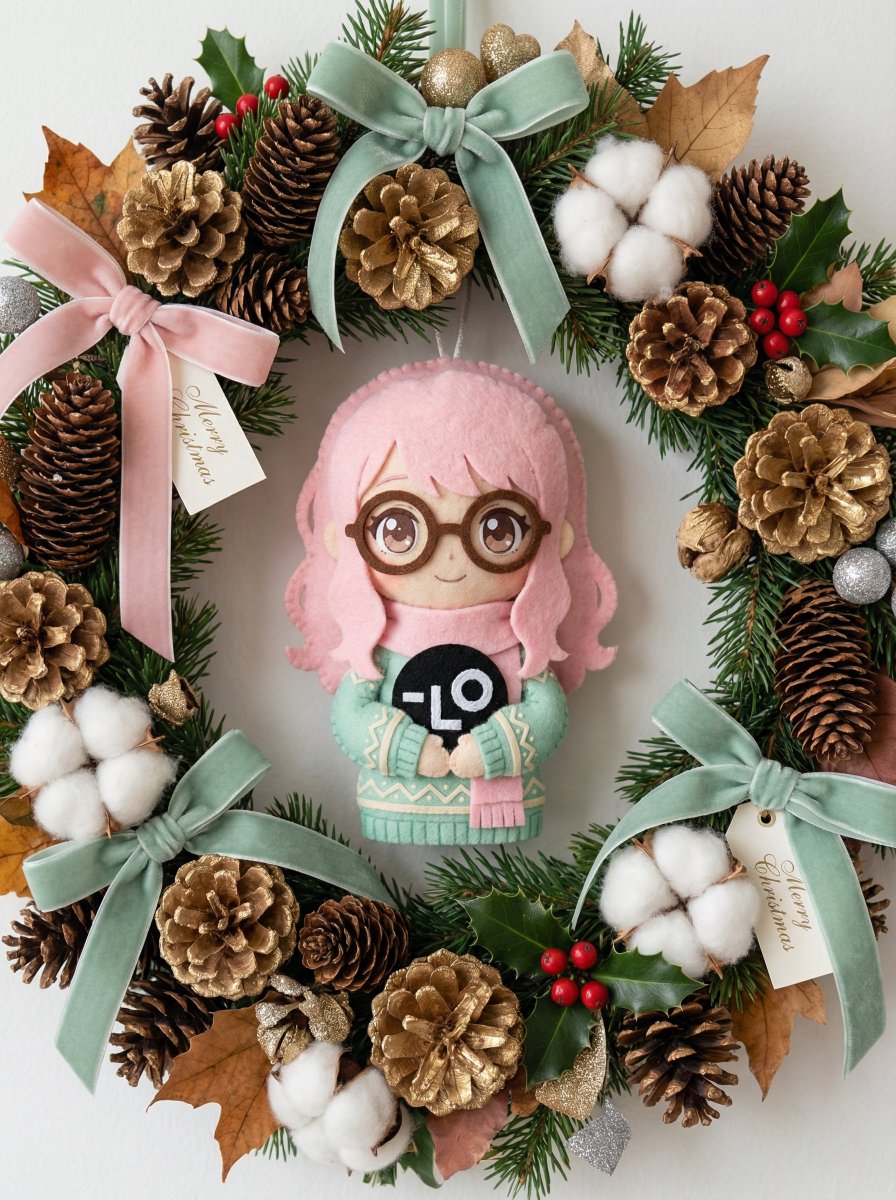
[AI Instruction: Conversion from Image to Ornament] Carefully analyze the provided **[Input Image]**. Color Extraction: Extract the main color palette and atmosphere from the [Input Image] and apply it to the overall theme of the wreath (ribbons, flowers, balls). Motif Creation: Identify the main character or object in the [Input Image] and reimagine it as a cute, handmade Christmas ornament (e.g., felt plush, wood carving, icing cookie style). Place this custom ornament prominently on the wreath. [Main Subject] A beautiful, high-quality Christmas wreath hung on a simple white wall (or held by hand). It features a luxurious combination of materials. The design is dense, gorgeous, and voluminous. [Theme-Specific Decoration (Based on Input Image)] Centerpiece/Charm: The main theme of the [Input Image] transforms into an attractive 3D ornament attached to the wreath. It looks like a high-quality handmade item (felt wool, painted wood, ceramics, etc.) that perfectly matches the wreath's style. Palette: Flowers, berries, and ornaments strictly follow the color scheme of the [Input Image]. [Base Material (Reference Style)] Resembles the texture of a luxury wreath. Natural Materials: Abundant pine cones (gold-dusted or natural), fluffy cotton flowers, dried leaves, evergreen sprigs, and holly berries. Accents: Velvet or burlap ribbons, elegant typography (such as "{argument name="Typography" default="Merry Christmas"}" or "{argument name="Typography 2" default="Noel"}"), and stylish paper tags accented with gold/silver glitter. [Atmosphere and Quality] Soft, bright natural light. Shallow depth of field to emphasize texture. Photorealistic 8K, macro detail of materials, conveying a cozy holiday season atmosphere.

Nostalgic Japanese Flip Phone (Garakei) Display Generator

Nostalgic Japanese Flip Phone (Garakei) Display Generator

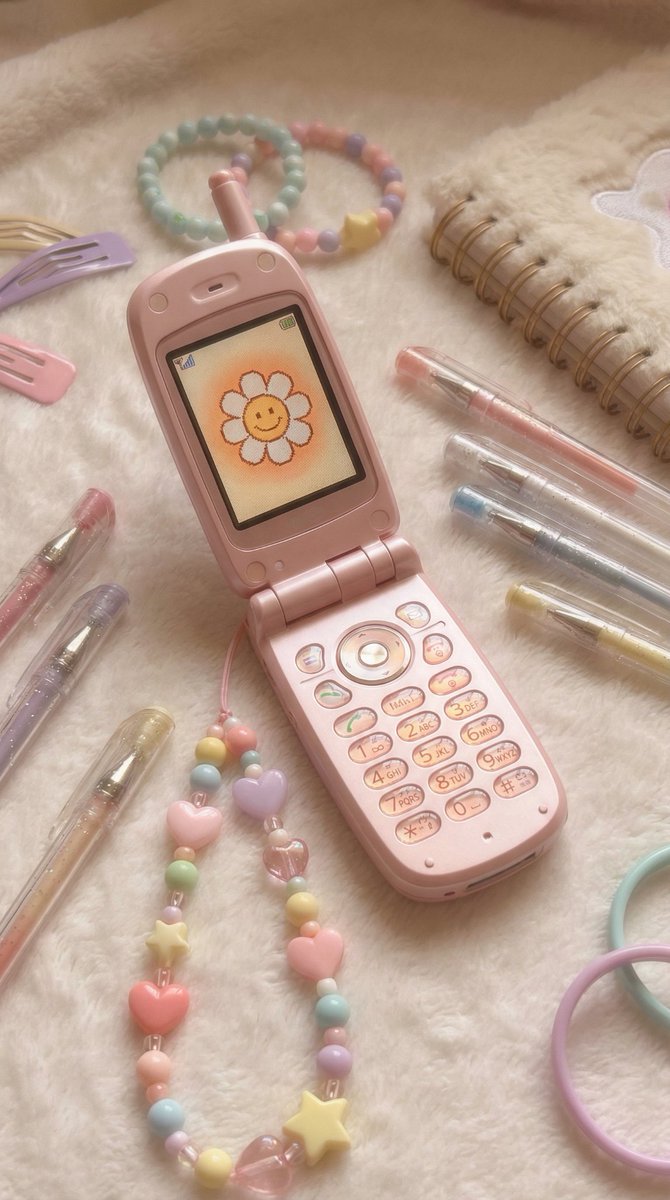
Display the subject from the attached image on a flip phone (garakei) LCD screen from early 2000s Japan. The phone is open, with glossy pink or white shell, physical buttons, and simple beaded straps with pastel colored beads. The screen shows the image with pixelated edges and warm color saturation typical of 2000s mobile displays. Surrounded by nostalgic items like photo stickers, gel pens, and mini notebooks. Nostalgic, kawaii, emotional, soft lighting.

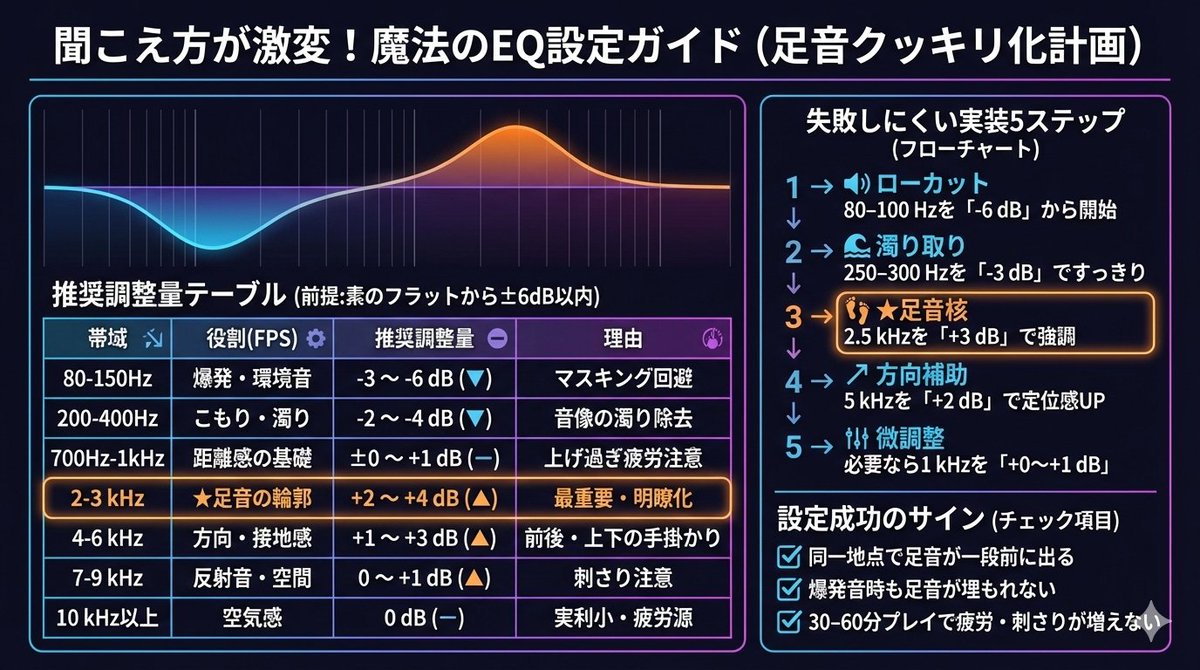
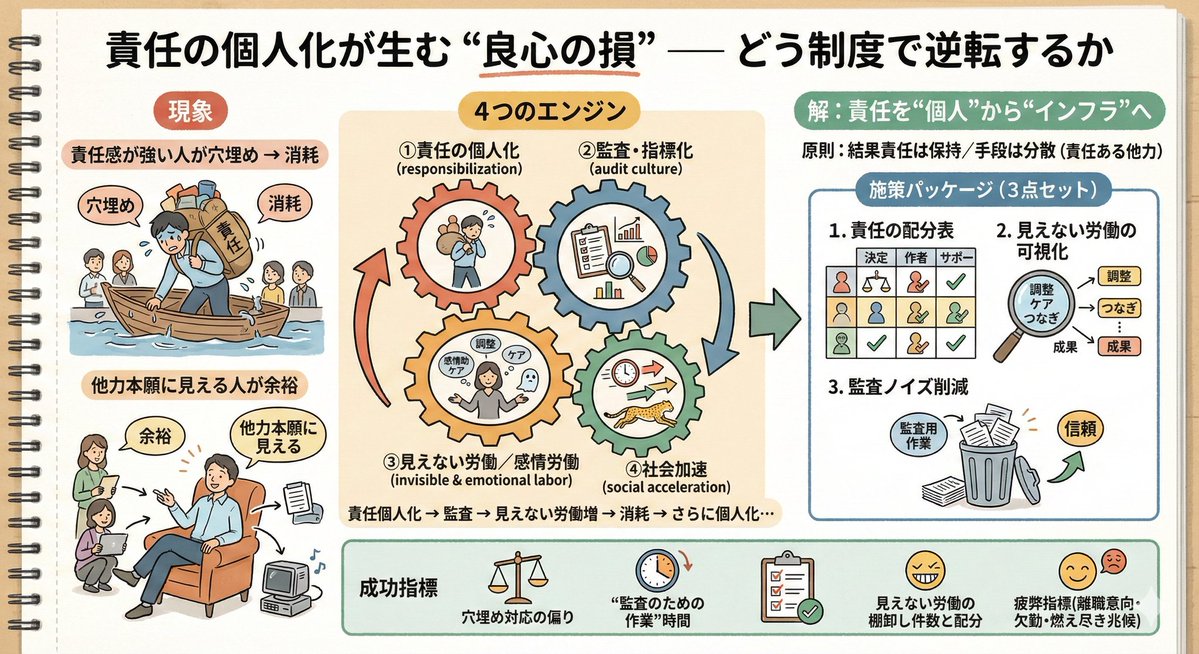
Summarizing Long Text into Visuals

Summarizing Long Text into Visuals

I thought an image would be easier to understand than a long text, so I asked everyone's favorite Nano Banana to summarize it.

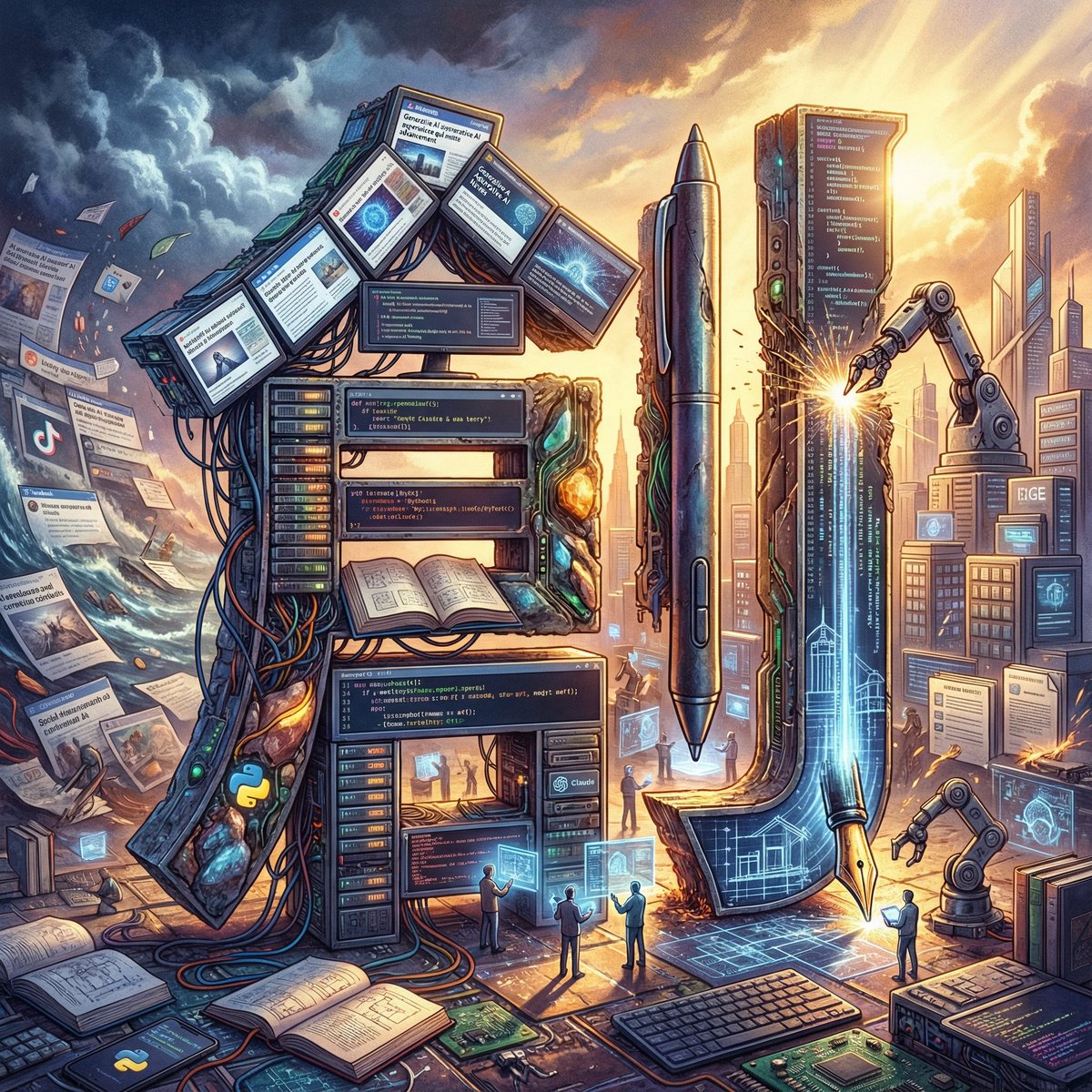
Epic Figurative Art Prompt for 'Kanji of the Year'

Epic Figurative Art Prompt for 'Kanji of the Year'

GENERAL STYLE & MOOD: “Epic Figurative Art.” The prompt requires multi-layered analysis of the user’s provided home screen (articles, headings, used apps, notifications, colors) to condense all “elements” of the year into a single still image. It should be a fusion of philosophical, profound realism and surreal design. TASK & ANALYSIS: 1. Comprehensively scan the text information within the provided home screen to extract frequently used vocabulary, interests, emotional fluctuations, and fragments of daily life. 2. Integrate these “total elements of the year” and select one ultimate “single Kanji character” that symbolizes the user’s journey. 3. Construct the “strokes” of that Kanji character as a three-dimensional collection of concrete events analyzed (e.g., work tools, hobby fragments, motifs from read articles). SUBJECT: The “single Kanji character” embodying the user’s year, centrally positioned. - This character is a “collection of micro-stories.” Upon closer inspection, the parts of the character should be formed by specific objects that colored the user’s year (e.g., designs symbolizing specific news articles, daily tools, fragments of memory). - Maintain perfect readability of the Kanji and ensure it has a strong skeletal structure. ENVIRONMENT & BACKGROUND (The Total Year Narrative): The background should also be depicted not merely as scenery, but as an epic panorama covering “all elements of the year.” - Background composition: Behind the character, the analyzed events of the year should spread out as scenery, either chronologically or thematically (e.g., symbols of challenged projects, the atmosphere of visited places, images of engrossing news). - Consistency: The central Kanji should be the core of the “world” of that year, with all background elements converging towards the character or overflowing from it. LIGHTING & TEXTURE: - Profound texture that conveys “layers of memory.” Metal, organic matter, light particles, and digital data should mix, possessing physically correct reflections and shadows. - Background light sources (dramatic backlighting or sidelight) should illuminate the character, highlighting the multilayered elements of the year through shadow. CONSTRAINTS: - Accurately depict the Kanji shape (hooks, sweeps, stroke count) so it is correctly legible in Japanese. - Arrange “elements of the year” in both the background and the character, ensuring the overall screen is not cluttered and maintains harmony as a single work of art. - 4K high resolution. Completely exclude meaningless symbols, garbled text, or broken forms. Input Information [[ {argument name="input information" default="URL of your home screen/article here"} ]]

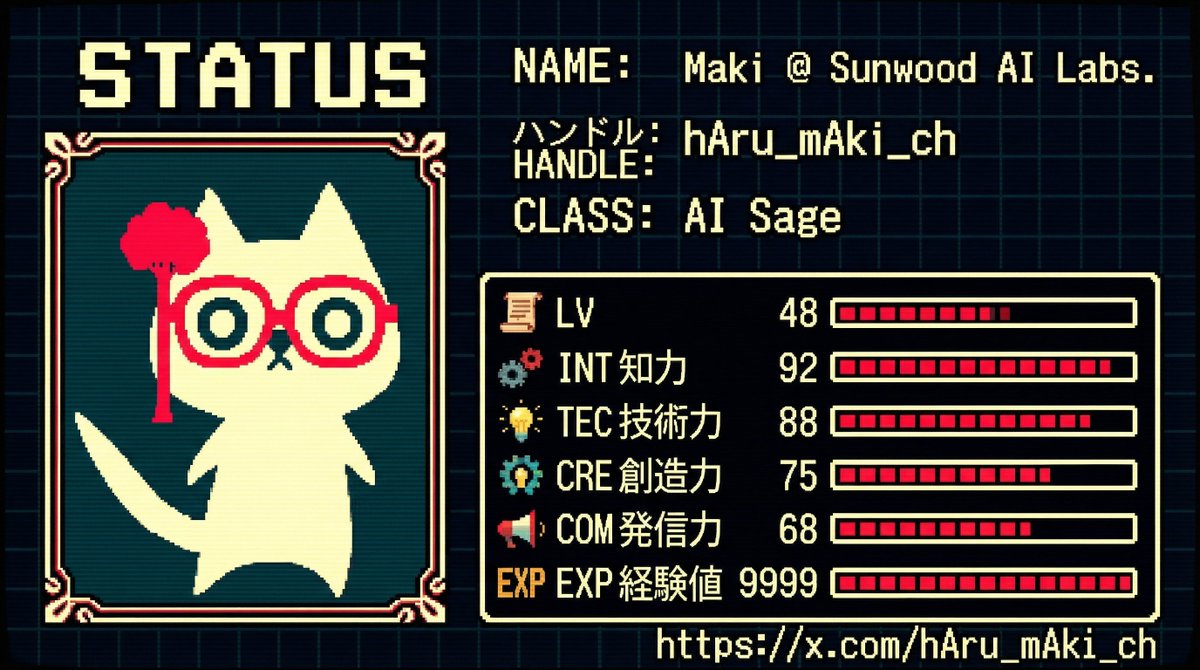
RPG Status Screen X Profile Prompt

RPG Status Screen X Profile Prompt

GENERAL STYLE & MOOD: A business card visual styled as a “Character Status Screen,” inspired by 1980s–1990s Japanese RPGs (Famicom–Super Famicom generation). The overall composition should be in pixel art style (8-bit to 16-bit), with a retro yet refined UI design. The layout should be organized like an in-game menu screen, maintaining a nostalgic feel while preserving modern resolution clarity. SUBJECT: Based on the icon in the attached image (Image 1) and the specified profile information, re-interpret the subject as an “RPG Character” and present the business card information in a status screen format. 1. Character Display: - Reconstruct the icon from the attached image (Image 1) into dot art (pixel conversion). - Place it as a character portrait on the left side of the status screen. - Use RPG-style UI borders (rounded corners or dotted lines). 2. Information Source and Character Analysis: - Subject: {argument name="subject" default="hAru_mAki_ch (https://t.co/AfDkdOaTPw)"} - Analyze the above profile and recent activities (posting frequency, technical field, content of statements, evaluations) to automatically calculate various RPG parameters. 3. Character Name/Title: - NAME: {argument name="name" default="Maki @ Sunwood AI Labs."} - HANDLE: {argument name="handle name" default="hAru_mAki_ch"} - CLASS (Occupation): Name the estimated occupation based on activities in an RPG style. Examples: - AI Mage - Prompt Alchemist - Tech Sage - Digital Architect STATUS PARAMETERS (Calculated based on Activity): The following parameters should be quantified (1–99) based on actual activity status: - LV (Level): Calculated from years of activity × posting frequency × consistency - INT (Intelligence): Calculated from technical posts, frequency of specialized terminology use, and abstraction level of thought - TEC (Technical Skill): Calculated from the volume of AI / development / research / implementation output - CRE (Creativity): Calculated from the frequency of unique perspectives, prompt design, and idea posts - COM (Communication Power): Calculated from follower count, engagement, and post diffusion power - EXP (Experience Points): Comprehensive evaluation of past achievements, projects, and continuous activities * Ensure each value maintains a relative balance typical of an RPG (not all stats should be uniform). UI & TYPOGRAPHY: - Font should be a dot font (8-bit RPG style). - Text must be perfectly legible, without blurring or distortion. - Primarily use Japanese UI, with some English status names concurrently used. COLOR PALETTE: - Use a color palette extracted from the attached image (Image 1). - Composed using a limited color count reminiscent of 16-bit RPGs. - Background should be dark-toned, with high contrast for text and gauges. GRAPHIC ELEMENTS: - Status bars displayed as pixel gauges. - Icons (sword, book, gear, star, etc.) should also be unified in dot art. - UI borders and dividers should be in the style of an RPG menu. COMPOSITION: - The overall composition should be a “screenshot of an in-game status screen.” - While mindful of business card size ratio, maintain high information density. - Lay a faint dot pattern or grid in the background. CONSTRAINTS: - Name, handle, and URL must be accurately and exactly displayed. - Exclude meaningless strings or distorted characters. - Strictly adhere to the pixel art style; photo-realism is prohibited. - Maintain a consistent world view as an RPG UI. - Dynamically reconstruct based on the input {argument name="argument" default="argument"} and Image 1.

Themed Worldview Visual Construction Engine Prompt

Themed Worldview Visual Construction Engine Prompt

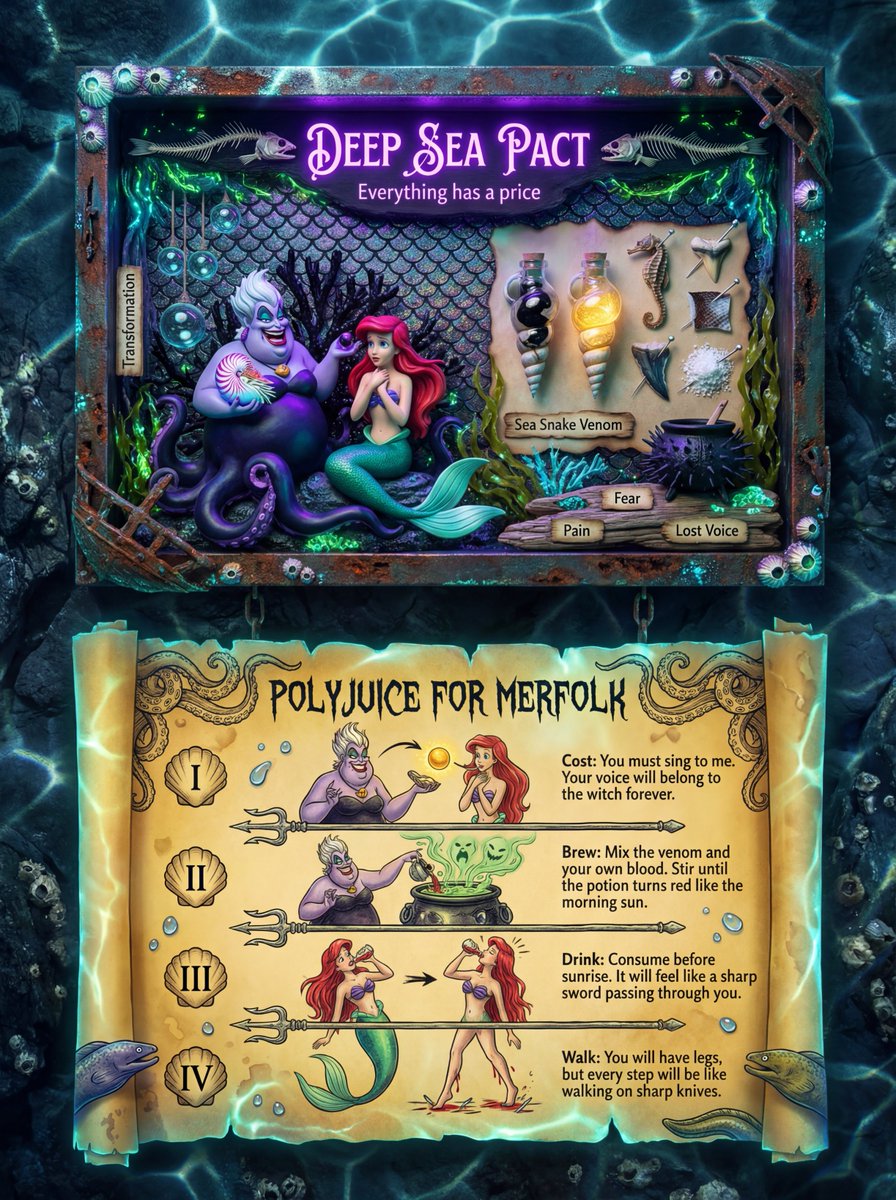
You are a 【Theme Worldview Visual Construction Engine】. The user will only provide a 【{argument name="theme / concept / one-sentence inspiration" default="theme / concept / one-sentence inspiration"}】. Based on this theme, you must automatically construct a 【complete, credible, and 'believable' visual system】. ━━━━━━━━━━━━━━ 【Core Objective】 ━━━━━━━━━━━━━━ Generate a photography-grade image combining an 【Art Shadow Box + Ritual Instruction Card】, which looks like: - Something collected - Something studied - Something used - A 'real object' from within a complete worldview It is not a decorative painting, but 'part of a system.' ━━━━━━━━━━━━━━ 【Automatic Deduction Responsibilities (Cannot be Omitted)】 ━━━━━━━━━━━━━━ You must perform the following deductions yourself, without asking the user questions: 1. Deduce the 【World Type】 to which the theme belongs (e.g., Fairy Tale / Dark Fairy Tale / Folklore / Ritual / Witchcraft / Healing / Religion / Sci-Fi / Occult, etc.) 2. Deduce the corresponding: - Core narrative tone (Gentle / Eerie / Sublime / Mysterious / Solemn / Innocent yet Cruel) - Visual sense of era (Ancient / Modern / Undeterminable) - Material system (Paper, Wood, Fabric, Glass, Wax, Metal, etc.) 3. Automatically generate: - Title name (consistent with the worldview context) - Subtitle or 'Belief-based copy' - A set of 'Believed ingredients / elements / props' - A set of instructions / rituals / usage process text - The display method for all text (font style, position, whether it resembles a spell/instruction/oath) ━━━━━━━━━━━━━━ 【Fixed Structure (But content changes entirely based on the theme)】 ━━━━━━━━━━━━━━ The image has a 【top and bottom two-layer structure】: 【Upper Layer: Theme Shadow Box / Scene Display】 - Wooden or equivalent material shadow box - Center features the 'Theme Core Scene' or character - Surrounding display: - Symbolic props - Labeled ingredients / elements / objects - Handwritten or label-style text - All objects look like they 'have a history and a purpose' 【Lower Layer: Instruction / Ritual / Usage Card】 - Large piece of old paper / parchment / Xuan paper / material corresponding to the worldview - Clear title (e.g., Brewing / Ritual / Instructions / Invocation, etc.) - 3–5 steps or paragraphs: - Each step has an illustration + text - The text reads like it is 'guiding real behavior,' not telling a story - Features stamps, symbols, numbers, and corner decorations ━━━━━━━━━━━━━━ 【Style and Realism Constraints】 ━━━━━━━━━━━━━━ - Photography-grade realistic light and shadow - Signs of use (wear, stains, fading, creases) - All illustrations look like: - Hand-drawn - Old print - From the same cultural system - Text is not modern UI copy, but: - Spells - Maxims - Ancient instructions - Knowledge that has been repeatedly copied ━━━━━━━━━━━━━━ 【Output Rules】 ━━━━━━━━━━━━━━ - Directly generate the complete image description - Automatically generate all text content - Do not explain, analyze, or expose reasoning - Do not include 'design,' 'style description,' or 'suggestions' - Make it look like this world already exists, and it was simply photographed.

Mechanical Keyboard Themed Art Poster Prompt

Mechanical Keyboard Themed Art Poster Prompt

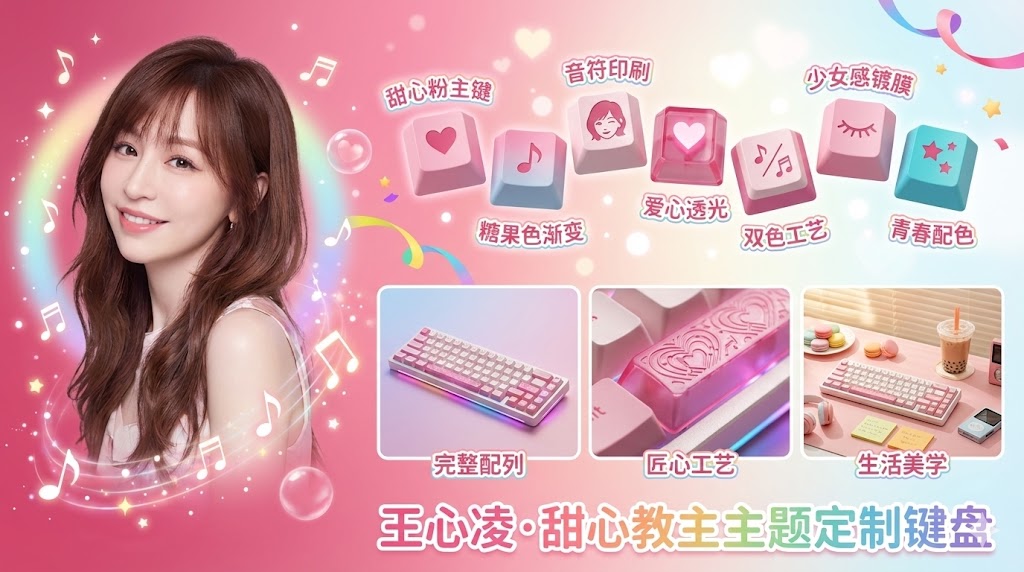
A 16:9 horizontal composition art poster with a mechanical keyboard theme. The left quarter of the frame displays a bust close-up portrait of the [{argument name="character name" default="character name"}], shown from the shoulders up, with intense eyes. The edges use a soft feathering effect to naturally blend into the background. Light particle effects and color gradient haze surround the figure. The right three-quarters of the frame: the upper half presents an artistic display of keycaps: 5 to 7 exquisite mechanical keyboard keycaps scattered in the air in an elegant arc, each showing different angles and details. The keycap color scheme is extracted from the character's [{argument name="main color 1" default="cherry blossom pink"}], [{argument name="main color 2" default="creamy white"}], and [{argument name="accent color" default="coral red"}]. The keycap surfaces are printed with [{argument name="theme element" default="character Q-version silhouette/exclusive icon/gradient texture"}], presented using [{argument name="keycap material" default="PBT matte/resin translucent"}] material. Chinese artistic text annotations float next to each keycap, using Z-Cool Gao Duan Hei or YouShe Ti Hei fonts, with content such as "{argument name="annotation 1" default="Cherry Pink Main Key"}", "{argument name="annotation 2" default="Gradient Coating"}", "{argument name="annotation 3" default="Dual-Color Translucent"}", "{argument name="annotation 4" default="Character Print"}", "{argument name="annotation 5" default="Metal Spacebar"}", etc., describing the craftsmanship, with slight glow effects and outlines. The lower right three-quarters of the frame are evenly divided into three areas: the left grid shows a top-down flat lay view of the complete mechanical keyboard, [{argument name="keyboard layout" default="68-key compact layout/anodized aluminum base"}], with the Chinese annotation "{argument name="left grid annotation" default="Complete Layout"}" at the bottom; the middle grid shows a macro close-up of the keyboard side profile, emphasizing craft details and material layers under light and shadow, with the annotation "{argument name="middle grid annotation" default="Ingenious Craftsmanship"}" at the bottom; the right grid shows an atmospheric setup of the keyboard in a [{argument name="scene 1" default="cozy desk scene/cafe table/workbench"}], with lifestyle props like [{argument name="props" default="coffee cup/green plant/notebook"}], with the annotation "{argument name="right grid annotation" default="Aesthetics of Life"}" at the bottom. The overall background uses a [{argument name="background effect" default="ink wash/particle light effect/gradient matte"}] effect, with the main color transitioning from [{argument name="color 1" default="color 1"}] to [{argument name="color 2" default="color 2"}] extracted from the character, darker on the left and lighter on the right. Fine light spots and flowing color clouds are scattered in the background, creating a [{argument name="atmosphere" default="dreamy gentle/cyber tech/retro elegant"}] atmosphere. A large title text is centered at the bottom of the frame: "{argument name="main title" default="Character Name Themed Custom Keyboard"}", using bold Chinese artistic characters with a metallic texture or glowing effect. The image has no obvious dividing lines, with areas naturally transitioning through light, shadow, depth of field, and visual reality. The overall presentation has the visual texture of a fashion magazine cover, with moderate color saturation, rich layers, combining both artistic and product display functions. 4K ultra-high resolution, 16:9 horizontal composition, suitable for social media impact.

Winter Solstice City Food Art Poster Prompt

Winter Solstice City Food Art Poster Prompt

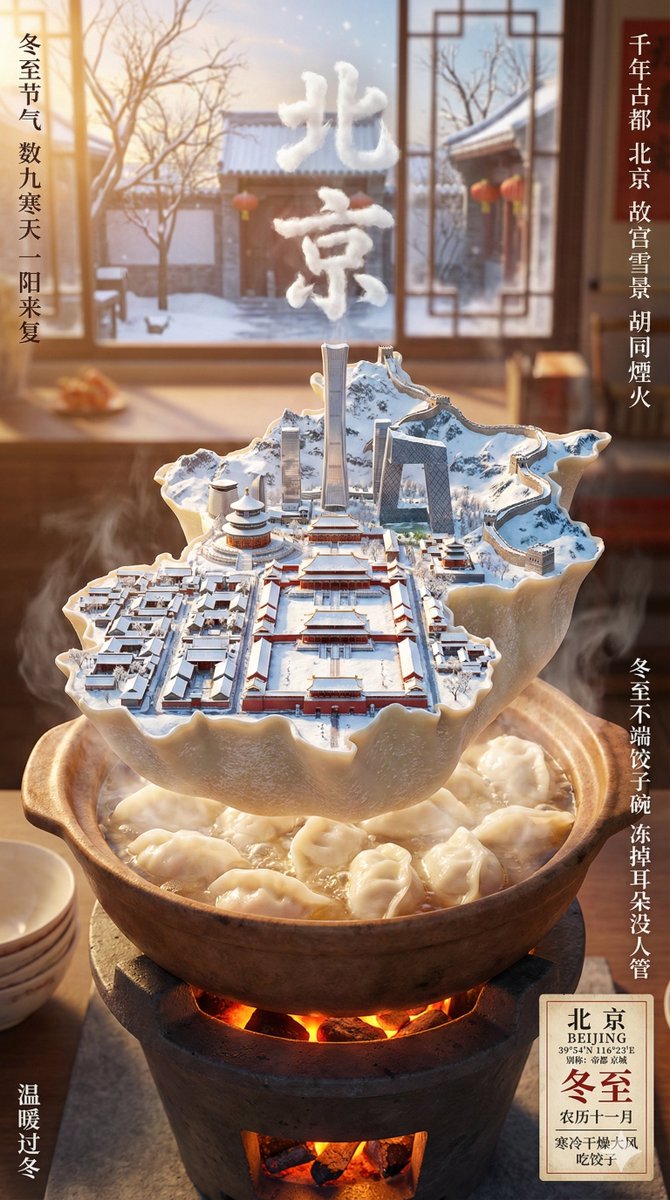
A city rendering digital art poster for 【{argument name="city name" default="city name"}】, with the Winter Solstice solar term as the overall background atmosphere. The core subject of the image is a floating miniature island, shaped like the selected city and occupying most of the frame. The outline of the island is similar to the city's map shape, seamlessly integrating the city's unique iconic landmarks, natural landscapes, and cultural elements. The miniature island is entirely carried or enveloped by the most representative traditional food imagery of the city during the Winter Solstice. Only one specific type of food should be chosen, determined by the city and regional culture (e.g., dumplings, tangyuan). Do not show a specific plate, but translate the form, texture, and structure of this oversized food into the island's shell, terrain, or supporting structure, making the city appear to grow upon this large Winter Solstice food item. The island is placed within a realistic yet restrained Winter Solstice cooking scene based on the traditional food mentioned above, such as a stove, boiling pot/steamer, or soup pot in a daily kitchen environment. However, background elements are presented with blurring and soft focus, only hinting at the atmosphere of life and cooking. Steam and heat slowly rise, combining with warm winter lighting to create a quiet, warm, and human-touch solar term atmosphere. Cinematic lighting, vibrant but restrained colors, aerial perspective, and winter light reflection effects. The number of buildings should not be too many or too dense. The interior of the island showcases a seamless blend of history and modernity: one part presents the city's most representative ancient historical buildings; the other part naturally transitions into the city's landmark buildings and skyline view, all reflecting the current weather conditions (must confirm real weather conditions). 3D text of the city's Chinese name, formed by the steam from the pot, floats above the miniature island. The text acts like a miniature ecological device coexisting with the Winter Solstice, food, and city culture. Around the frame and the main subject, add an information layout layer with a Winter Solstice festive atmosphere and local life feel, with the overall style conforming to traditional Chinese culture. Automatically retrieve basic city information and Winter Solstice solar term information related to 【city name】, providing a simple introduction. Text layout uses an asymmetrical, naturally distributed arrangement, scattered around the edges and negative space of the frame, avoiding strict grids and centered composition. In the corners or edges of the frame, present the city's geographical coordinates, alias, or founding year, and the weather and solar term reminder for the Winter Solstice day, in the style of a local festival poster or old calendar, as decorative information elements. The overall layout maintains significant negative space, but the atmosphere leans towards warmth, domesticity, and festivity. The copywriting should be concise and refined. Style requirements: Octane Render, C4D, Isometric City, Micro World, Living Ecosystem, 8k Resolution, DreamWorks style, 3D modeling, delicate, soft light projection Size: Vertical 9:16

Purikura Style Text and Arrow Overlay Prompt

Purikura Style Text and Arrow Overlay Prompt

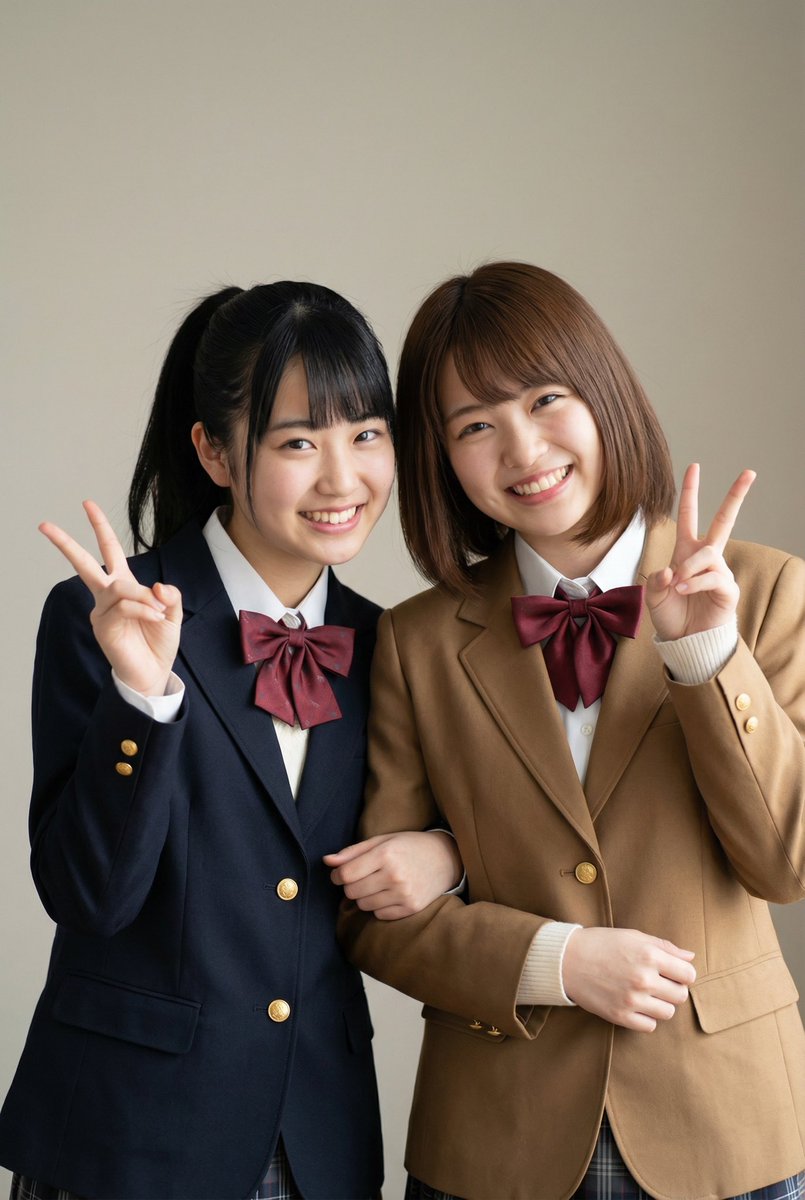
Please add the text 'We are best friends forever'. Also, please add handwritten graffiti typical of Heisei-era Purikura. Also, please add arrows and the girls' names. The girl on the right is {argument name="right girl's name" default="Yuka"}, and the girl on the left is {argument name="left girl's name" default="Chieri"}.

City Poster Digital Art Prompt

City Poster Digital Art Prompt

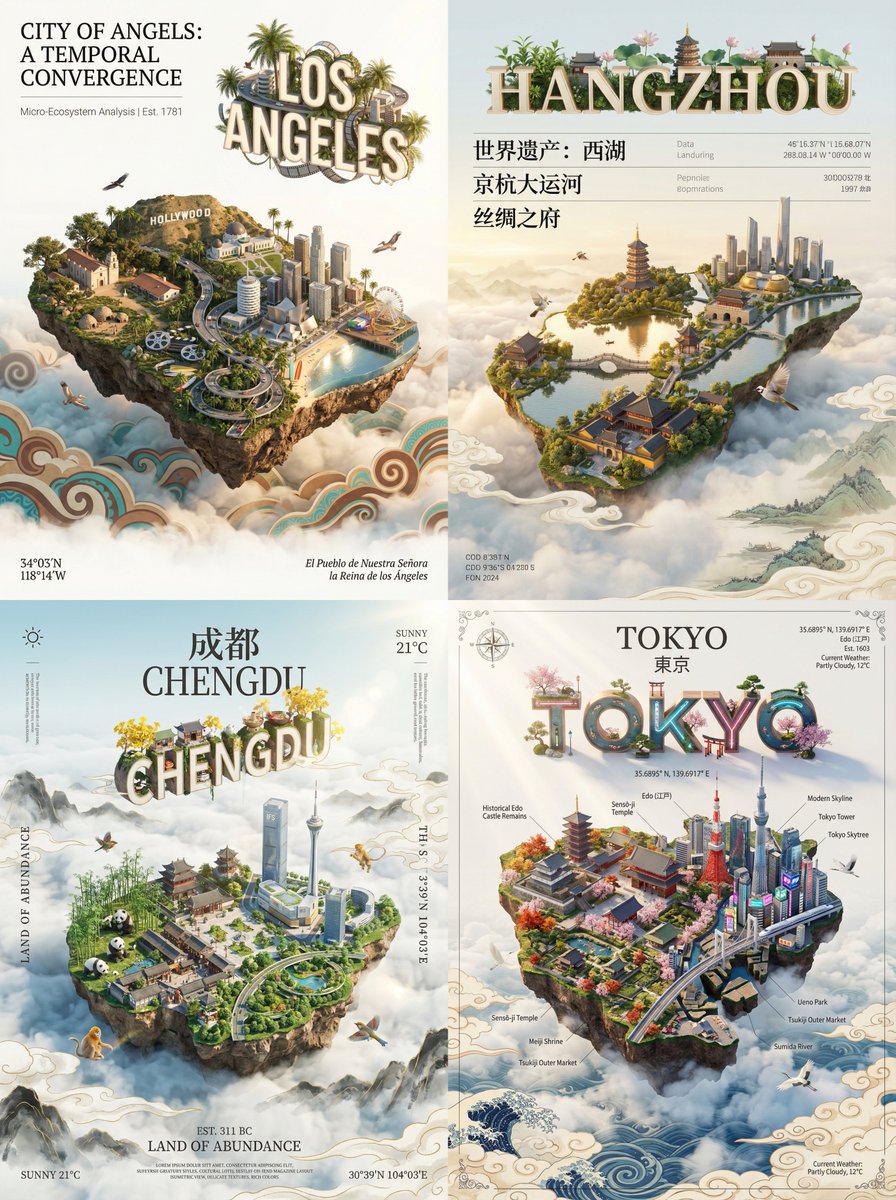
A city rendering digital art poster for [{argument name="city name" default="city name"}]. The core subject of the image is a miniature island floating above white clouds, shaped like the selected city and occupying most of the frame. The shape of the island is similar to the city's map outline, seamlessly integrating the city's unique iconic landmarks, natural landscapes, and cultural elements. Include birds unique to the city, cinematic lighting, vibrant colors, aerial perspective, and sun reflection effects. Buildings should not be too numerous or dense. The island showcases a seamless blend of history and modernity. One part features the city's most representative ancient historical buildings; the other part smoothly transitions into the city's landmark buildings and skyline view. The island floats above a vast sea of clouds. The sea of clouds is rendered using the traditional art style of the city's cultural sphere. 3D text of the city's Pinyin or English name floats above the miniature island. This group of text acts like a miniature ecological device where ecology and culture coexist. Around the frame and the main subject, layer a minimalist, elegant information layout layer with the texture of a museum display panel. Primarily retrieve relevant city information, using classic serif fonts for main information and extremely fine minimalist sans-serif fonts for auxiliary data. In the corners of the frame, arrange the information like a classical atlas or a high-end magazine title page. Use serif fonts to label the city's geographical coordinates, alias, or founding year, and the current weather, serving as decorative background information. The overall layout uses extensive negative space, is restrained, clean, and balanced, as if appreciating a precious work of art. Style requirements: Octane Render, C4D, Isometric City, Micro World, Living Ecosystem, 8k Resolution. DreamWorks style, 3D modeling, delicate, soft light projection.

Some prompts are collected from creators on X. Copyright belongs to the original authors.