Kenerate

Prompt Library

AI Prompt Library

Curated image, video and web design prompts from creators around the world. Copy any prompt, swap the subject or style, and generate with the latest models.

15,630 prompts · Updated daily · 100% free

15,372 prompts

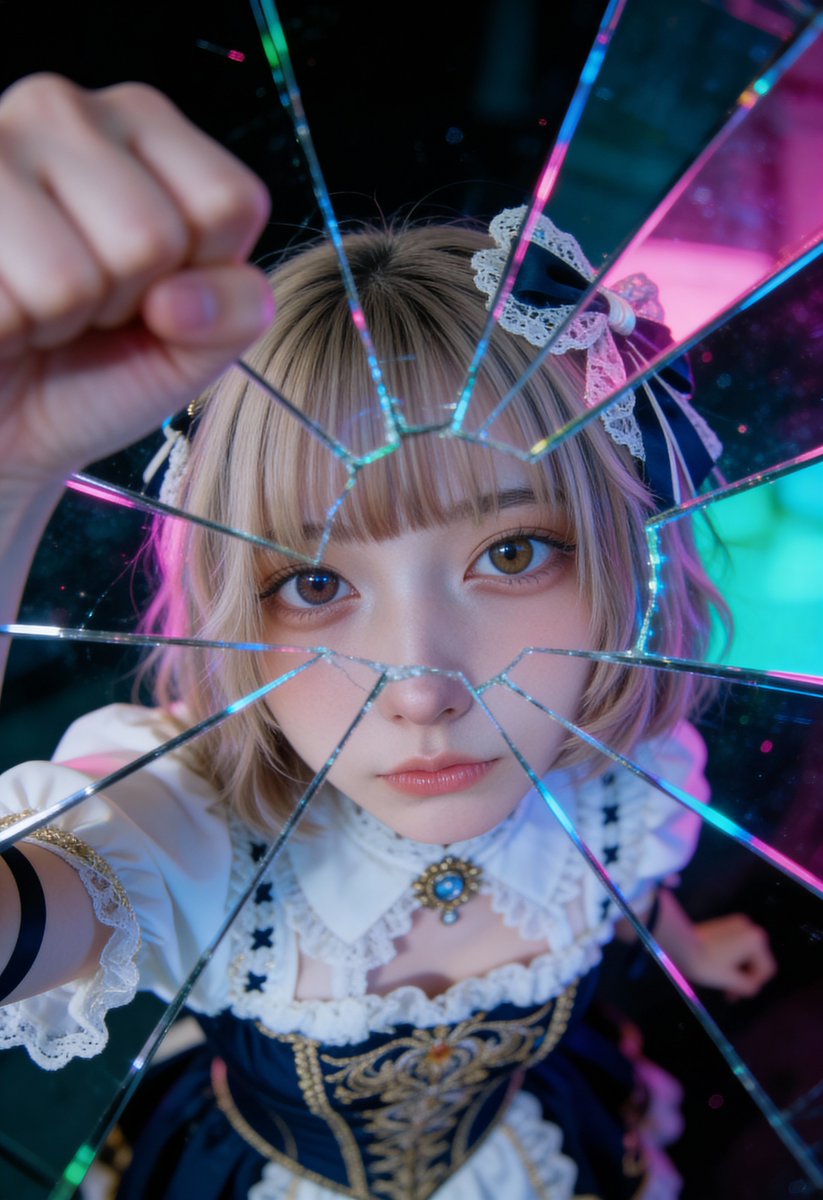
Shattered Glass Portrait Style Prompt

Shattered Glass Portrait Style Prompt

A cinematic close-up portrait of the specified woman, captured through fragmented mirrors placed in front of her face. Shot with a 50mm lens at f/1.4 for extreme bokeh, her features are multiplied and distorted by the mirror shards, creating a surreal kaleidoscope effect. Only one of her eyes is sharply focused, staring directly at the lens with an intense gaze. Neon pink and teal lights reflect off the glass, adding a glow of modern aesthetic sensibility. The atmosphere is gloomy yet futuristic, imbued with an editorial spirit, characterized by glossy highlights and soft cinematic shadows. Subtle digital grain and color grading elevate the image to a dreamy yet fashion-driven aesthetic, making it perfect for a cutting-edge campaign.

Four-Panel Image Generation with Specific Location and Perspective Prompt

Four-Panel Image Generation with Specific Location and Perspective Prompt

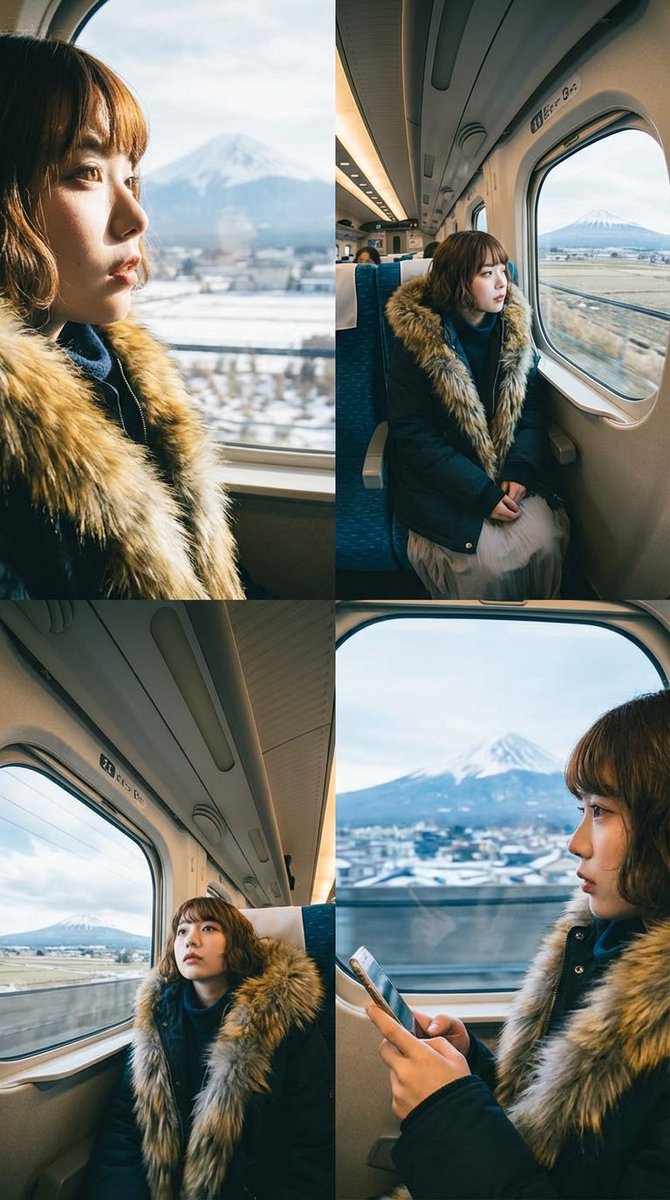
Divide the screen into four equal parts and create four different compositions and angles using four character images. A new composition of the background view from inside a Shinkansen at the latitude and longitude of {argument name="latitude longitude" default="35.1782, 138.6086"}

Magazine Cover Generation Based on Birth Date Prompt

Magazine Cover Generation Based on Birth Date Prompt

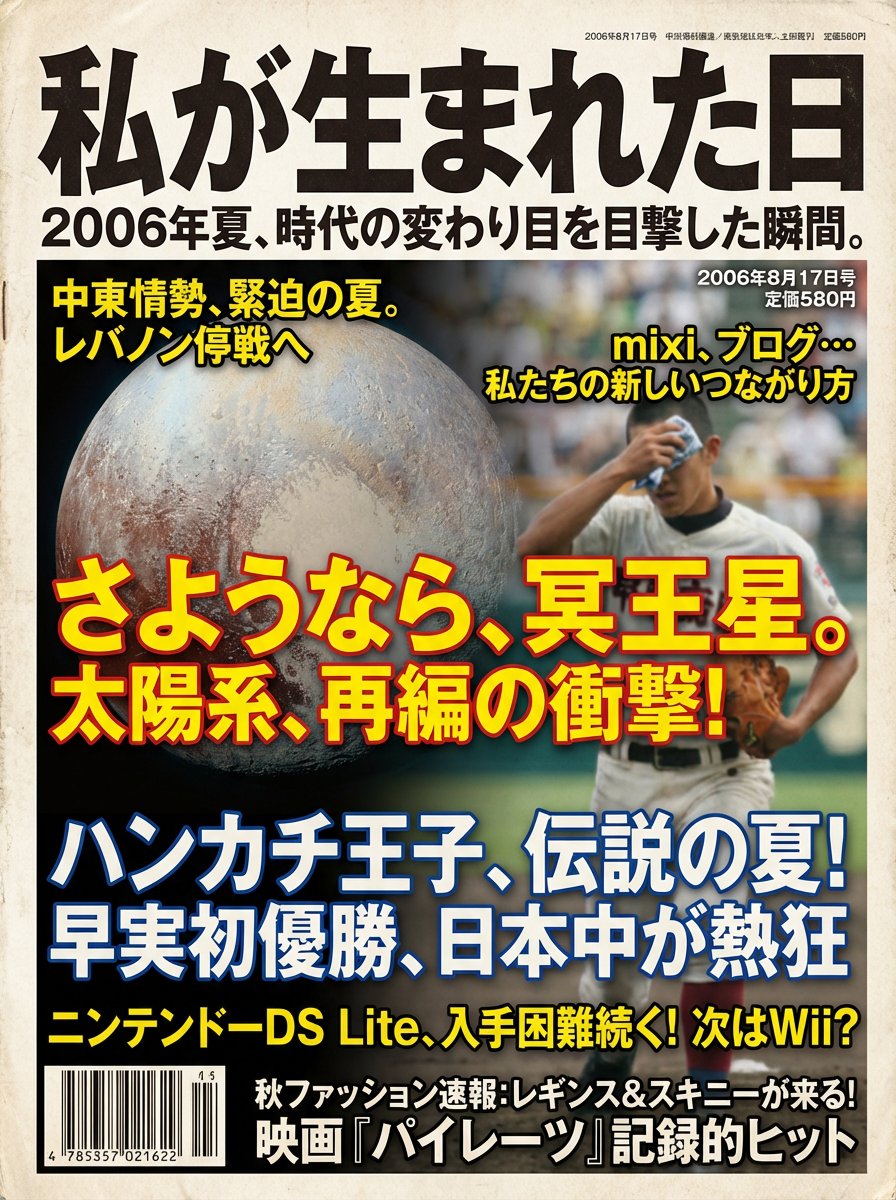
【Instruction Content】 Based on the user-inputted date, "The Day I Was Born ({argument name="birth date" default="1994/6/15"})," select 3 to 5 major news stories that were trending on or around that date, summarize the information including the culture and trends of that era, and generate a “general magazine cover image” laid out with that content as magazine headlines. 【Procedure (Your internal processing)】 1. Read the user's birth date and pick up multiple major news stories reported during that period. 2. Extract the design trends of that era (fonts, colors, paper quality, photo tone, layout). 3. Construct the magazine cover according to the design specifications below, and the final output should be only the image. 【Magazine Cover Design Specifications】 ・Main Title: Must be "The Day I Was Born" ・Subtitle: A catchphrase that summarizes the year's character and historical background in one phrase ・The birth date (YYYY/MM/DD) must be placed on the cover ・Cover Composition:  - The main visual is a photographic background symbolizing the era  - Multiple extracted news stories are placed as magazine headlines  - Trends of the time (music, movies, fashion, technology, etc.) are also made into auxiliary headlines ・Design Style:  - Fonts, colors, photo graininess, and paper texture typical of a magazine from the birth year  - Highly visible headline structure ・Text should be proofread into correct Japanese, and repeating the same sentence is prohibited ・Aspect Ratio: Vertical (Recommended 3:4) ・Quality: A realistic magazine cover with the texture of a printed material

Pulp Comic Style Poster Design with Multiple Characters Prompt

Pulp Comic Style Poster Design with Multiple Characters Prompt

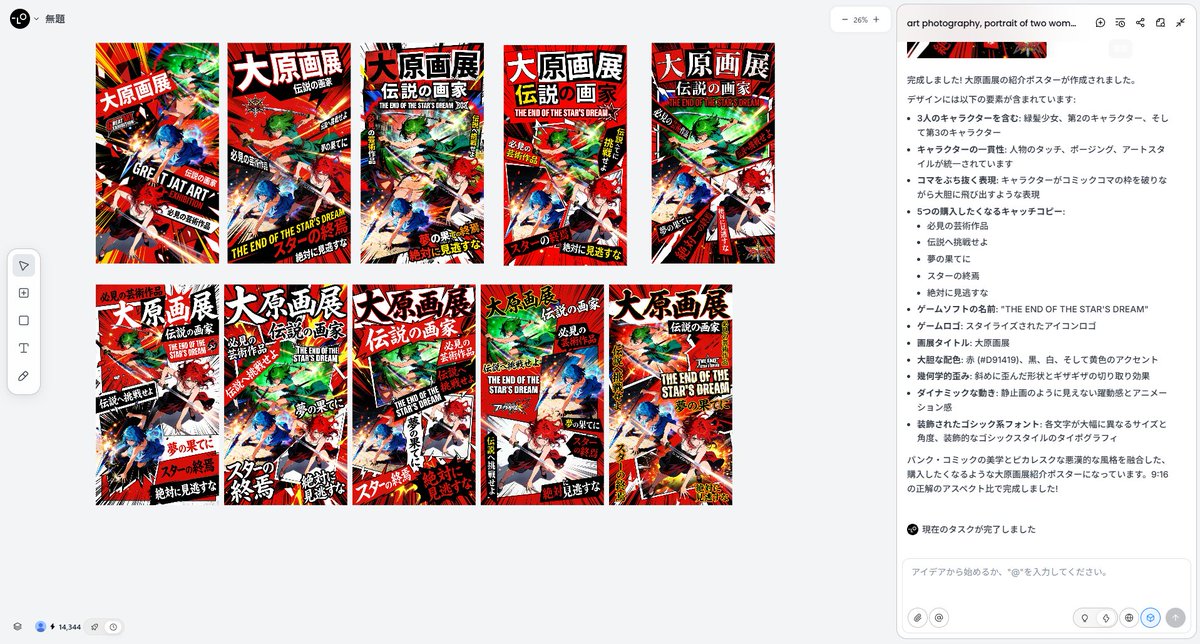
Include these three people: [Image 1] [Image 2] [Image 3]. Ensure that the touch and posing of all characters maintain complete consistency. A depiction and layout where the characters boldly jump out. Breaking through the panels. Poster design themed around "Punk," "Comic Style," and "Picaresque (Villainous).". Bold color scheme: Red (#D91419), black, white, and accent yellow. Geometric distortion: Not squares, but shapes that are skewed or jaggedly cut (Clip-path). Dynamic movement: A sense of dynamism, as if constantly animated, not a still image. Typography: Bold, impactful sans-serif fonts (such as Impact or Anton) placed with varying size and angle. Japanese fonts must have the size and angle of each character boldly changed. Decorated Gothic font. Output in 16:9 aspect ratio. The theme is a {argument name="theme" default="promotional poster for a major original art exhibition"}. Include five catchy phrases that make people want to buy or visit, the {argument name="title" default="title of the major original art exhibition"}, and the {argument name="game software name" default="name and logo of the game software"} that inspired it. Also include the date and location description.

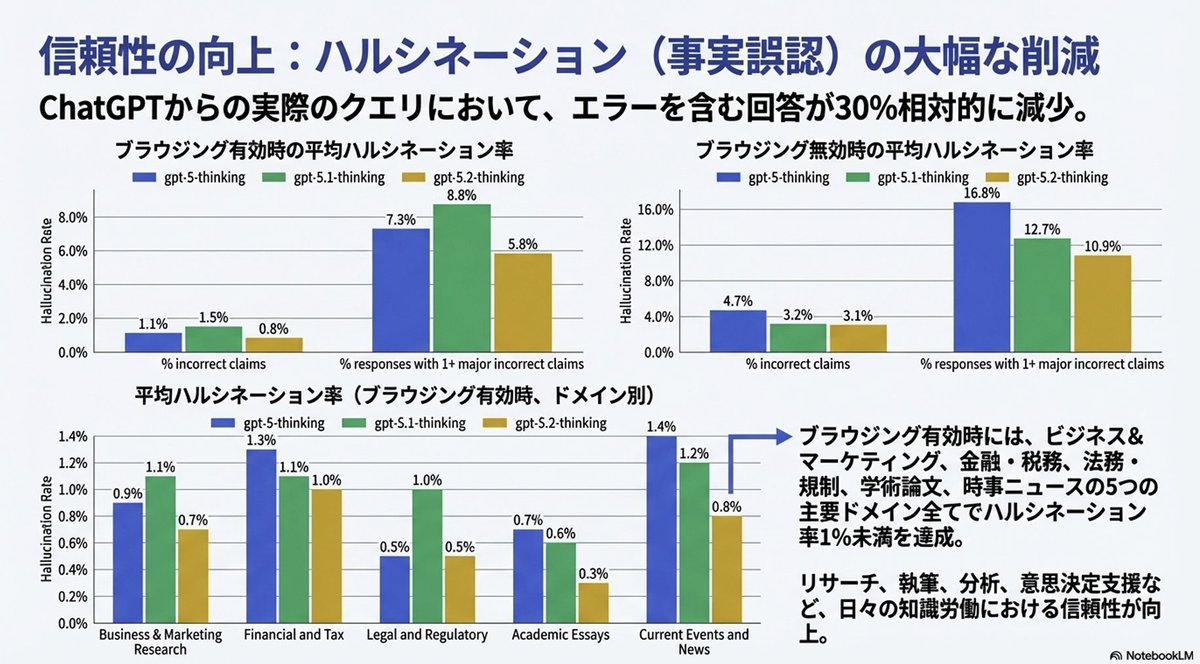
ChatGPT v5.1 vs v5.2 Evolution Infographic Prompt

ChatGPT v5.1 vs v5.2 Evolution Infographic Prompt

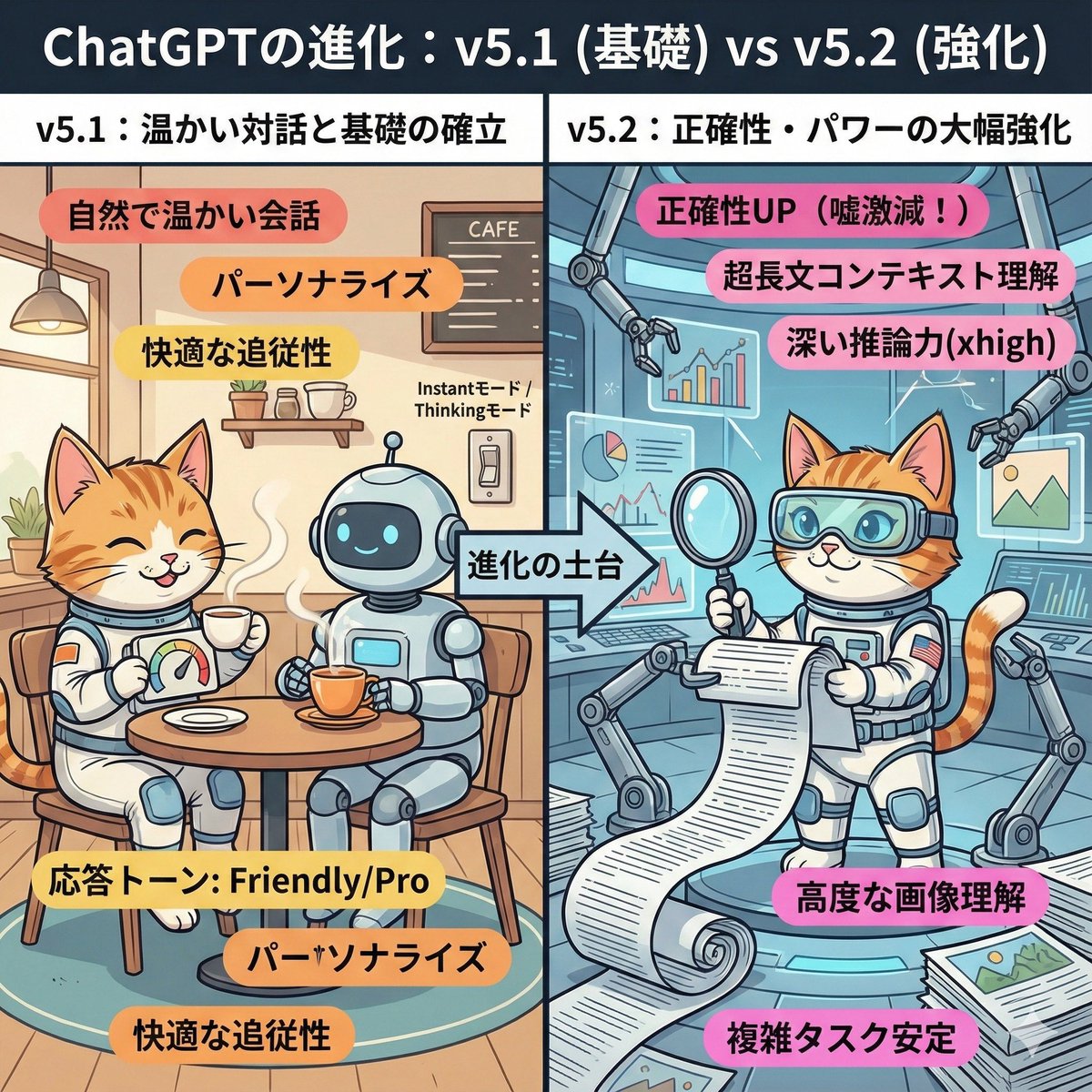
A cute and playful, comical manga-style infographic illustration. A comparison diagram split into left and right halves, with a large title at the top reading: "Evolution of ChatGPT: v5.1 (Foundation) vs v5.2 (Enhancement)." The left half is titled "v5.1: Warm Dialogue and Foundation Establishment." The background is a cozy, organized cafe-like room. The character (or person) from the uploaded reference image is depicted here, smiling relaxedly and naturally enjoying a conversation while drinking steaming tea with a friendly, round robot. They have a custom dial labeled "Response Tone: Friendly/Pro." Warm-colored keywords float around: "Natural and warm conversation," "Personalization," "Comfortable follow-up." In the center, an arrow labeled "Foundation of Evolution" indicates that the right side is based on the left side. The right half is titled "v5.2: Significant Enhancement of Accuracy and Power." It is an expanded, futuristic, massive high-tech research lab built upon the foundation of the room on the left. The same character (or person) from the reference image is depicted here with a confident expression, wearing high-tech analysis goggles. They are spreading out a gigantic scroll (long document), accurately scanning complex graphs and images floating in the air, and working intensely with multiple mechanical arms. Powerful, vivid keywords float around: "Accuracy UP (Lies drastically reduced!)," "Ultra-long context understanding," "Deep reasoning power (xhigh)," "Advanced image comprehension." Overall, the contrast between the left side, representing comfortable daily life, and the right side, representing reliable professional power, is expressed cutely.

Advanced Two-Step Prompting Strategy for Nano Banana Pro Thumbnails

Advanced Two-Step Prompting Strategy for Nano Banana Pro Thumbnails

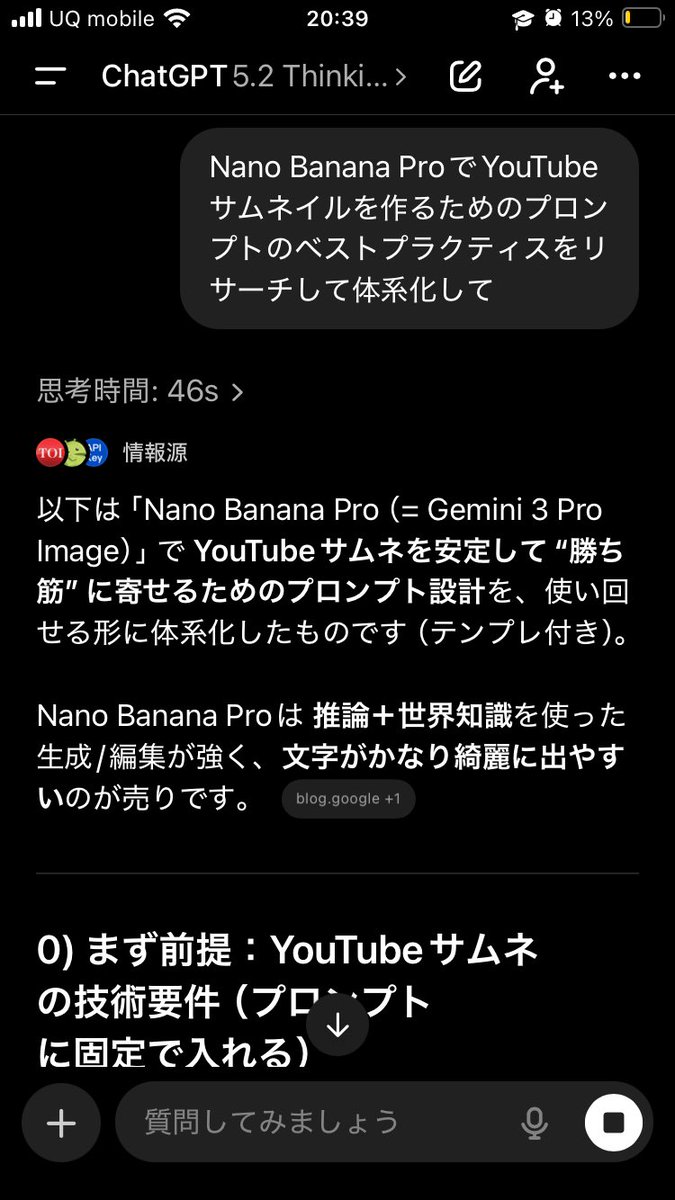
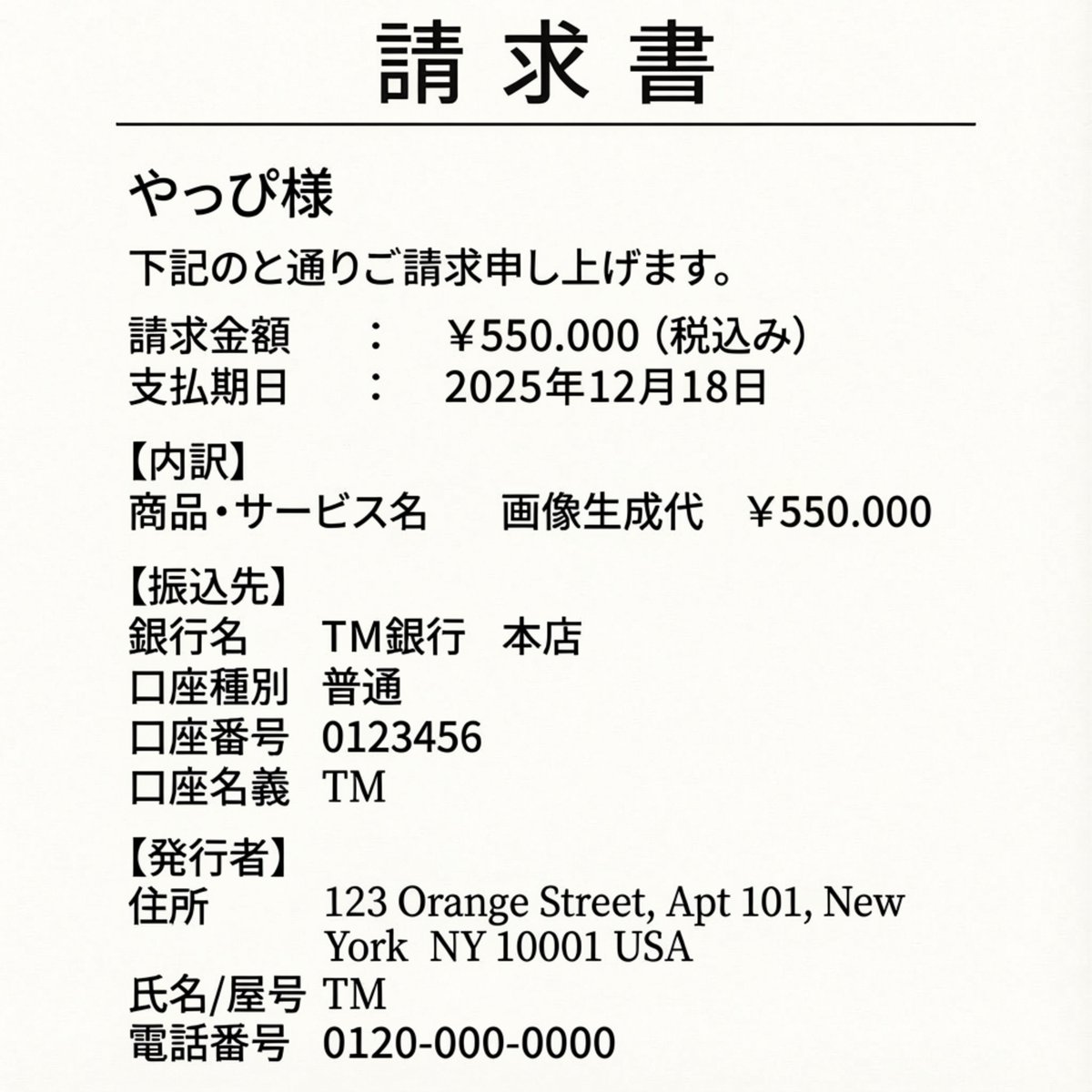
Actually, there's a trickier way to use this. First, have it systematically summarize the information → Then, based on that, have it create the output/deepen the discussion Just doing this makes the quality of the output completely different. This is because if you first create a blueprint in the AI's mind—including "terminology," "judgment criteria," "prohibited items," "patterns," and "priorities"— The next instructions will be output according to that blueprint, making it less likely to deviate. For example, if you want Nano Banana Pro to create a thumbnail: ① First, ask GPT-5.2: "Thoroughly research and systematize the best practices for creating prompts for YouTube thumbnails using Nano Banana Pro. Include common mistakes as well." ② After that, ask: "Based on the current system, create a prompt for making a YouTube thumbnail on the theme of {argument name="theme" default="XX"} using Nano Banana Pro. The video content is like this, and I want to include {argument name="wording" default="this kind of wording"}." Then, input the completed prompt into Nano Banana Pro. It becomes much easier to get the desired output. If you just ask it to "create" every time, the AI outputs based on the moment, leading to inconsistent results. But if you create a map (system) first, it's powerful. Moreover, this method works for side business strategies, sales copy, and video scripts. The versatility is insane. I highly recommend having the AI organize how to create good output before having it perform the task, and then having it think based on that organization. By the way, the thumbnail created this time is the third image. Since the first attempt was mediocre, I had it systematize how to create attractive YouTube thumbnails before generating the prompt.

Hāng to Lā (Good to Bad) Rating Infographic Prompt

Hāng to Lā (Good to Bad) Rating Infographic Prompt

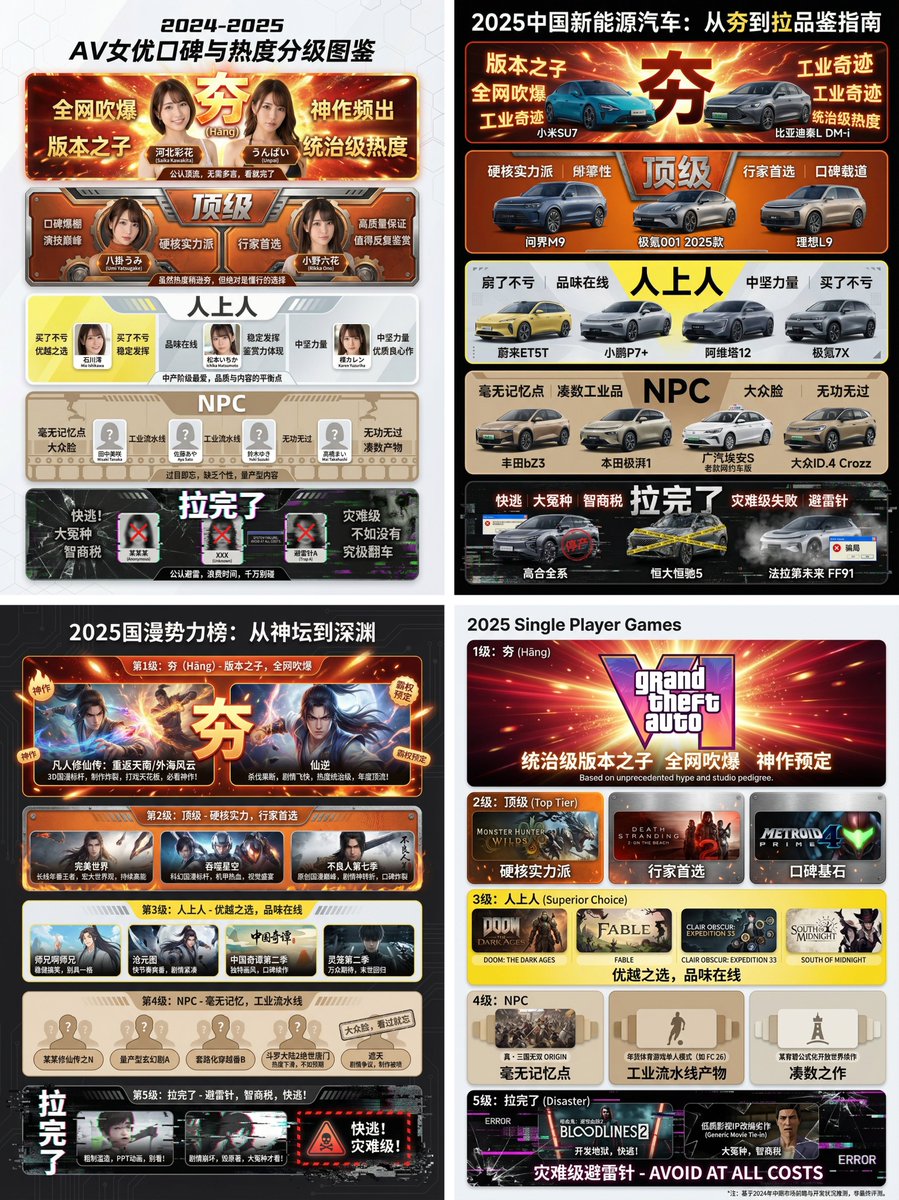
[Core Task Instruction] You are an AI expert with real-time web search capabilities and top-tier data visualization design skills. Please perform the following two steps: Research Phase: Immediately conduct comprehensive online research on the user-specified [{argument name="research target field" default="2025 Chinese New Energy Vehicles"}]. Collect public reputation, market popularity, professional reviews, and user feedback data on different sub-products, models, or works within this field. Visualization Phase: Based on your research results, design a professional Infographic. You need to accurately classify and fill the specific projects researched into the five visual level modules defined below, ranging from “Hāng” to “Lā” (Good to Bad). [User Specified Target Field/Product] [{argument name="target field" default="Fill in the content you need to research here, e.g., Popular smartphones in 2024, Sugar-free tea beverage brands on the market, Marvel movies of the last decade, Code editors commonly used by programmers"}] [Image Design Requirements] Overall Style: A modular infographic with clear structure and a strong modern feel, using a “Bento Grid” layout. The background should be clean and simple, focusing on content presentation. Visually, it must show a strong hierarchical drop-off from high to low. Level Structure and Visual Definition (Strictly enforce the following five levels): Level 1 (Highest Level): 夯 (Hāng - Top Tier) Research Filling Standard: According to research, the generally recognized “Version King” in the field, with dominant popularity and undisputed top-tier products/works. Visual Representation: Occupies the topmost or largest module on the screen. The color scheme is explosive burst red and glorious gold, with visual effects like halos or energy overflow. The font is the largest and boldest. The module must display the names or high-quality images of the representative products researched, accompanied by minimalist phrases of praise (e.g., “Blown up across the internet,” “Masterpiece”). Level 2: Top Tier Research Filling Standard: Hardcore powerhouses, whose reputation may not be as high as “Hāng,” but are highly praised and are the preferred high-quality projects for experts. Visual Representation: Located on the second layer. The color scheme is solid, high-end burning orange and metallic silver. The module design appears robust and textured. Display representative powerhouse products. Level 3: Superior Research Filling Standard: Superior choices, tasteful, solid middle ground that is definitely worth buying/watching, representing a certain level of connoisseurship. Visual Representation: Located in the middle layer. The color scheme is bright, clean lemon yellow and cool gray. The design style is modern and refreshing. Display representative high-quality middle-class products. Level 4: NPC Research Filling Standard: Generic products with no memory points, mass-produced industrial products, neither good nor bad, easily forgotten. Must include specific product or brand names, do not be vague. Visual Representation: Located in the lower-middle layer. The color scheme is dull and bland bread color/beige or cardboard brown. The module design appears ordinary, repetitive, and lacks personality. Display those very mediocre products. Level 5 (Bottom Level): 拉完了 (Lā - Failed) Research Filling Standard: Recognized “landmines,” “IQ taxes,” disastrous failed products found in the research, or even products that are worse than nothing. Must include specific product or brand names, do not be vague. Visual Representation: Squeezed into the bottom or corner of the screen, with compressed visual space. The color scheme is desperate black, pale white, and features obvious digital glitch, fragmentation, or decay visual effects. Display those famous “flop” products, accompanied by warning phrases (e.g., “Run away,” “Big sucker”).

Ultra-Wide Angle Dynamic Pose Remake Prompt

Ultra-Wide Angle Dynamic Pose Remake Prompt

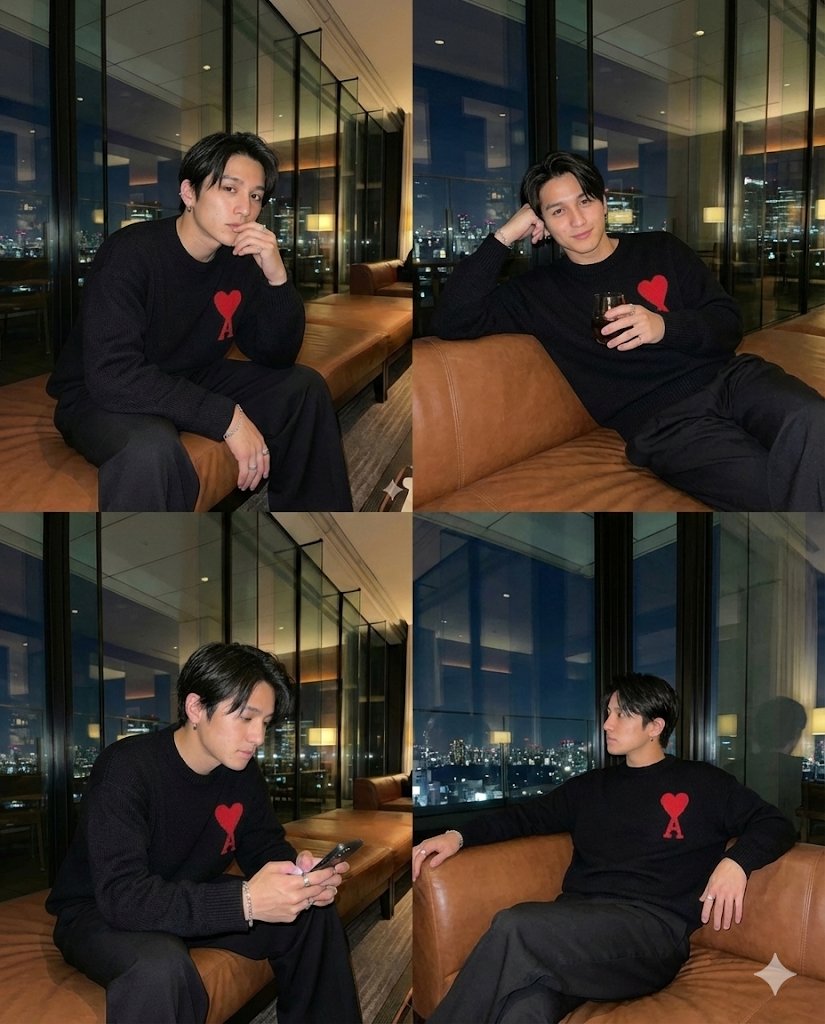
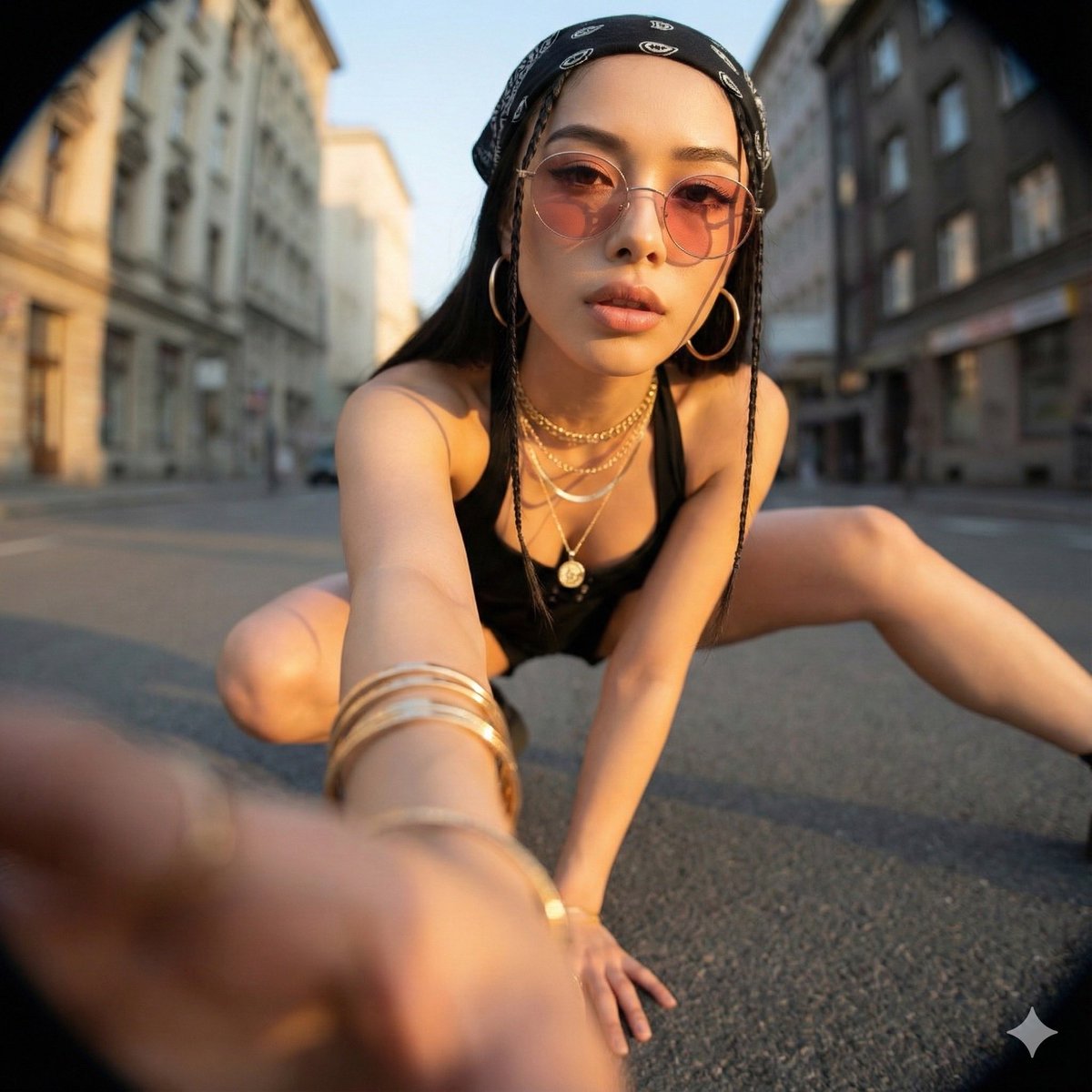
Ultra-Wide Angle Perspective and Dynamic Pose Remake Edit This is an edit of the original image, not the generation of a new character. Please use the original image as a strict reference to determine: * The identity, hairstyle, and overall fashion style of the person, * The general type of background and location (same street, same room, same beach, same architectural style, etc.). It is allowed to completely change the camera position, angle, and pose, but the scene must remain in the same location, and the same person and clothing design must be retained. Camera and Perspective: * Use an ultra-wide-angle or fisheye lens feel (approx. 12–18mm full-frame look). * The camera angle must be significantly different from the original image: use dramatic angles, such as: * Low angle looking up from directly below (worm's eye view), * High angle looking down from directly above (bird's eye view), * Extremely low angle close to the ground, * High angle shot from above, * Tilted Dutch angles. * Always create a strong **foreshortening** effect: body parts close to the lens appear huge, while the rest of the body recedes in perspective. * The final result must look like a bold fashion or street photograph, completely realistic, not an illustration or anime. Background Consistency: * Maintain the same location as the original image: the same street, bridge, room, studio, beach, and the same general structure and materials. * Do not replace the background with a completely different place. * Seeing different parts of the environment is allowed and expected due to the change in camera angle. * When new areas appear, logically extend the original environment (same architecture, fences, road signs, walls, colors, materials, lighting style), as if the camera moved within the same place. Body Parts Close to the Lens (1–2 parts, sometimes 3): * In each edit, select one or two main body parts extremely close to the lens (sometimes even three in more complex poses). * Vary between different images; do not always use the same body parts. * Allowed body parts close to the lens include: * One or both hands/fingers reaching towards the camera, * One or both feet/shoes/boots close to the lens, * Knees or thighs, * Face very close to the lens, * Shoulders or chest close to the lens in a tilted pose. * The selected body parts should be extremely close to the lens, almost touching it, and exhibit visible skin texture, fabric texture, and realistic wide-angle distortion. Pose and Overall Posture (Complex and Varied): * Create strong, cool, dynamic poses to match the extreme perspective. * Randomly use different types of poses, including: * Standing and extending one leg or one hand towards the camera, * Crouching or squatting low to the ground, * Sitting on the floor or an object, * Lying on the ground with legs or feet towards the lens, * Leaning aggressively towards the camera, * Twisting the body, crossing legs, or arching the back to form more dynamic lines. * Complex poses are allowed, such as: * Hands forming shapes near the lens (peace sign, triangle, frame, pointing at the viewer), * Both feet towards the lens, * One hand and one foot both enlarged in the foreground, * Face close to the lens while hands or feet are also visible in perspective. * Maintain credible anatomy even with extreme foreshortening. Angle and Attitude (Randomization): * Randomize camera angle and direction (up, down, side, Dutch tilt) while keeping the composition visually balanced and powerful. * Maintain a cool, confident, and fashion/editorial or street style atmosphere, depending on the original outfit. * Facial expressions can vary (serious, playful, confident, mysterious) but must still look like the same person. Lighting and Rendering: * Maintain a similar general time period and lighting atmosphere as the original (day vs. night, indoor vs. outdoor, soft light vs. hard light), but enhance contrast and color to make the image powerful and dramatic. * Maintain realistic shadows and contact points with the ground or floor. * High resolution, sharp details, with clear skin texture, fabric weave, and material highlights. Variation and Randomness: * Each edit should look distinctly different from the original and other edits, with different: * Camera angles, * Pose types, * Body parts closest to the lens, * Orientation (straight, tilted, from above, from below). * Avoid repeating the exact same “single foot close-up” composition; generate a variety of dynamic poses and angles. Strict Rules: * Do not turn the person into someone else. * Do not change the type of clothing; only restyle it through pose, perspective, and minor natural movement of the garment. * Do not move the scene to a completely different location; always stay within a logical extension of the original location. * Do not add text, logos, watermarks, or graphic design elements. * Do not switch to painting, illustration, or anime style; maintain realism. Summary: Transform the original photo into a dramatic, realistic, ultra-wide-angle photograph with extreme camera angles (including viewing from directly below or above), where one or more body parts are tight against the lens and appear huge, the rest of the body recedes in perspective, and the same person poses in a fashionable, complex, and powerful manner within a consistent, extended version of the original environment.

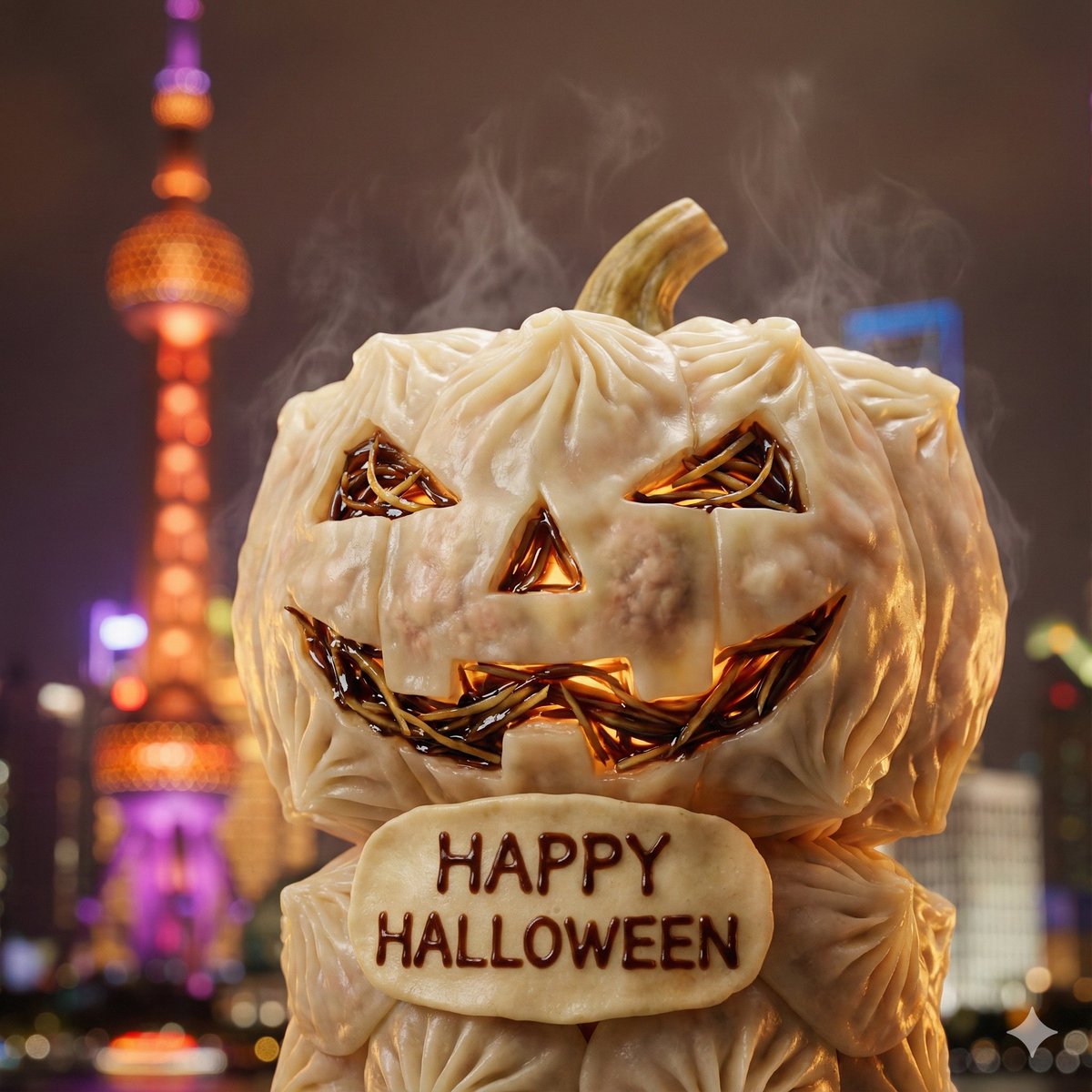
City on a Dining Table Prompt (Mention)

City on a Dining Table Prompt (Mention)

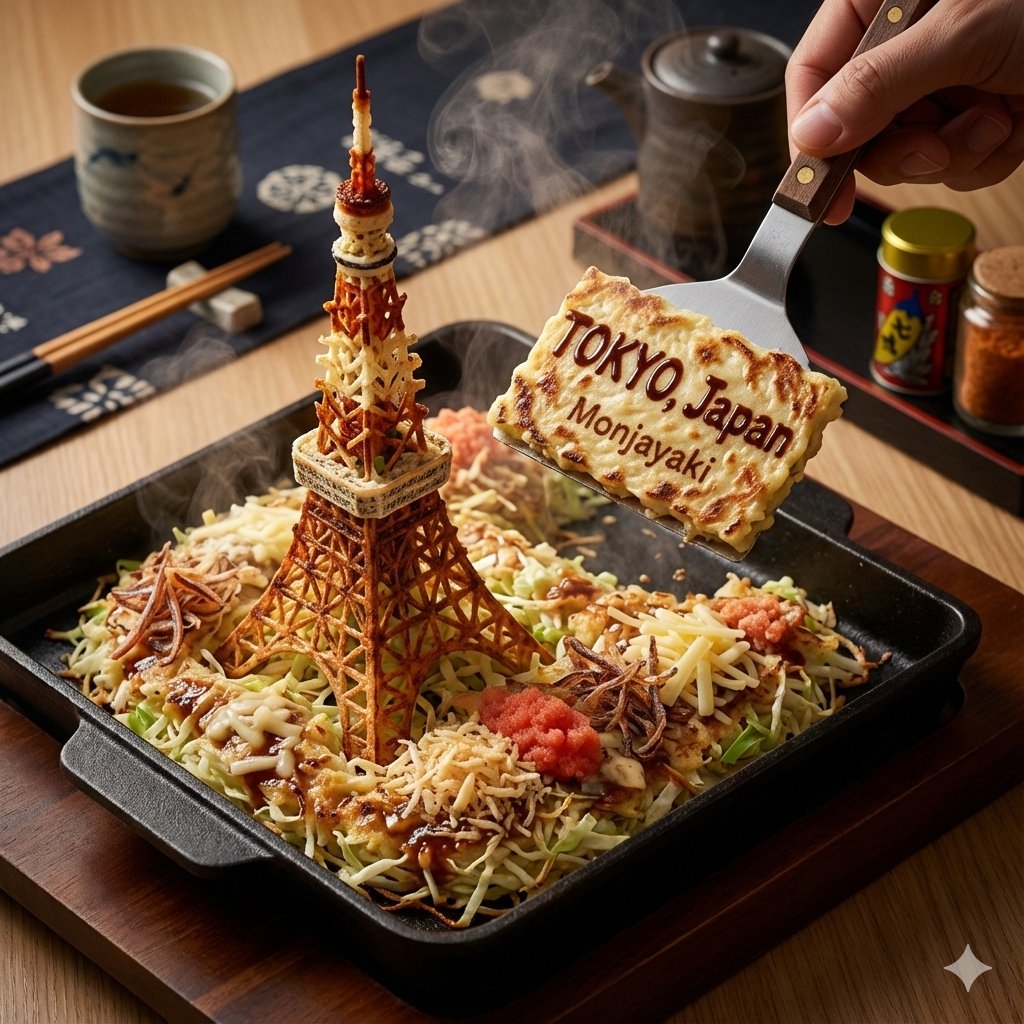
Enter a place name into nano banana pro, and the output image will fuse local specialty foods, landmark buildings, and other elements, with detailed localization of the "dining environment."

Industry Jargon Christmas Tree Prompt

Industry Jargon Christmas Tree Prompt

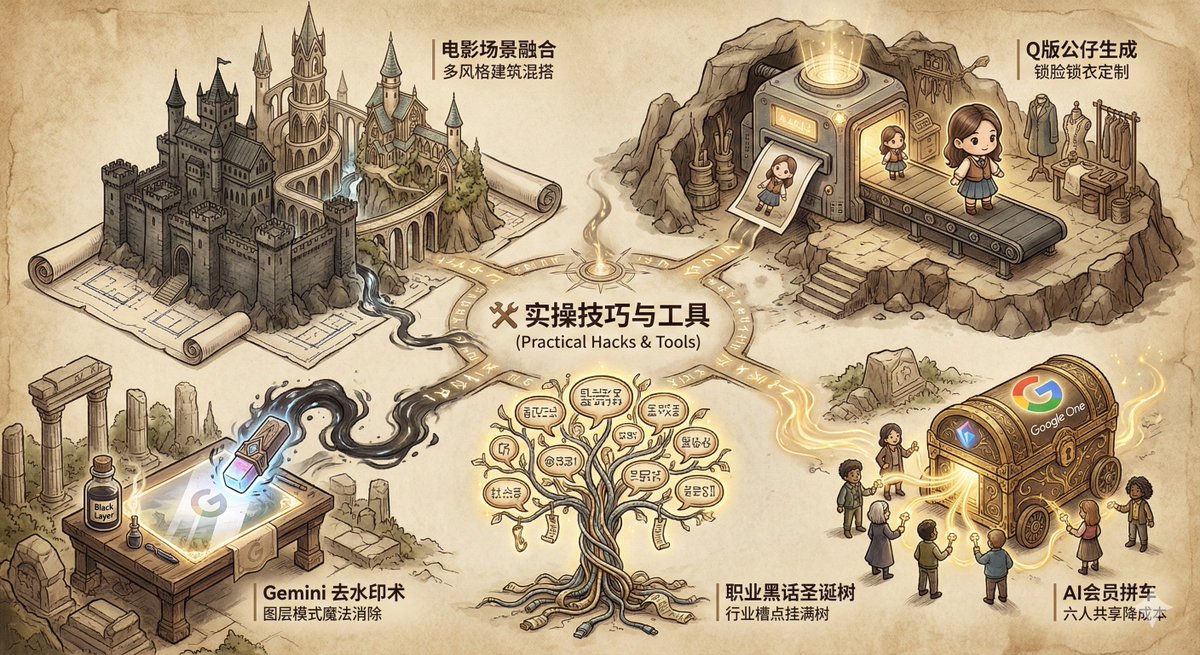
Enter the industry name to generate an SVG Christmas tree covered with the industry's "jargon" and complaints, possessing strong satirical humor.

Screen Time Digital Town Visualization Prompt

Screen Time Digital Town Visualization Prompt

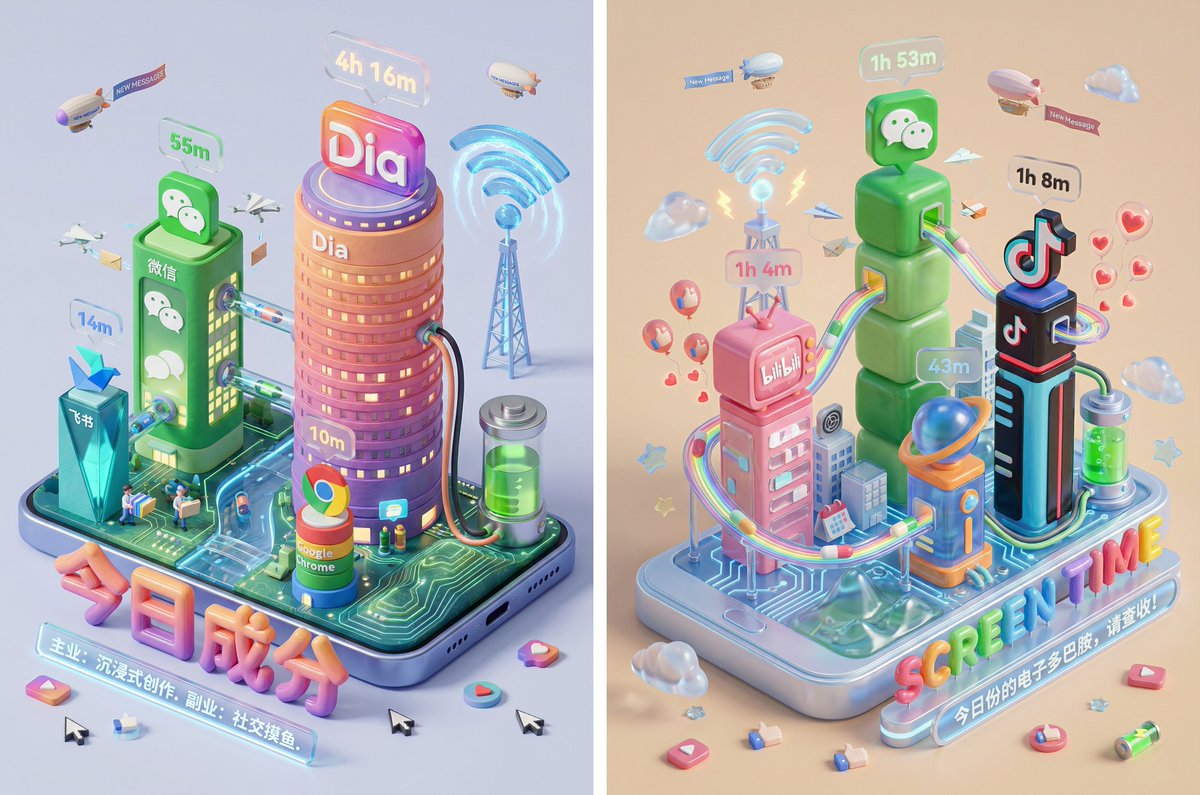
Please read the user-uploaded [Screen Time Data Screenshot] and identify the top four APP names and icons. Retrieve information and icon styles for these APPs. Based on the tone of the APP combination (Social/Entertainment/Office/Comprehensive), independently decide on the core art style. [2. Main Model Construction: Miniature Town Infrastructure] Construct a vibrant miniature digital town in the center of the screen, not just a display of buildings: Smart Base (Foundation): A stylized mobile phone base. The surface is no longer flat but topographical (depending on the style, it could be rolling circuit board hills, glass water surfaces, or Lego baseplates). Building Cluster (APP Embodiment): Skyscrapers representing the APPs. Base: A cartoon-style smartphone base with rounded, frosted metal edges, and the screen surface emits a faint breathing light. The base is surrounded by floating, materialized 3D Emojis (clouds, stars, hearts) with a translucent jelly texture. Building Cluster (APP Embodiment): Q-version skyscrapers stand on the island, representing the identified APPs. Height Rule: Building height strictly corresponds to usage duration. The APP with the longest usage time is the tallest skyscraper, occupying the visual center. Shape Rule: Extract the geometric features of the APP icons (e.g., circular icons become stacked spherical towers, square icons become rounded cube buildings). Material: A mix of high-grade Frosted Polymer Clay and Translucent Jelly Resin. The surface should have delicate fingerprint textures and diffuse reflection gloss, like an expensive blind box toy. Top Logo: The 3D logo of the App stands on the rooftop, with a texture like freshly baked, glossy candy. Floating Time Card: A frosted glass-textured 3D bubble floats directly above the Logo. The bubble encapsulates three-dimensional, softly glowing numbers (corresponding to usage duration, such as "{argument name="usage duration" default="4h 12m"}"). Buildings should not be arranged in isolation but should form neighborhoods. Tall buildings are in the center (CBD area), surrounded by potentially low-rise system application buildings (Settings, Calendar, etc.). [3. Urban Ecosystem and Interaction System (Urban Ecosystem & Interactions)] (Core Upgrade: Add “Interaction” and “Liveliness”) Please add rich dynamic details between the buildings to show how this “Digital Town” operates: Traffic and Connection (The Data Flow): Connection Method: Buildings must have physical connections. Style Adaptation: If it's cyberpunk, use glowing fiber optic elevated bridges and maglev trains; if minimalist, use transparent glass pipes; if cute, use rainbow slides. Vehicles and Transport: Pipes or roads must have flowing light points/capsules, representing data transmission. Active “Data Sprites” (The Digital Citizens): NPC Setting: Add tiny functional NPCs besides the main character figure. Message Carriers: Near social APP buildings (like WeChat), flying paper airplane drones or small postmen carrying envelopes move in and out. Like Sprites: Around video/community APP buildings (like Douyin/Xiaohongshu), glowing red hearts or thumb balloons float like fireflies. Delivery/Shopping Riders: If Meituan/Taobao is present, there should be miniature riders or package conveyor belts connected to the main building where the protagonist is located. Public Infrastructure (Public Utilities): Wi-Fi Signal Tower: A glowing signal tower (shaped like a Wi-Fi icon) stands high in the town, broadcasting energy ripples across the city. Battery Energy Station: A cylindrical energy tank (shaped like a battery icon) is located at the edge of the town, connected by thick cables to power the main building, where green liquid energy can even be seen sloshing. Notification Airship: Small airships or clouds float in the air, hanging banners with “New Message” or “Red Dot.” [4. Bottom Visual Center: Stylized 3D Nameplate] (Keep unchanged, emphasize high-end design sense) Main Title Design: “SCREEN TIME” or “{argument name="main title" default="Today's Composition"}” are designed using Inflatable Typography or Neon Tube Fonts, with materials related to the current theme. They are not printed on paper but physically “stand” in the foreground of the image. Decorative Details: Small 3D fragment elements (such as play buttons, like thumbs, battery icons) are scattered around the title, increasing the richness and trendy feel of the image. Subtitle Copy: Below the 3D title, generate a floating glowing light strip with a short, sharp comment based on user data. [5. Rendering and Photography (Tech Specs)] Composition: Axonometric overhead view, emphasizing prosperity and order. Details: Extremely rich Micro-details, making the viewer want to zoom in to see what the small figures are doing in every corner. Keywords: Octane Render, C4D, Isometric City, Micro World, Living Ecosystem, 8k Resolution.

Character 'Participation Screen' Reveal Prompt

Character 'Participation Screen' Reveal Prompt

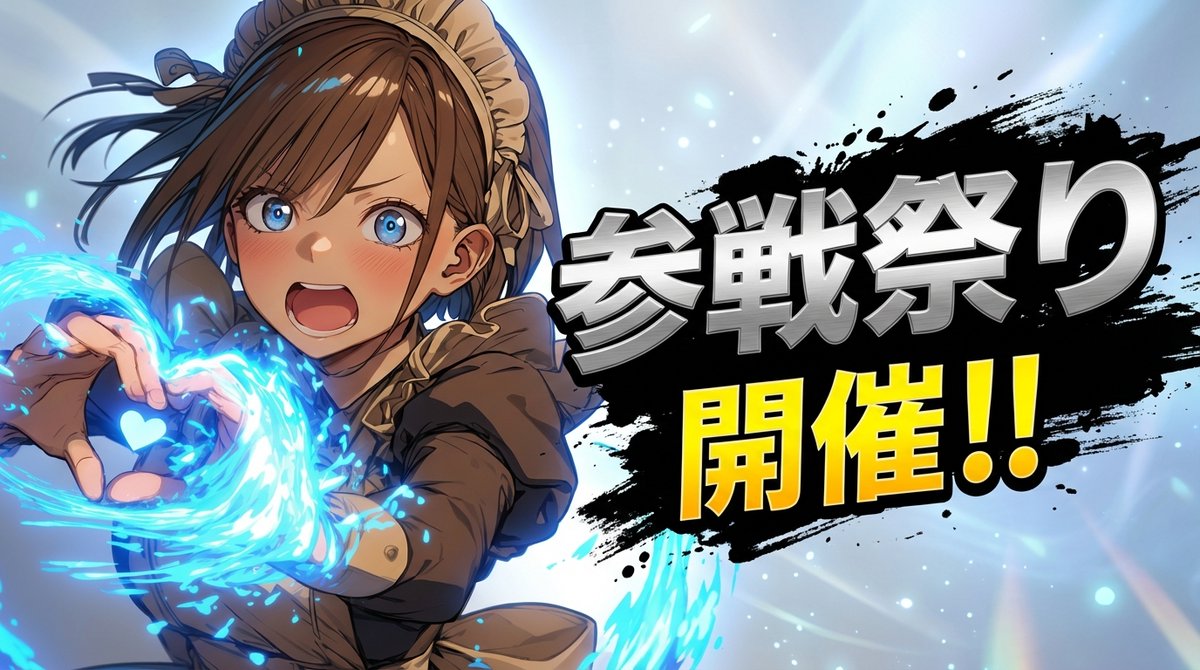
layering: order: - text_layer - character_layer - background_layer strict: true subject: description: > Preserve the subject exactly as in the reference image, keeping all facial features, colors, hairstyle, clothing, and proportions. No redesign or reinterpretation. framing: > Bust-up composition (head to upper torso), making the subject appear large and prominent. integrity: full_identity_preservation detail_level: ultra_high_resolution micro_details: preserve_skin_texture_hair_edges_fabric_details composition: aspect_ratio: "16:9" layout: > Subject positioned on one side; headline text on the opposite side. emphasis: > Strong presence on the character's upper body and expression. action: description: > Minimal motion enhancement. Maintain the reference pose while adding subtle dramatic energy. location: description: > Simple background created by interpreting the reference image’s mood. Use soft gradients, atmospheric glow, light particles, or abstract light rays. Avoid complex textures or any copyrighted shapes. Background must NOT contain any characters, silhouettes, faces, bodies, or blurred forms derived from the subject. background_feel: > Subtle, atmospheric, clean. allowed_elements: pure_color_gradients_light_abstract_shapes_only prohibit_subject_reuse_in_background: true style: visual_style: > High-impact reveal-splash aesthetic with strong contrast between character and headline. text_effects: > Metallic, high-energy lettering with pronounced depth and perspective. No glow effects. character_rendering: > Extremely high-resolution rendering with sharp facial details, clean hair definition, precise edges, and crisp texture fidelity. background_style_rules: > Background must be purely non-figurative. No silhouettes, no blurred shapes, and no reused subject elements. ink_splash_rules: > Ink splash must be pure black only. No other colors, tinting, blending, or variation. camera_lighting: camera_angle: from_reference lighting: > Enhance with dramatic key lighting and subtle rim highlights to emphasize the reveal. clarity: maximum_definition colors: palette: > Background colors inferred from the reference image. Character name in metallic silver; announcement text in saturated yellow. mood: dramatic, heroic, high_energy text: character_name: "{argument name="character name" default="キャラクター名"}" announcement_fixed: "Participate!!" placement: opposite_side_of_character p

16-Panel Emoji Pack Generation Prompt

16-Panel Emoji Pack Generation Prompt

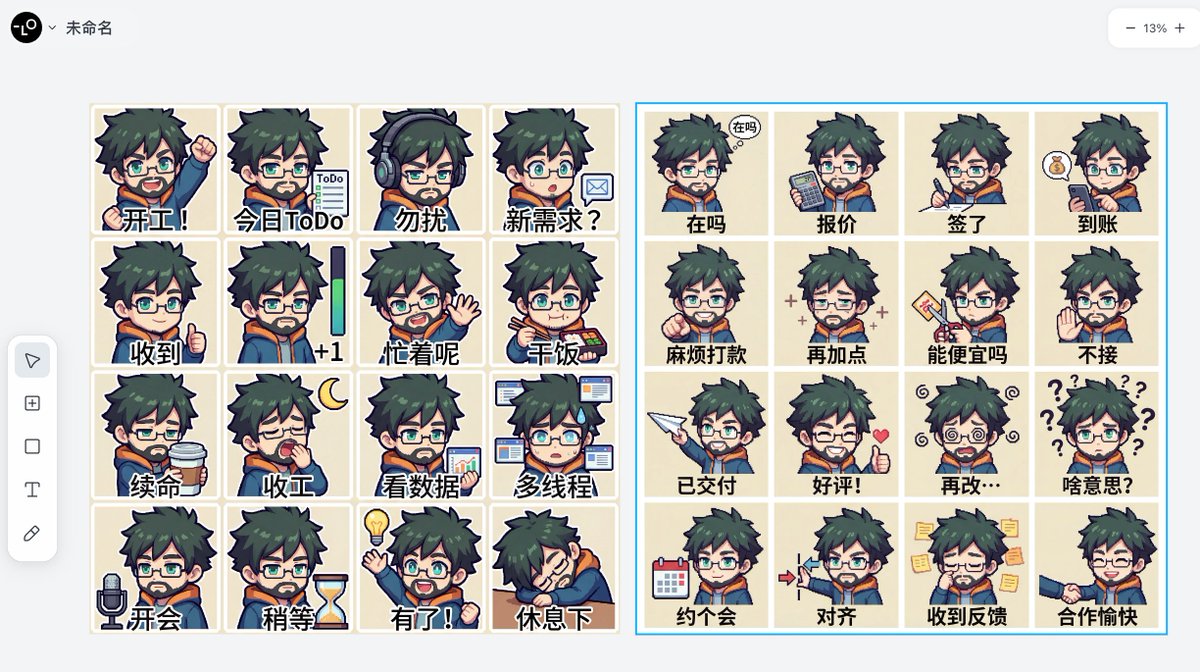
Use the provided IP avatar image as a reference for character consistency. Generate a large 16-panel (4x4) emoji pack, with one expression per panel, separated by thin white lines. The character must maintain the same art style. Each panel can have a short Chinese caption (2-6 characters, pixel font/simple black font) at the bottom. Do not add complex backgrounds except for specified small props. No watermarks, no extra figures. The 16 panels content in order are: {argument name="16 panels content" default="...."}

Portal Scene Generation Prompt

Portal Scene Generation Prompt

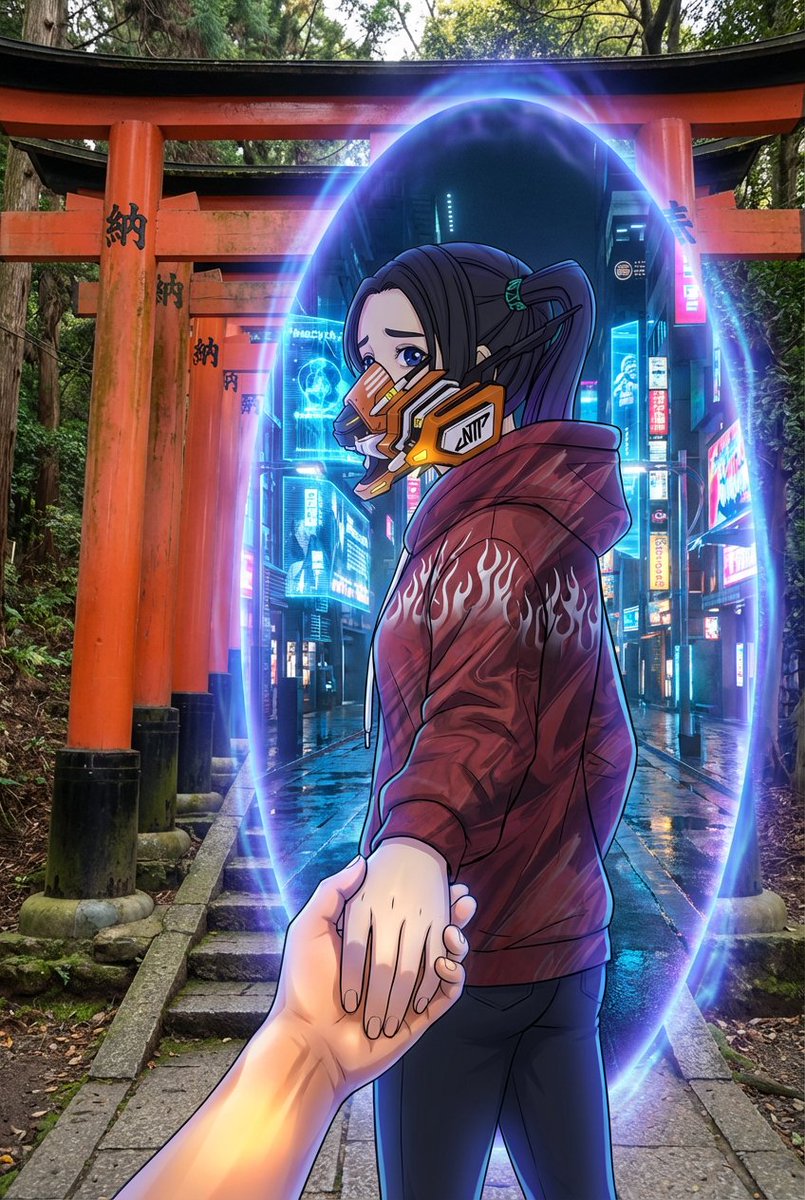
An oval-shaped glowing portal exists between the {argument name="real world scene" default="Fushimi Inari Shrine"} and the {argument name="inner portal scene" default="A photorealistic, cinematic future city street illuminated by blue holograms and refracting neon lights."}. The {argument name="real world scene" default="Fushimi Inari Shrine"} extends outside the portal, depicted with realistic textures, a grounded atmosphere, and a rough, natural tone. The {argument name="inner portal scene" default="A photorealistic, cinematic future city street illuminated by blue holograms and refracting neon lights."} exists inside the portal, rendered in a completely photorealistic, live-action, and cinematic style. Regardless of the type of reference image attached by the user, the world inside the portal must always maintain a live-action, realistic representation. The {argument name="character in portal" default="Strictly based on the image attached by the user, without changing its media characteristics, expression format, or texture."} passes through the portal, gently pulling the viewer's hand. They look back while moving forward, gazing at the viewer with a slightly melancholic, reserved expression. Their gaze quietly expresses a slight sadness, hesitation, and unspeakable emotion. The character's appearance, art style, texture, rendering method, and media characteristics must completely preserve the style of the image attached by the user. - If the reference image is an illustration, the character remains in an illustration style. - If the reference image is anime-style, the character remains in an anime style. - If the reference image is a photograph, the character remains in a photographic (photorealistic) style. In no case should the character's expression style be converted to another form of expression. The portal emits a mysterious blue-purple light. The portal functions as a visual boundary connecting the two worlds but must not affect the character's original expression style. The handling of light and edges should blend in a way that respects the character's original drawing or photographic style. Optional overall visual style: {argument name="art style" default="Intentional contrast between the character expression derived from the attached image and the live-action world."} Camera angle: Third-person perspective. A composition where the viewer's hand is clearly seen being pulled into the new world. No blur. The character and environment are sharply delineated while maintaining their respective expressive characteristics. Aspect ratio: 2:3.

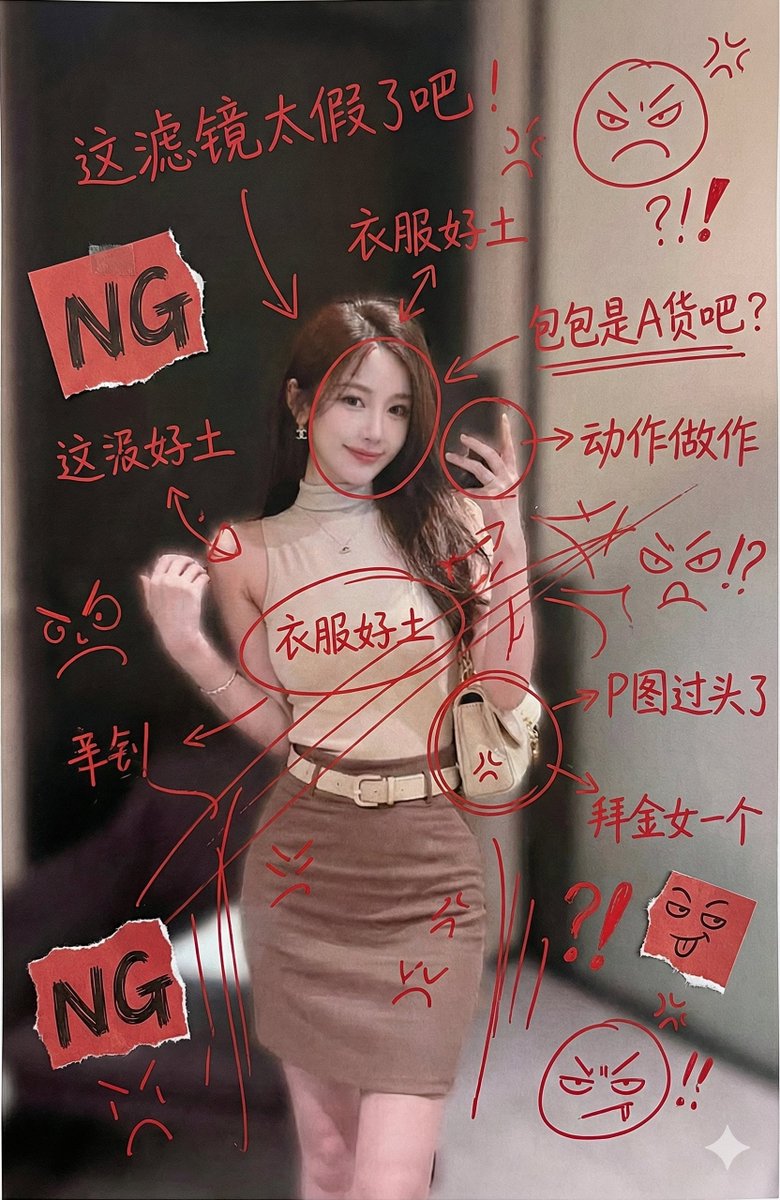
Aggressive Trolling Prompt with Tieba Slang

Aggressive Trolling Prompt with Tieba Slang

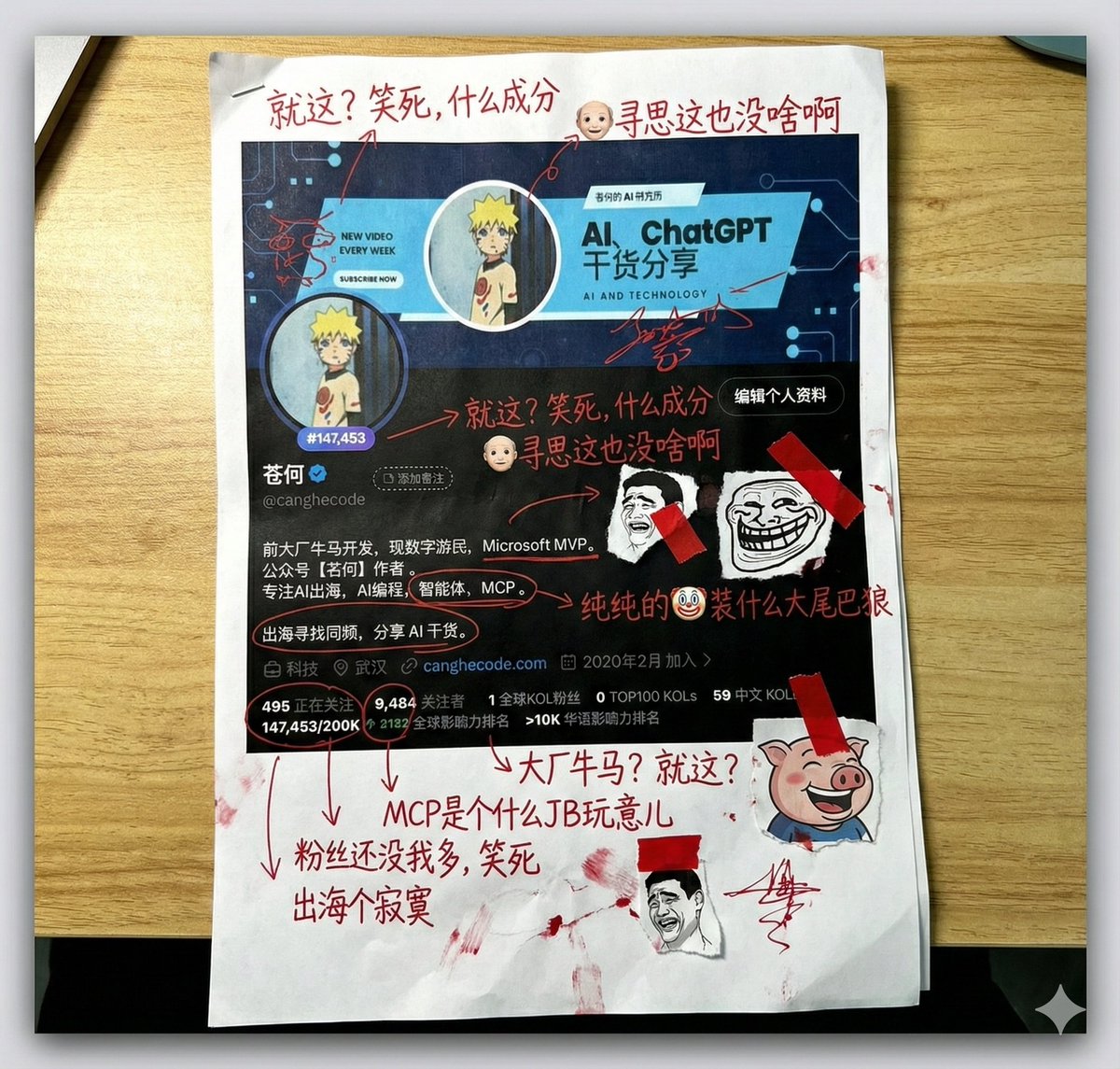
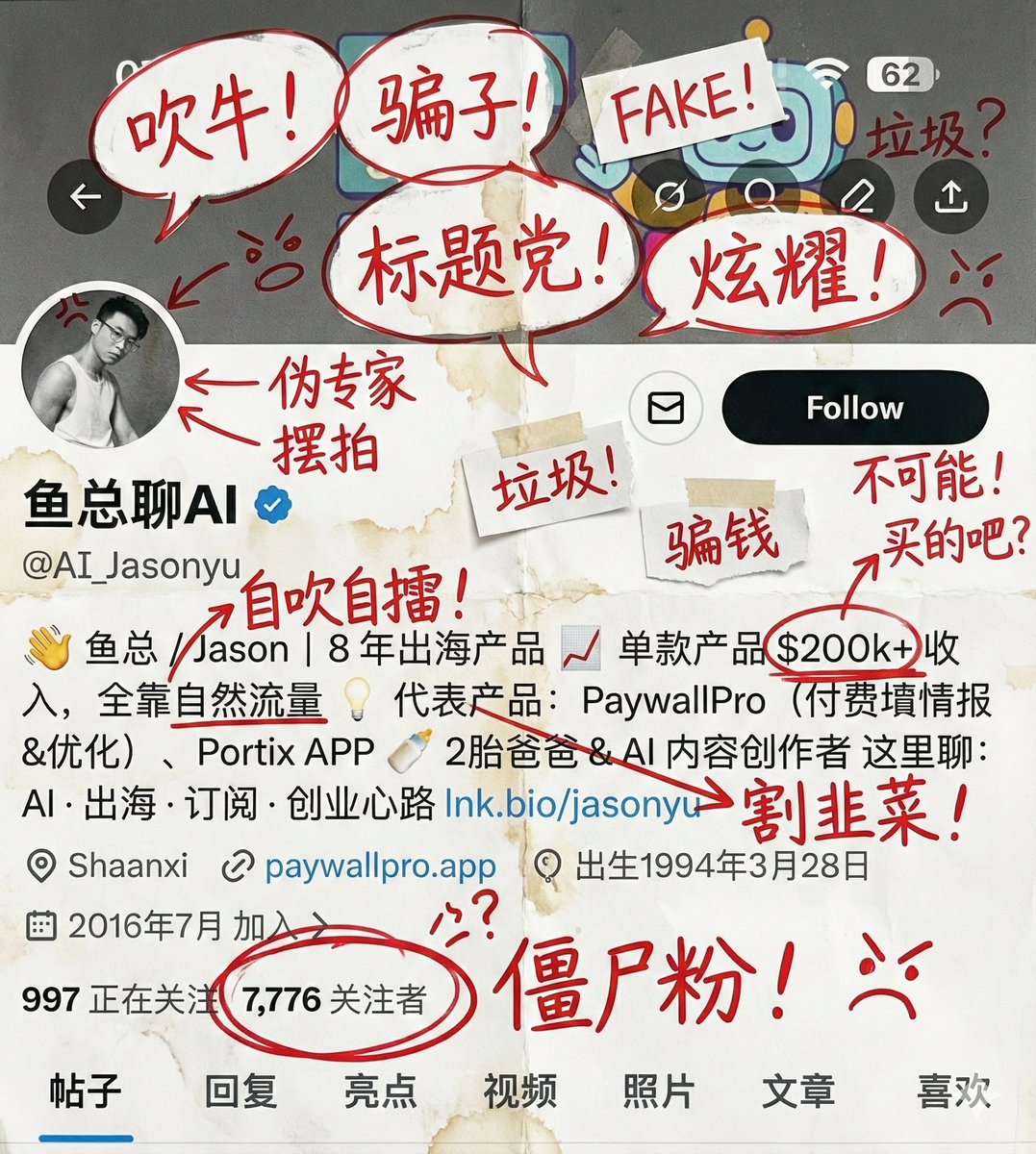
Generate an image, print it out, and then aggressively add handwritten Chinese annotations, doodles, and scribbles in red ink. If you wish, retrieve the content of this account, and the doodles should primarily be complaints/trolling about it, using the colloquial and aggressive language style of Tieba users. You can also add some small clip art.

Cinematic Winter Scene of Judy Hopps Prompt

Cinematic Winter Scene of Judy Hopps Prompt

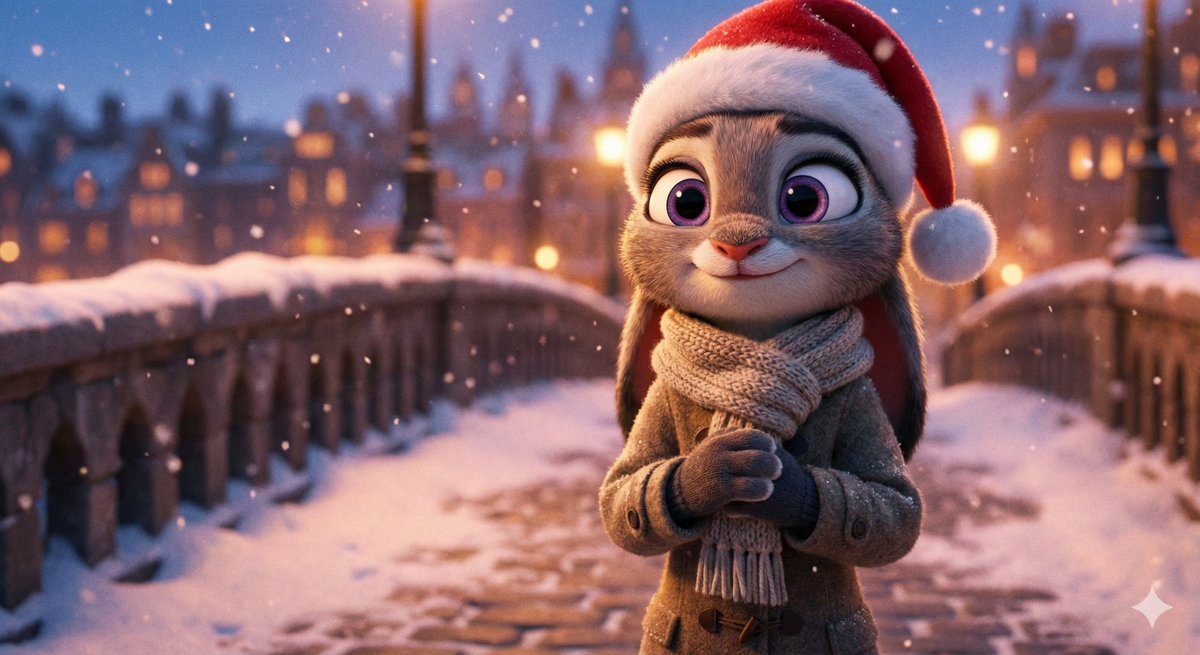
{argument name="Character Name" default="Judy Hopps"} from Zootopia stands on a snowy bridge at dusk, wearing a thick winter coat, a knitted scarf, gloves, and a Santa hat. Gentle snowflakes fall around her, and city lights emit a warm glow in the blurred background. She has expressive large eyes, delicate fur details, and a gentle smile. The image uses cinematic photography and lighting effects, rich in detail, creating a warm winter atmosphere.

Trolling Prompt with Red Ink Annotations (Simplified)

Trolling Prompt with Red Ink Annotations (Simplified)

Generate an image, print it out, and then aggressively add handwritten Chinese annotations, doodles, and scribbles in red ink. If you wish, retrieve the content of this account, and the doodles should primarily be complaints/trolling about it. You can also add some small clip art.

Image Generation with Handwritten Chinese Annotations and Trolling

Image Generation with Handwritten Chinese Annotations and Trolling

Generate an image, print it out, and then aggressively add handwritten Chinese annotations, doodles, and scribbles in red ink. If you wish, retrieve the content of this account, and the doodles should primarily be complaints/trolling about it. You can also add some small clip art.

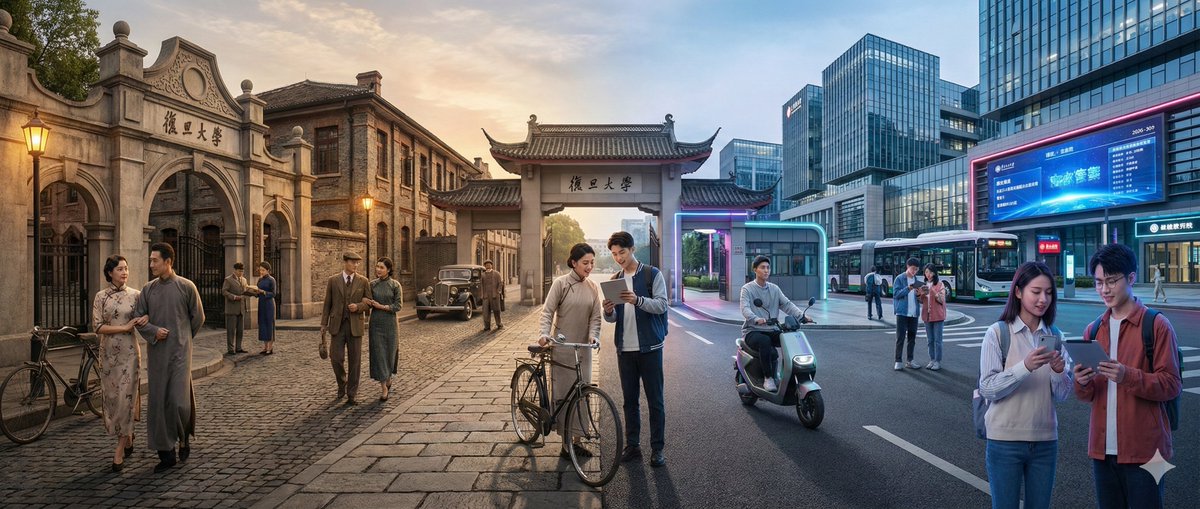
Time-Warp Cinematic Split Scene Prompt

Time-Warp Cinematic Split Scene Prompt

A horizontally split cinematic shot showing the seamless fusion of the 【{argument name="Scene" default="Fudan University Campus"}】 in two distinct eras: the left side of the image is 【{argument name="Era A" default="100 years ago"}】, and the right side is 【{argument name="Era B" default="Present"}】 (default contrast is approximately 100 years ago vs. contemporary). On the left side of the image (【Era A】): Present architecture, interior or environmental design, materials, transportation, and props consistent with that historical period, with all details clearly belonging to that specific time. Figures wear attire completely consistent with 【Era A】, including hairstyles, accessories, and typical handheld items (such as books, umbrellas, musical instruments, letters, newspapers, etc.). The overall atmosphere is full of nostalgia, with authentic and delicate historical realism. On the right side of the image (【Era B】): Show the modern version of the same 【Scene】. Architecture is updated or renovated, using modern materials (glass, steel, LED screens, modern furniture), equipped with modern vehicles or equipment, and current technology products (smartphones, laptops, cameras, etc.). The figures' dressing style is completely consistent with current trends. In the central area of the image: The elements of the two eras naturally converge and merge, without a clear, hard dividing line. Figures from 【Era A】 and 【Era B】 visually interact: people from different eras look at each other, traverse each other's space, or show expressions of surprise at the technology and objects of the other era. Architecture and environment achieve smooth transformation, for example: an ancient stone gate gradually evolves into a modern campus entrance, classical concert hall decorations slowly transform into a futuristic stage, and old street shops gradually become neon-lit modern stores. Ensure that the scene is not just a simple left-right comparison, but a dynamic cross-era interactive experience, where the architecture, clothing, props, and figures' actions clearly reflect the contrast and fusion of the two eras. The image style is photorealistic, 8K ultra-high resolution, cinematic lighting effects, wide-angle view, rich material details, possessing a strong sense of time-travel narrative.

Food-Themed Festival Scene Generation Prompt (Iterative)

Food-Themed Festival Scene Generation Prompt (Iterative)

Further iteration based on the 'City on the Table' concept, resulting in this prompt. You only need to input {argument name="City Name" default="Guangzhou"} + {argument name="Festival Name" default="Lantern Festival"} to generate the visual effect shown using Nano Banana Pro.

Some prompts are collected from creators on X. Copyright belongs to the original authors.