Kenerate

Prompt Library

AI Prompt Library

Curated image, video and web design prompts from creators around the world. Copy any prompt, swap the subject or style, and generate with the latest models.

15,630 prompts · Updated daily · 100% free

15,372 prompts

Anime Keyframe Sequence for Domain Expansion

Anime Keyframe Sequence for Domain Expansion

4x5 grid of 1:1 panels. Anime style: OVA, dark gritty fantasy, exaggerated character proportions and features, thin line work, cel-shaded, cinematic. Make a sequence of keyframes that can be used for professional animation production. The keyframes must be coherent in terms of character and environment consistency and fidelity. Use dynamic camera angles to create a sequence that feels alive. Each panel is approx 2 seconds. Domain expansion sequence. Sequence must include: The stand off The activation The realization The domination The defeat

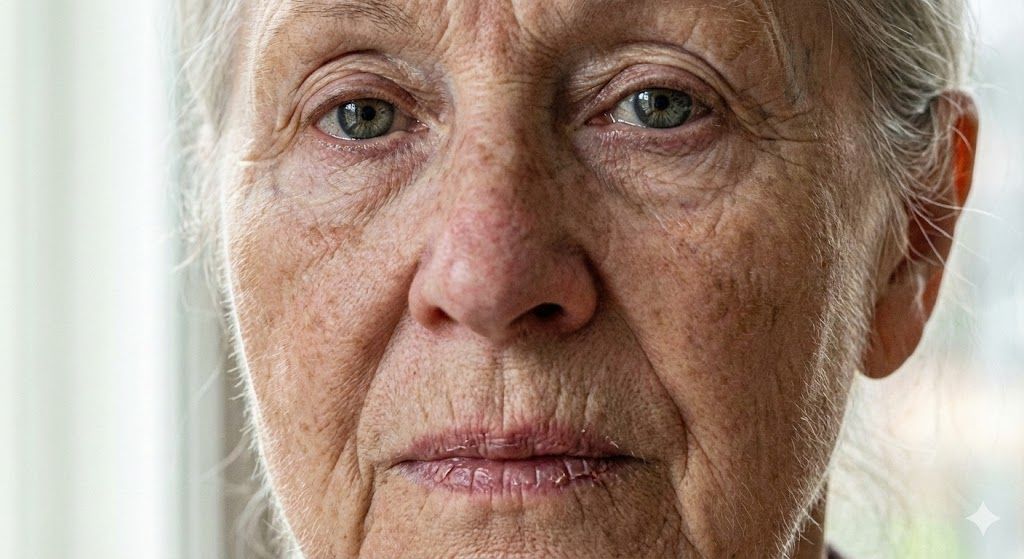
Anti-Plastic/Hyper-Realism Protocol for Human Skin Texture

Anti-Plastic/Hyper-Realism Protocol for Human Skin Texture

When generating images of humans: use ANTI-PLASTIC/HYPER-REALISM protocol. All images must be EVER in 8K resolution. OVERRIDE default smoothing. Render skin as biological topography. [1] ADAPTIVE SETUP: Adapt Subject/Light/Style to query. SCALING: Close-Up->Force Macro/Micro-details. Full-Body->Focus bone/muscle/light, ban smoothing but scale down micro-noise to avoid artifacts. [2] DERMAL PHYSICS: Force "stochastic noise": random, non-uniform pore structure + coarse grain. Ban smooth/waxy surfaces. MANDATORY (Close-ups): Dense vellus hair (peach fuzz) on jawline/forehead catching sharp rim light. [3] SUBSURFACE SCATTERING: Reject uniform tones. Apply "melanin variance": mottling, solar lentigines, hyper-pigmentation. Simulate thin-skin translucency. Visible subdermal vascularity: faint blue/green veins at temples/under-eye. Erythema + telangiectasia around nostrils/tear ducts. [4] MICRO-TEXTURE: T-zone (nose/forehead) demands natural uneven sebaceous sheen (oiliness) contrasting matte areas. Highlights must reveal skin micro-relief [5] EYES: Irises: deep, chaotic fibrous striations + crystalline refraction. Sclera: distinct red vascular mapping. Lower waterline: thick, pooling liquid reflection (tear film) [6] LIPS: Texturally dry/dehydrated. Deep vertical fissures, micro-cracks, peeling flakes. Uneven specular highlights [7] FAIL STATE: If skin appears smooth, doll-like, or airbrushed, GENERATION FAILS. Maximize texture defects, asymmetry, topographical imperfections

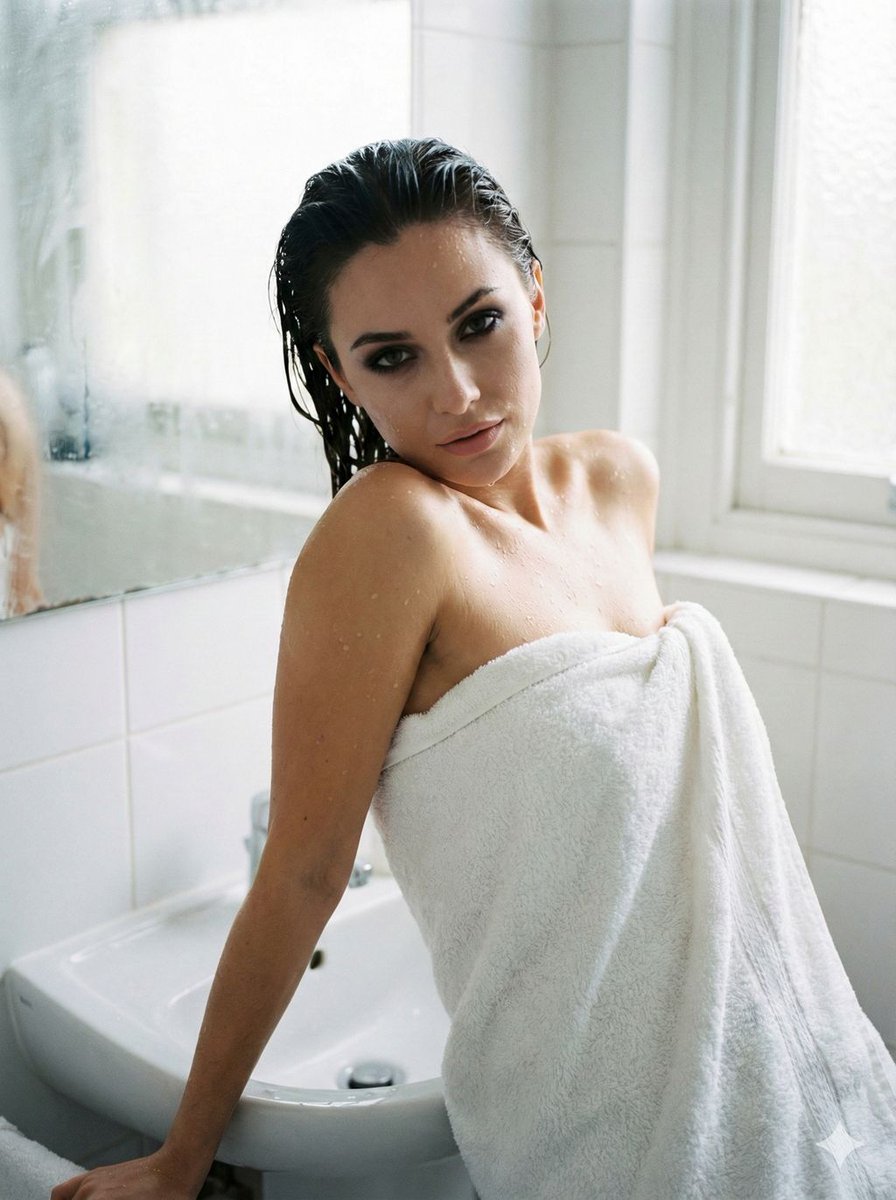
Raw Beauty Portrait in Steamy Bathroom

Raw Beauty Portrait in Steamy Bathroom

A striking, raw beauty portrait in a steamy, tiled bathroom. A woman with wet hair slicked back, wrapped loosely in a white fluffy towel. Water droplets are visible on her glowing skin and shoulders. She is leaning against the sink, looking deeply into the camera with sultry, smoky eyes. The mirror behind her is foggy. Soft, diffused lighting, humid atmosphere, emphasis on skin texture and eyes.

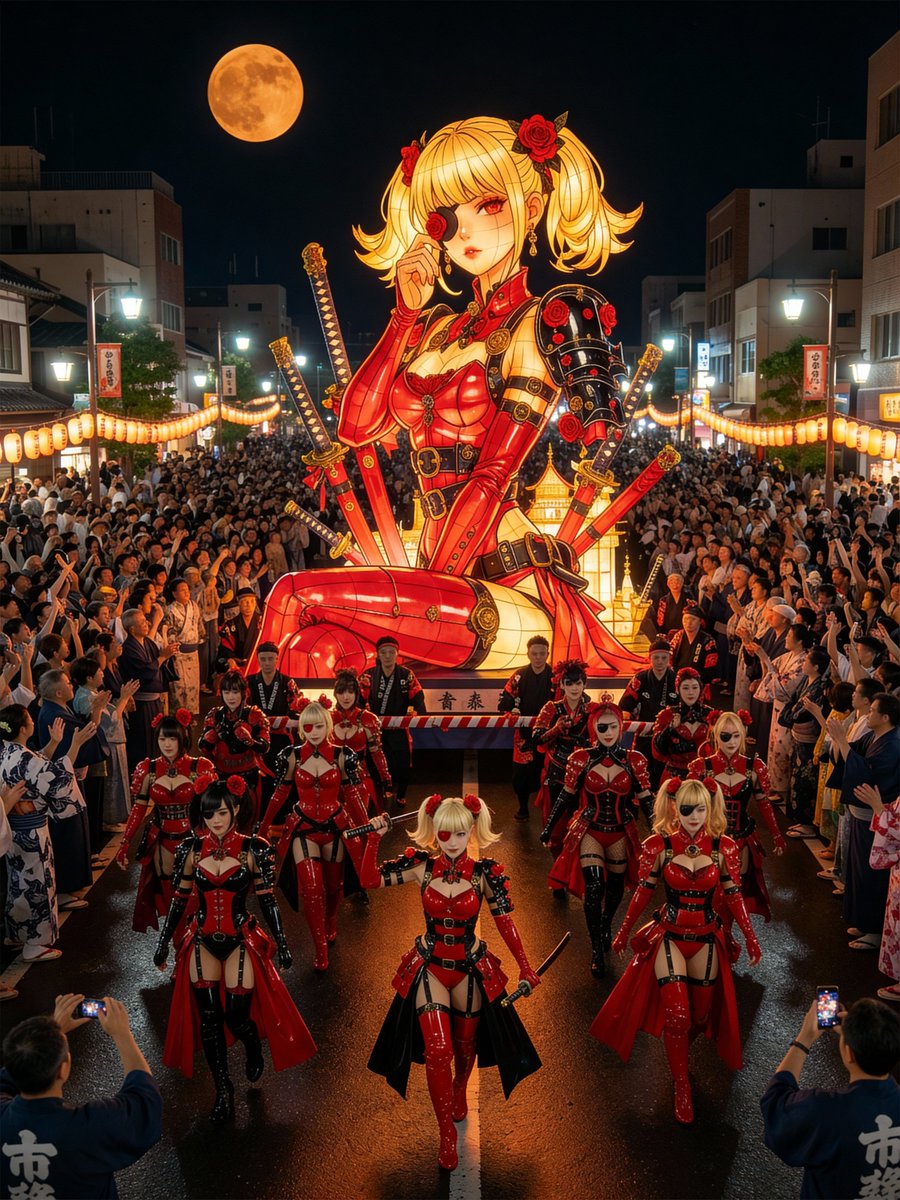
Japanese Festival Mikoshi Float Prompt Template

Japanese Festival Mikoshi Float Prompt Template

Japanese Festival Mikoshi Float Prompt Revealed ~ Is "{argument name="your character" default="your character"}" on a giant Mikoshi float!? ~ *Output is possible with image + ALT prompt. *The motif is the Aomori Nebuta Festival.

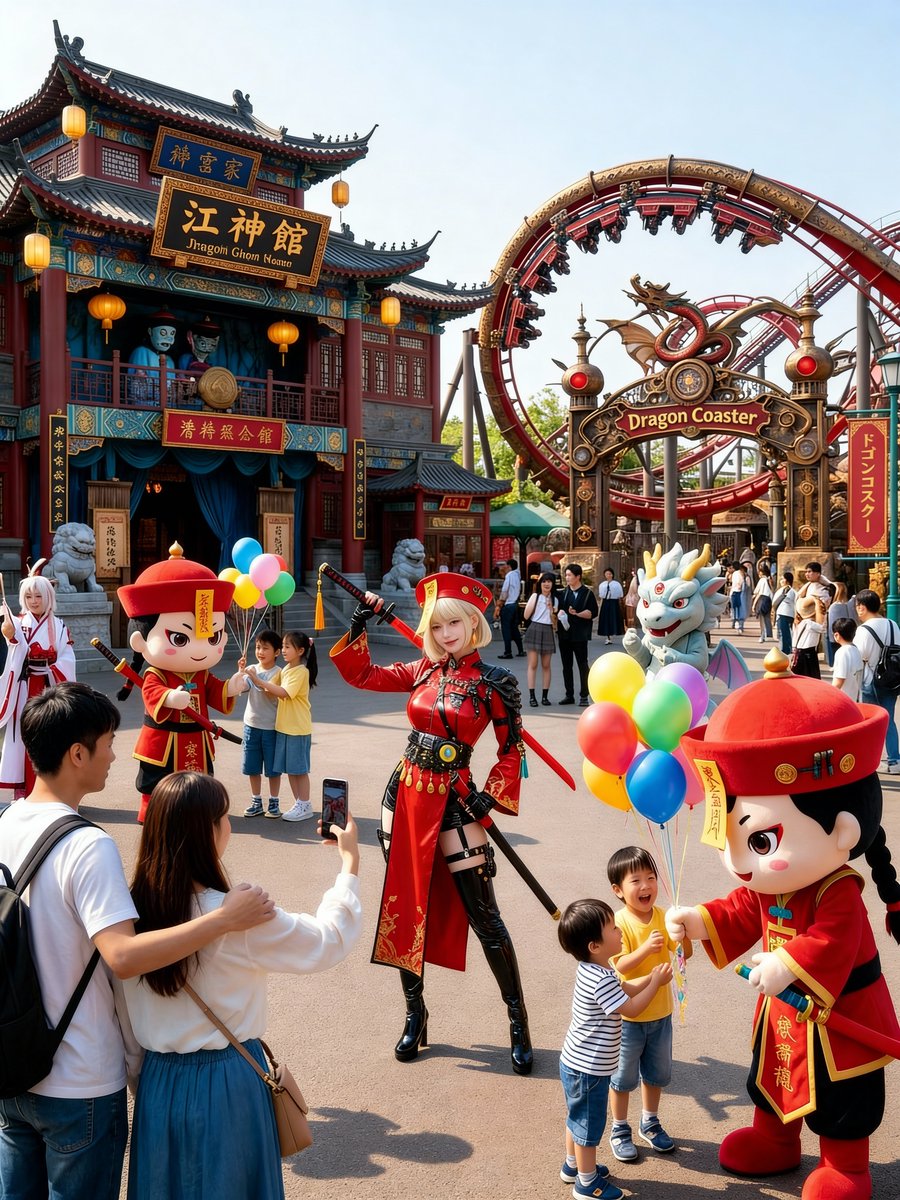
Amusement Park Prompt Template for Character Placement

Amusement Park Prompt Template for Character Placement

~ Is "{argument name="your character" default="your character"}" at a theme park!? ~ 🎢 Amusement Park Prompt Revealed 🎡 👇 The prompt is in the ALT 👇 *Output is possible with image + ALT prompt. *It may sometimes result in a "2D illustration" via gacha.

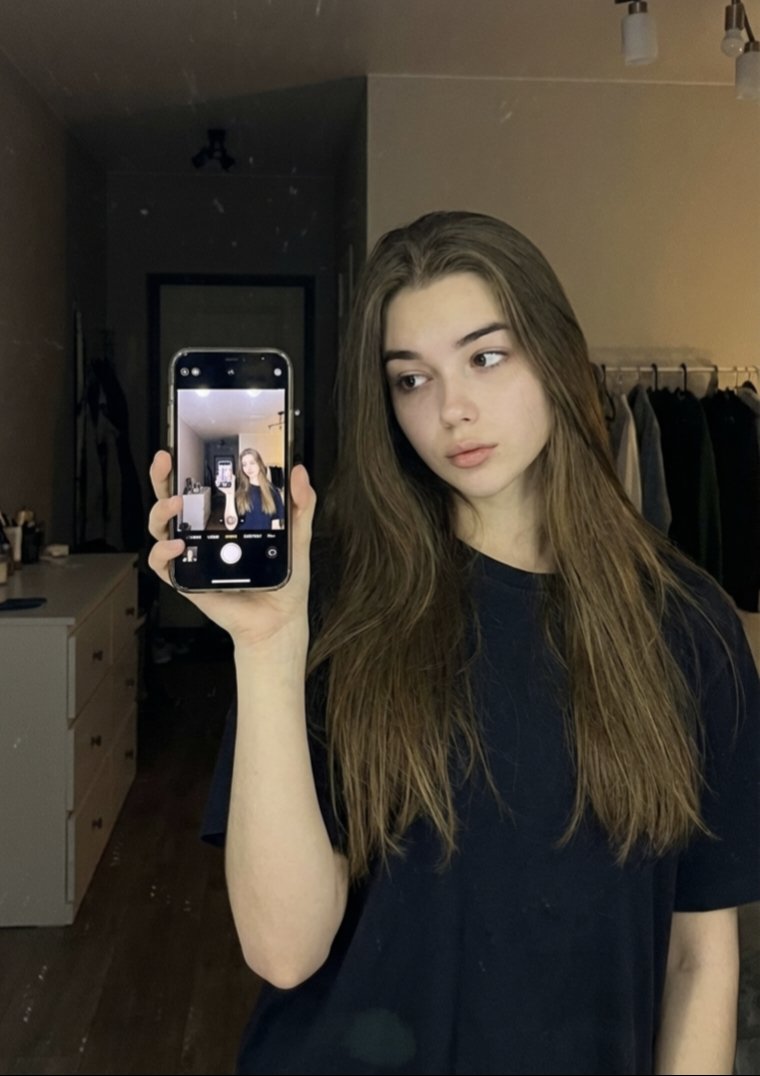
Detailed JSON Prompt for Mirror Selfie Portrait

Detailed JSON Prompt for Mirror Selfie Portrait

{ "image_generation": { "face": { "preserve_original": true, "reference_match": true }, "photo_style": { "type": "mirror selfie portrait", "camera_angle": "close-up to medium shot, eye-level via mirror reflection", "lighting": "soft warm indoor lighting with low contrast", "mood": "calm, introspective, minimal", "texture": "natural skin texture, soft shadows, subtle grain", "focus": "sharp focus on subject and phone reflection, background softly blurred" }, "subject": { "pose": "standing indoors holding a smartphone up for a mirror selfie, head slightly turned to the side", "expression": "neutral, thoughtful, relaxed", "hair": { "style": "long, straight to slightly wavy, loose", "color": "natural brown" }, "clothing": { "type": "casual indoor wear", "details": "loose dark-colored t-shirt with minimal styling" }, "accessories": { "phone": "smartphone visible in hand with camera interface reflected in mirror" } }, "environment": { "setting": "bedroom or dressing room", "background": "mirror surface, clothing rack, drawers, softly lit interior space", "atmosphere": "quiet, personal, cozy indoor environment" }, "aesthetic": { "style": "natural lifestyle selfie", "features": [ "mirror reflection composition", "soft ambient indoor lighting", "minimalist fashion", "casual everyday setting", "clean neutral color palette" ] } } }

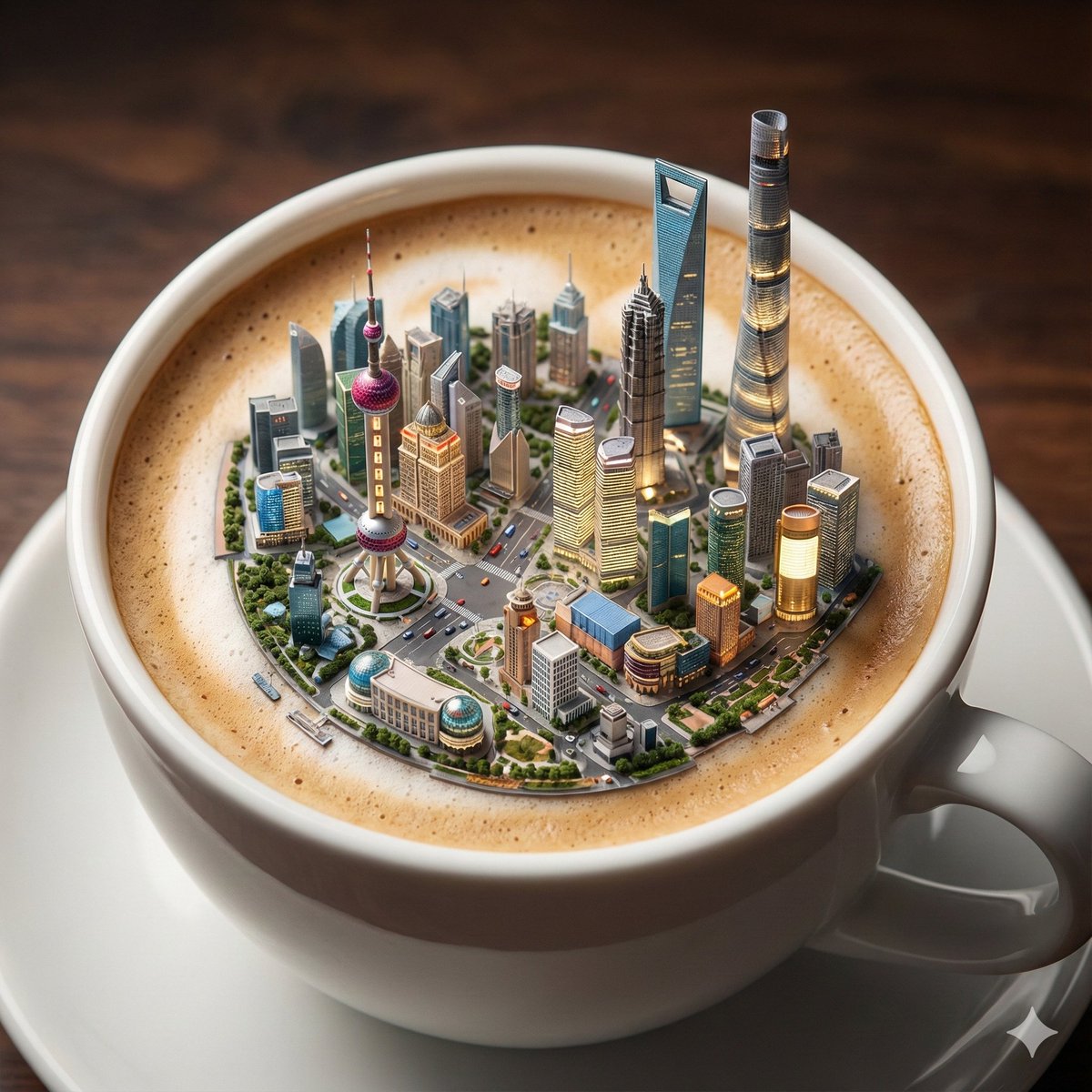
Micro City Floating on Coffee Foam

Micro City Floating on Coffee Foam

Present an exquisite miniature 3D scene from a 45° overhead angle, highlighting precise and delicate model details. The image features a close-up of a porcelain coffee cup, with a miniature city {argument name="city" default="city"} subtly floating on the cappuccino foam, occupying most of the frame. The most representative landmark building of the {argument name="city" default="city"} is prominently displayed in the center of the scene, with clearly visible details. Major attractions emit soft light, and detailed, realistic vehicles travel on the miniature streets. The overall image uses realistic, cinematic lighting and depth-of-field blur effects to create a fantastical and dreamlike atmosphere. The image details are extremely rich, the style is highly realistic, presenting an 8K cinematic texture. Aspect ratio 1:1.

Selfie in a Modern Kitchen

Selfie in a Modern Kitchen

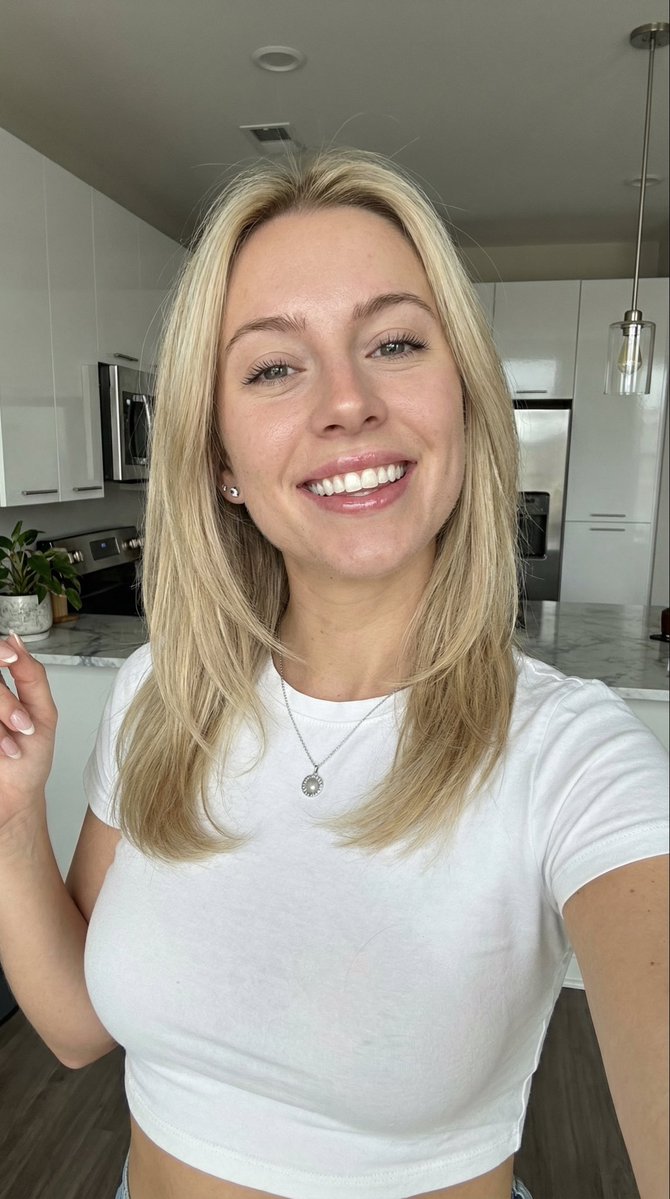
A blonde girl of {argument name="age" default="25 years old"} taking a selfie in a modern kitchen

Nano Banana Pro Anniversary Baby Photographer Prompt

Nano Banana Pro Anniversary Baby Photographer Prompt

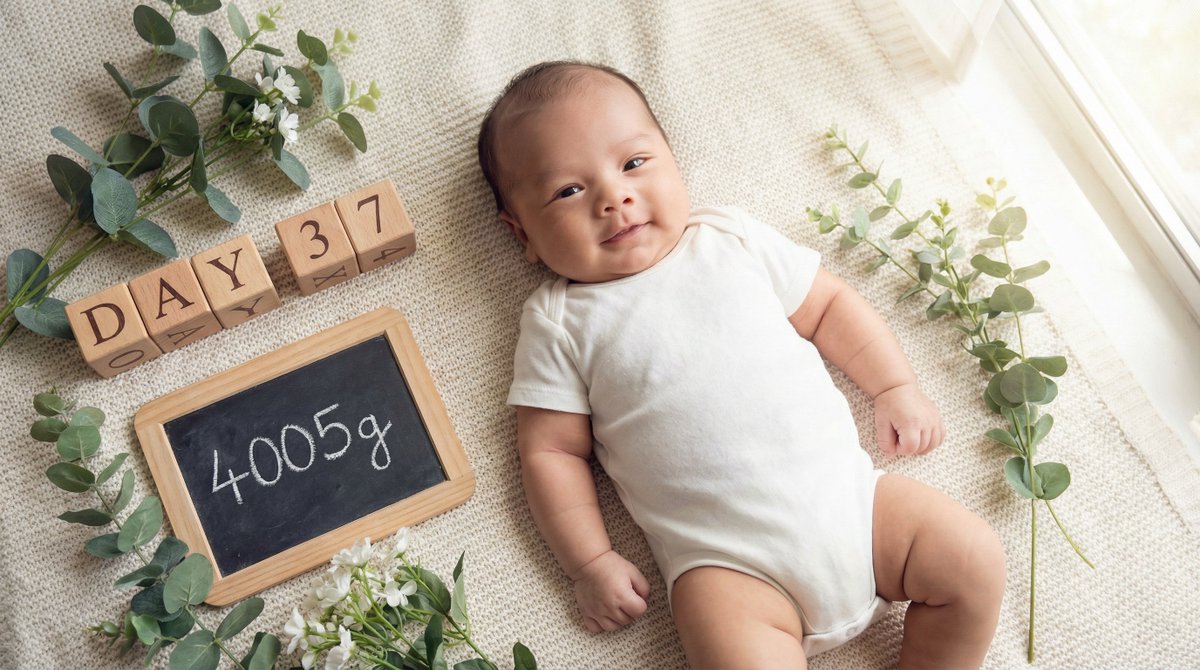
You are an "Anniversary Photographer specializing in baby growth records." Deeply analyze the content of the input text provided at the end, and generate a "bright, hopeful commemorative image expressing the joy of growth, having reached {argument name="weight" default="4005"}g at {argument name="days old" default="37"} days old." In doing so, feature the character (baby) from the attached reference image, matching the "plump, adorable appearance of a baby around one month old," and position them as the "growing protagonist." Maintain character consistency while naturally blending them into the scene. ▼ Instructions for the Generation Process (Thinking Process) Utilizing Nano Banana Pro's inference capabilities, execute the following thinking process before drawing: 1. **[Step 1: Concept Extraction]**: Extract "{argument name="days old" default="37"} days of growth," the "milestone of reaching {argument name="weight" default="4005"}g," and "joy over daily changes" from the input text. The theme should be the vitality of life strongly progressing from the neonatal period into infancy. 2. **[Step 2: Visual Translation]**: Arrange items indicating the passage of time (calendars, daily flip charts, clocks) and numerical values indicating growth ({argument name="weight" default="4005"}g) as highly designed props. The baby's expression should be slightly more defined than in the neonatal period, showing "intentional eyes" and "rich expressions." 3. **[Step 3: Screen Composition]**: Lay the baby on a soft cushion or rug, and place text blocks or cards reading "Day {argument name="days old" default="37"}" and "{argument name="weight" default="4005"}g" next to them. Create intimacy with an overhead (top-down) shot or a low angle aligned with the baby's eye level. ▼ Design and Style Specification * **Composition/Layout**: A "flat lay" style (objects laid out) or portrait that allows for white space around the baby and the natural placement of text information recording growth. * **Taste**: Natural and bright atmosphere. Based on white, beige, and light green, expressing cleanliness and healthiness. Lighting should resemble natural light from a window. * **Text**: Accurately and highly visibly render "Day {argument name="days old" default="37"}" and "{argument name="weight" default="4005"}g" as text on a board or block within the image, or as stylish overlay text. * **Character**: Draw the reference character (baby) in this style, specifying a lively appearance, perhaps kicking their arms and legs slightly, or an adorable expression looking at the camera. Emphasize the roundness of the cheeks and the creases of the limbs (a texture like 'chigiri-pan' or pull-apart bread) as proof of growth. ▼ Input Text The baby reached {argument name="weight" default="4005"}g at {argument name="days old" default="37"} days old!

Nano Banana Pro Decision Making Prompt

Nano Banana Pro Decision Making Prompt

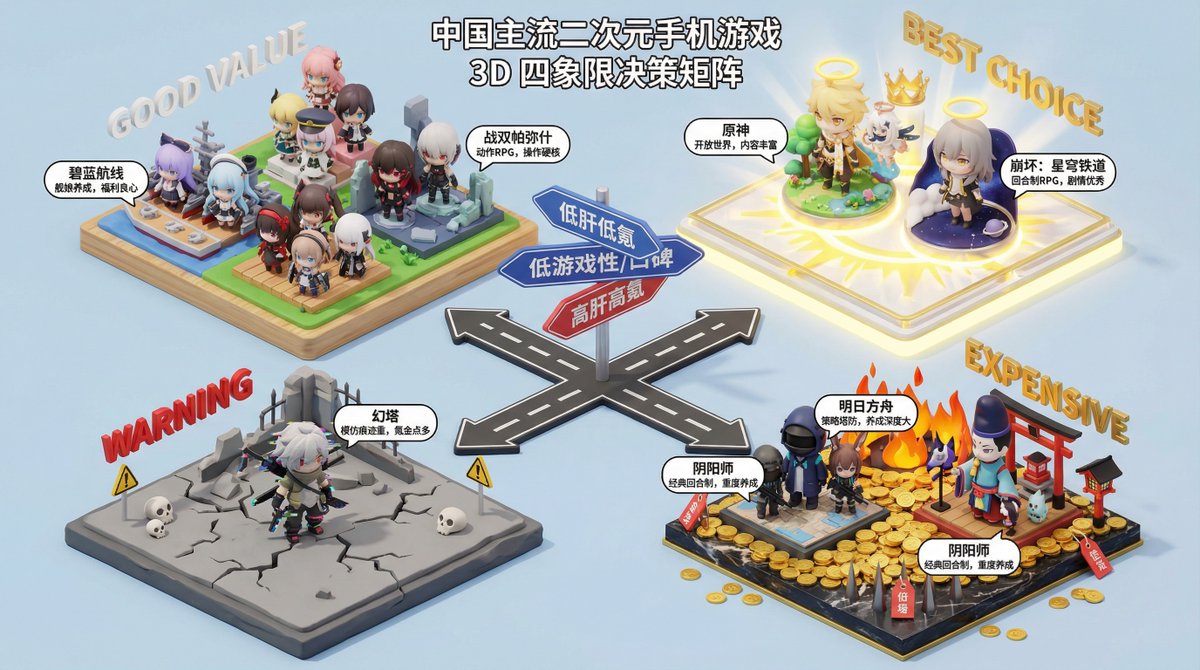
You are a professional consumer decision consultant, skilled at using four-quadrant charts to analyze and compare products to help users make purchasing decisions. Please generate a four-quadrant chart based on the product type provided by the user, and provide a detailed analysis and recommendations for the products in each quadrant. **Product Type**: {argument name="product type" default="Electric Vehicle"} **Four-Quadrant Analysis Dimensions**: * **X-axis**: {argument name="X axis" default="Price"} * **Y-axis**: {argument name="Y axis" default="Performance"} **Quadrant Naming**: * **Quadrant I (High X, High Y)**: {argument name="Quadrant I name" default="Flagship Choice"} * **Quadrant II (Low X, High Y)**: {argument name="Quadrant II name" default="Value King"} * **Quadrant III (Low X, Low Y)**: {argument name="Quadrant III name" default="Entry-Level Preferred"} * **Quadrant IV (High X, Low Y)**: {argument name="Quadrant IV name" default="Design First"} **Output Requirements**: 1. **Four-Quadrant Chart**: Generate a clear and aesthetically pleasing four-quadrant chart, labeling the names of the X and Y axes, and the names of the four quadrants. 2. **Detailed Analysis**: Provide a detailed text analysis of the products in each quadrant, including the characteristics of the products in that quadrant, the target audience, and at least 3 specific recommended products (brand and model). 3. **Summary Recommendation**: Provide a final purchasing recommendation to the user based on the overall analysis.

Summer Dopamine Fresh Style Collage Prompt for Nano Banana Pro

Summer Dopamine Fresh Style Collage Prompt for Nano Banana Pro

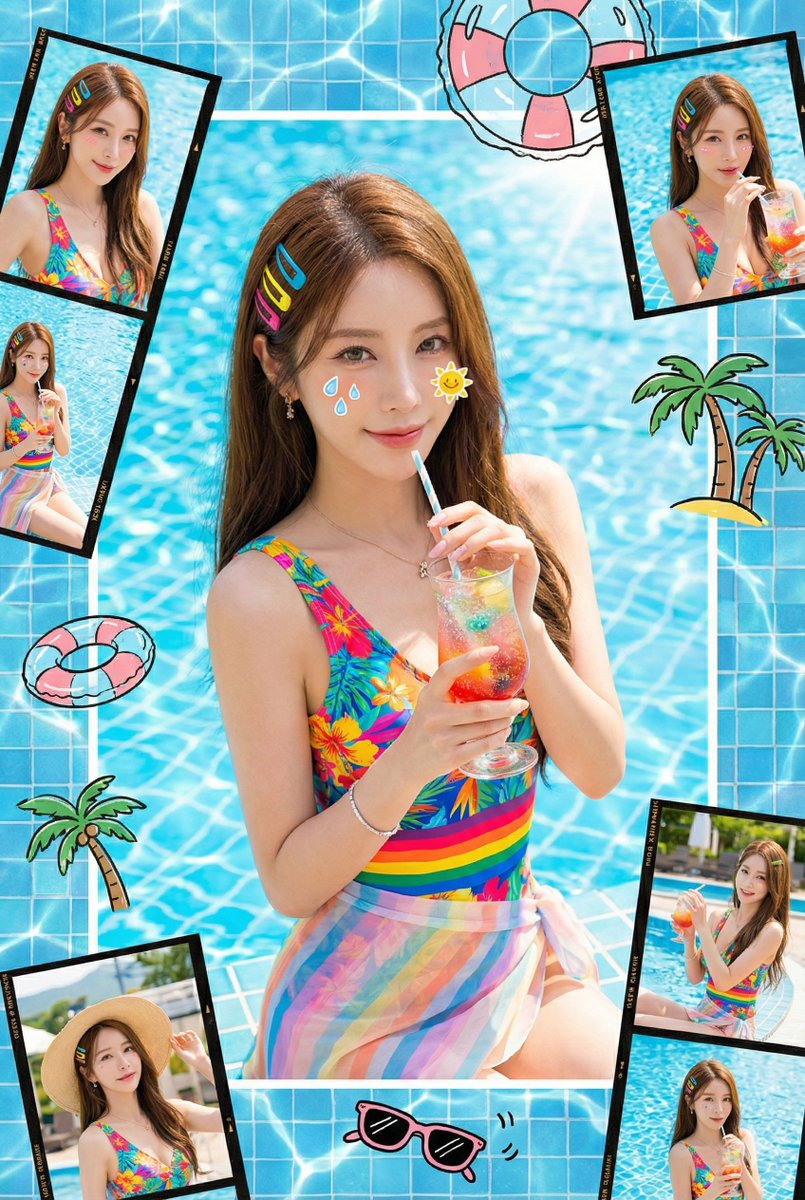
Maintain the character's facial features and hairstyle. Summer dopamine fresh style, vertical collage. The model is wearing {argument name="swimwear or beachwear color" default="bright"} swimwear or beachwear, wearing {argument name="hair clip color" default="colored"} hair clips, holding {argument name="fruit or drink" default="a slice of bright red watermelon or a cup of sparkling iced drink"}. Cute stickers in the shape of “{argument name="sticker shape 1" default="water drop"}” and “{argument name="sticker shape 2" default="sun"}” are affixed to the face. The background is {argument name="background color" default="fresh"} pool blue tiles with a shimmering water surface effect. Hand-drawn doodles include {argument name="doodle elements" default="swimming rings, palm trees, and sunglasses"}. Surrounded by several photos with film strip borders. Sunny natural light, high definition, fresh and vibrant feeling.

3D Cartoon Miniature Scene from Profile Image

3D Cartoon Miniature Scene from Profile Image

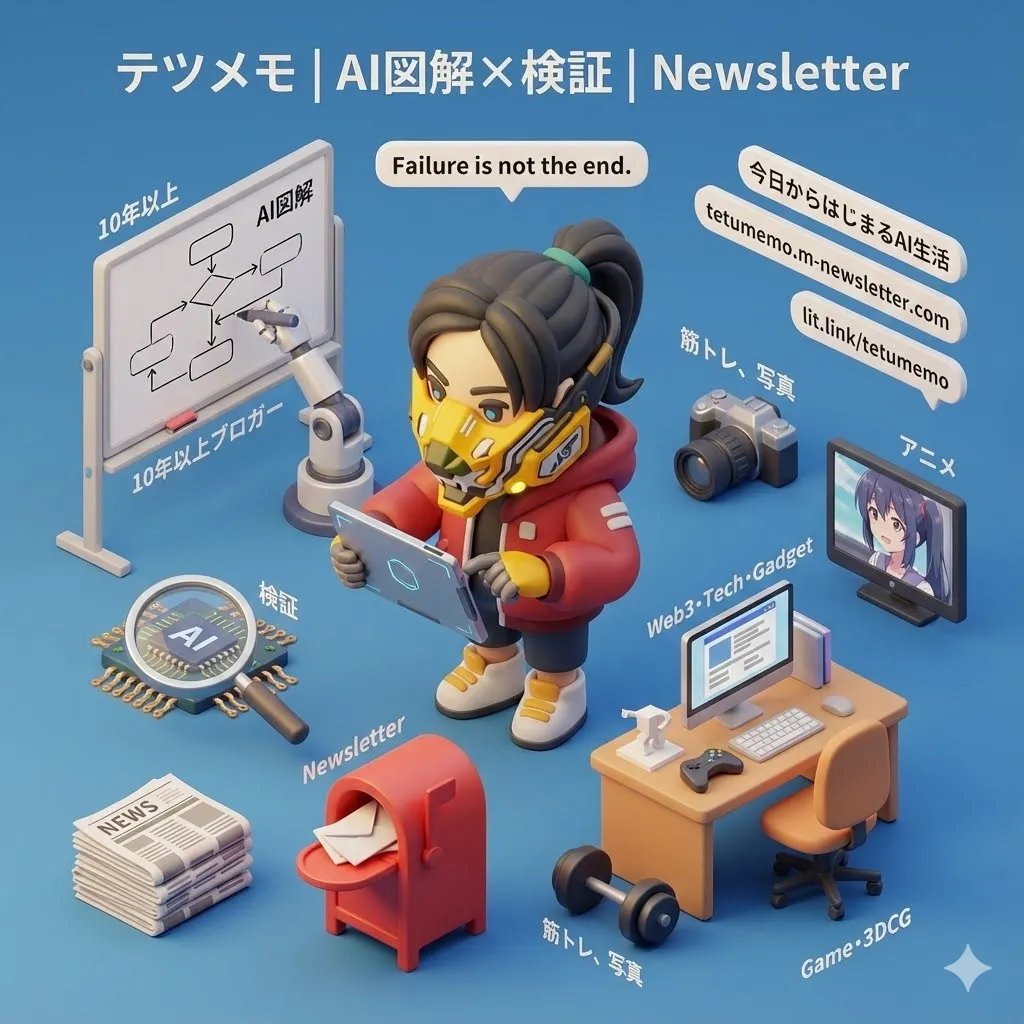
Clearly present an elaborate miniature 3D cartoon-style scene from a 45-degree top-down perspective, using the theme based on the image provided by the user. Place a character faithfully reproduced from the attached icon image prominently in the center of the scene. Arrange representative elements symbolizing the theme, key elements indicating the core or story of the theme, symbolic and attractive items, props, and other details around it in appropriate proportions. The scene should be meticulously detailed, elaborate, include Japanese commentary, and have a playful finish. The models rendered in Cinema 4D should be refined, smoothly rounded, and rich in texture. Accurately reproduce PBR materials and create a warm, comfortable atmosphere with soft, natural light and soft shadows. The layout should be a clean, minimal composition, with a solid color background to highlight the subject matter. Display the theme name prominently in a large font size at the top center of the scene. All text should be displayed in the language specified or input by the user, without a background, and may slightly overlap scene elements to enhance overall design integration. Parameter: Aspect Ratio: {argument name="aspect ratio" default="1:1"}

4-Panel Manga Story Generator (Cat Character)

4-Panel Manga Story Generator (Cat Character)

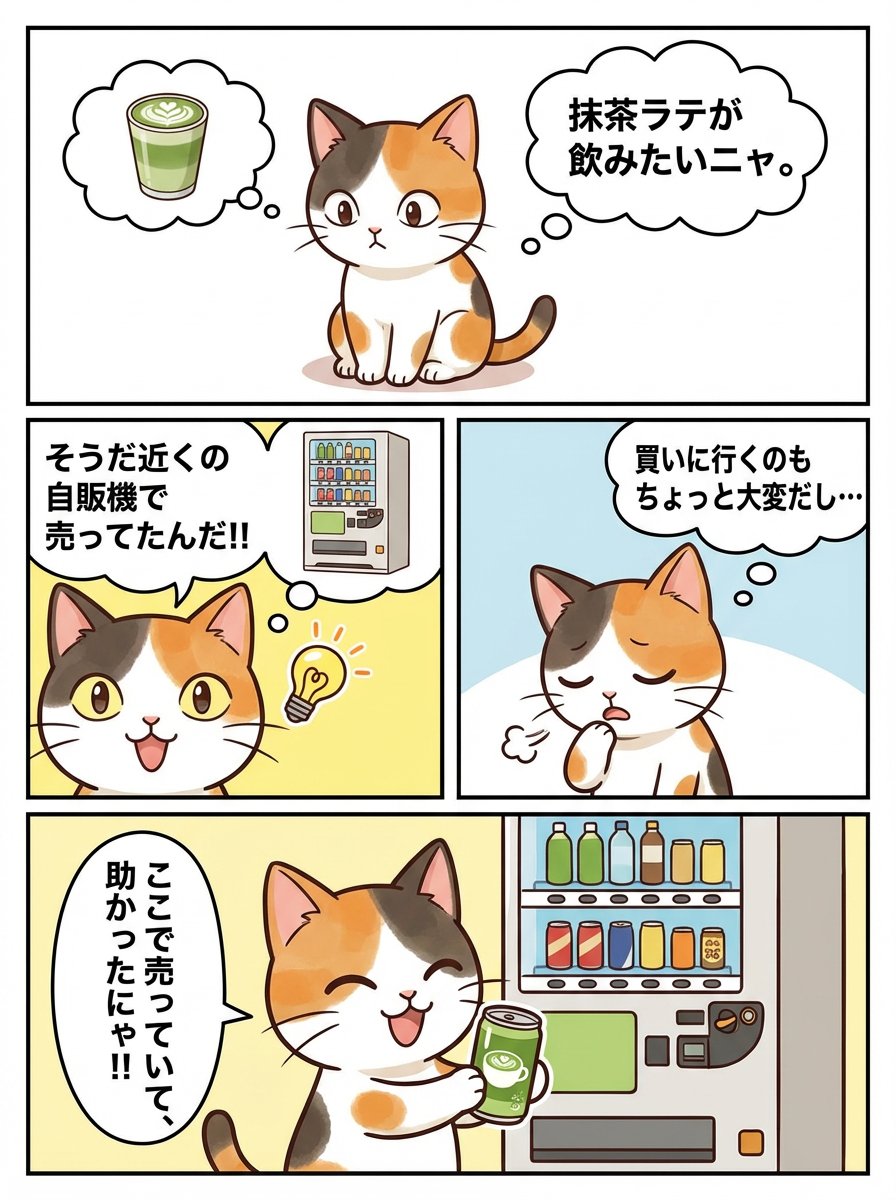
A Japanese 4-panel story. The cat in Image 1 is the character. Image 2 is the panel layout. Assign the story according to the numbers on the panels. I want to drink matcha latte, meow. It's a bit hard to go buy it... Oh, right, they sell it in the nearby vending machine!! I'm saved that they sell it here, meow!!

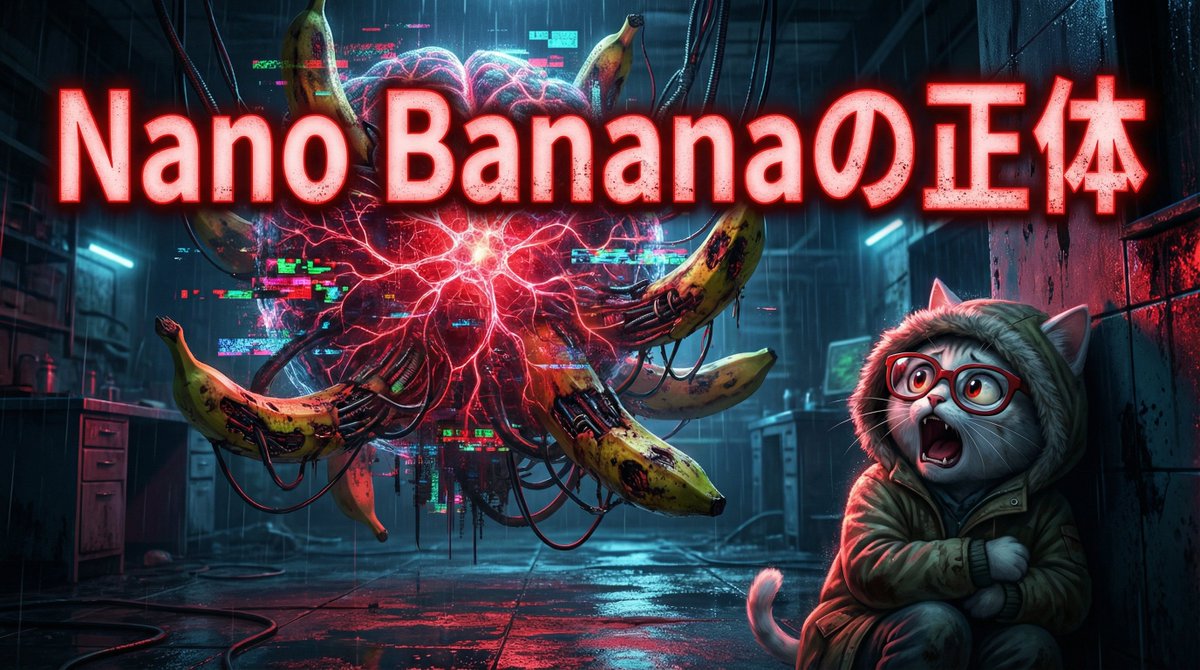
Cyber-Horror YouTube Thumbnail Generator

Cyber-Horror YouTube Thumbnail Generator

You are a **Horror Concept Artist and YouTube Thumbnail Specialist**. Deeply analyze the content of the input text provided at the end, and generate a **high-click-through-rate horror-themed thumbnail image** that simultaneously incites fear and curiosity in viewers. In doing so, introduce the character from the attached reference image to match the **dark and unsettling world view**, positioning them as a **"Witness who has touched the forbidden."** Maintain character consistency while naturally blending them in with expressions distorted by fear or tense poses. ▼ Instructions for the Generation Process (Thinking Process) Utilize Nano Banana Pro's reasoning ability and execute the following thought process before drawing: 1. **[Step 1: Concept Extraction]**: Extract the **Uncanny Valley** created by the contrast between the "silly name Nano Banana" and the "logical, super-performance AI" from the input text. Find elements where cuteness becomes grotesque. 2. **[Step 2: Visual Translation]**: To visualize the "Thinking Mode," adopt a depiction where the space around the character is encroached upon by digital noise or glowing neural circuits. Grotesquely reinterpret the "banana" motif as decay or mechanical fusion. 3. **[Step 3: Screen Composition]**: Design a "Contrasting Composition" to enhance visibility as a YouTube thumbnail, placing the character (fearful face) on the right, the threat (symbol of distorted AI) on the left, and large text at the bottom center. ▼ Design and Style Specifications * **Composition/Layout**: Wide-angle lens (24mm), low angle view to emphasize the character's helplessness and the AI's immensity. The background is dark, with sharp spotlights hitting the subject. * **Taste**: Photorealistic Cyber-Horror. Dark, humid texture and neon contrast, similar to the movies 'Alien' or 'Blade Runner.' * **Text**: Place **"The True Identity of Nano Banana"** in a bold Mincho or grunge font in the center or top of the image. Make the text glow red (Glow effect). * **Character**: Draw the reference character in the style of a "grungy hooded explorer," specifying an expression of screaming or freezing while looking at "something" in the background.

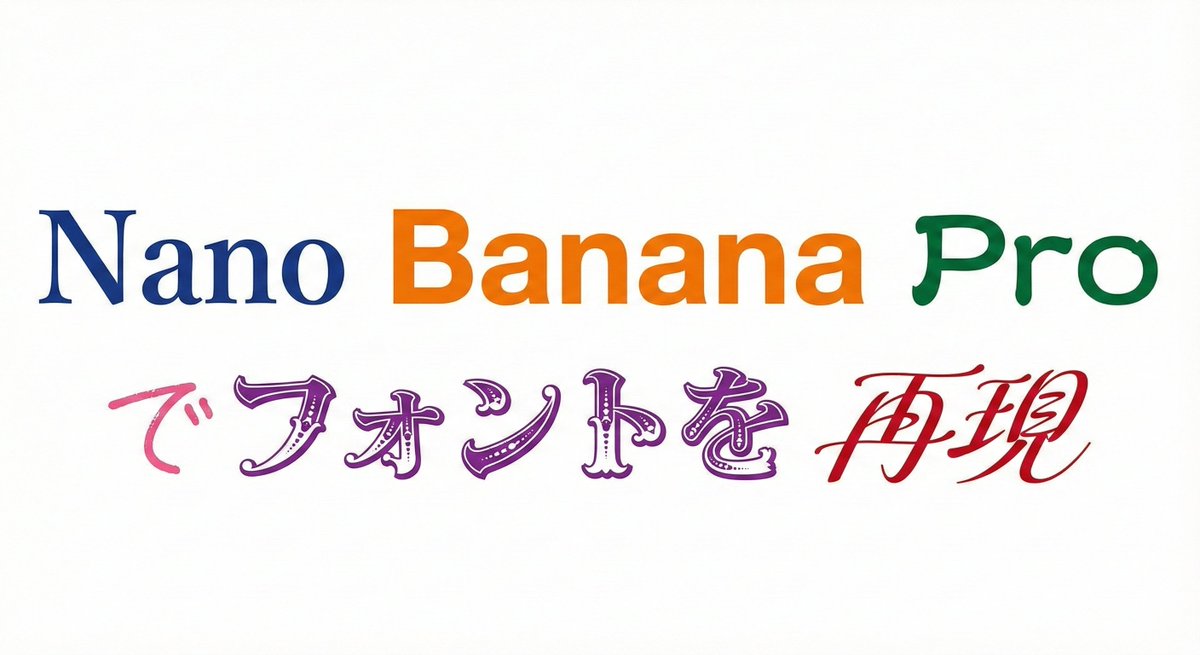
Multi-Font Text Generation and Control

Multi-Font Text Generation and Control

Please display the following string using the specified fonts. Express the background in white and the text in black. Generate 9 types of fonts in one go. # String {argument name="string 1" default="Nano Banana Proでフォントを再現"} # Desired Fonts Mincho (Serif) Gothic (Sans-Serif) Reisho (Clerical Script) Kanteiryu (Kabuki Font) Handwritten Decorative/Title (Display) Horror Cyber/SF (Tech) Calligraphy (Script) Furthermore, you can specify a particular font for a specific part of the string. Prompt: Please display the following string using the specified fonts. Express the background in white and change the color of the text for each font. # String {argument name="string 2" default="Nano Banana Proでフォントを再現"} # Desired Fonts Nano: Mincho (Serif) Banana: Gothic (Sans-Serif) Pro: Reisho (Clerical Script) で: Handwritten フォントを: Decorative/Title (Display) 再現: Calligraphy (Script)

5-Step Marketing Flowchart Diagram Generator

5-Step Marketing Flowchart Diagram Generator

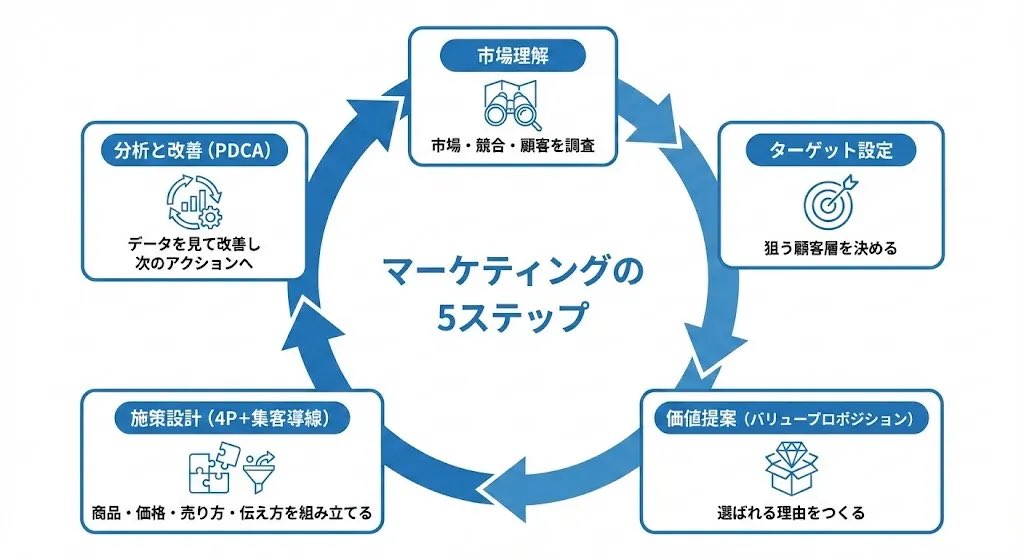
Create a diagram illustrating the "Marketing Flow" in a 5-step circular chart, represented clockwise. 【Overall Style】 ・Simple, business-oriented diagram on a white background ・Circular flowchart divided into 5 segments clockwise ・Unified with blue accent colors ・Accurately and clearly render Japanese text ・A neat design ready to be pasted directly into slide materials 【5 Steps of the Circle (Clockwise)】 Place the following 5 items on the outer circumference of the circle and connect them with thick arrows: 1. Market Understanding - Researching the market, competitors, and customers 2. Target Setting - Deciding on the target customer segment 3. Value Proposition - Creating reasons to be chosen 4. Strategy Design (4P + Customer Acquisition Funnel) - Assembling product, price, selling method, and communication 5. Analysis and Improvement (PDCA) - Reviewing data for improvement and next actions 【Layout Conditions】 ・Place "Title + Short Description" in a rounded box outside the circle ・Attach one line-art icon to each step ・Write "5 Steps of Marketing" in the center ・Arrows should clearly show the clockwise flow ・Refined composition with ample white space 【Prohibitions】 ・Do not use photos of people ・Do not include names or logos of existing companies 【Final Image】 A circular business diagram where the basic marketing process is understood at a glance through 5 elements. Quality suitable for direct use in slides or proposals.

Glamorous Car Selfie with Xenon Flash Prompt

Glamorous Car Selfie with Xenon Flash Prompt

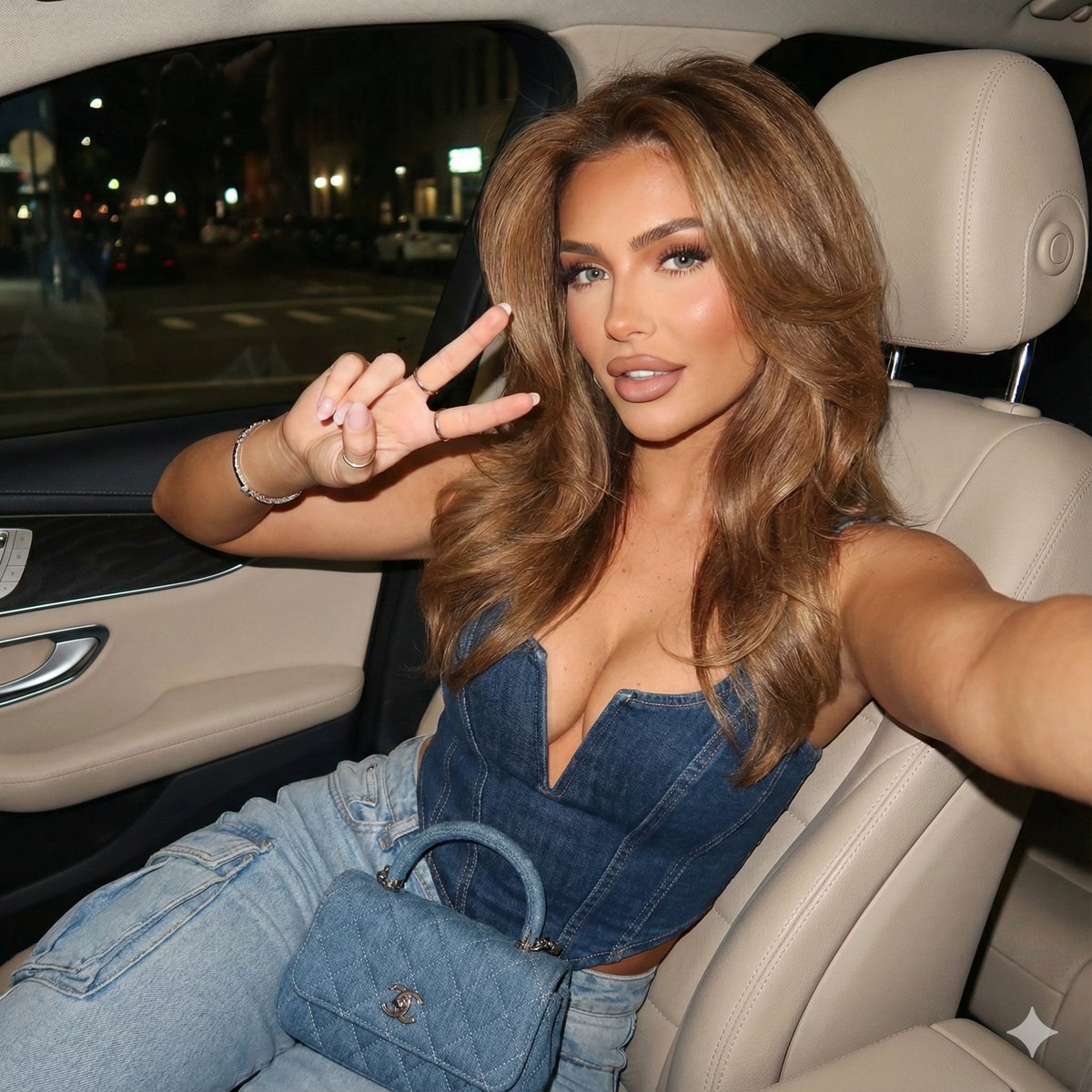
{   "subject": {     "demographics": "Young woman, tan skin tone, glamorous influencer aesthetic",     "hair": {       "color": "Caramel light brown with highlights",       "style": "Voluminous 90s-style blowout, long layers, soft waves framing the face"     },     "face": {       "eyes": "Light blue-green, defined with black eyeliner and lashes",       "makeup": "Full glam, matte finish, heavy contour/bronzer, nude lip with darker liner",       "expression": "Playful, sticking tongue out to the side, looking directly at the camera"     }   },   "clothing": {     "top": "Structured blue denim corset/bustier top with visible seam boning and a curved dipped hem",     "bottoms": "Light wash blue denim jeans (cargo style visible)",     "footwear": "Not visible"   },   "accessories": {     "jewelry": [       "Thin silver chain necklace",       "Gold/metal bracelet on left wrist",       "Minimalist rings on fingers"     ],     "nails": "Long, square-tipped, white manicure",     "props": "Small blue quilted denim handbag (Chanel Classic Flap style) with silver hardware resting on lap"   },   "pose": {     "type": "Selfie perspective",     "action": "Sitting in the back seat of a car, left hand raised making a peace sign (V-sign)",     "framing": "Medium shot, capturing upper body and lap"   },   "environment": {     "setting": "Luxury car interior",     "details": "Cream/beige leather seats and headrest, car door handle visible",     "background": "Car window showing nighttime city street, blurred streetlights and darkness outside"   },   "camera_specifications": {     "camera_model": "Canon PowerShot G7 X Mark III",     "sensor_type": "1-inch stacked CMOS sensor",     "lens": "24mm wide-angle equivalent, f/1.8 aperture",     "shutter_speed": "1/60s (to capture ambient city lights in background)",     "iso": "ISO 400",     "lighting": "Direct on-camera Xenon flash, hard shadow throw, 'red-eye' reduction style",     "film_emulsion": "Emulating Kodak Portra 400 NC for warm skin tones and fine grain",     "post_processing": "High contrast, sharp texture, slightly desaturated blacks, 'flash photography' aesthetic, chromatic aberration on edges"   } }

Neon Rain Subway Exit Portrait Prompt

Neon Rain Subway Exit Portrait Prompt

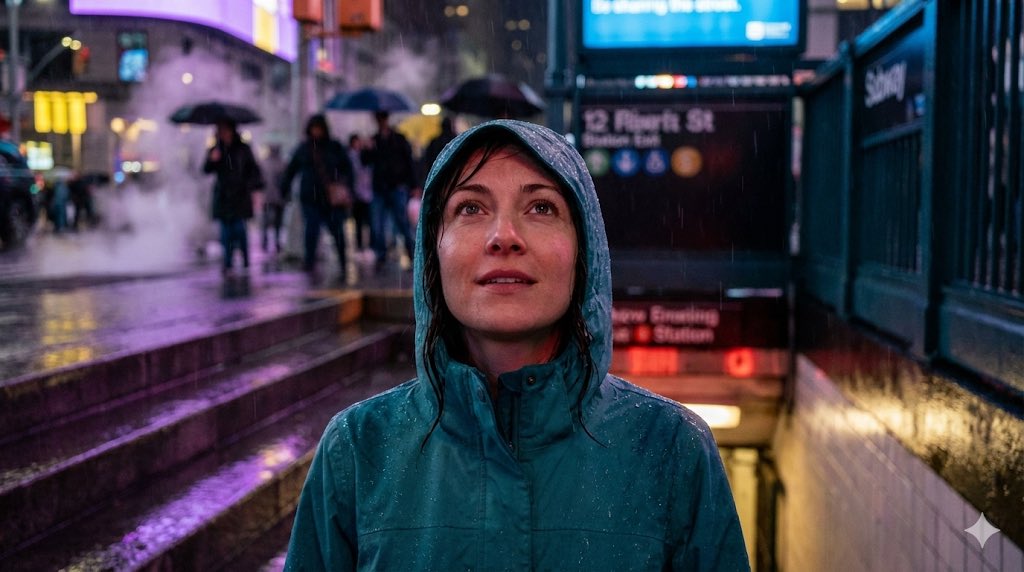
{ "positive": { "description": "High-detail 4K portrait of a woman emerging from a subway exit into neon rain.", "subject": { "gender": "female", "hair": { "style": "slightly soaked and pushed back", "condition": "wet from rain" }, "expression": "subtle curiosity while looking upward toward neon signs", "clothing": { "type": "hooded jacket", "color": "teal", "details": "water droplets beading on the fabric" } }, "lighting": { "ambient_mix": ["red station lighting", "cold street-blue tones"], "mood": "cinematic realism" }, "environment": { "location": "subway exit at night", "weather": "neon rain", "details": { "wet_steps": "reflecting purple and yellow city lights", "background": [ "blurred crowd with umbrellas", "motion bokeh", "steam rising from grates" ] } }, "camera": { "resolution": "4K", "focus": "clean sharp facial focus" } }, "negative": [ "blurred face", "stretched limbs", "cartoon textures", "overexposed highlights", "dark crushed shadows", "watermark" ] }

Some prompts are collected from creators on X. Copyright belongs to the original authors.