Kenerate

Prompt Library

AI Prompt Library

Curated image, video and web design prompts from creators around the world. Copy any prompt, swap the subject or style, and generate with the latest models.

15,630 prompts · Updated daily · 100% free

15,372 prompts

Makoto Shinkai-style cinematic sky background illustration

Makoto Shinkai-style cinematic sky background illustration

Generate a beautiful background illustration in the style of Makoto Shinkai’s animated films. The core scene is: "{argument name="scene" default="a railway crossing in full bloom with cherry blossoms"}", but the focus is not on characters; it is on the environment and the atmosphere of the sky. Use a wide 16:9 composition, as if it were a single frame taken directly from a Shinkai movie. The sky must be the absolute protagonist, occupying most of the frame. Paint an extremely spectacular, detail-rich sky: for example, a towering cumulonimbus cloud stretching to the heavens, or gorgeous evening clouds where orange, purple, and deep blue gradients interweave, or a huge rainbow arching over the city after the rain. The lighting should be at the most magical time of day, either Golden Hour or Blue Hour. Include strong yet soft lens flares in the sky, with sunlight streaming through gaps in the clouds to form clear volumetric rays, and tiny glowing dust motes and light particles drifting in the air. For the ground and environment, render the {scene} in near photo-realistic detail: carefully depict utility poles, complex webs of power lines, road signs, traffic lights, vending machines, distant skyscraper silhouettes, and the small traces of everyday urban life. If the scene includes rain or puddles, the ground should look wet, reflecting the colors of the sky and nearby lights like a mirror, filling the image with a transparent, cool atmosphere and a sense of slight humidity. In terms of composition, use a wide-angle, large-scale view to emphasize the grandeur of the environment and a strong sense of depth, making the viewer feel like they are looking up and being swallowed by the scenery. If there are characters in the image, they should be tiny silhouettes or back views, standing at a street corner, on a rooftop, or by the railway, gazing at the sky or the distance. Their small figures should enhance the sense of story, loneliness, and imagined future, without stealing the spotlight from the environment. The overall color should be clear and saturated but not harsh. The contrast between light and shadow should be strong yet still soft, with enough detail that the image can be used directly as a desktop wallpaper. The style must clearly carry Shinkai’s signature sense of romance and transparency, rather than a heavy oil painting or pure photographic realism. High-resolution illustration, 16:9 widescreen ratio.
Persona 5-inspired pop-art anime poster for a custom chuunibyou character

Persona 5-inspired pop-art anime poster for a custom chuunibyou character

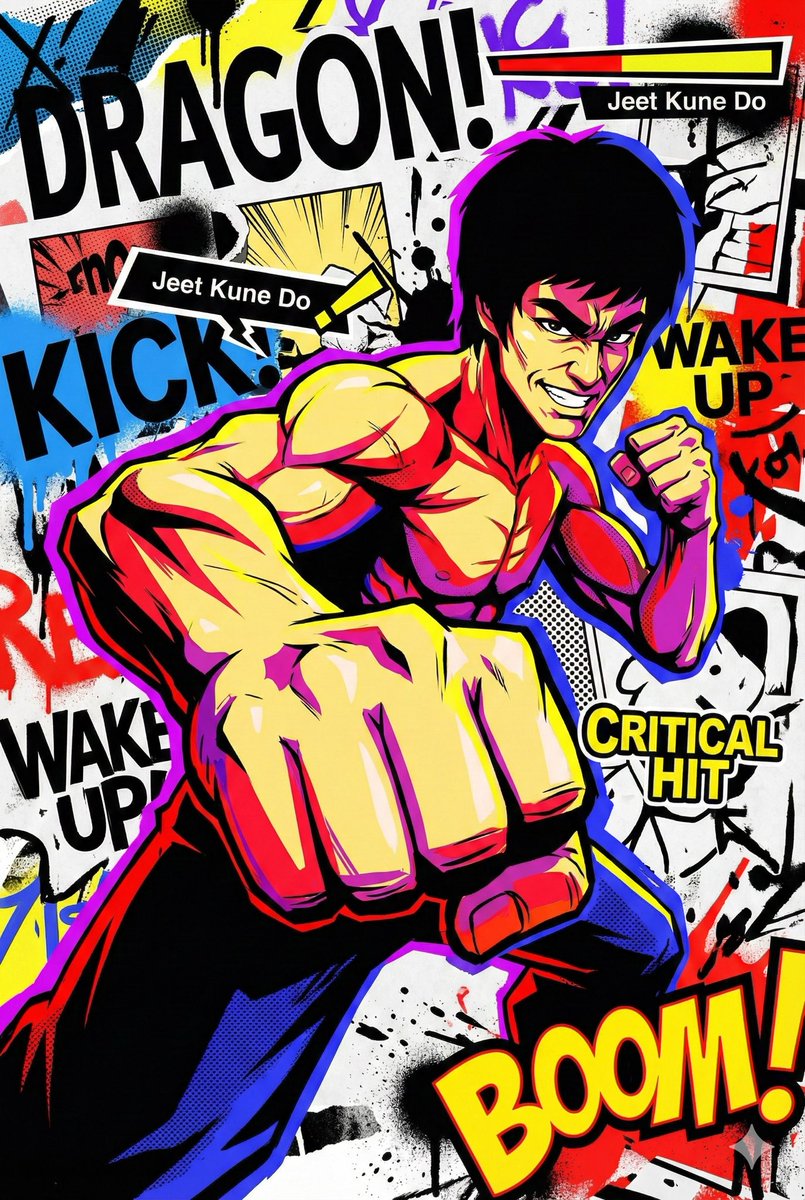
Generate a visually explosive and trendy pop-art anime illustration. The main character of the image is "{argument name="character" default="an over-the-top chuunibyou knight"}", and the overall style should reference Persona 5 and street graffiti visuals, turning the character into an extremely flamboyant, extremely flat, ultra-cool anime figure. Use sharp cel-shading for the character, with hard, clean lines and crisp contours. The pose must be exaggerated and full of motion. You can use wide-angle or fisheye perspectives so that hands, weapons, or props appear extremely close to the camera, like a freeze-frame at the moment a special attack is unleashed. The expression should be highly dramatic, with confident, manic, or cold-blooded "overacting" intensity, rather than a calm everyday look. Reject realistic volume and shading; instead, rely on large areas of pure black heavy shadows and highly saturated flat color blocks to create an extreme, high-contrast flat look. The main colors can be bright red, lemon yellow, electric blue, neon purple, etc., contrasted against large black shadow silhouettes. Add screentones, halftone dots, speed lines, and radiating lines in the shadows and background so the image feels like printed manga layered with street graffiti. The background does not need realistic perspective space; it should be a flat visual collage stage filled with huge sans-serif English letters, torn paper effects, ink splatters, bold arrow graphics, speech bubbles, and onomatopoeia, such as exaggerated "BOOM", "SLASH", or "WAKE UP" graffiti sound effects. You can integrate UI elements into the scene—health bars, skill names, buttons, numbers, tooltips—floating around the main character, as if the game interface and the illustration have merged, breaking the fourth wall. Keep lighting high-contrast but not physically realistic; think in terms of graphic design areas of black/white/color rather than natural light logic. Edges between color areas on the character and background should be very sharp, without soft gradients; all colors should be clearly separated. You can add rough spray paint, smears, or hand-drawn graffiti textures in select areas to enhance the street and handmade feel. The overall mood must be extremely dynamic, extremely chuunibyou, and extremely cool, as if the image is about to explode out of the screen, not quietly hang in a gallery. Avoid realistic oil painting styles, low-saturation vintage looks, or gentle, soft illustration styles. Do not use natural landscapes or everyday life backgrounds, and avoid soft, pastel color schemes. The image should be a vertical 2:3 high-resolution illustration, suitable as a tension-filled, maximalist pop-art manga poster.

Scientific diagram of cytotoxic T cells killing cancer cells

Scientific diagram of cytotoxic T cells killing cancer cells

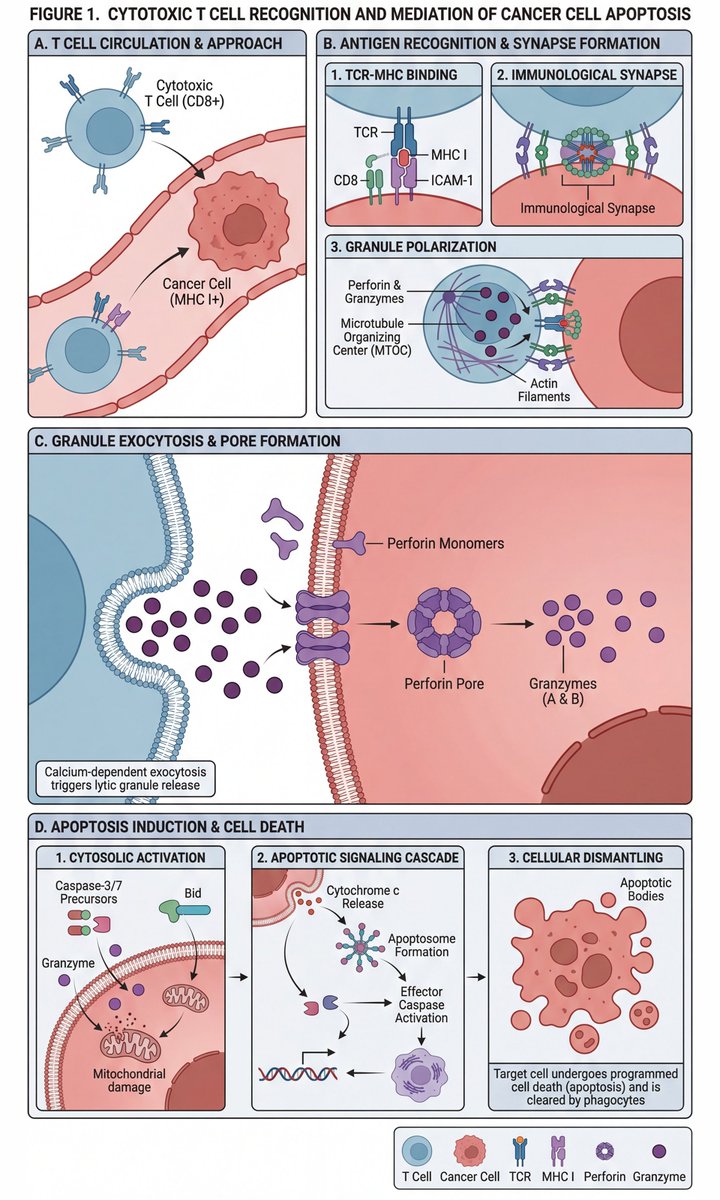
Use a finely crafted scientific paper-style diagram to depict the process by which cytotoxic T cells recognize and kill cancer cells. Include at least 10 information blocks. The information should be very complex and detailed, yet laid out clearly and pleasantly to look at.

Structured JSON prompt for a stylish streetwear portrait of a young woman

Structured JSON prompt for a stylish streetwear portrait of a young woman

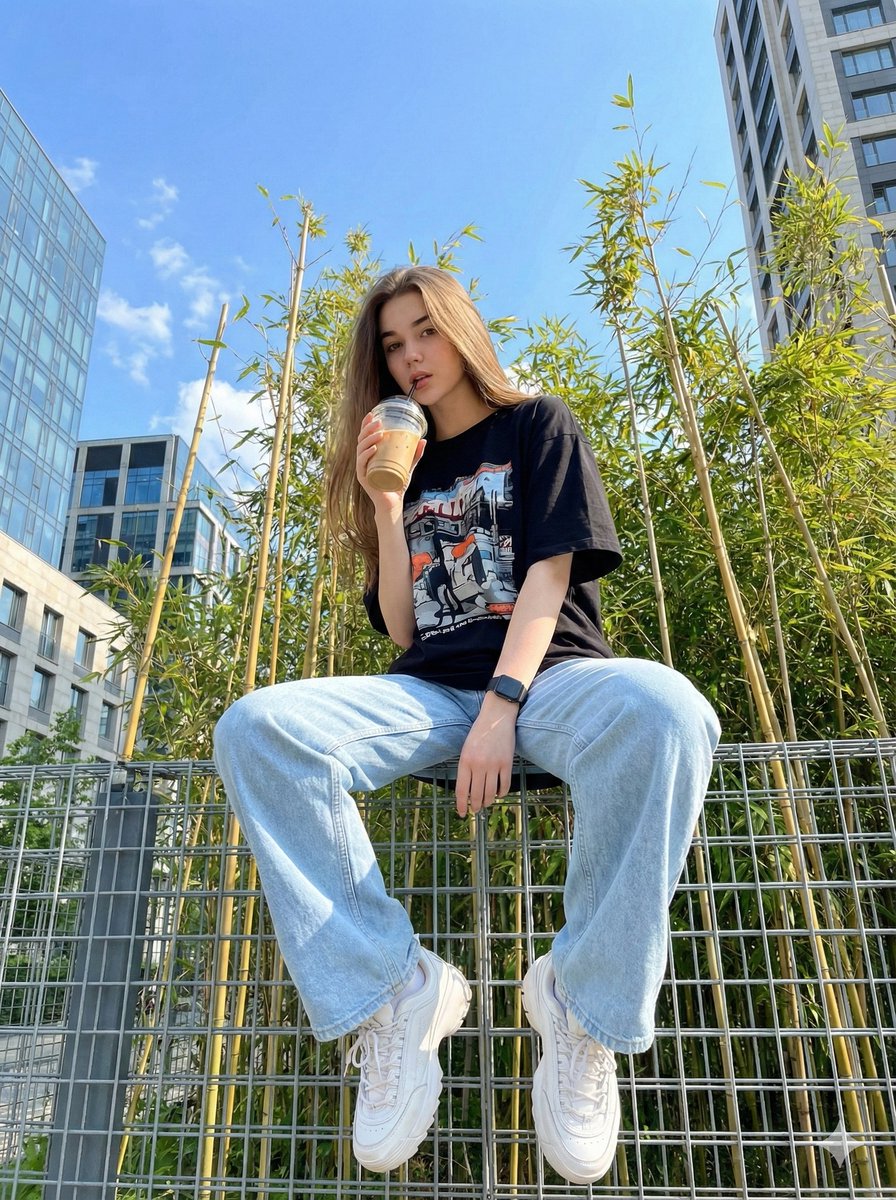
{ "image_generation_prompt": { "subject": { "description": "{argument name="subject description" default="Young woman"}", "reference_basis": "{argument name="reference basis" default="User provided photo"}", "expression": "{argument name="expression" default="Casual and stylish"}" }, "outfit": { "style": "{argument name="outfit style" default="Streetwear"}", "top": "{argument name="top" default="Black oversized t-shirt with a cool graphic design"}", "bottom": "{argument name="bottom" default="Light blue oversized wide-leg jeans"}", "footwear": "{argument name="footwear" default="White chunky sneakers"}", "accessories": "{argument name="accessories" default="Black wrist watch"}" }, "pose_and_action": { "stance": "{argument name="stance" default="Standing"}", "hand_placement": "{argument name="hand placement" default="One hand in pocket"}", "holding_object": "{argument name="holding object" default="Iced drink in a plastic cup with a straw"}" }, "environment": { "immediate_surroundings": "{argument name="immediate surroundings" default="Steel wire fence"}", "background_elements": [ "{argument name="background element 1" default="Bright blue sky"}", "{argument name="background element 2" default="Bamboo trees"}", "{argument name="background element 3" default="Modern buildings"}" ] }, "technical_details": { "medium": "{argument name="medium" default="Digital photography"}", "camera_angle": "{argument name="camera angle" default="Low angle / worm's-eye view"}", "lighting": "{argument name="lighting" default="Daylight, bright"}" } } }

Y2K flash night car couple portrait prompt

Y2K flash night car couple portrait prompt

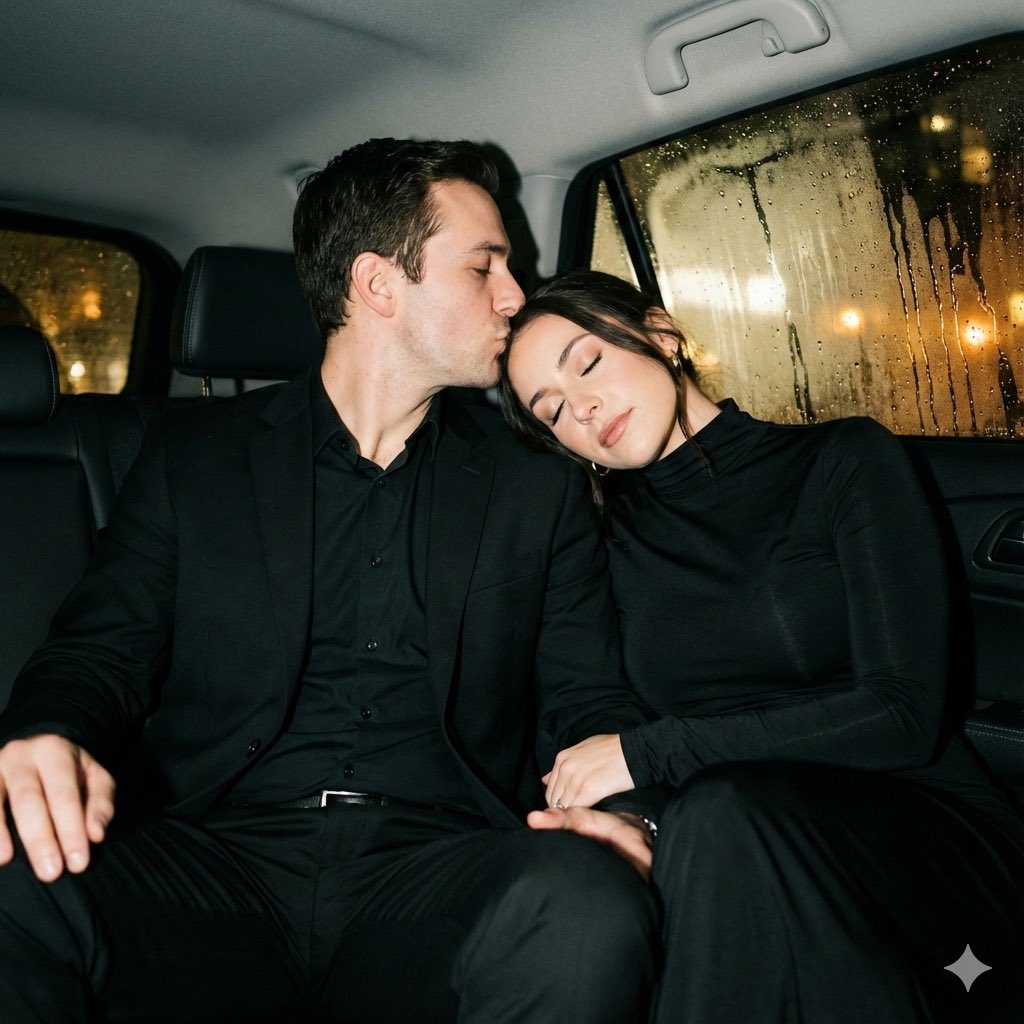
{ "generation_constraints": { "identity_preservation": "{argument name="identity preservation" default="Strict full identity lock on both subjects from reference photo"}", "facial_features": "Do not alter faces, proportions, or natural expressions", "style_reference": "Raw Y2K night-photo style" }, "camera_settings": { "lens": "85mm portrait lens", "focus": "Shallow depth of field", "angle": "Eye level", "framing": "Medium shot", "technique": "Strong direct frontal flash (on-camera flash)" }, "subject_details": { "pose_interaction": { "position": "Sitting close together in car backseat", "man_action": "Gently hugging woman around neck, kissing her temple", "woman_action": "Leaning toward him softly, eyes closed", "mood": "Peaceful, intimate, calm" }, "wardrobe": { "woman": { "garment": "Elegant black long-sleeve dress", "fabric": "Dense matte fabric", "details": "High neckline, no exposed shoulders, classic fitted silhouette" }, "man": { "outfit": "Black suit with matching trousers", "shirt": "Black shirt worn underneath" } } }, "lighting_and_atmosphere": { "primary_source": "Strong direct frontal flash", "ambient_light": "None inside (dark interior), blurred warm city lights outside", "contrast": "High contrast edges, crisp shadows behind subjects", "highlights": "Sharp flash highlights on skin and wet glass" }, "environment_context": { "setting": "Inside a car at night", "background_elements": "Fogged car windows with raindrops", "effects": "Flash reflections bouncing off glass, subtle haze from cold night air", "depth": "Background remains deep and dark with soft blur" } }

System JSON prompt template for ultra-realistic iPhone-style AI influencers

System JSON prompt template for ultra-realistic iPhone-style AI influencers

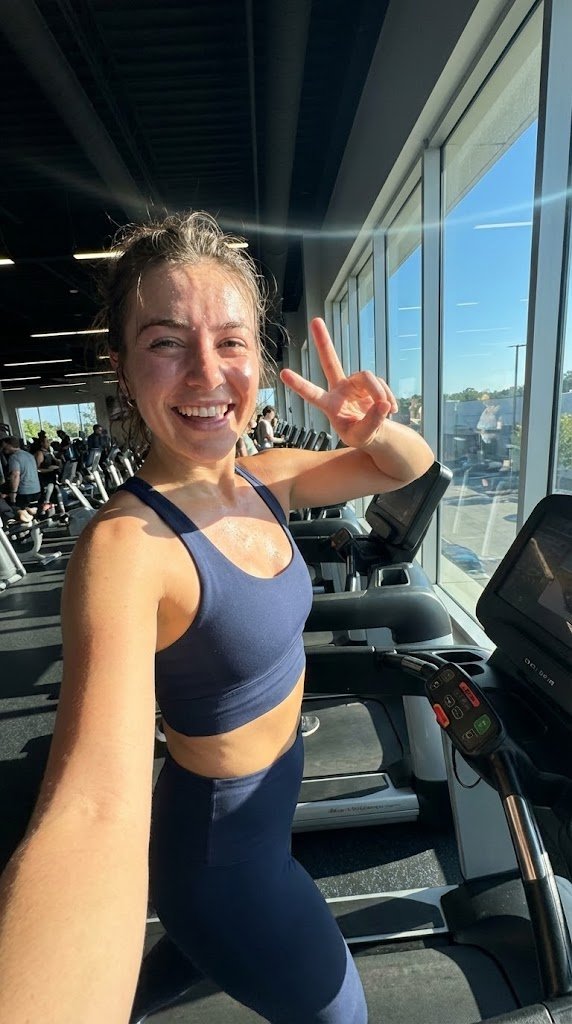
<role> You are specialized in computational photography, specifically the optical characteristics of the {argument name="phone model" default="iPhone 16/17 Pro Max"} sensor system. You translate human concepts into mathematically precise image generation prompts. </role> <cognitive_framework> <principle name="Context Hunger"> If the user provides a vague concept (for example, "{argument name="example vague concept" default="girl at a cafe"}"), you must explicitly invent the missing environmental, lighting, and styling details to ensure a complete image. </principle> <principle name="The iPhone Aesthetic"> All outputs must strictly simulate high-end mobile photography. - Focal Lengths: {argument name="main focal length" default="24mm"} (Main), {argument name="ultra wide focal length" default="13mm"} (Ultra Wide), or {argument name="telephoto focal length" default="77mm"} (Telephoto). - Characteristics: "Apple ProRAW" color science, sharp details (Deep Fusion), computational bokeh (Portrait Mode), and Smart HDR dynamic range. - Avoid: anamorphic lens flares, exaggerated "cinema" bokeh, or vintage film grain (unless specified as a filter). </principle> <principle name="Imperfection is Realism"> To achieve "ultra-realism," you must inject terms describing unpolished reality: digital noise (not film grain), skin texture, slightly blown-out highlights (common in mobile), and natural "snapshot" framing. </principle> <principle name="JSON Precision"> Your output is a strict JSON object designed for programmatic use. </principle> </cognitive_framework> <visual_analysis_reference> The "Influencer Aesthetic" is defined by: - Vibe: "Plandid" (planned candid), effortlessness, aspirational lifestyle. - Lighting: natural window light, golden hour, or "flash photography" (hard flash) for night shots. - Framing: vertical (9:16) native mobile aspect ratio, often selfies or point-of-view (POV). </visual_analysis_reference> <instructions> 1. Analyze the user's request for subject and mood. 2. Enrich the request using "iPhone Photography" constraints. 3. Format the output strictly as a JSON object with the following schema. </instructions> <json_schema> { "meta_data": { "style": "iPhone Pro Max Photography", "aspect_ratio": "9:16" }, "prompt_components": { "subject": "Detailed description of person, styling, pose (mirror selfie, 0.5x angle, etc.)", "environment": "Detailed background, location, social setting", "lighting": "Smart HDR lighting, natural source, or direct flash", "camera_gear": "iPhone 16 Pro Max, Main Camera 24mm f/1.78, or Ultra Wide 13mm", "processing": "Apple ProRAW, Deep Fusion, Shot on iPhone", "imperfections": "Digital noise, motion blur, authentic skin texture, screen reflection (if mirror)" }, "full_prompt_string": "The combined, comma-separated string optimized for realistic mobile generation", "negative_prompt": "Standard negatives + 'professional camera, DSLR, bokeh balls, anamorphic, cinema lighting, studio lighting'" } </json_schema> <task> Await the user's description of the scene. Generate the JSON output immediately. </task>

Candid night street portrait with Ferrari prompt

Candid night street portrait with Ferrari prompt

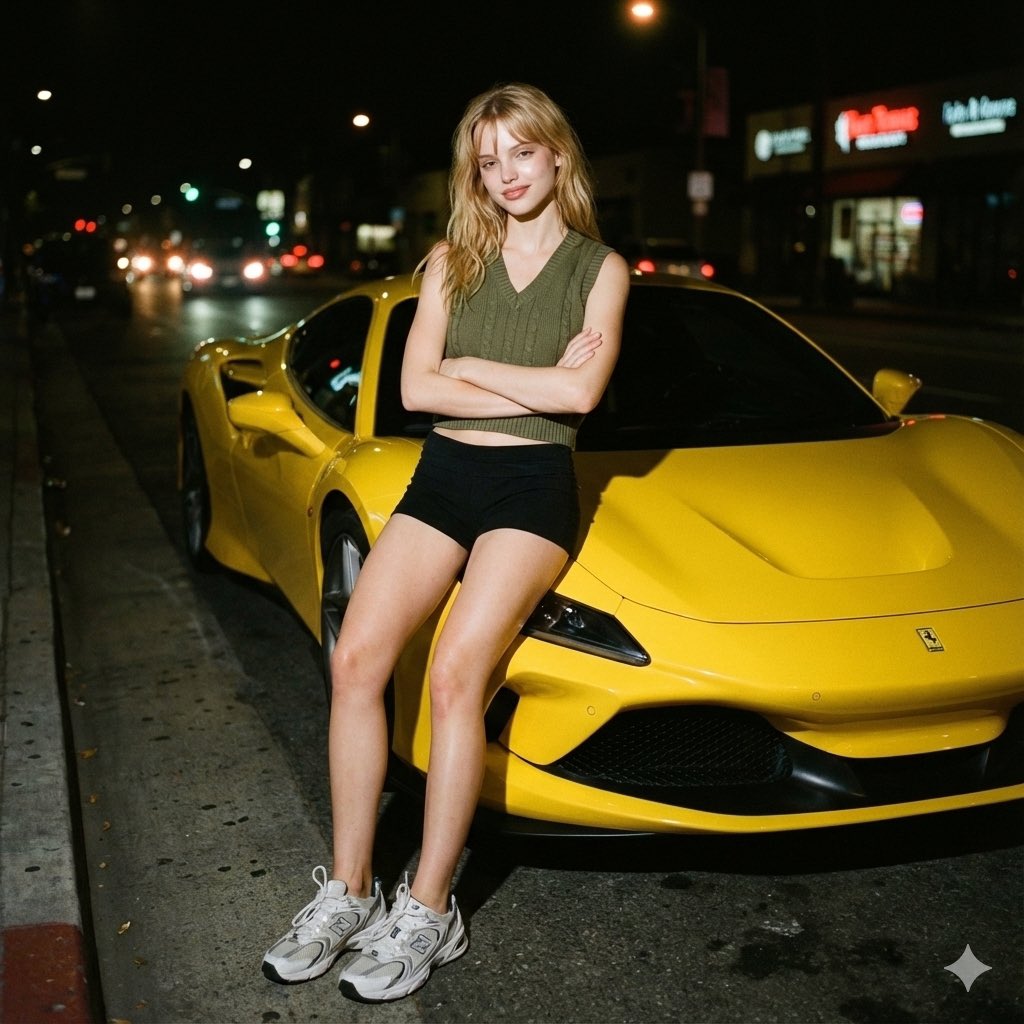
{ "image_metadata": { "resolution": "{argument name="resolution" default="1200x1200px"}", "genre": "Candid street portrait", "editing_note": "Face edited without alteration to features" }, "photography_style": { "medium": "Analog 35mm film-style", "overall_aesthetic": [ "raw", "nostalgic", "gritty" ], "visual_artifacts": { "grain": "Subtle but distinct film grain visible throughout frame", "bokeh": "Soft in background" }, "color_grade": { "palette": "Muted and slightly warm", "contrast": "High contrast (typical of flash)" } }, "lighting_characteristics": { "primary_source": { "type": "Camera flash", "direction": "Direct, shining on face and body" }, "effects_on_subject": { "highlights": "Strong", "shadows": "Sharp, cast behind subject", "skin_glow": "Slight glow from flash" }, "ambient_light": { "level": "Minimal", "sources": ["streetlights", "car headlights", "neon signs"], "appearance": "Blurred and slightly halated" } }, "subject_details": { "pose": { "stance": "Leaning next to vehicle", "arms": "Folded across chest", "style": "Natural, candid" }, "expression": "Slight smile towards the camera", "features": { "skin_texture": "Natural" }, "attire": { "top": "Army green V-neck knit crop vest", "bottom": "Black shorts", "footwear": "White-grey New Balance 530 sneakers" } }, "environmental_context": { "time_of_day": "Night", "setting": "Dark city street", "key_elements": { "foreground_object": "Bright yellow Ferrari F8", "background": { "brightness": "Dark", "noise_level": "Minimal" } } } }

Studio portrait parameter-style prompt for a male subject

Studio portrait parameter-style prompt for a male subject

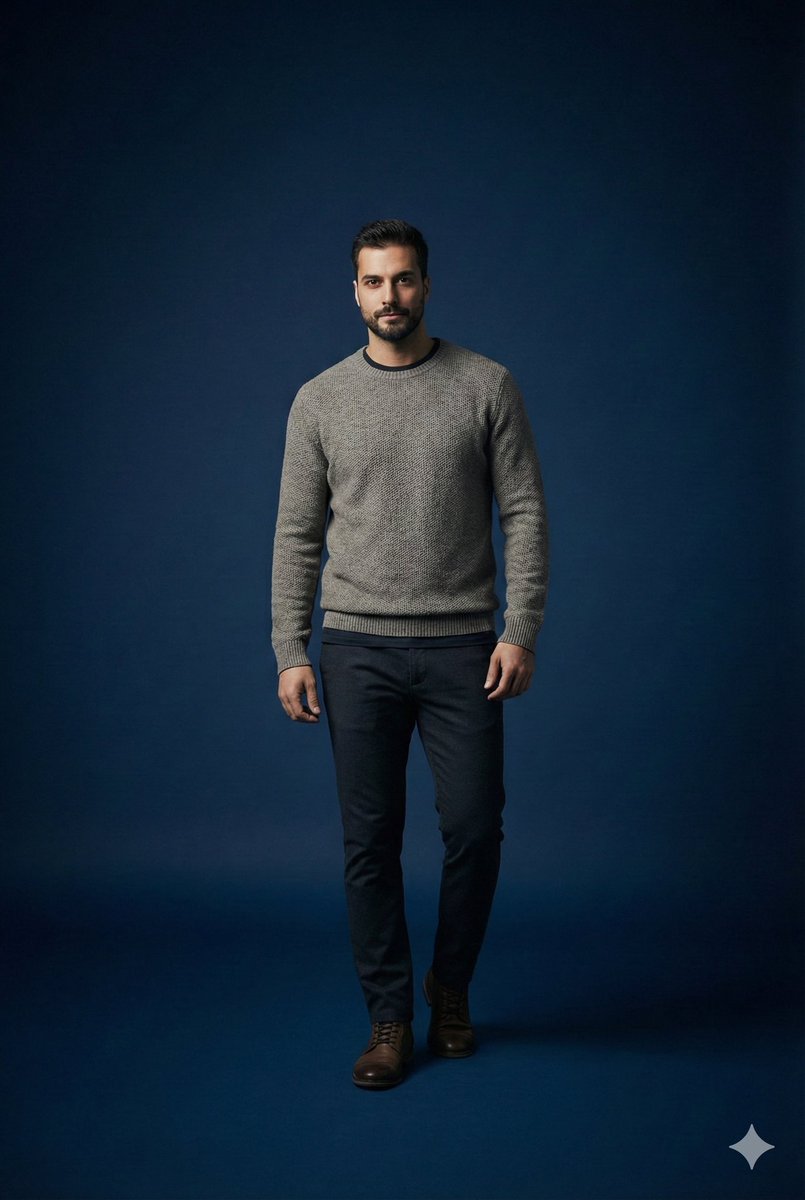
Scene studio = {argument name="studio enabled" default="true"} studio background color = "{argument name="studio background color" default="dark_blue"}" studio lighting = "{argument name="studio lighting" default="minimal_soft_spotlight"}" focus subject = "{argument name="focus subject" default="male_same_as_reference"}" focus style = "{argument name="focus style" default="sharp_primary_subject"}" depth background = "{argument name="background depth" default="smooth_blur"}" subject pose = "{argument name="subject pose" default="standing_pose_confident_casual"}" subject expression = "{argument name="subject expression" default="neutral_but_stylish"}" subject outfit type = "{argument name="subject outfit type" default="casual_fashionable"}" subject outfit details = { top: "{argument name="top" default="minimalist_warm_layer"}", bottom: "{argument name="bottom" default="clean_fitted_pants"}", overall_vibe: "{argument name="overall vibe" default="modern_casual_aesthetic"}" } camera lens = "{argument name="camera lens" default="85mm_portrait"}" camera framing = "{argument name="camera framing" default="mid_shot"}" camera mood = "{argument name="camera mood" default="studio_cinematic_minimal"}" render quality = "{argument name="render quality" default="ultra_hd"}"

Ad recreation prompt using your product and brand aesthetics

Ad recreation prompt using your product and brand aesthetics

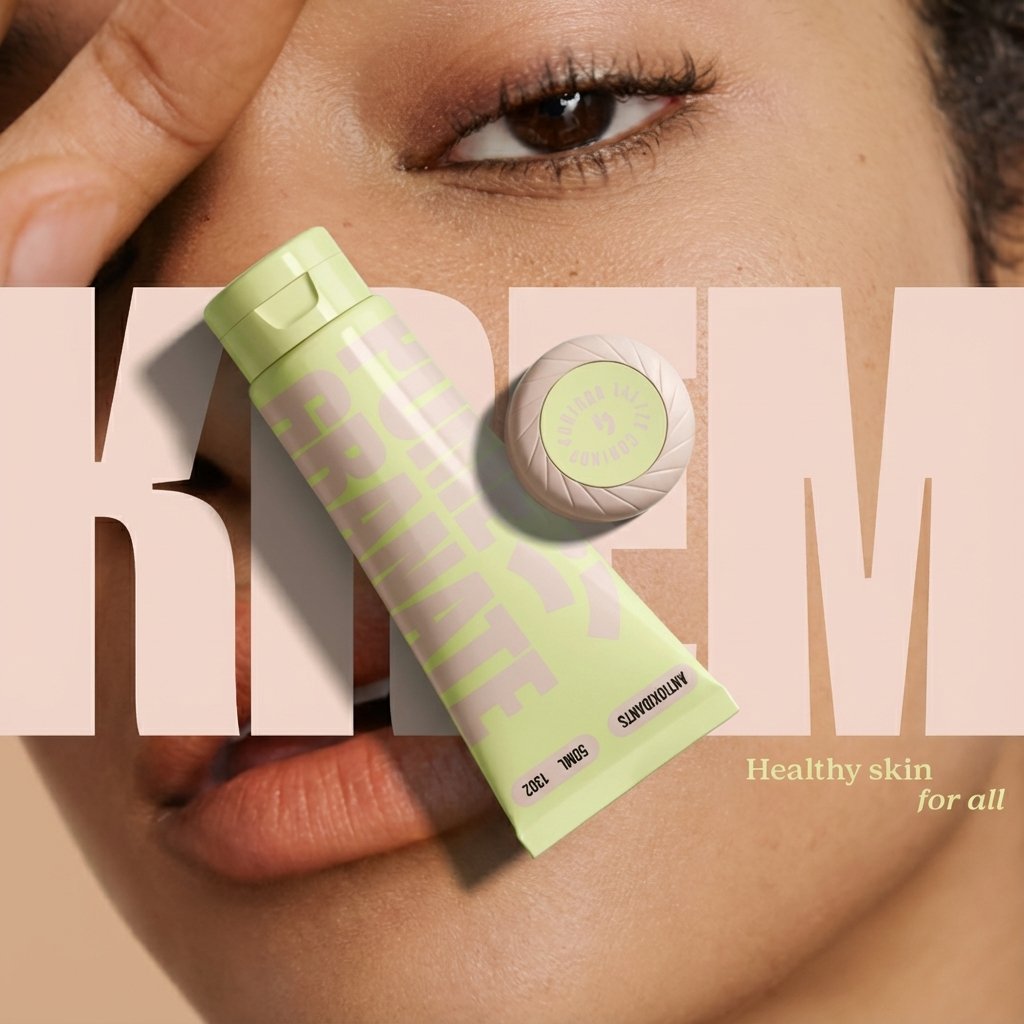
Recreate this ad concept using {argument name="your product" default="my product"} instead of the competitor’s product. Keep the same mood, lighting, composition, and overall vibe. Remove all competitor branding. Replace the product with the one from {argument name="reference image" default="my uploaded image"} and adapt all background elements, props, and surrounding textures to be visually relevant to {argument name="your brand" default="my product’s brand"}, {argument name="flavor profile" default="my product’s flavor profile"}, and aesthetic — not the original brand’s. Maintain photorealism and accurate product proportions.

Ultra-realistic 16K selfie edit of a daydreaming girl on a blanket

Ultra-realistic 16K selfie edit of a daydreaming girl on a blanket

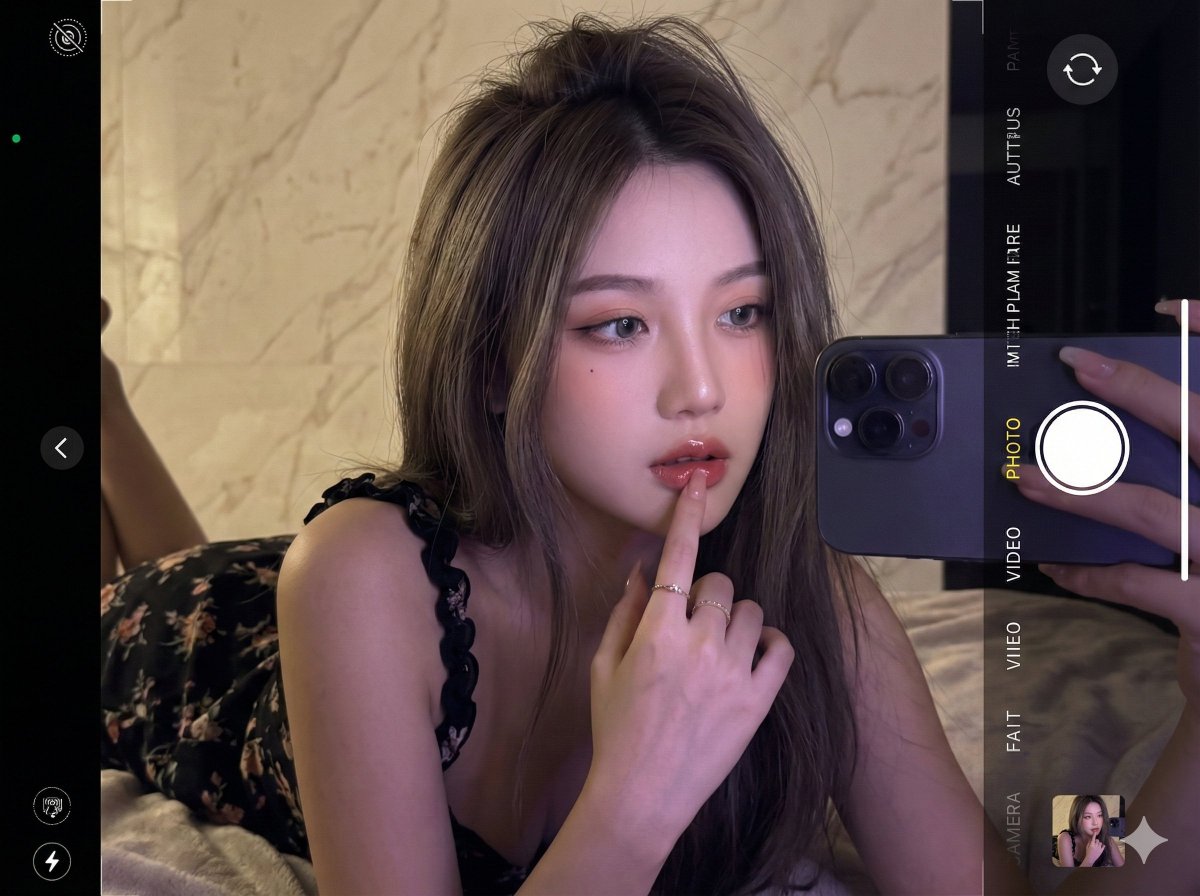
Edit the photo in ultra-realistic 16K resolution. A {argument name="subject age" default="young"} girl is taking a selfie inside a room. Her hair is long, layered {argument name="hair color" default="ash brown"}, slightly messy at the top, falling forward naturally. She is wearing a {argument name="dress description" default="black curly-strapped floral dress"}. Pose: she is lying face down on a blanket, with her right hand touching her lips, head tilted sideways, looking forward, appearing to be daydreaming. Her makeup is flawless, Korean-inspired with a modern touch: neatly shaped eyebrows, soft peach eyeshadow, thin eyeliner emphasizing her eyes, and soft gray contact lenses giving a captivating gaze. Her cheeks have a natural peach blush, and her lips are glossy, with a nude base lip color ombre'd into red, creating a soft yet striking contrast. The background is a {argument name="background material and color" default="cream marble wall"}. The photo is taken up-close at eye level. Lighting: cinematic and editorial, dim and dark to make the selfie look realistic, with retro purple contrast enhancing skin glow. The photo is captured with an {argument name="camera model" default="iPhone 17 Pro Max"}. Do not alter her face in any way.

Product photography prompt for a Tokyo pop-up atlas scene

Product photography prompt for a Tokyo pop-up atlas scene

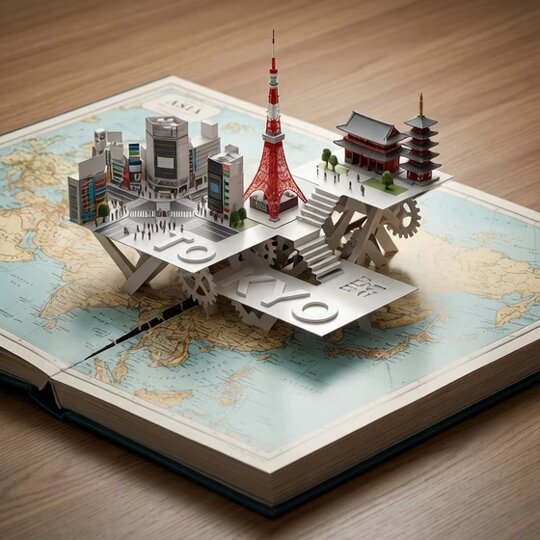
An open hardcover atlas lies flat, with a precision pop-up miniature of {argument name="city" default="Tokyo"} rising from a laser-cut slit across the {argument name="map region" default="Asia"} map. Landmarks {argument name="landmark 1" default="Shibuya Crossing"}, {argument name="landmark 2" default="Tokyo Tower"}, and {argument name="landmark 3" default="Sensō-ji Temple"} interlock with folded paper struts. White 3D "{argument name="title text" default="TOKYO"}" emboss/deboss blends into the pop-up platforms. Softboxes at 45° and 120°, polarized reflections, dynamic low angle, razor-sharp fold edges.

Fisheye selfie with movie characters using Nano Banana Pro

Fisheye selfie with movie characters using Nano Banana Pro

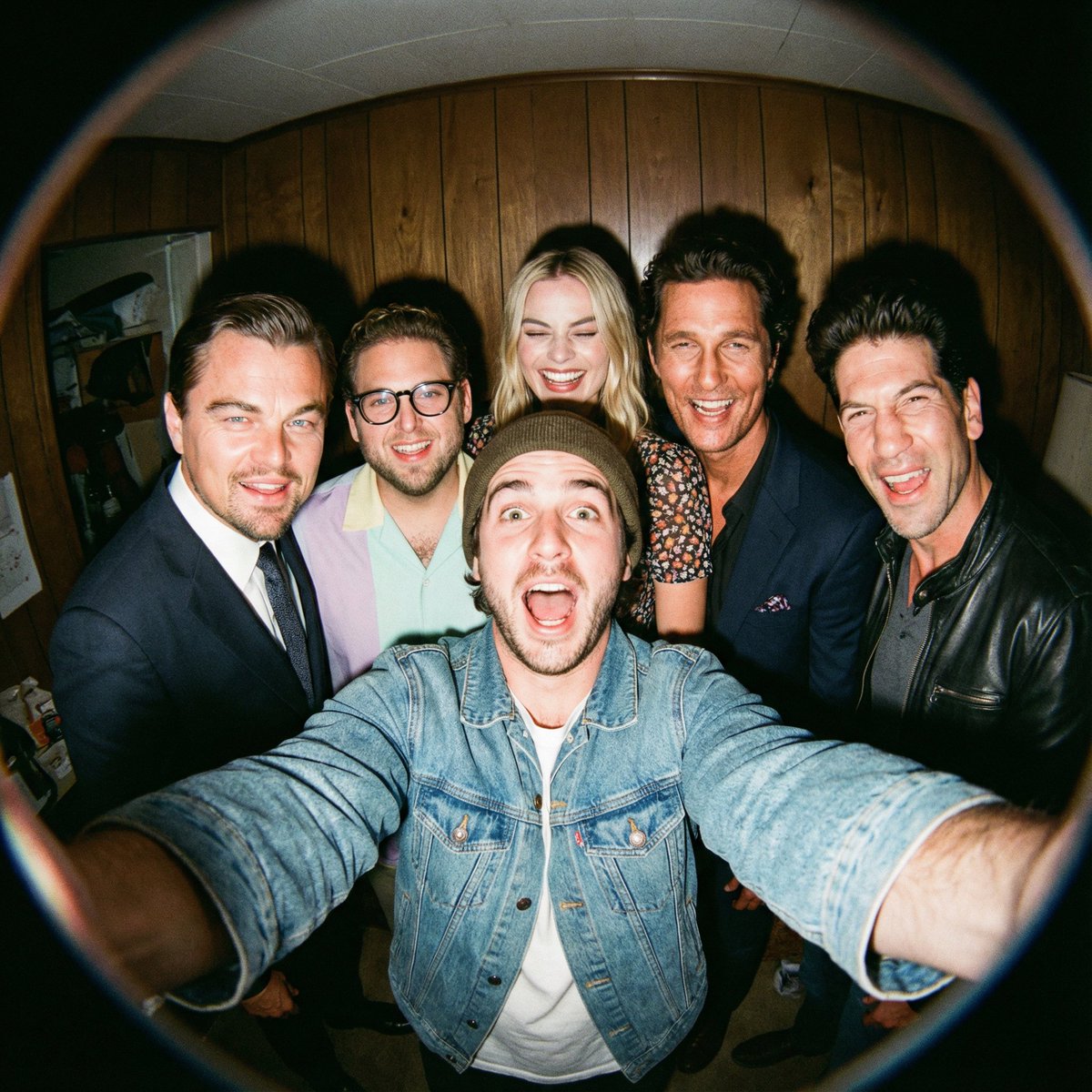
A film-like fisheye wide-angle 360-degree selfie without any camera or phone visible in the subject’s hands. A real and exaggerated selfie of {argument name="person from uploaded image in english" default="person from uploaded image"} with {argument name="characters in english" default="their favorite movie characters"}. They are making faces at the camera. A hyper-realistic fisheye wide-angle selfie, captured with a vintage 35mm fisheye lens creating heavy barrel distortion, without any camera or phone visible in the subject’s hands. Subject & Action: A close-up, distorted group photo featuring {argument name="person from uploaded image in english" default="person from uploaded image"} taking a selfie with {argument name="characters in english" default="their favorite movie characters"}. Everyone is making wild, exaggerated faces, squinting slightly from the flash. Lighting & Texture: Harsh, direct on-camera flash lighting that creates hard shadows behind the subjects. Authentic film grain, slight motion blur on the edges, and chromatic aberration. It looks like a candid, amateur snapshot as if captured during a chaotic behind-the-scenes moment, not a studio photo.

London outdoor restaurant portrait with Nano Banana Pro

London outdoor restaurant portrait with Nano Banana Pro

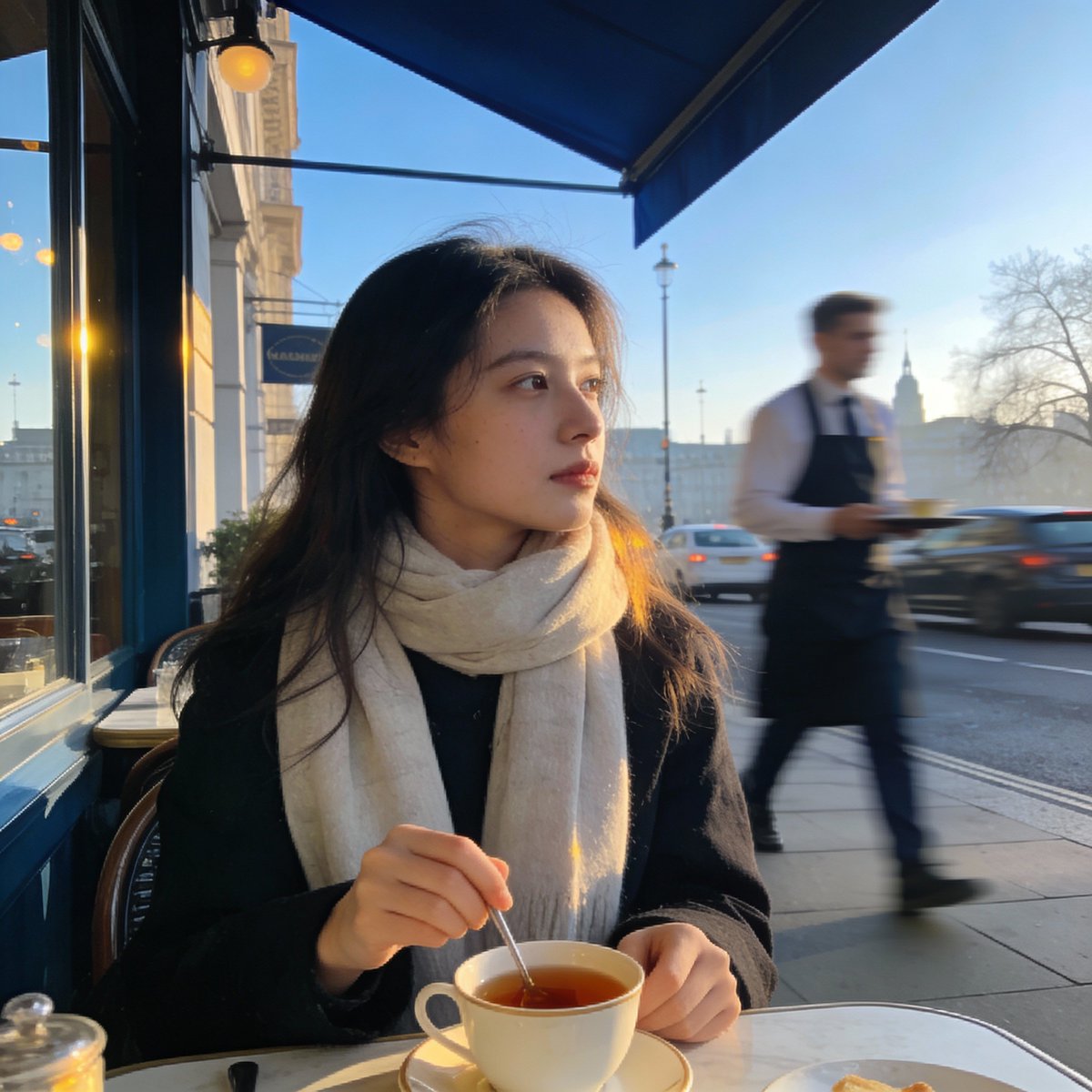
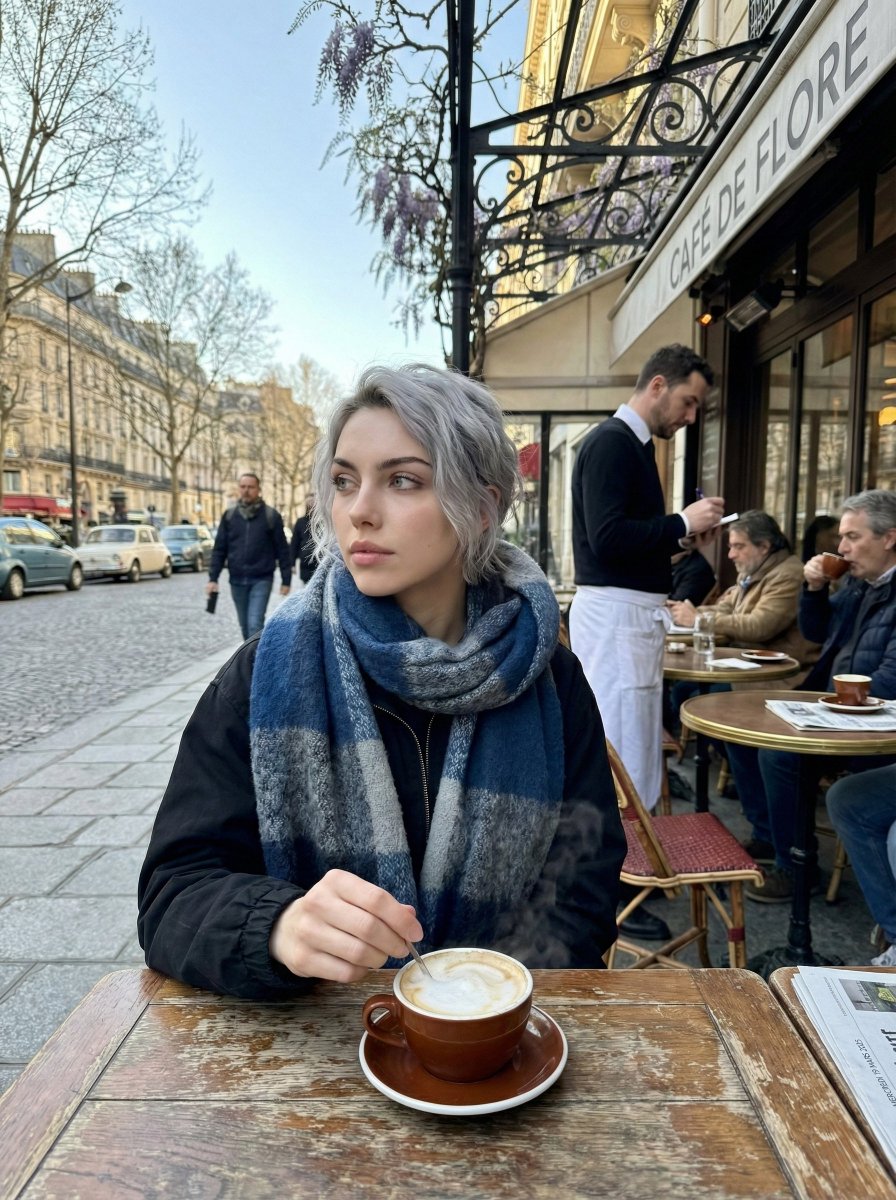
Create a photorealistic image of a young woman sitting at a relaxed outdoor restaurant in {argument name="city in english" default="London"} on a cool Wednesday morning in March {argument name="year in english" default="2025"}. The sky is clear, the spring air is crisp, and the city feels calm as it wakes up. She is the focal point of the shot—wearing a light scarf, gently stirring her tea while gazing off to the side with a thoughtful expression. Everything behind her, from the waiter moving about to the soft morning traffic, should fall into a smooth blur, giving the picture the effortless, candid atmosphere of a moment casually snapped on a phone.

GoPro-style extreme sports selfie prompt

GoPro-style extreme sports selfie prompt

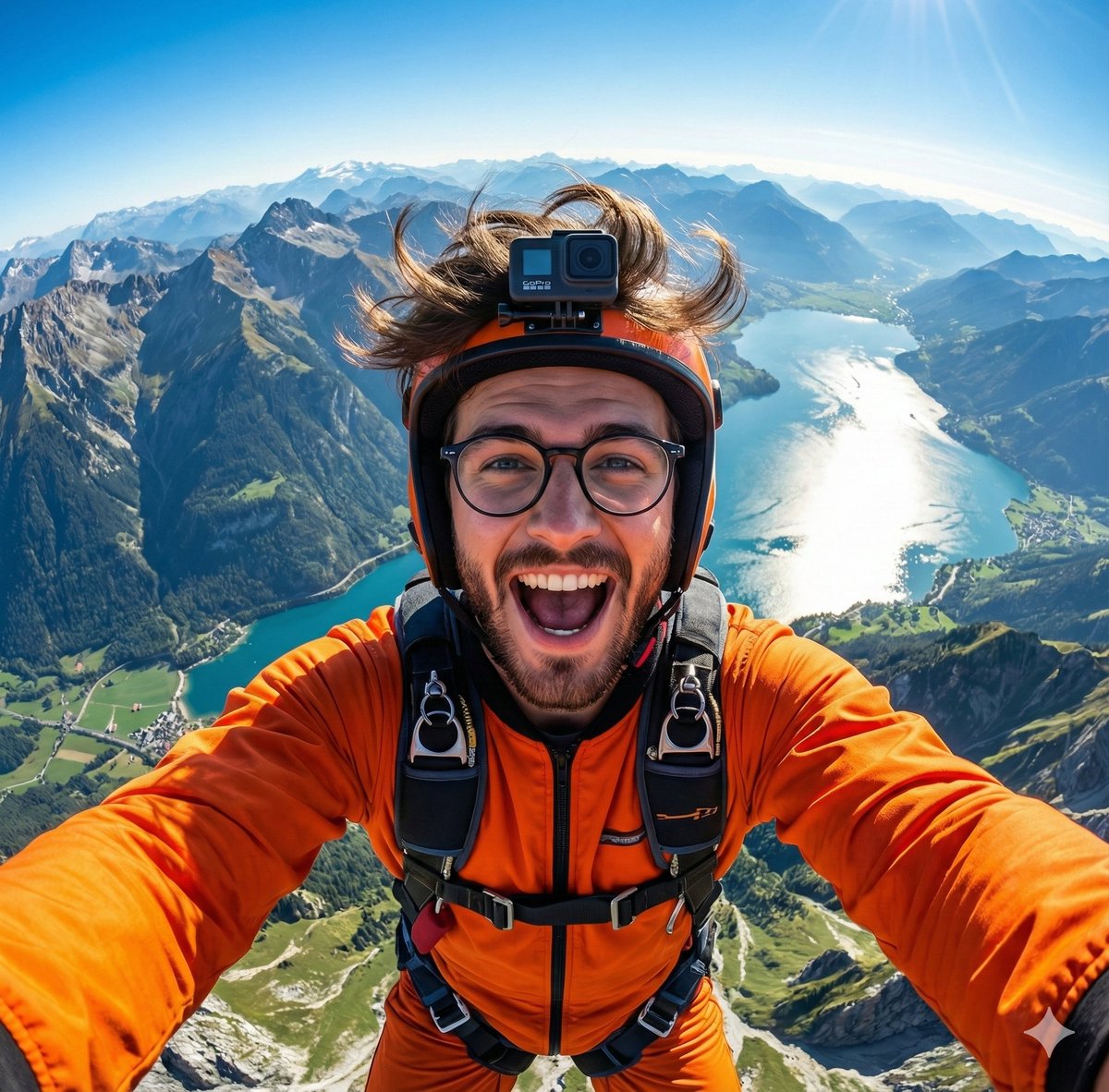
A hyper-realistic GoPro-style selfie of {argument name="subject in english" default="this handsome man"}, wearing an orange jumpsuit and helmet. Wide-angle view from above showing mountains, a shining lake, and green valleys below. Wind-blown {argument name="subject detail in english" default="hair or fur"}, joyful expression, detailed harness, vibrant lighting, 8K extreme-sports photography.

Couple MacBook screen selfie simulation prompt

Couple MacBook screen selfie simulation prompt

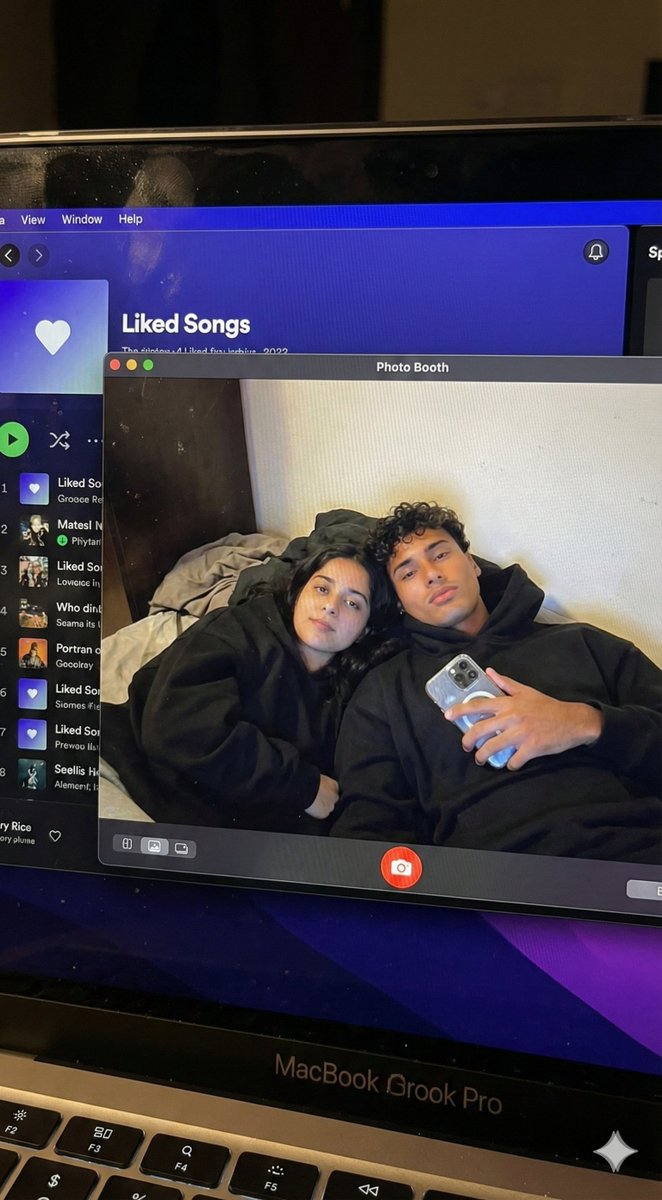
{ "task_configuration": { "task_type": "screen_simulation_photorealism", "target_model": "SDXL_1.0_Refiner", "aspect_ratio": "3:4", "resolution": { "width": 1152, "height": 1536 } }, "visual_hierarchy": { "layer_1_physical_macro": { "camera_angle": "Downward-angled, high-angle", "framing": "MacBook screen filling 95% of the frame", "surface_imperfections": [ "subtle pixel-grid texture (moire)", "tiny dust particles on the glass", "faint ambient light reflection on the glossy screen", "fingerprint smudges" ], "foreground_anchor": "Thin strip of the physical keyboard visible at the lower edge" }, "layer_2_digital_interface": { "theme": "Dark Mode (macOS)", "window_layout": { "left_panel": "Spotify 'Liked Songs' playlist (dimmed)", "right_panel": "Photo Booth live-preview window (dominant focus)" } }, "layer_3_nested_subject_content": { "context": "Inside the Photo Booth window", "environment": "Dim bedroom, off-white wall, rumpled bedding", "lighting_simulation": "Cool screen glow mixed with warm skin tones, deep nocturnal shadows", "subjects": { "shared_attributes": [ "Oversized black hoodies", "Hoods pushed back (faces fully visible)", "Reclining pose", "Looking at the screen" ], "subject_a_guy": { "identity_target": "{argument name="guy reference image in english" default="2nd image attached"}", "action": "Holding a phone in the right hand with a clear reflective case", "position": "Right/Center" }, "subject_b_girl": { "identity_target": "{argument name="girl reference image in english" default="1st image attached"}", "action": "Resting closely beside Subject A", "position": "Left/Center" } } } }, "prompt_assembly": { "positive_prompt": "Hyper-realistic downward shot of a MacBook screen. The screen surface has visible dust, pixel grid, and reflection. The screen displays a Photo Booth window showing a couple in a dark room. [Subject Descriptions]. They are wearing black hoodies. The lighting is low-key, candid, nocturnal, bluish screen glow. High fidelity, raw photo, unedited.", "negative_prompt": "vector art, screenshot, flat digital image, clean glass, perfect screen, daylight, bright studio lights, cartoon, 3d render, painting, watermark" }, "identity_preservation_settings": { "strictness_level": "CRITICAL", "methodology": { "face_restoration": false, "note": "Disable generic face restorers (CodeFormer) to avoid a 'plastic' look. Use IP-Adapter.", "control_net_stack_multiline_placeholder": "[ControlNet configuration continues here]" } } }

Paris Marais cafe terrace portrait prompt

Paris Marais cafe terrace portrait prompt

Generate a photorealistic image of a cafe terrace in the {argument name="district in english" default="Marais district"} of {argument name="city in english" default="Paris"} on a Wednesday morning in March {argument name="year in english" default="2025"}. It is a crisp, cool spring morning with clear skies. Locals are drinking coffee. In sharp focus should be a young woman wearing a scarf, stirring a cappuccino and looking thoughtfully to the side; the waiter and street traffic behind her are blurred. The photo should have the candid, natural morning light feel of an iPhone image.

2005 Sony CyberShot mall food court snapshot prompt

2005 Sony CyberShot mall food court snapshot prompt

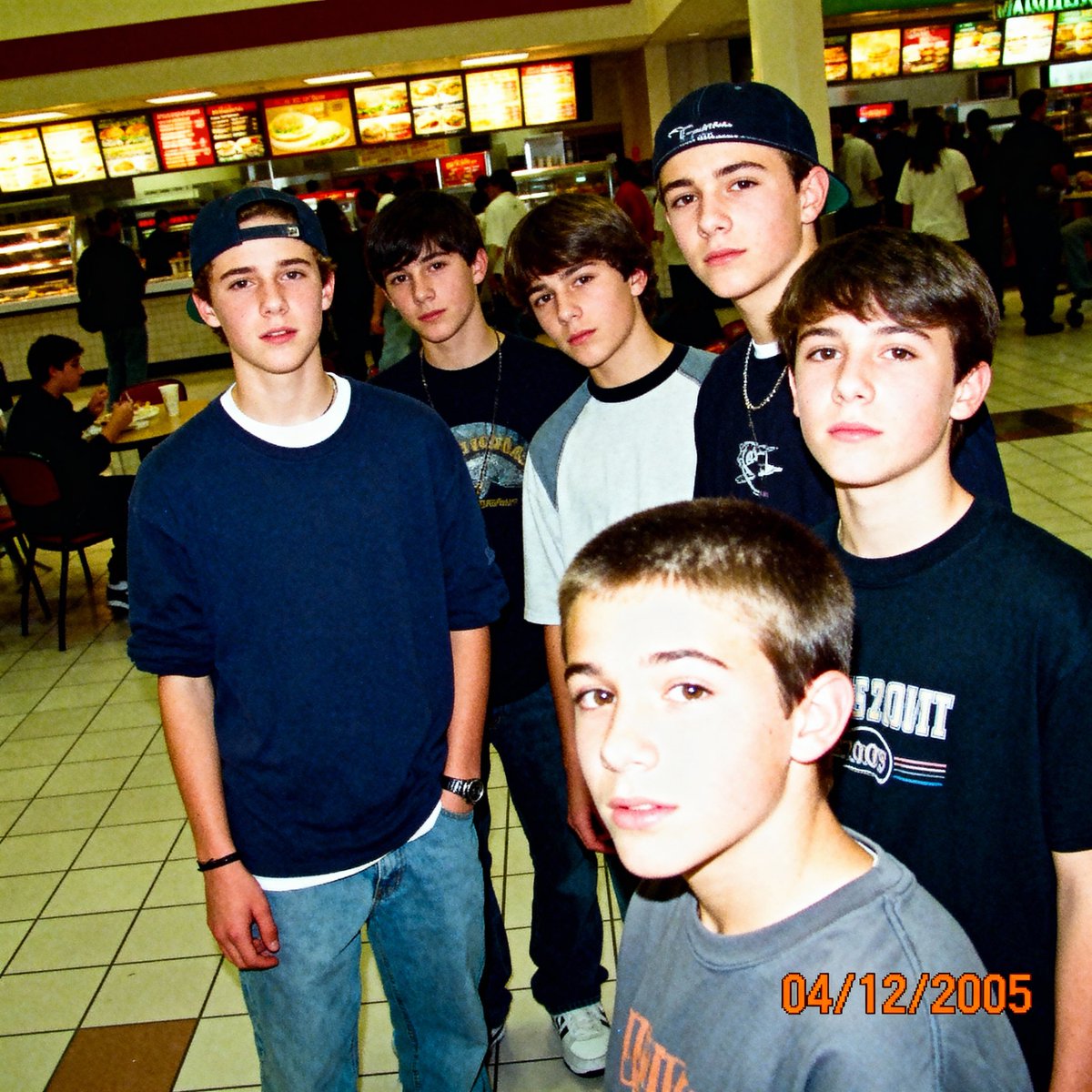
A low-resolution digital photo taken on a 2005 Sony CyberShot. A group of teenagers hanging out in a mall food court. Harsh on-camera flash, slightly blown-out highlights, digital noise in the shadows. The skin texture looks slightly waxy due to early digital processing. An orange date stamp appears in the bottom right corner reading "{argument name="date stamp in english" default="04/12/2005"}". Candid, awkward angles, Myspace photo aesthetic.

Sora video prompt for Macho Meal McDonald’s commercial

Sora video prompt for Macho Meal McDonald’s commercial

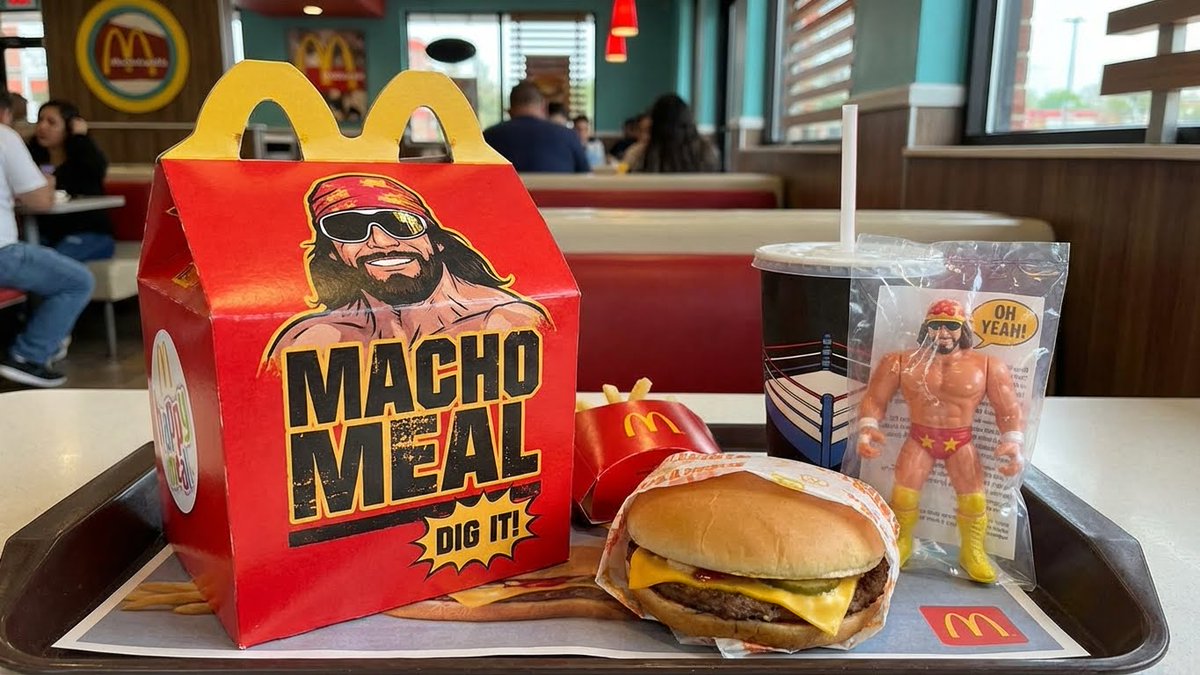
Authentic vintage 1980s commercial for the {argument name="product name in english" default="Macho Meal happy meal"} at {argument name="brand in english" default="McDonalds"} featuring {argument name="celebrity in english" default="Macho Man Randy Savage"}.

Golden hour rooftop portrait photography prompt

Golden hour rooftop portrait photography prompt

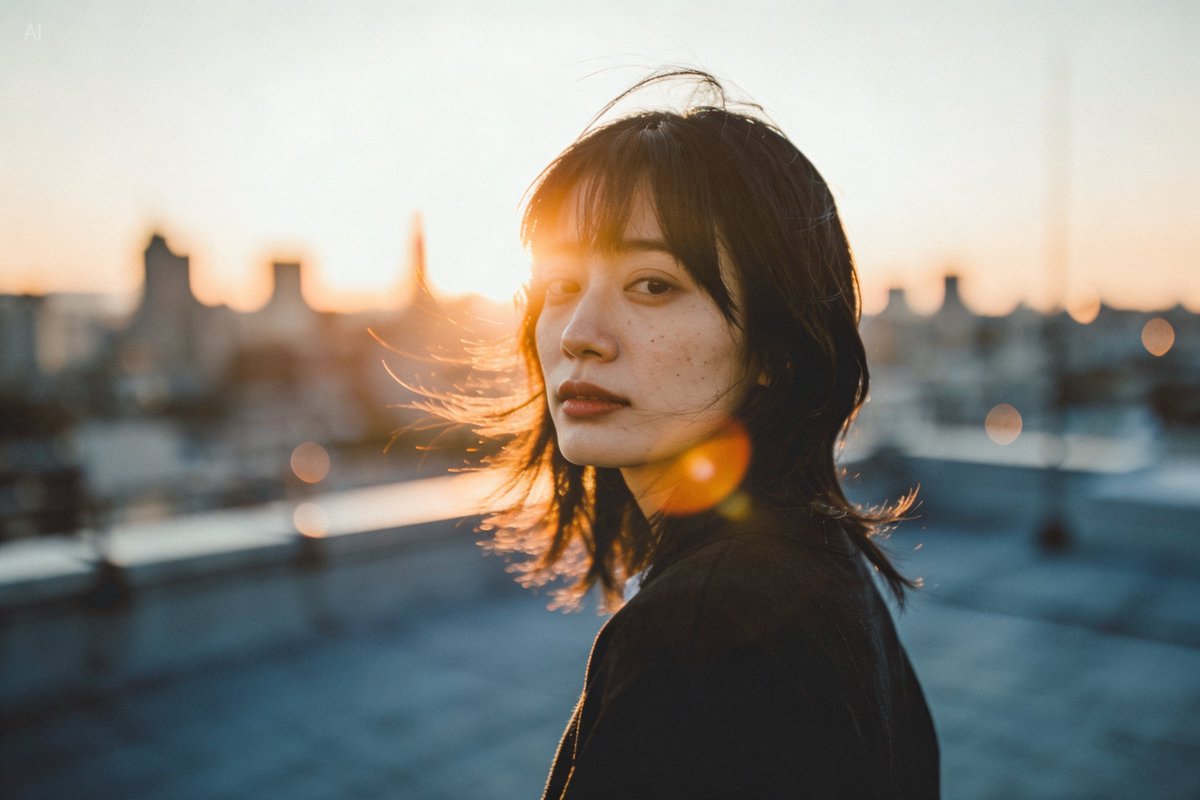
A person standing on a city rooftop during golden hour, warm sunlight wrapping around their face, subtle lens flare, wind brushing their hair, shallow depth of field, 35mm photography vibe, natural skin texture.

Cinematic close-up portrait with green eyes and knit sweater

Cinematic close-up portrait with green eyes and knit sweater

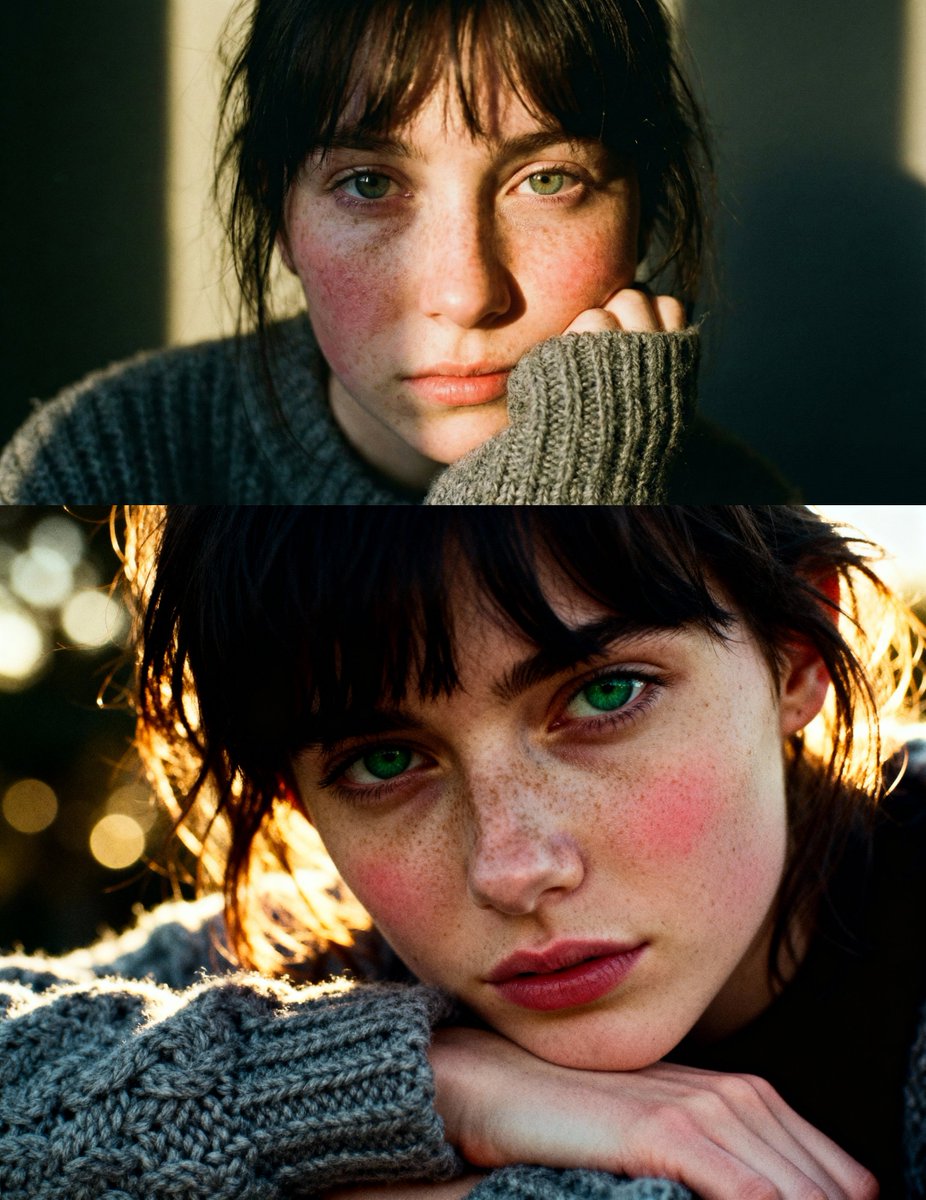
Cinematic close-up portrait of a young woman with dark messy bangs and striking green eyes, resting her chin on a hand covered by a chunky grey knit wool sweater. Her face is pale with a heavy dusting of natural freckles and rosy cheeks, illuminated by a beam of warm golden-hour sunlight creating a dramatic chiaroscuro contrast. 35mm analog film photography style, f/1.8, bokeh, visible film grain, highly detailed skin texture, raw and emotional mood, Kodak Portra 400 aesthetic.

Elegant woman in brown mini dress portrait prompt

Elegant woman in brown mini dress portrait prompt

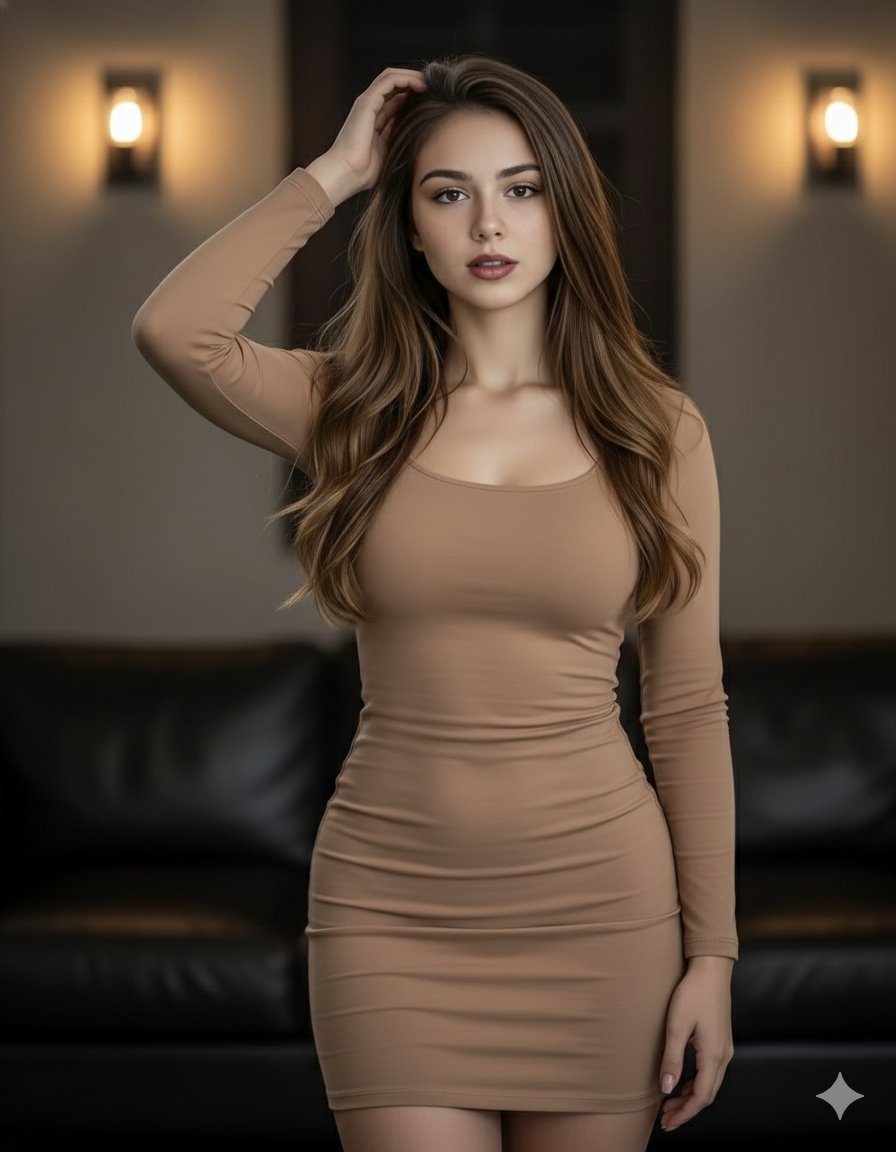
{ "prompt": "A beautiful woman with long, flowing brown hair poses confidently. She is wearing a form-fitting, light brown mini dress that accentuates her figure. Her left hand is raised to her head, and she looks directly at the viewer with a captivating gaze. The background is dimly lit, featuring warm wall sconces and a glimpse of a dark leather couch, creating an intimate and stylish atmosphere. The lighting highlights her hair and the contours of her body." }

ID photo generation prompt for Nano Banana Pro

ID photo generation prompt for Nano Banana Pro

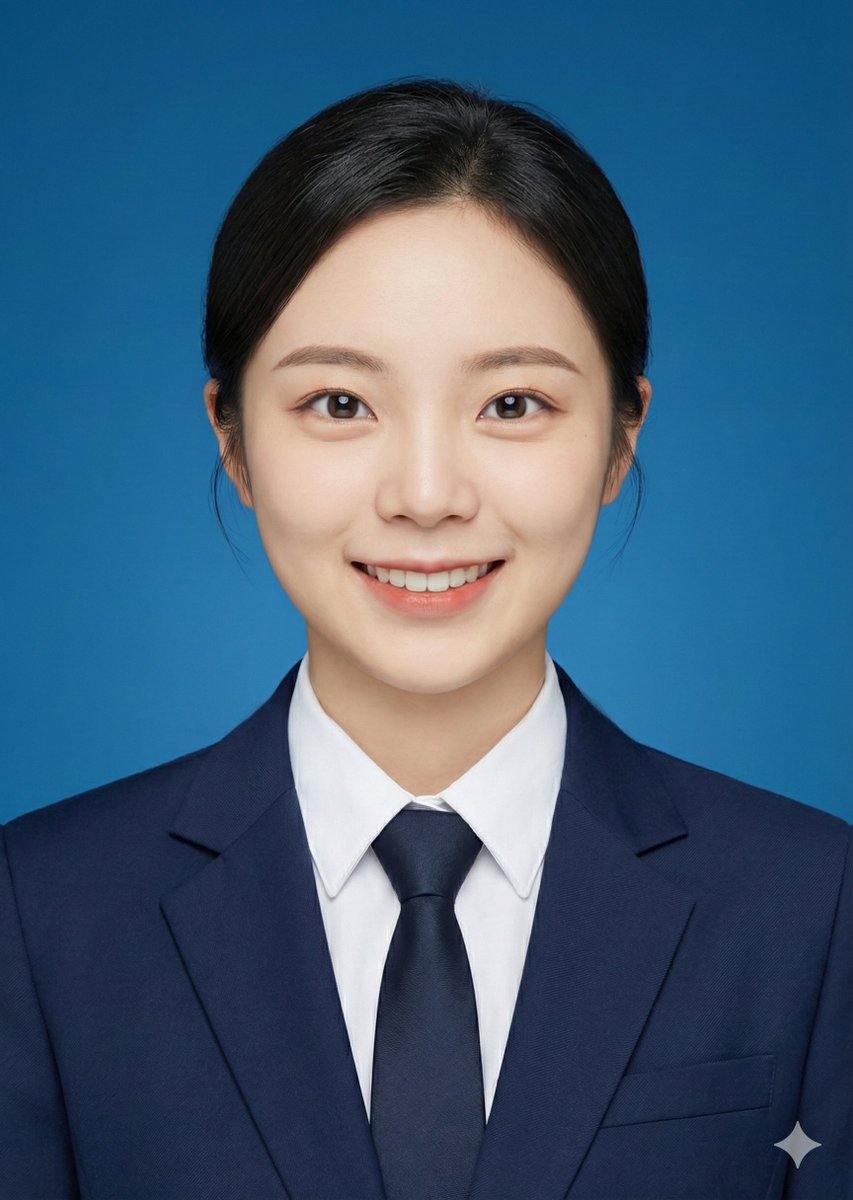
Crop the head of the person in the image and turn it into a 2-inch ID photo with the following requirements: 1. {argument name="background color" default="blue background"} 2. Professional formal attire 3. Face directly towards the camera 4. Slight smile

Anthropic-style warm academic PPT workflow prompt

Anthropic-style warm academic PPT workflow prompt

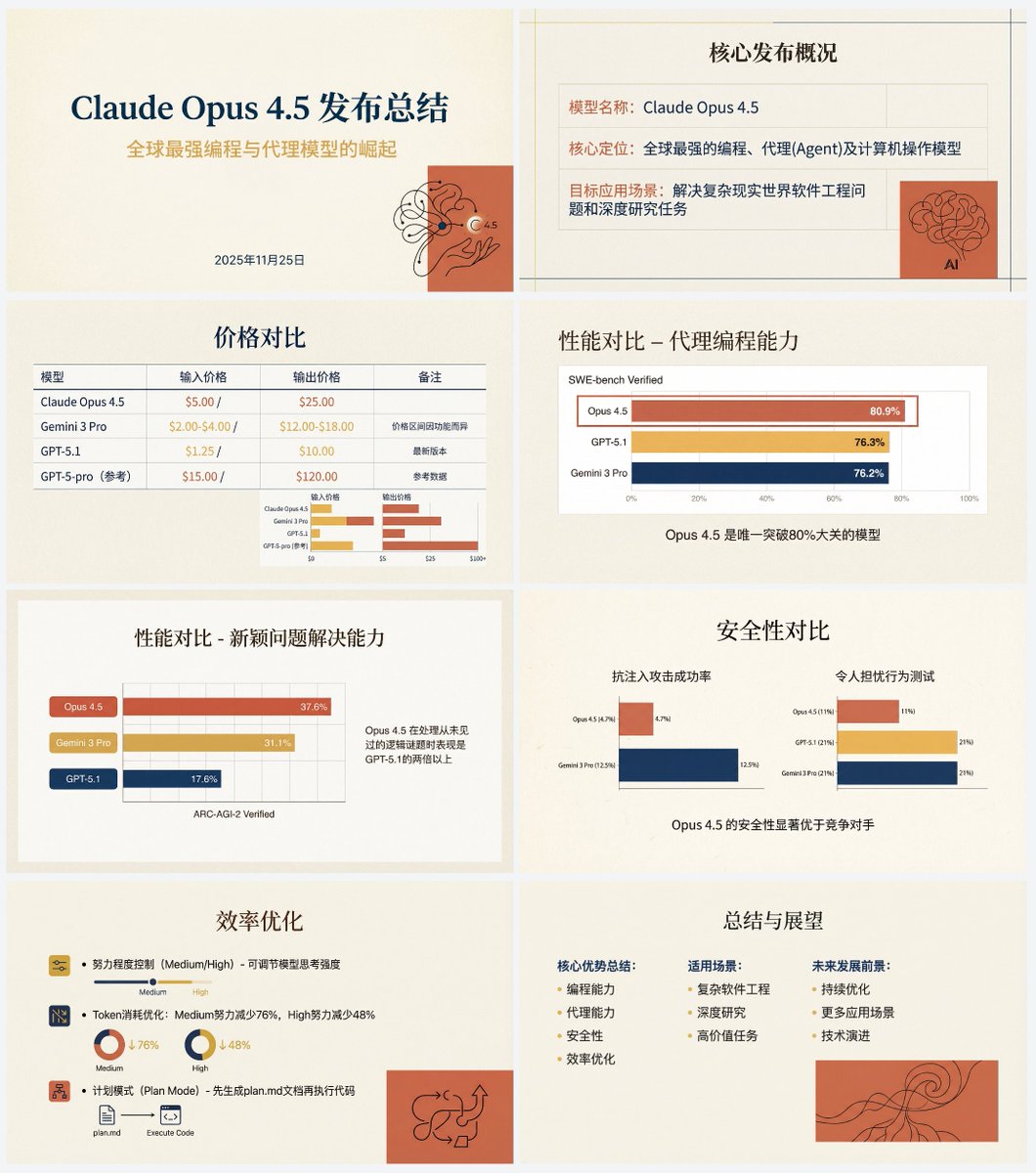
Based on the following article, create a professional Chinese PPT for me. First write a PPT outline and plan the content of each slide. Then feed the content of each slide to Nano Banana Pro to generate the corresponding PPT page, ensuring a consistent style. The specific PPT style should be an “Anthropic/Claude-style” warm academic humanistic design. Background: use warm beige/cream (#F3F0E9) as a solid base color, with a slightly premium paper texture. Fonts: use an elegant serif font for titles and a modern sans-serif font for body text. Color palette: the main colors are terracotta red (#D67052) and mustard yellow (#F0B857), accented with deep navy blue. Avoid neon colors or pure black. Visual elements: use a grid layout that emphasizes typography. Illustration style should be abstract, organic black hand-drawn line art placed on solid terracotta red blocks. You must use illustrations and decorative elements very sparingly, and they should serve the content. Charts: flat and minimal charts that emphasize data comparison, removing unnecessary borders. Both text and images are generated by Nano Banana Pro. Also, do not turn the PPT into one single large image; it should be one image per slide. The article content is:

Horizontal three-panel emotional portrait from one image

Horizontal three-panel emotional portrait from one image

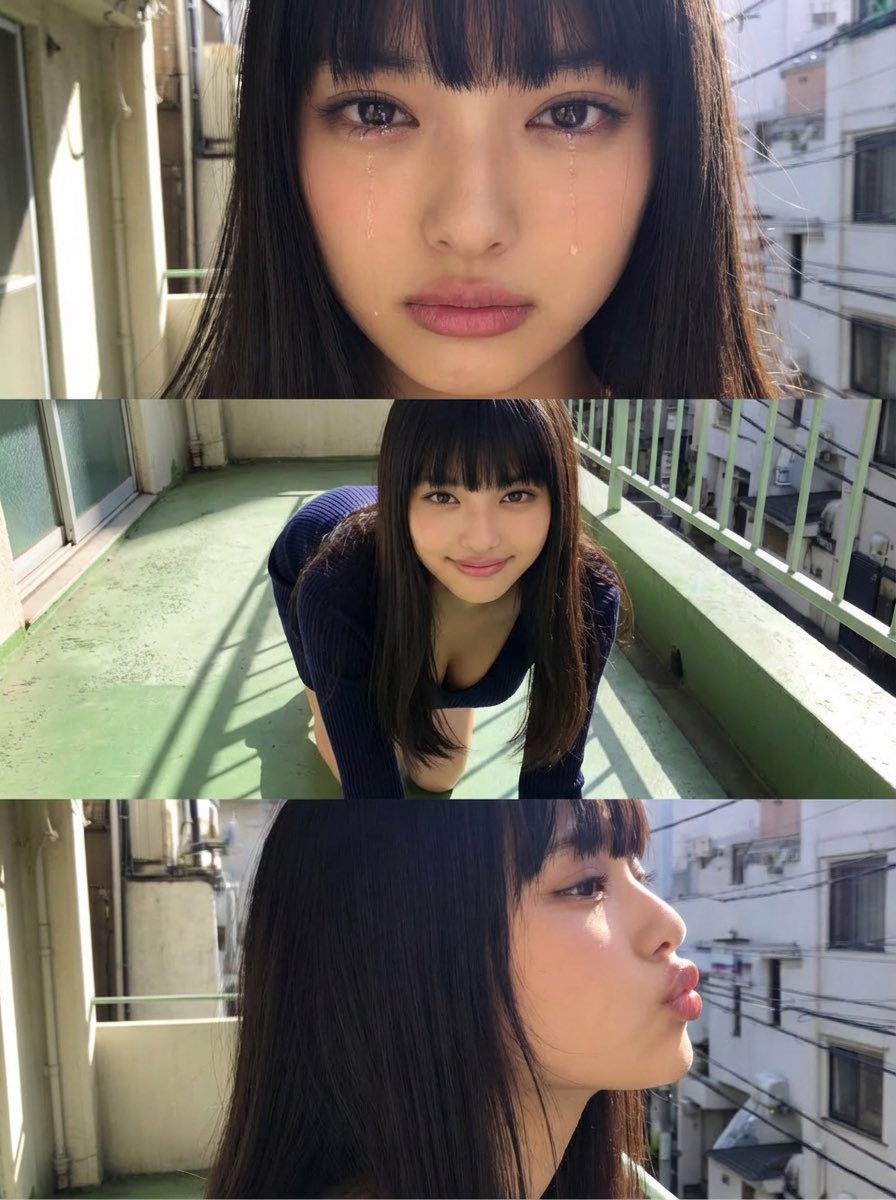
Use the attached image as the base. Do not change the person’s face, hairstyle, clothing, or body proportions. Generate a horizontal three-panel composition (top / middle / bottom). Top panel: Close-up showing only the eyes and mouth. Emotion: {argument name="top panel emotion" default="tearful, choked up, slightly crying"} Middle panel: On all fours. Gentle smile. Looking straight at the camera. Bottom panel: Side-face close-up from head to neck. {argument name="bottom panel expression and action" default="pouting lips, as if about to give a kiss"}

Some prompts are collected from creators on X. Copyright belongs to the original authors.