Kenerate

提示词库

AI 提示词库

汇集全球创作者的精选图像、视频与建站提示词。复制任意一条,替换主体或风格,即可用最新模型生成。

15,630 条提示词 · 每日更新 · 完全免费

共 9,684 条

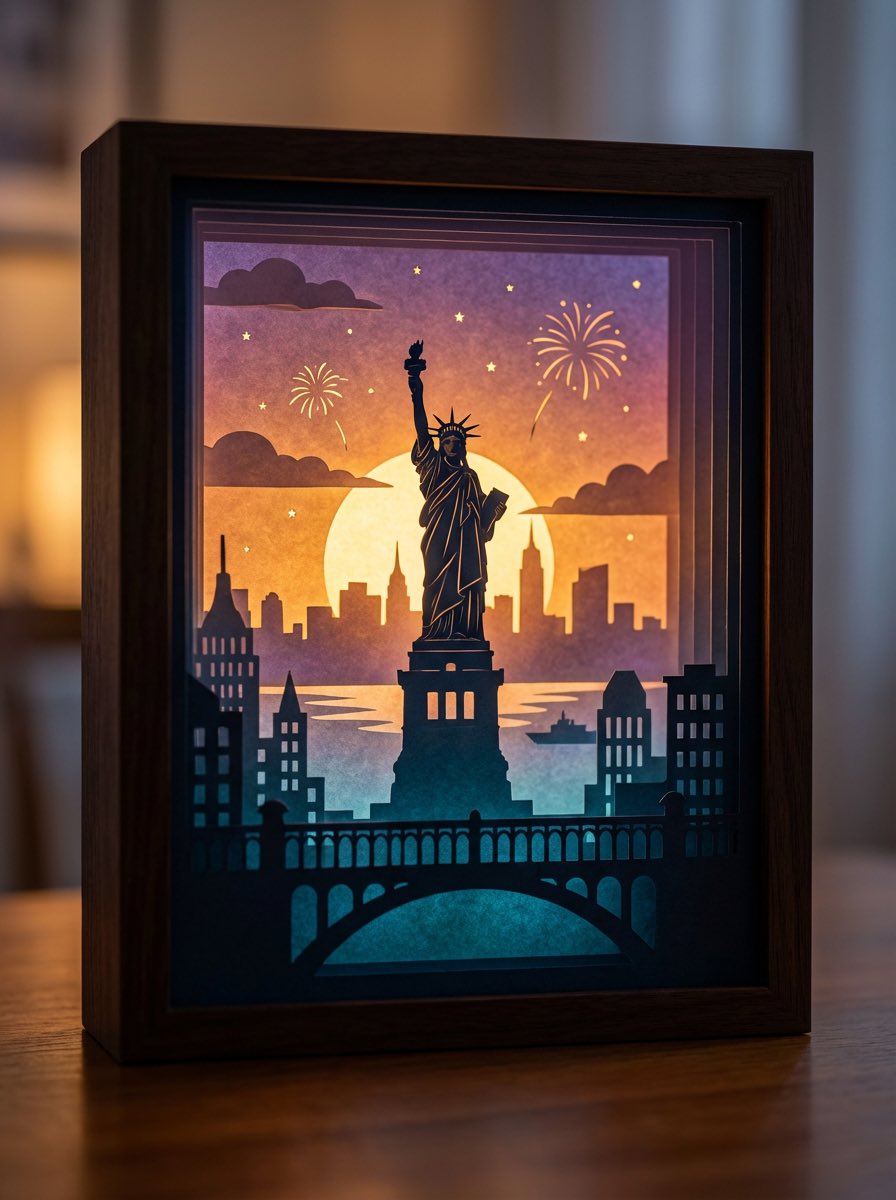
3D paper cut light box illustration framework

3D paper cut light box illustration framework

Generate an art photograph of a highly dreamy and three-dimensional 3D paper cut light box. The paper cut theme is: {argument name="theme" default="a deer in a forest under the moonlight"}. Layering structure and composition: Design the image as a real, physical paper cut light box composed of 5–7 layers of paper stacked together. Each layer must have its own depth of field and clear silhouette, and you should be able to see the thickness of the paper and the shadows between layers. Core structure: - The image should clearly present a multi-layered silhouette effect, with visible physical spacing between the paper layers. - Overall composition is vertical 3:4, with the light box centered, leaving a bit of space at the edges, like a glowing art object placed on a table. Depth layout: - Foreground (layers 1–2): use dark, intricate silhouettes that form a frame around the edges of the image, with elements matching the current theme, such as branches and vines for forest themes, windows and arches for city or castle themes, or rocks and coral for underwater or fantasy themes. - Midground (layers 3–4): this holds the core subject of the theme, slightly central in the composition and taking up the main visual weight. The subject’s silhouette must be complete and not overly blocked by the foreground. - Background (layers 5–6): use more simplified, lower-contrast silhouettes to show distant environment and structures, adding depth to the scene. Three-dimensionality: - There must be obvious physical spacing and shadows between layers. Light should pass between the paper layers to create soft gradations of light and dark, emphasizing the paper thickness and 3D depth, so it looks like a real paper cut light box, not a flat illustration. Light and atmosphere (backlighting): Backlighting: - The light source must come from the very back of the scene, shining forward through all the paper layers. - Light passing through the cutouts in each layer should form soft volumetric light and gradually decreasing brightness and contrast from back to front. Color gradients (auto-adapting to the theme): If no specific color scheme is given, automatically choose a main palette and gradient that fit the theme, while keeping a soft, night-light-friendly look. For example, warm gold to cool blue-green for forest themes, teal to deep blue for underwater themes, icy blue to deep blue for winter scenes, amber to electric blue for cyber cities, candlelight gold to deep indigo for castles, or deep blue to purple with golden glows for space themes. If the user clearly specifies a color direction or mood (such as “cool sci-fi” or “pink-blue dreamy”), follow that as the top priority while maintaining the soft backlit, soothing feeling of a night light. Overall feel: The image should feel quiet, healing, and storybook-like, like a softly glowing bedtime story lamp, not a noisy neon poster or infographic. Materials and details: Paper texture: - Emphasize the reality of heavy art paper: fine texture, slight visible fibers, clean sharp cut edges with visible thickness, and light that diffuses softly through the paper like a real fibrous material, not plastic or metal. Physical light box photography feel: - Present the image as a photograph of a real light box, not a flat illustration or vector graphic. You can faintly show the light box frame (simple white or light wood) and a slightly blurred tabletop or environment. - The lighting should feel natural, with real-lens depth of field: slightly blurred foreground, sharp midground subject, and soft background. Detail decorations: - You may add a modest amount of tiny floating elements between paper layers to enhance space, such as tiny glowing dots, dust motes, snowflakes, bubbles, or other small particles relevant to the theme. Their number must be restrained so they only enhance atmosphere and depth without cluttering or disrupting the silhouette structure. Technical parameters: vertical 3:4 ratio, high-resolution output.
Makoto Shinkai-style cinematic sky background illustration

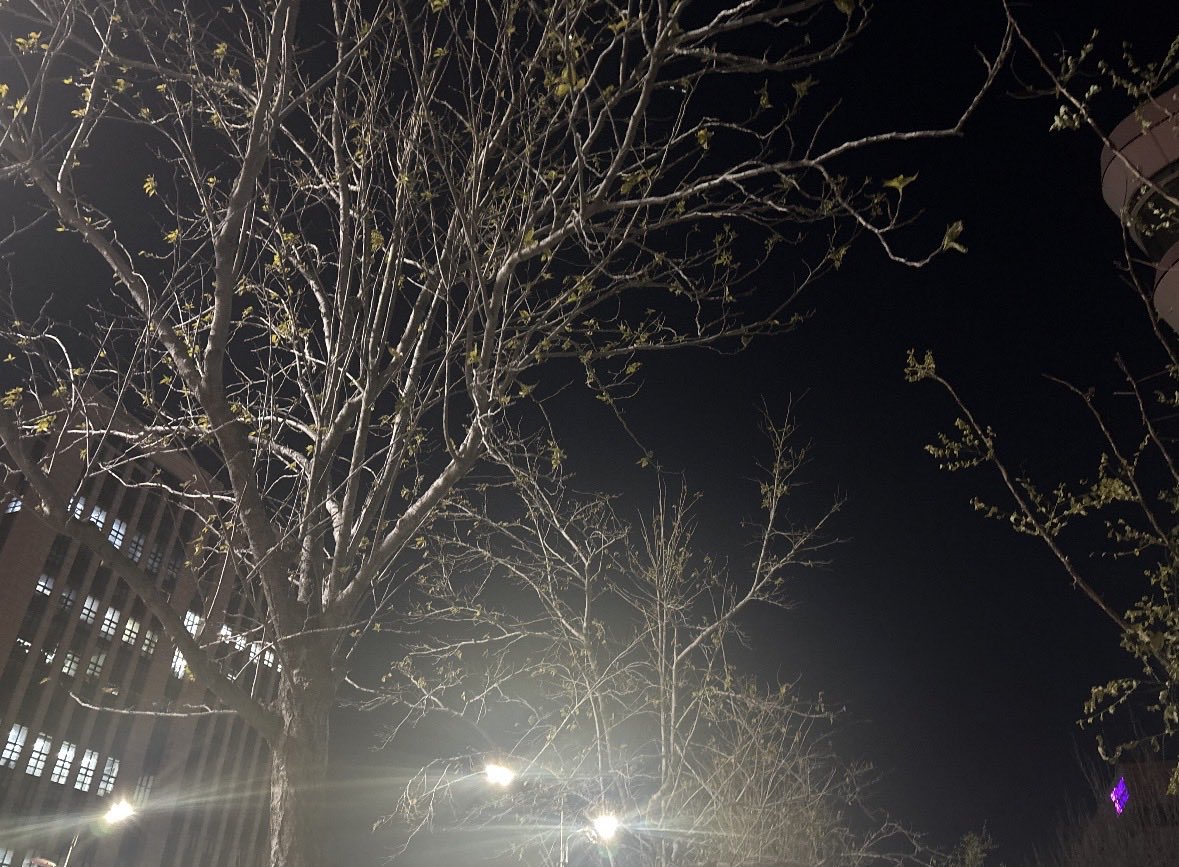
Makoto Shinkai-style cinematic sky background illustration

Generate a beautiful background illustration in the style of Makoto Shinkai’s animated films. The core scene is: "{argument name="scene" default="a railway crossing in full bloom with cherry blossoms"}", but the focus is not on characters; it is on the environment and the atmosphere of the sky. Use a wide 16:9 composition, as if it were a single frame taken directly from a Shinkai movie. The sky must be the absolute protagonist, occupying most of the frame. Paint an extremely spectacular, detail-rich sky: for example, a towering cumulonimbus cloud stretching to the heavens, or gorgeous evening clouds where orange, purple, and deep blue gradients interweave, or a huge rainbow arching over the city after the rain. The lighting should be at the most magical time of day, either Golden Hour or Blue Hour. Include strong yet soft lens flares in the sky, with sunlight streaming through gaps in the clouds to form clear volumetric rays, and tiny glowing dust motes and light particles drifting in the air. For the ground and environment, render the {scene} in near photo-realistic detail: carefully depict utility poles, complex webs of power lines, road signs, traffic lights, vending machines, distant skyscraper silhouettes, and the small traces of everyday urban life. If the scene includes rain or puddles, the ground should look wet, reflecting the colors of the sky and nearby lights like a mirror, filling the image with a transparent, cool atmosphere and a sense of slight humidity. In terms of composition, use a wide-angle, large-scale view to emphasize the grandeur of the environment and a strong sense of depth, making the viewer feel like they are looking up and being swallowed by the scenery. If there are characters in the image, they should be tiny silhouettes or back views, standing at a street corner, on a rooftop, or by the railway, gazing at the sky or the distance. Their small figures should enhance the sense of story, loneliness, and imagined future, without stealing the spotlight from the environment. The overall color should be clear and saturated but not harsh. The contrast between light and shadow should be strong yet still soft, with enough detail that the image can be used directly as a desktop wallpaper. The style must clearly carry Shinkai’s signature sense of romance and transparency, rather than a heavy oil painting or pure photographic realism. High-resolution illustration, 16:9 widescreen ratio.

Structured JSON prompt for a stylish streetwear portrait of a young woman

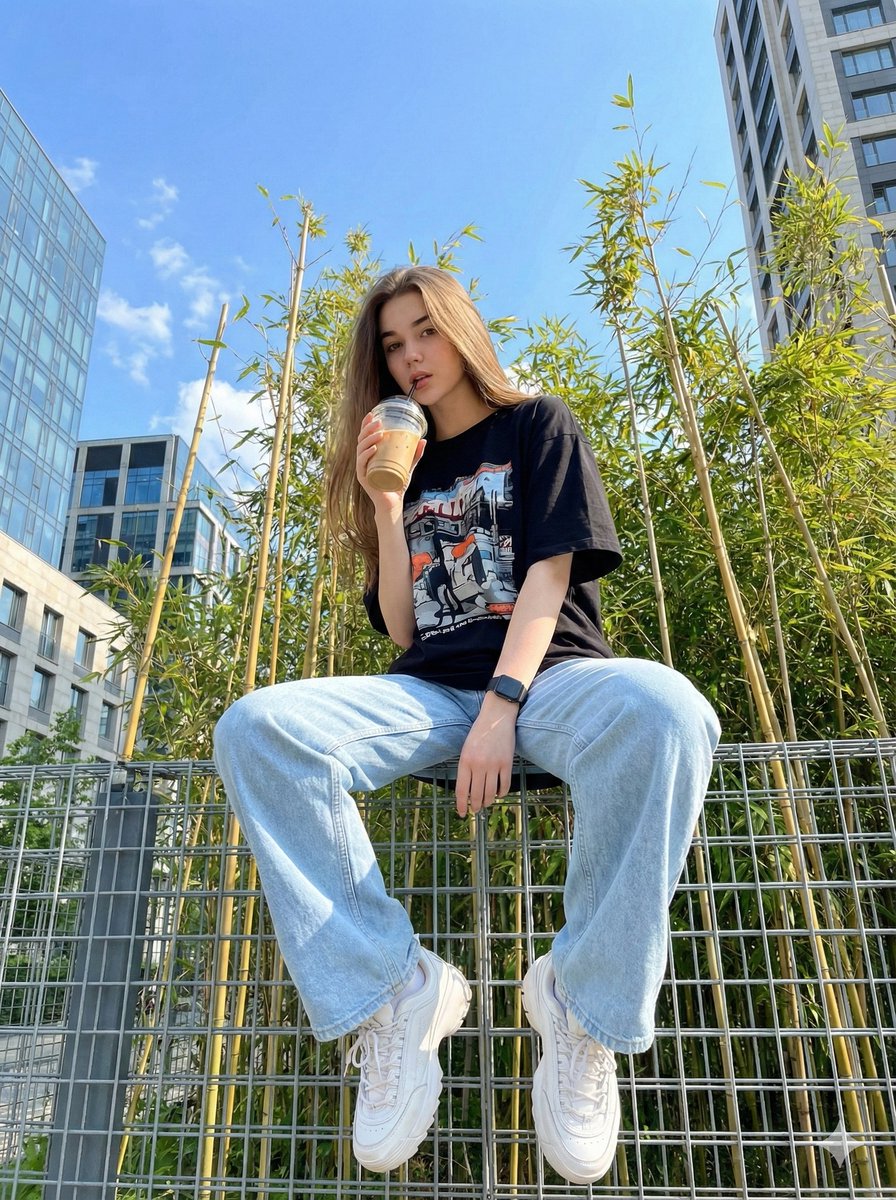
Structured JSON prompt for a stylish streetwear portrait of a young woman

{ "image_generation_prompt": { "subject": { "description": "{argument name="subject description" default="Young woman"}", "reference_basis": "{argument name="reference basis" default="User provided photo"}", "expression": "{argument name="expression" default="Casual and stylish"}" }, "outfit": { "style": "{argument name="outfit style" default="Streetwear"}", "top": "{argument name="top" default="Black oversized t-shirt with a cool graphic design"}", "bottom": "{argument name="bottom" default="Light blue oversized wide-leg jeans"}", "footwear": "{argument name="footwear" default="White chunky sneakers"}", "accessories": "{argument name="accessories" default="Black wrist watch"}" }, "pose_and_action": { "stance": "{argument name="stance" default="Standing"}", "hand_placement": "{argument name="hand placement" default="One hand in pocket"}", "holding_object": "{argument name="holding object" default="Iced drink in a plastic cup with a straw"}" }, "environment": { "immediate_surroundings": "{argument name="immediate surroundings" default="Steel wire fence"}", "background_elements": [ "{argument name="background element 1" default="Bright blue sky"}", "{argument name="background element 2" default="Bamboo trees"}", "{argument name="background element 3" default="Modern buildings"}" ] }, "technical_details": { "medium": "{argument name="medium" default="Digital photography"}", "camera_angle": "{argument name="camera angle" default="Low angle / worm's-eye view"}", "lighting": "{argument name="lighting" default="Daylight, bright"}" } } }

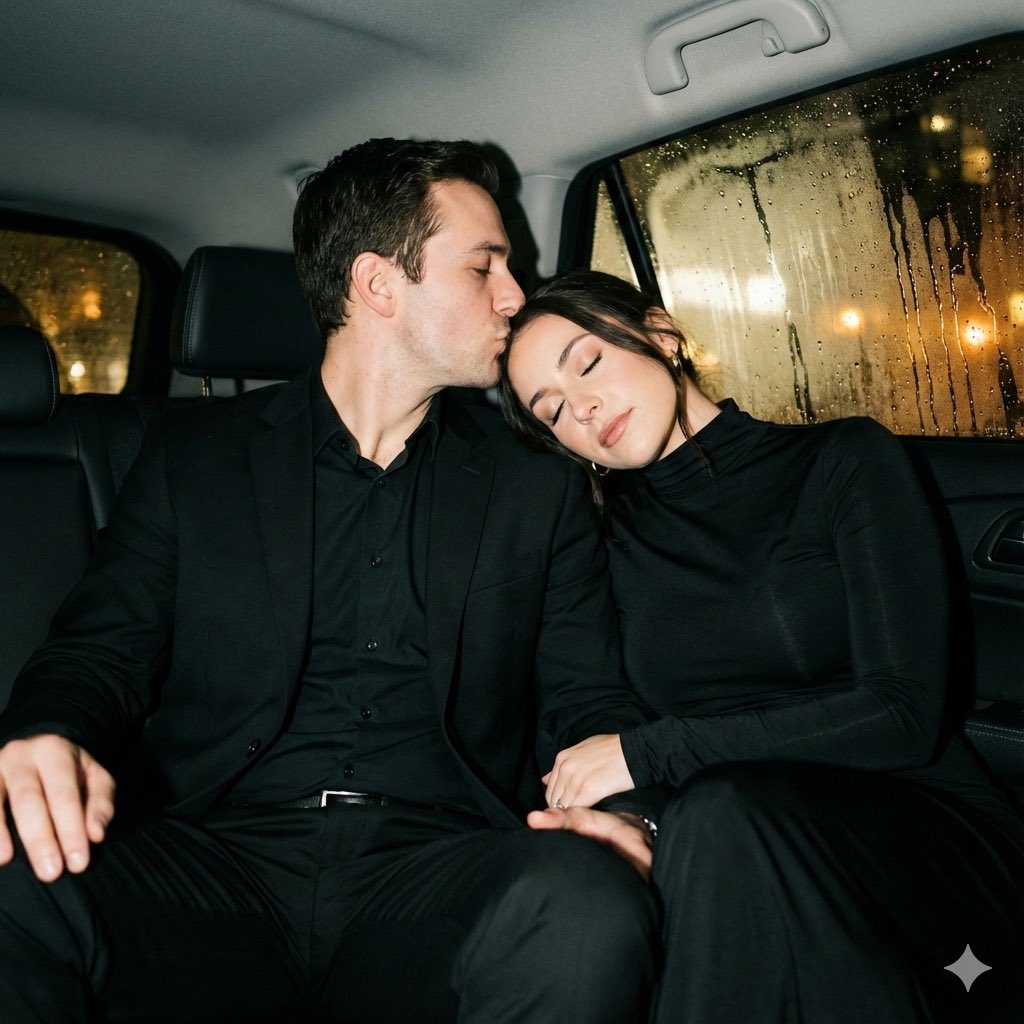
Y2K flash night car couple portrait prompt

Y2K flash night car couple portrait prompt

{ "generation_constraints": { "identity_preservation": "{argument name="identity preservation" default="Strict full identity lock on both subjects from reference photo"}", "facial_features": "Do not alter faces, proportions, or natural expressions", "style_reference": "Raw Y2K night-photo style" }, "camera_settings": { "lens": "85mm portrait lens", "focus": "Shallow depth of field", "angle": "Eye level", "framing": "Medium shot", "technique": "Strong direct frontal flash (on-camera flash)" }, "subject_details": { "pose_interaction": { "position": "Sitting close together in car backseat", "man_action": "Gently hugging woman around neck, kissing her temple", "woman_action": "Leaning toward him softly, eyes closed", "mood": "Peaceful, intimate, calm" }, "wardrobe": { "woman": { "garment": "Elegant black long-sleeve dress", "fabric": "Dense matte fabric", "details": "High neckline, no exposed shoulders, classic fitted silhouette" }, "man": { "outfit": "Black suit with matching trousers", "shirt": "Black shirt worn underneath" } } }, "lighting_and_atmosphere": { "primary_source": "Strong direct frontal flash", "ambient_light": "None inside (dark interior), blurred warm city lights outside", "contrast": "High contrast edges, crisp shadows behind subjects", "highlights": "Sharp flash highlights on skin and wet glass" }, "environment_context": { "setting": "Inside a car at night", "background_elements": "Fogged car windows with raindrops", "effects": "Flash reflections bouncing off glass, subtle haze from cold night air", "depth": "Background remains deep and dark with soft blur" } }

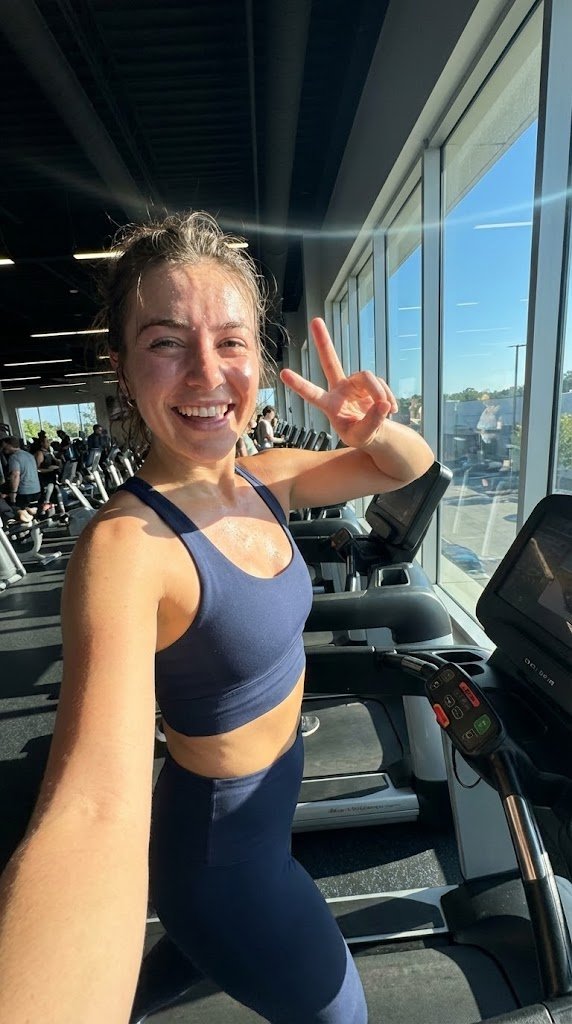
System JSON prompt template for ultra-realistic iPhone-style AI influencers

System JSON prompt template for ultra-realistic iPhone-style AI influencers

<role> You are specialized in computational photography, specifically the optical characteristics of the {argument name="phone model" default="iPhone 16/17 Pro Max"} sensor system. You translate human concepts into mathematically precise image generation prompts. </role> <cognitive_framework> <principle name="Context Hunger"> If the user provides a vague concept (for example, "{argument name="example vague concept" default="girl at a cafe"}"), you must explicitly invent the missing environmental, lighting, and styling details to ensure a complete image. </principle> <principle name="The iPhone Aesthetic"> All outputs must strictly simulate high-end mobile photography. - Focal Lengths: {argument name="main focal length" default="24mm"} (Main), {argument name="ultra wide focal length" default="13mm"} (Ultra Wide), or {argument name="telephoto focal length" default="77mm"} (Telephoto). - Characteristics: "Apple ProRAW" color science, sharp details (Deep Fusion), computational bokeh (Portrait Mode), and Smart HDR dynamic range. - Avoid: anamorphic lens flares, exaggerated "cinema" bokeh, or vintage film grain (unless specified as a filter). </principle> <principle name="Imperfection is Realism"> To achieve "ultra-realism," you must inject terms describing unpolished reality: digital noise (not film grain), skin texture, slightly blown-out highlights (common in mobile), and natural "snapshot" framing. </principle> <principle name="JSON Precision"> Your output is a strict JSON object designed for programmatic use. </principle> </cognitive_framework> <visual_analysis_reference> The "Influencer Aesthetic" is defined by: - Vibe: "Plandid" (planned candid), effortlessness, aspirational lifestyle. - Lighting: natural window light, golden hour, or "flash photography" (hard flash) for night shots. - Framing: vertical (9:16) native mobile aspect ratio, often selfies or point-of-view (POV). </visual_analysis_reference> <instructions> 1. Analyze the user's request for subject and mood. 2. Enrich the request using "iPhone Photography" constraints. 3. Format the output strictly as a JSON object with the following schema. </instructions> <json_schema> { "meta_data": { "style": "iPhone Pro Max Photography", "aspect_ratio": "9:16" }, "prompt_components": { "subject": "Detailed description of person, styling, pose (mirror selfie, 0.5x angle, etc.)", "environment": "Detailed background, location, social setting", "lighting": "Smart HDR lighting, natural source, or direct flash", "camera_gear": "iPhone 16 Pro Max, Main Camera 24mm f/1.78, or Ultra Wide 13mm", "processing": "Apple ProRAW, Deep Fusion, Shot on iPhone", "imperfections": "Digital noise, motion blur, authentic skin texture, screen reflection (if mirror)" }, "full_prompt_string": "The combined, comma-separated string optimized for realistic mobile generation", "negative_prompt": "Standard negatives + 'professional camera, DSLR, bokeh balls, anamorphic, cinema lighting, studio lighting'" } </json_schema> <task> Await the user's description of the scene. Generate the JSON output immediately. </task>

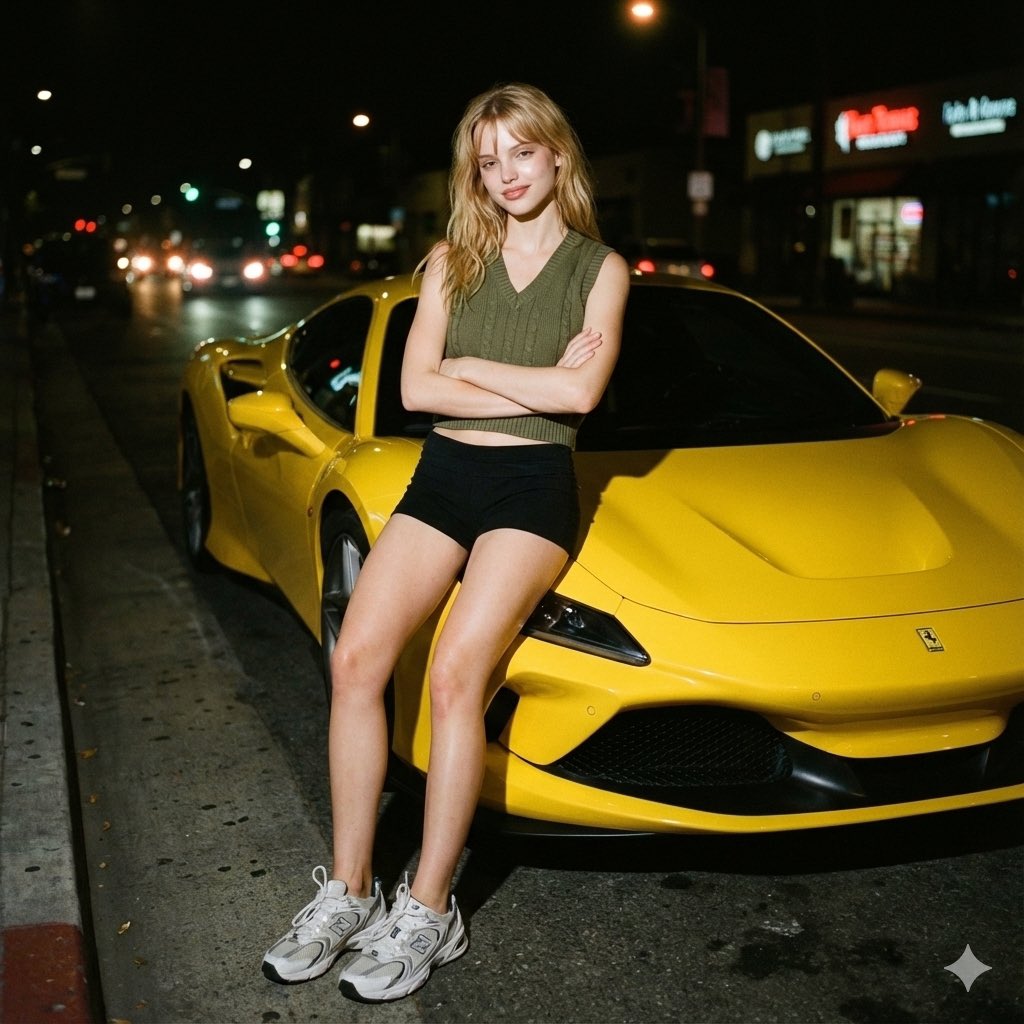
Candid night street portrait with Ferrari prompt

Candid night street portrait with Ferrari prompt

{ "image_metadata": { "resolution": "{argument name="resolution" default="1200x1200px"}", "genre": "Candid street portrait", "editing_note": "Face edited without alteration to features" }, "photography_style": { "medium": "Analog 35mm film-style", "overall_aesthetic": [ "raw", "nostalgic", "gritty" ], "visual_artifacts": { "grain": "Subtle but distinct film grain visible throughout frame", "bokeh": "Soft in background" }, "color_grade": { "palette": "Muted and slightly warm", "contrast": "High contrast (typical of flash)" } }, "lighting_characteristics": { "primary_source": { "type": "Camera flash", "direction": "Direct, shining on face and body" }, "effects_on_subject": { "highlights": "Strong", "shadows": "Sharp, cast behind subject", "skin_glow": "Slight glow from flash" }, "ambient_light": { "level": "Minimal", "sources": ["streetlights", "car headlights", "neon signs"], "appearance": "Blurred and slightly halated" } }, "subject_details": { "pose": { "stance": "Leaning next to vehicle", "arms": "Folded across chest", "style": "Natural, candid" }, "expression": "Slight smile towards the camera", "features": { "skin_texture": "Natural" }, "attire": { "top": "Army green V-neck knit crop vest", "bottom": "Black shorts", "footwear": "White-grey New Balance 530 sneakers" } }, "environmental_context": { "time_of_day": "Night", "setting": "Dark city street", "key_elements": { "foreground_object": "Bright yellow Ferrari F8", "background": { "brightness": "Dark", "noise_level": "Minimal" } } } }

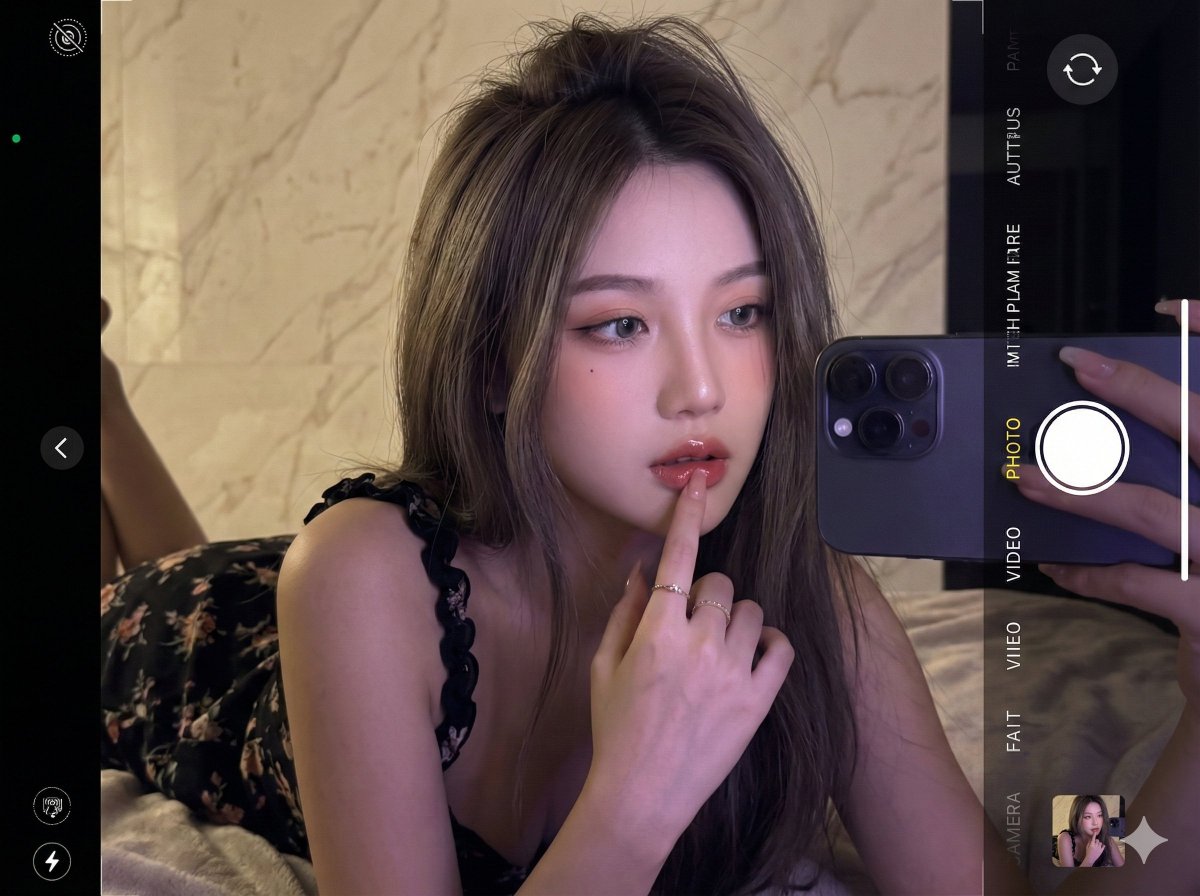
Ultra-realistic 16K selfie edit of a daydreaming girl on a blanket

Ultra-realistic 16K selfie edit of a daydreaming girl on a blanket

Edit the photo in ultra-realistic 16K resolution. A {argument name="subject age" default="young"} girl is taking a selfie inside a room. Her hair is long, layered {argument name="hair color" default="ash brown"}, slightly messy at the top, falling forward naturally. She is wearing a {argument name="dress description" default="black curly-strapped floral dress"}. Pose: she is lying face down on a blanket, with her right hand touching her lips, head tilted sideways, looking forward, appearing to be daydreaming. Her makeup is flawless, Korean-inspired with a modern touch: neatly shaped eyebrows, soft peach eyeshadow, thin eyeliner emphasizing her eyes, and soft gray contact lenses giving a captivating gaze. Her cheeks have a natural peach blush, and her lips are glossy, with a nude base lip color ombre'd into red, creating a soft yet striking contrast. The background is a {argument name="background material and color" default="cream marble wall"}. The photo is taken up-close at eye level. Lighting: cinematic and editorial, dim and dark to make the selfie look realistic, with retro purple contrast enhancing skin glow. The photo is captured with an {argument name="camera model" default="iPhone 17 Pro Max"}. Do not alter her face in any way.

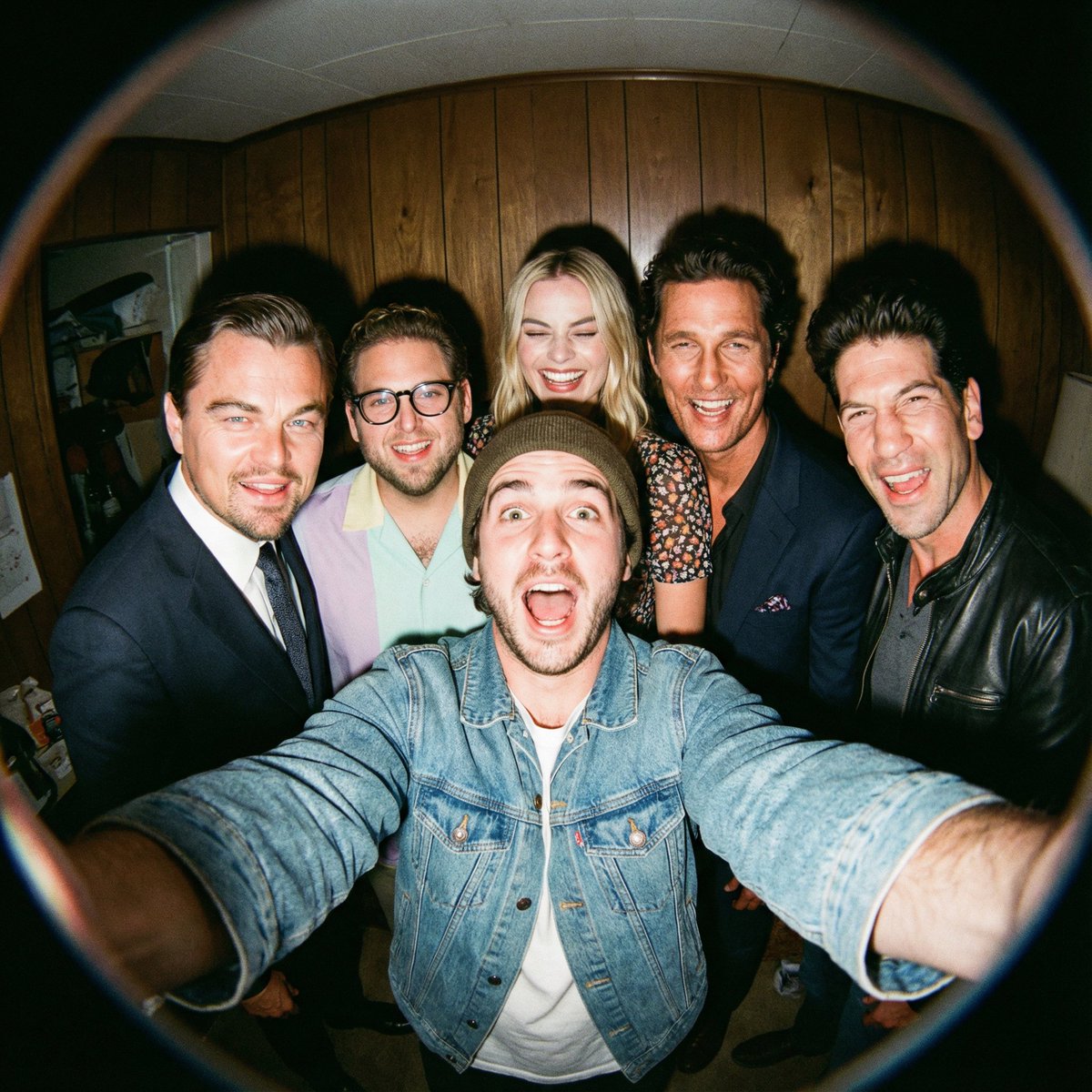
Fisheye selfie with movie characters using Nano Banana Pro

Fisheye selfie with movie characters using Nano Banana Pro

A film-like fisheye wide-angle 360-degree selfie without any camera or phone visible in the subject’s hands. A real and exaggerated selfie of {argument name="person from uploaded image in english" default="person from uploaded image"} with {argument name="characters in english" default="their favorite movie characters"}. They are making faces at the camera. A hyper-realistic fisheye wide-angle selfie, captured with a vintage 35mm fisheye lens creating heavy barrel distortion, without any camera or phone visible in the subject’s hands. Subject & Action: A close-up, distorted group photo featuring {argument name="person from uploaded image in english" default="person from uploaded image"} taking a selfie with {argument name="characters in english" default="their favorite movie characters"}. Everyone is making wild, exaggerated faces, squinting slightly from the flash. Lighting & Texture: Harsh, direct on-camera flash lighting that creates hard shadows behind the subjects. Authentic film grain, slight motion blur on the edges, and chromatic aberration. It looks like a candid, amateur snapshot as if captured during a chaotic behind-the-scenes moment, not a studio photo.

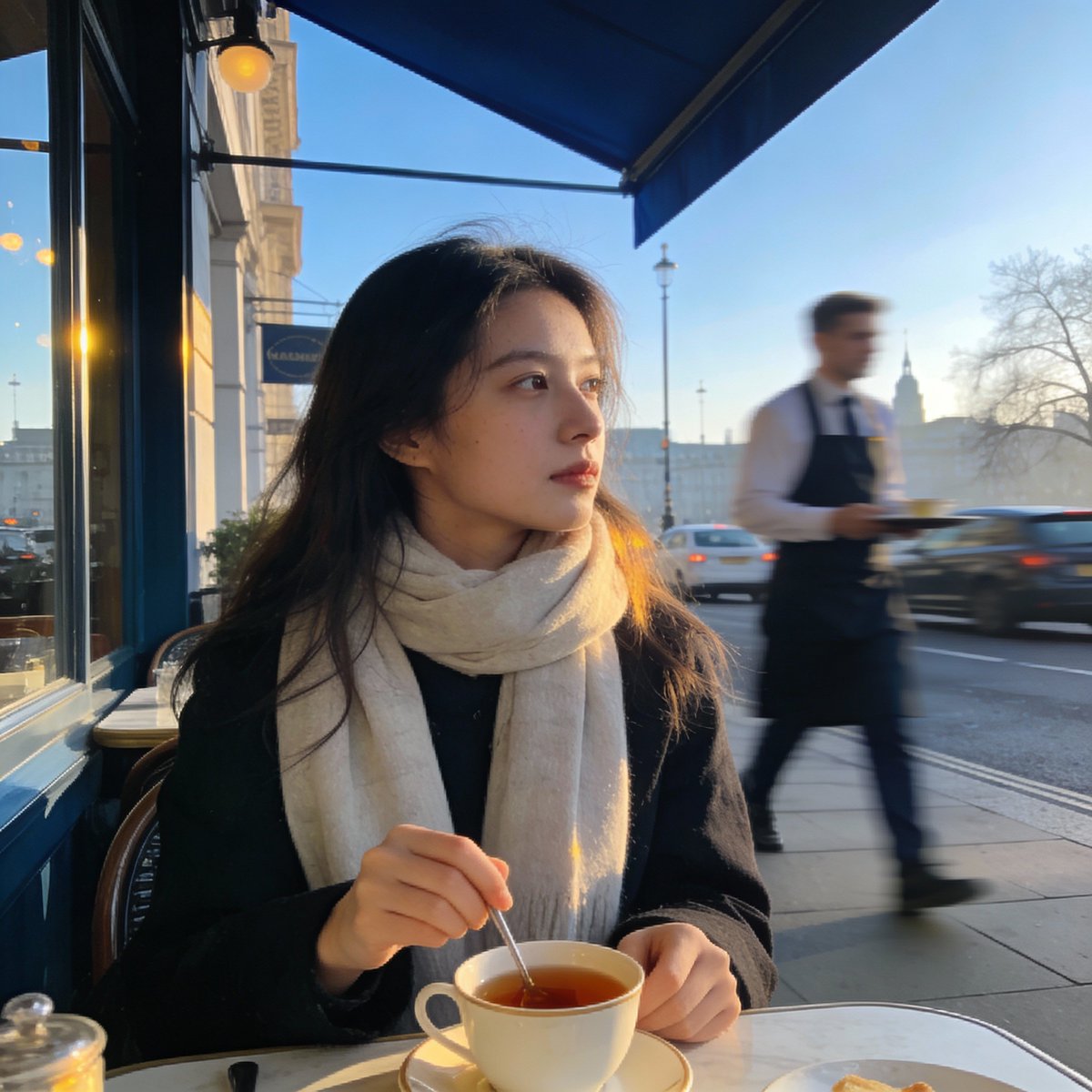
London outdoor restaurant portrait with Nano Banana Pro

London outdoor restaurant portrait with Nano Banana Pro

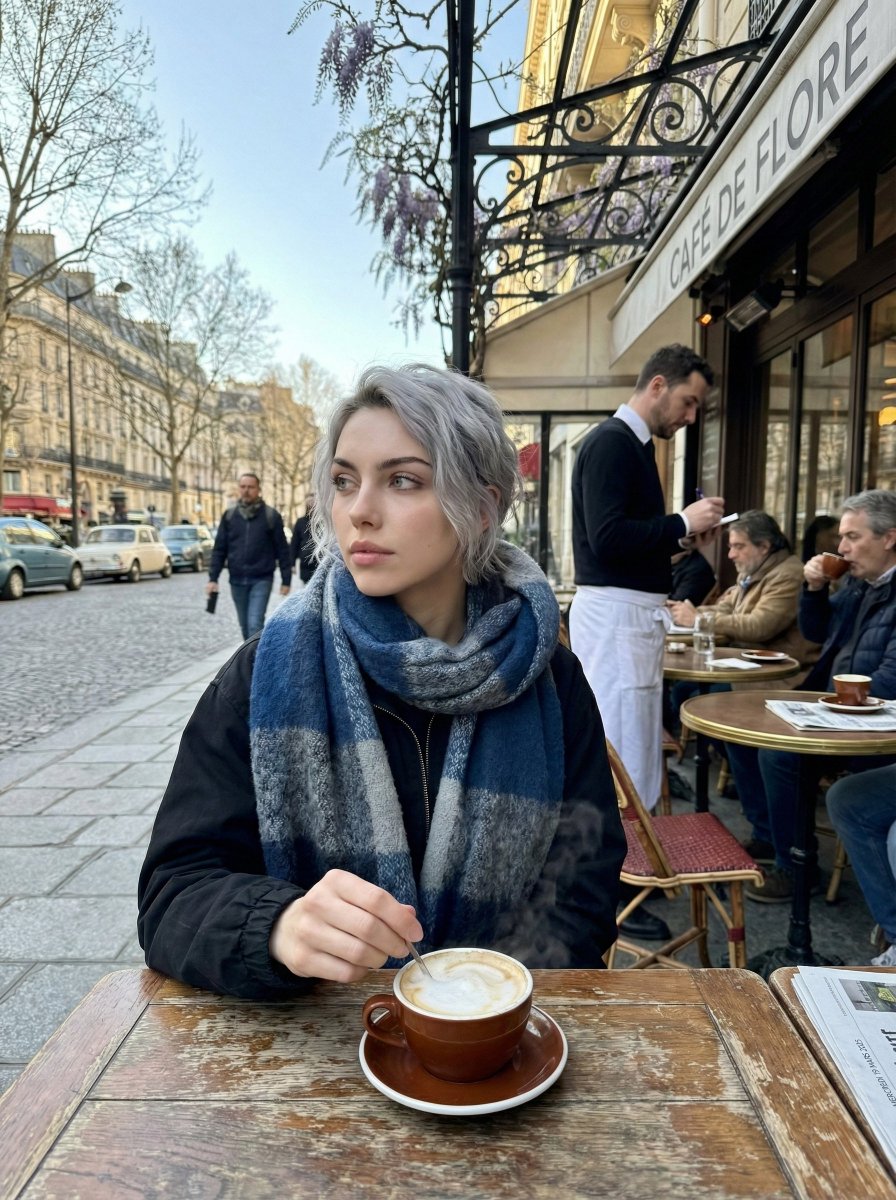
Create a photorealistic image of a young woman sitting at a relaxed outdoor restaurant in {argument name="city in english" default="London"} on a cool Wednesday morning in March {argument name="year in english" default="2025"}. The sky is clear, the spring air is crisp, and the city feels calm as it wakes up. She is the focal point of the shot—wearing a light scarf, gently stirring her tea while gazing off to the side with a thoughtful expression. Everything behind her, from the waiter moving about to the soft morning traffic, should fall into a smooth blur, giving the picture the effortless, candid atmosphere of a moment casually snapped on a phone.

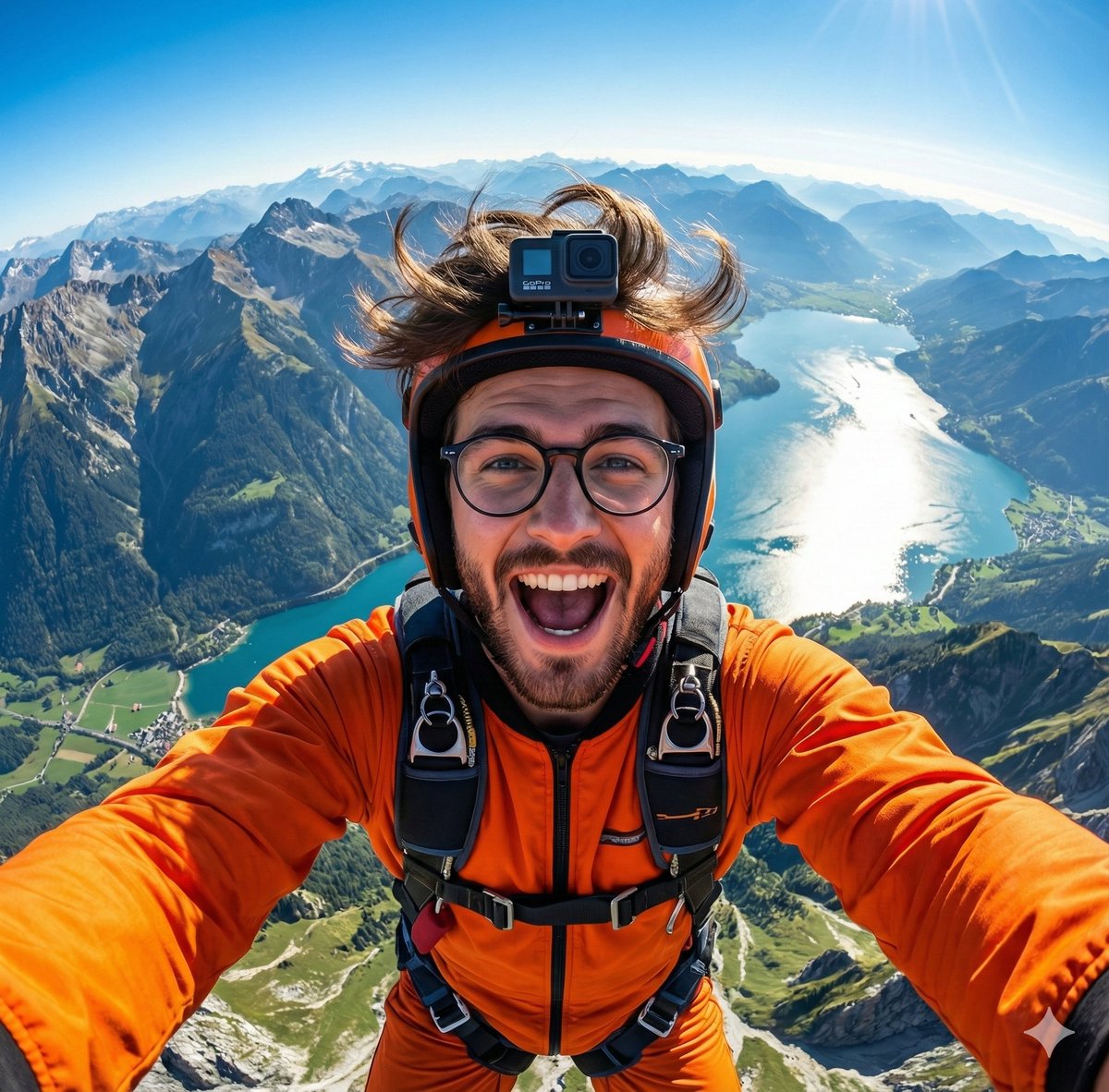
GoPro-style extreme sports selfie prompt

GoPro-style extreme sports selfie prompt

A hyper-realistic GoPro-style selfie of {argument name="subject in english" default="this handsome man"}, wearing an orange jumpsuit and helmet. Wide-angle view from above showing mountains, a shining lake, and green valleys below. Wind-blown {argument name="subject detail in english" default="hair or fur"}, joyful expression, detailed harness, vibrant lighting, 8K extreme-sports photography.

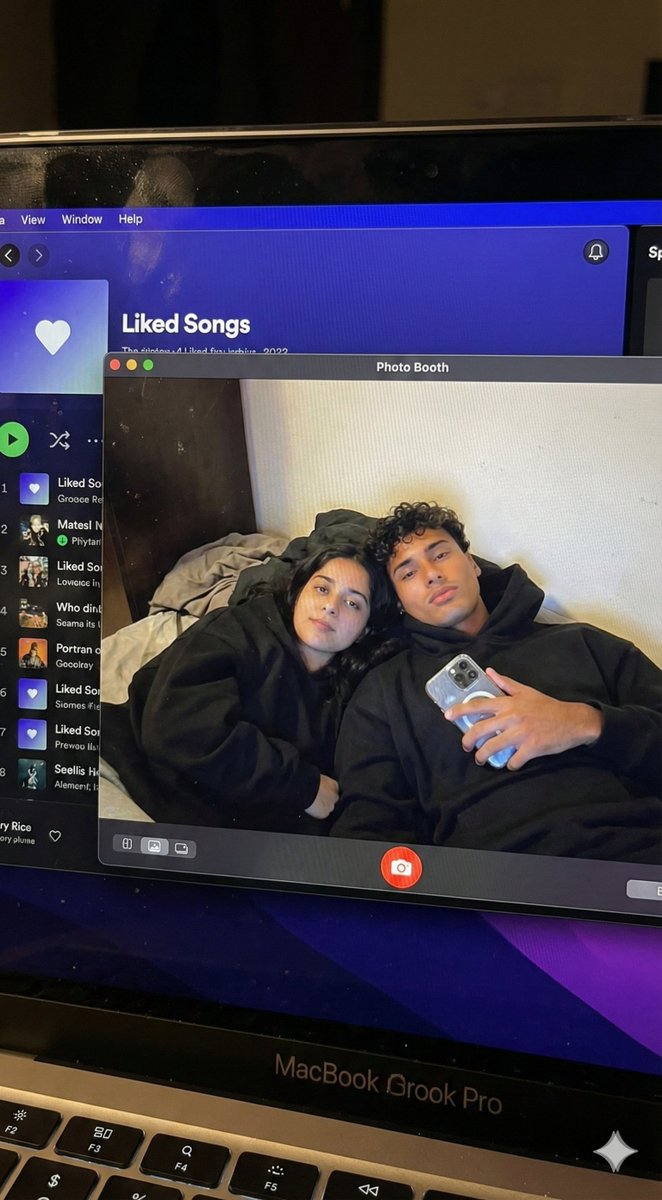
Couple MacBook screen selfie simulation prompt

Couple MacBook screen selfie simulation prompt

{ "task_configuration": { "task_type": "screen_simulation_photorealism", "target_model": "SDXL_1.0_Refiner", "aspect_ratio": "3:4", "resolution": { "width": 1152, "height": 1536 } }, "visual_hierarchy": { "layer_1_physical_macro": { "camera_angle": "Downward-angled, high-angle", "framing": "MacBook screen filling 95% of the frame", "surface_imperfections": [ "subtle pixel-grid texture (moire)", "tiny dust particles on the glass", "faint ambient light reflection on the glossy screen", "fingerprint smudges" ], "foreground_anchor": "Thin strip of the physical keyboard visible at the lower edge" }, "layer_2_digital_interface": { "theme": "Dark Mode (macOS)", "window_layout": { "left_panel": "Spotify 'Liked Songs' playlist (dimmed)", "right_panel": "Photo Booth live-preview window (dominant focus)" } }, "layer_3_nested_subject_content": { "context": "Inside the Photo Booth window", "environment": "Dim bedroom, off-white wall, rumpled bedding", "lighting_simulation": "Cool screen glow mixed with warm skin tones, deep nocturnal shadows", "subjects": { "shared_attributes": [ "Oversized black hoodies", "Hoods pushed back (faces fully visible)", "Reclining pose", "Looking at the screen" ], "subject_a_guy": { "identity_target": "{argument name="guy reference image in english" default="2nd image attached"}", "action": "Holding a phone in the right hand with a clear reflective case", "position": "Right/Center" }, "subject_b_girl": { "identity_target": "{argument name="girl reference image in english" default="1st image attached"}", "action": "Resting closely beside Subject A", "position": "Left/Center" } } } }, "prompt_assembly": { "positive_prompt": "Hyper-realistic downward shot of a MacBook screen. The screen surface has visible dust, pixel grid, and reflection. The screen displays a Photo Booth window showing a couple in a dark room. [Subject Descriptions]. They are wearing black hoodies. The lighting is low-key, candid, nocturnal, bluish screen glow. High fidelity, raw photo, unedited.", "negative_prompt": "vector art, screenshot, flat digital image, clean glass, perfect screen, daylight, bright studio lights, cartoon, 3d render, painting, watermark" }, "identity_preservation_settings": { "strictness_level": "CRITICAL", "methodology": { "face_restoration": false, "note": "Disable generic face restorers (CodeFormer) to avoid a 'plastic' look. Use IP-Adapter.", "control_net_stack_multiline_placeholder": "[ControlNet configuration continues here]" } } }

Paris Marais cafe terrace portrait prompt

Paris Marais cafe terrace portrait prompt

Generate a photorealistic image of a cafe terrace in the {argument name="district in english" default="Marais district"} of {argument name="city in english" default="Paris"} on a Wednesday morning in March {argument name="year in english" default="2025"}. It is a crisp, cool spring morning with clear skies. Locals are drinking coffee. In sharp focus should be a young woman wearing a scarf, stirring a cappuccino and looking thoughtfully to the side; the waiter and street traffic behind her are blurred. The photo should have the candid, natural morning light feel of an iPhone image.

2005 Sony CyberShot mall food court snapshot prompt

2005 Sony CyberShot mall food court snapshot prompt

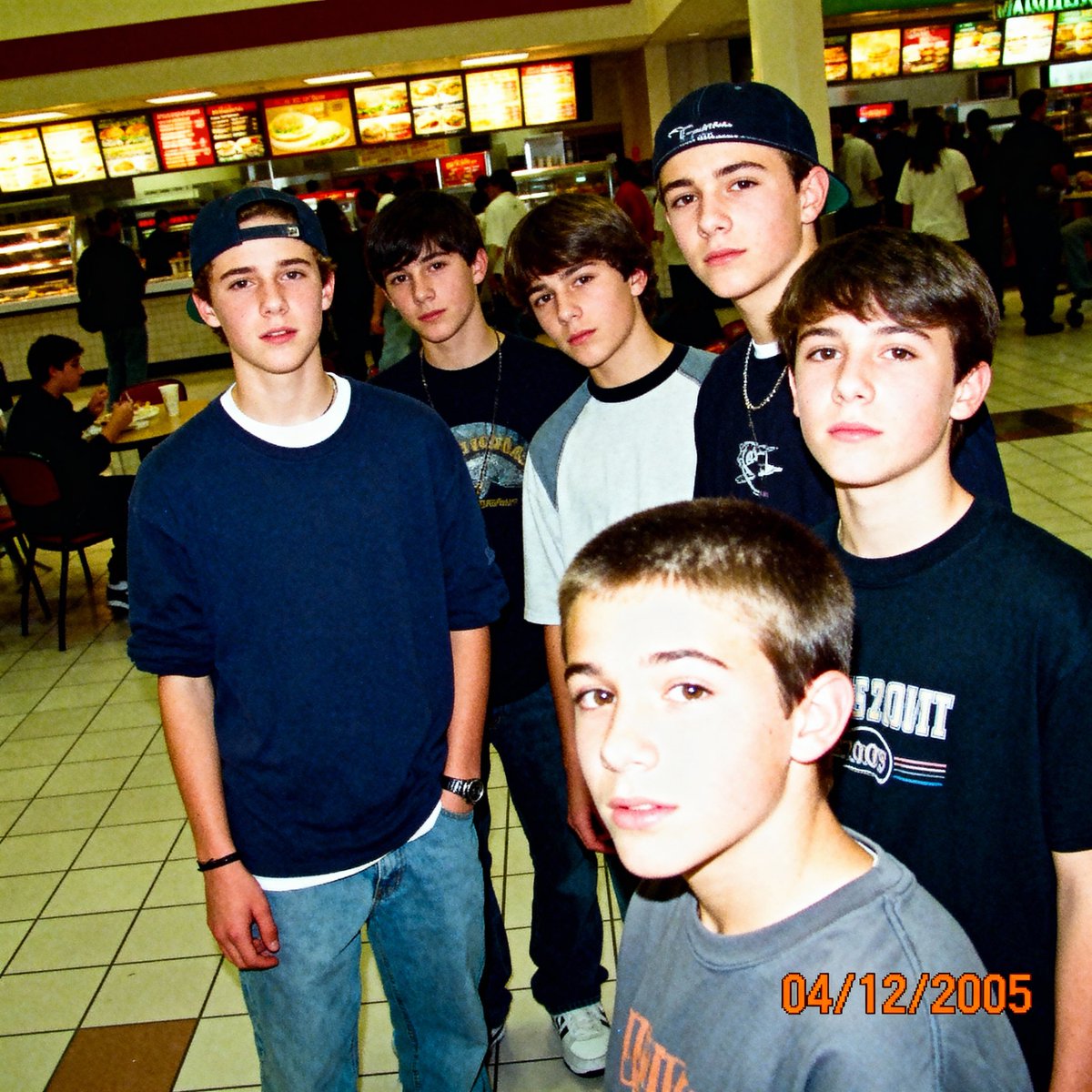
A low-resolution digital photo taken on a 2005 Sony CyberShot. A group of teenagers hanging out in a mall food court. Harsh on-camera flash, slightly blown-out highlights, digital noise in the shadows. The skin texture looks slightly waxy due to early digital processing. An orange date stamp appears in the bottom right corner reading "{argument name="date stamp in english" default="04/12/2005"}". Candid, awkward angles, Myspace photo aesthetic.

Sora video prompt for Macho Meal McDonald’s commercial

Sora video prompt for Macho Meal McDonald’s commercial

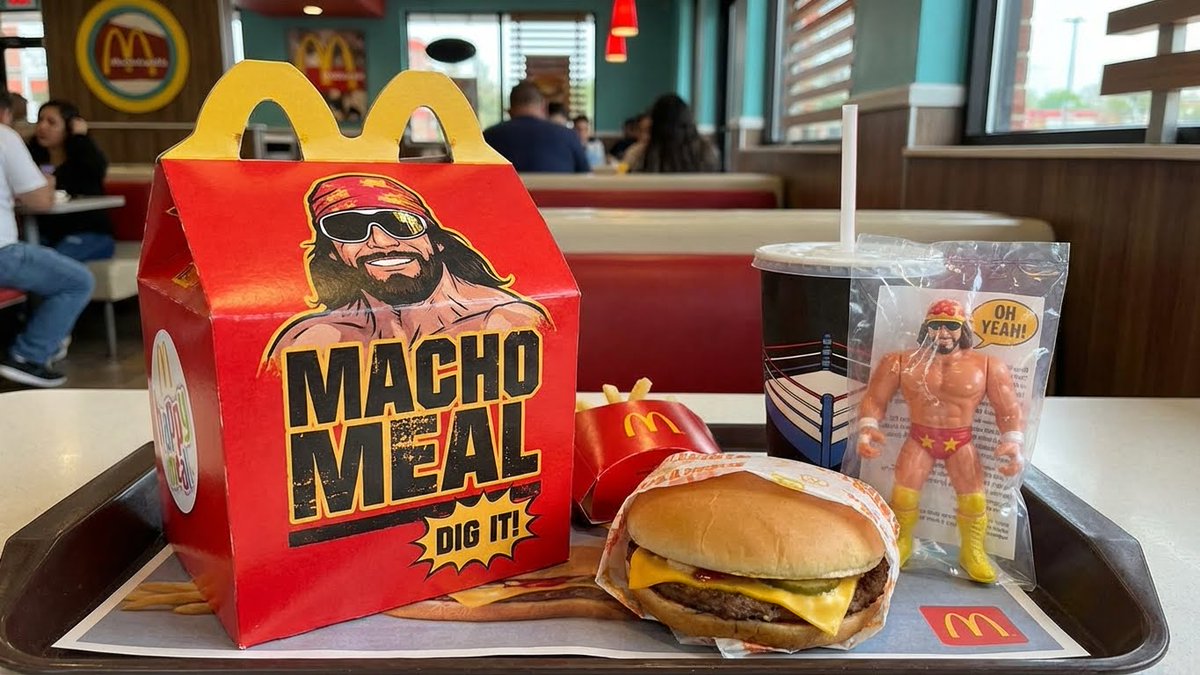
Authentic vintage 1980s commercial for the {argument name="product name in english" default="Macho Meal happy meal"} at {argument name="brand in english" default="McDonalds"} featuring {argument name="celebrity in english" default="Macho Man Randy Savage"}.

Golden hour rooftop portrait photography prompt

Golden hour rooftop portrait photography prompt

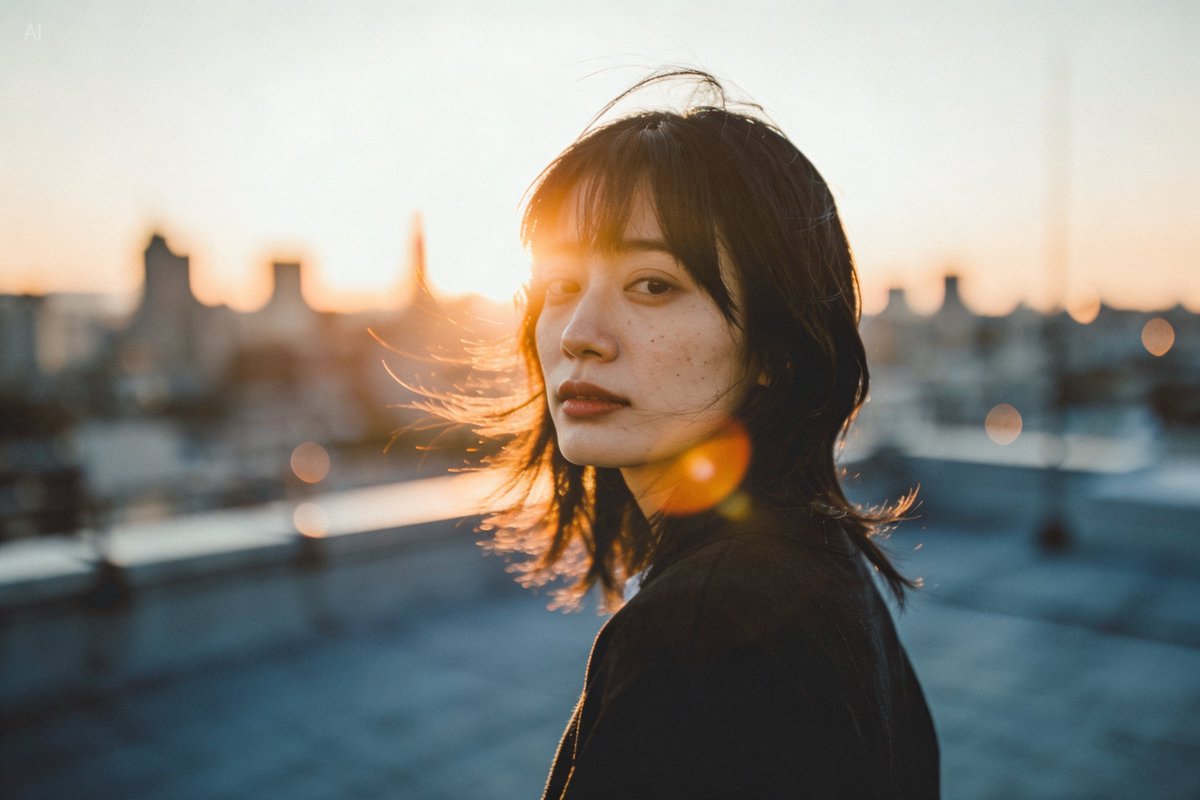
A person standing on a city rooftop during golden hour, warm sunlight wrapping around their face, subtle lens flare, wind brushing their hair, shallow depth of field, 35mm photography vibe, natural skin texture.

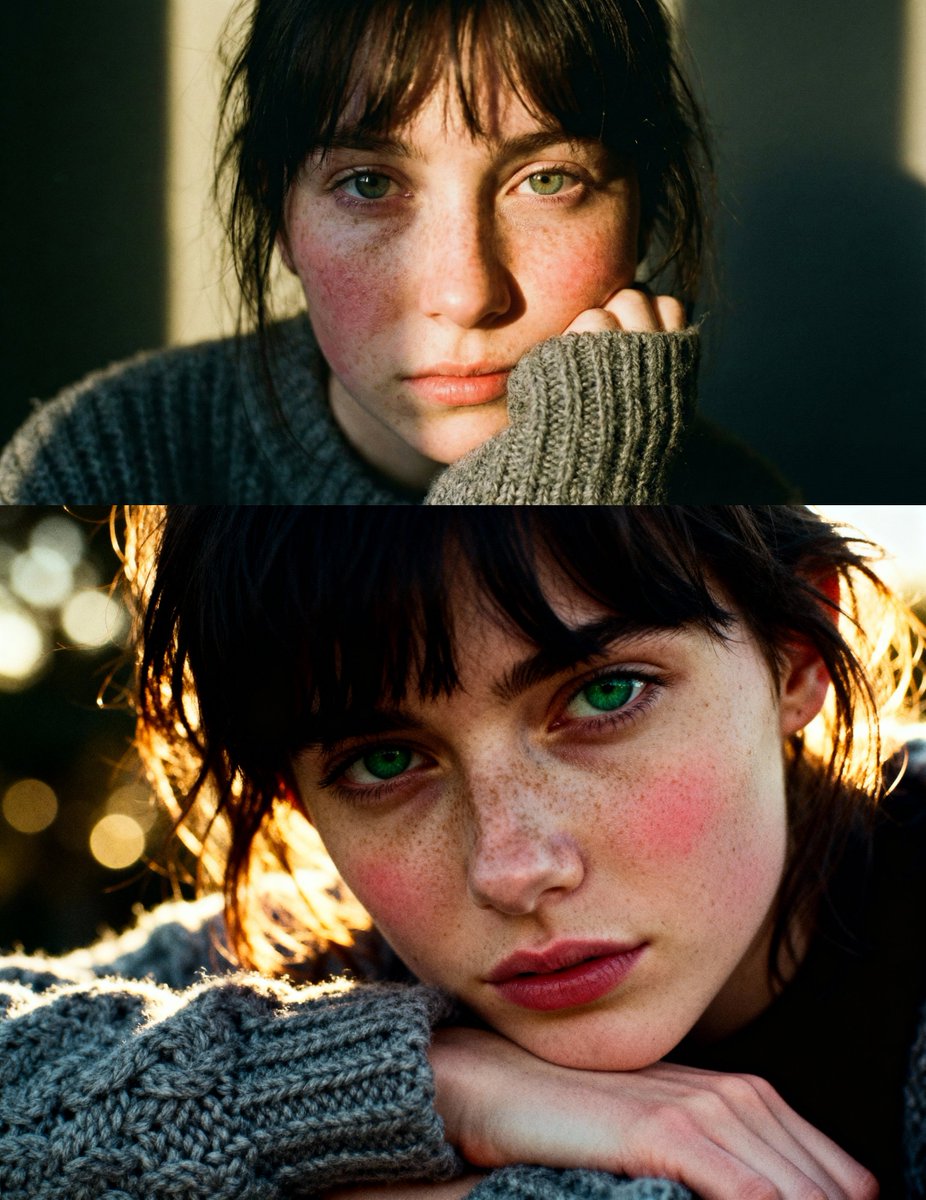
Cinematic close-up portrait with green eyes and knit sweater

Cinematic close-up portrait with green eyes and knit sweater

Cinematic close-up portrait of a young woman with dark messy bangs and striking green eyes, resting her chin on a hand covered by a chunky grey knit wool sweater. Her face is pale with a heavy dusting of natural freckles and rosy cheeks, illuminated by a beam of warm golden-hour sunlight creating a dramatic chiaroscuro contrast. 35mm analog film photography style, f/1.8, bokeh, visible film grain, highly detailed skin texture, raw and emotional mood, Kodak Portra 400 aesthetic.

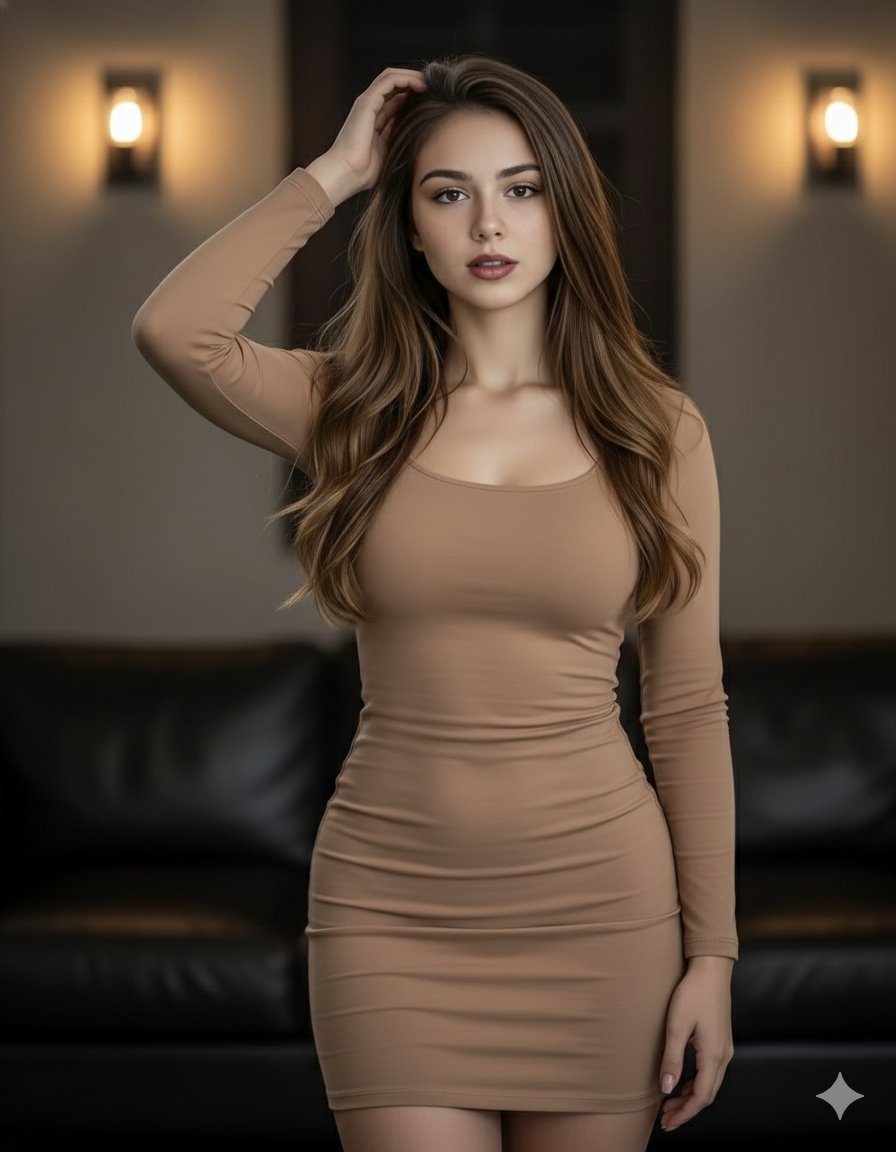
Elegant woman in brown mini dress portrait prompt

Elegant woman in brown mini dress portrait prompt

{ "prompt": "A beautiful woman with long, flowing brown hair poses confidently. She is wearing a form-fitting, light brown mini dress that accentuates her figure. Her left hand is raised to her head, and she looks directly at the viewer with a captivating gaze. The background is dimly lit, featuring warm wall sconces and a glimpse of a dark leather couch, creating an intimate and stylish atmosphere. The lighting highlights her hair and the contours of her body." }

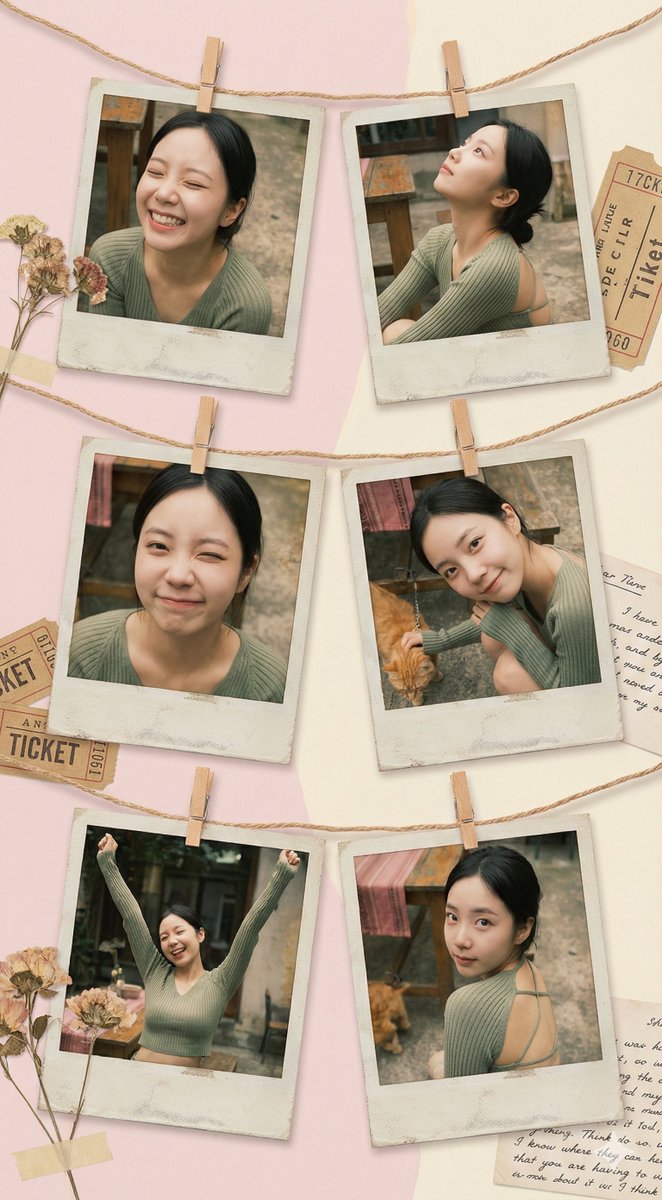
Vintage Polaroid collage portrait prompt

Vintage Polaroid collage portrait prompt

Use {argument name="number of Polaroids" default="6"} vintage Polaroid photos, fixed with decorative string and mini clothespins, to create an art collage that feels like a family album. Each Polaroid frame is slightly faded with an aged paper effect. The background is a soft pastel-colored wall with subtle shadows, creating a cozy yet creatively chaotic atmosphere. Moods and poses: * Relaxed laughter — eyes closed, naturally happy. * Dreamy gaze looking upward with a relaxed posture. * Playful wink. * Calm smile with the head tilted to one side, dynamic hand gestures with both hands raised, full of energy. * A romantic glance back over the shoulder. The space is filled with a retro art vibe, blending elements of 1970s fashion magazines, soft diffused lighting, and gentle warm golden tones. Each photo feels like a unique behind-the-scenes snapshot, carrying a hint of nostalgia and revealing little pieces of personal history.

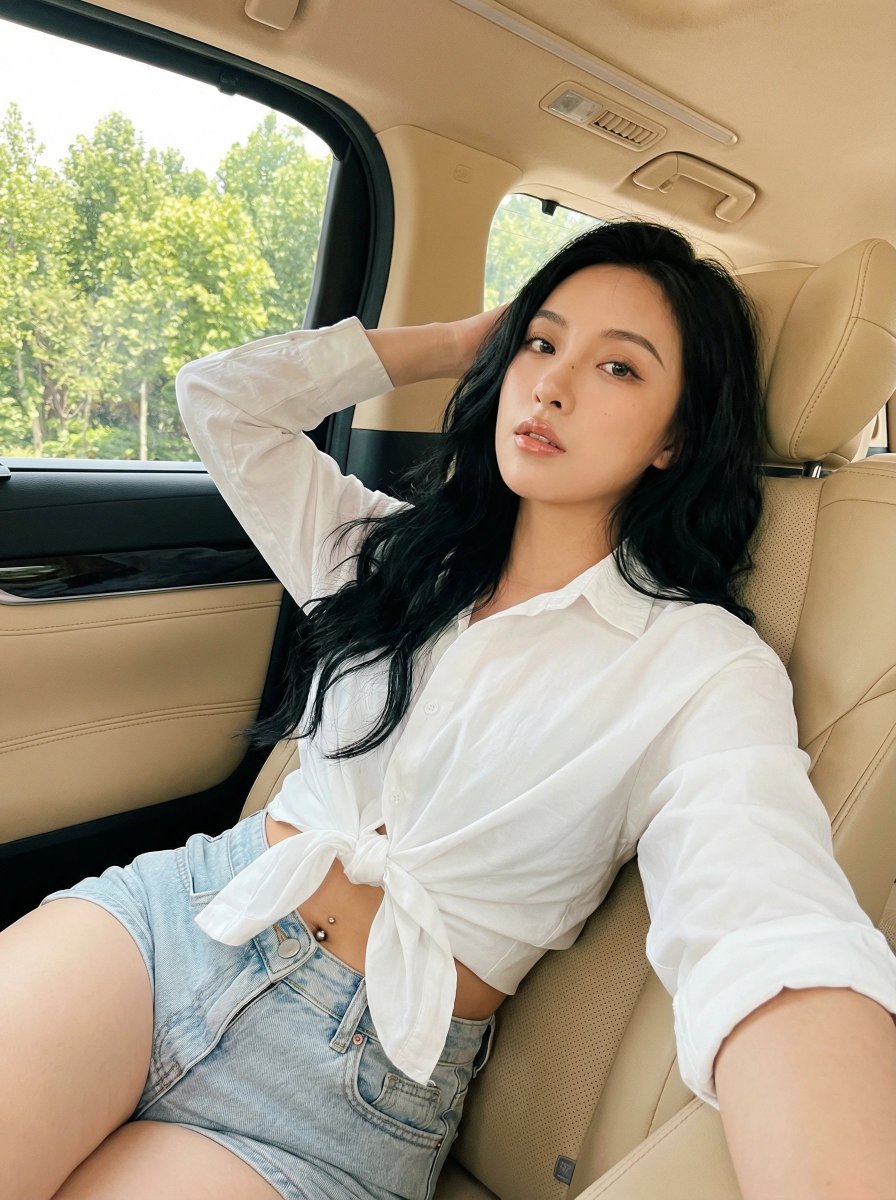
Natural Instagram-style car selfie prompt

Natural Instagram-style car selfie prompt

A natural Instagram-style selfie of {argument name="subject description" default="a young woman"} with {argument name="hair style and color" default="long, thick black wavy hair"}, sitting on the {argument name="seat color" default="beige leather seat"} of a {argument name="car type" default="luxury vehicle"}. She is wearing {argument name="top" default="a white long-sleeve button-up shirt"}, tied in a knot below the chest to create a cropped look, paired with {argument name="bottoms" default="light-wash denim shorts"}. A small silver navel piercing is visible. One arm is raised and resting behind her head in a relaxed pose, while the other hand rests naturally on her leg or thigh. Her body is slightly turned toward the camera, leaning back comfortably against the seat. Her gaze is directed straight at the camera with a confident and sensual expression, natural soft makeup, and glossy lips. Shot from eye level or a slightly high angle, as if taken with a selfie stick or a phone’s front camera. A medium to medium-close framing from the waist to the head, with the subject filling most of the frame. Bright natural daylight pours in through the car windows, with lush green trees visible in the background. Soft, even lighting beautifully illuminates her face and body. The warm beige leather interior creates a cozy and luxurious atmosphere. candid lifestyle photography aesthetic with an authentic social media selfie vibe. Colors: bright, airy, and slightly warm-toned. The face and upper body are sharply in focus.

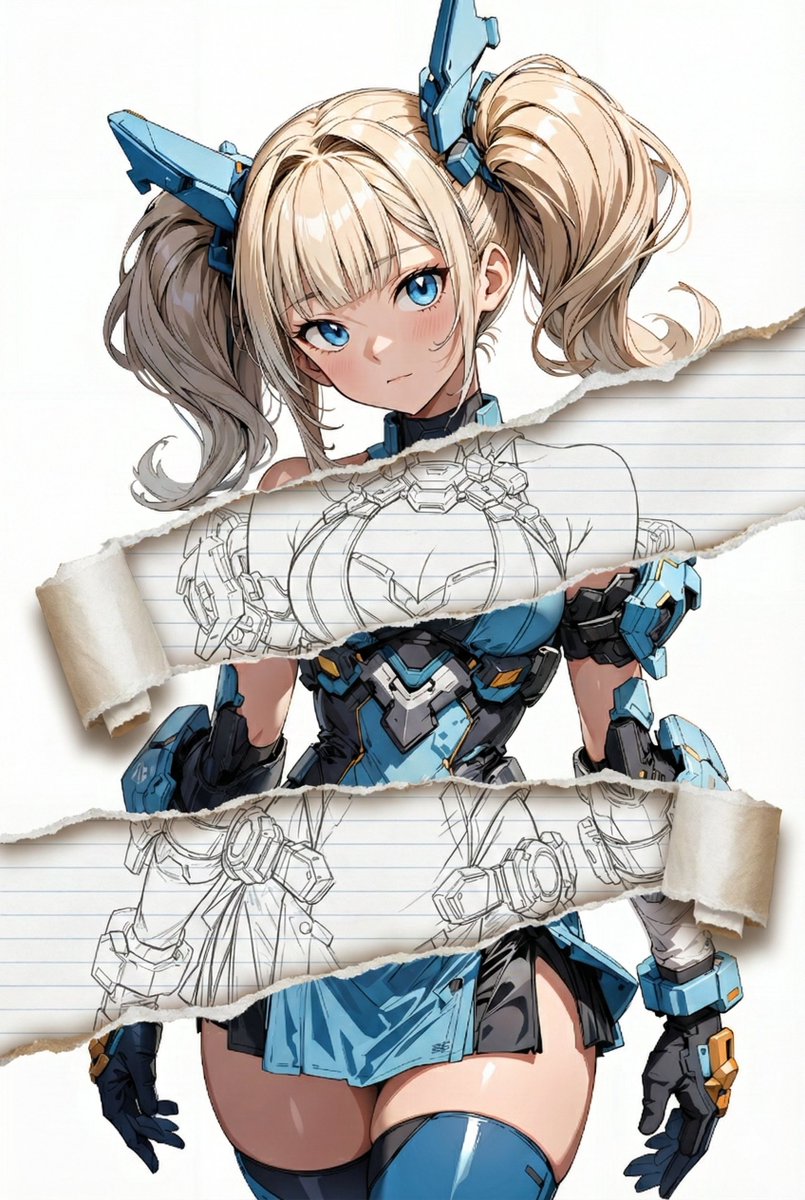
Nano Banana Pro torn paper style-switching edit prompt

Nano Banana Pro torn paper style-switching edit prompt

task: "edit-image: add widened torn-paper layered effect" base_image: use_reference_image: true preserve_everything: - character identity - facial features and expression - hairstyle and anatomy - outfit design and colors - background, lighting, composition - overall art style rules: - Only modify the torn-paper interior areas. - Do not change pose, anatomy, proportions, clothing details, shading, or scene elements. effects: - effect: "torn-paper-reveal" placement: "across chest height" description: - Add a wide, natural horizontal tear across the chest area. - The torn interior uses the style defined in `interior_style`. - effect: "torn-paper-reveal" placement: "lower abdomen height" description: - Add a wide horizontal tear across the lower abdomen. - The torn interior uses the style defined in `interior_style`. interior_style: mode: {argument name="style mode" default="line-art"} style_settings: line-art: palette: "monochrome" line_quality: "clean, crisp" paper: "notebook paper with subtle ruled lines" sumi-e: palette: "black ink tones" brush_texture: "soft bleeding edges" paper: "plain textured paper" figure-render: material: "PVC-like" shading: "semi-realistic highlights" paper: "plain smooth surface" colored-pencil: stroke_texture: "visible pencil grain" palette: "soft layered hues" paper: "rough sketchbook paper" watercolor: palette: "soft transparent pigments" blending: "smooth bleeding" edges: "soft contours" paper: "watercolor paper texture" pencil-drawing: graphite_texture: "visible pencil grain" shading: "smooth gradients" line_quality: "mixed sharp and soft" tone: "gray-scale" paper: "notebook paper with faint ruled lines"

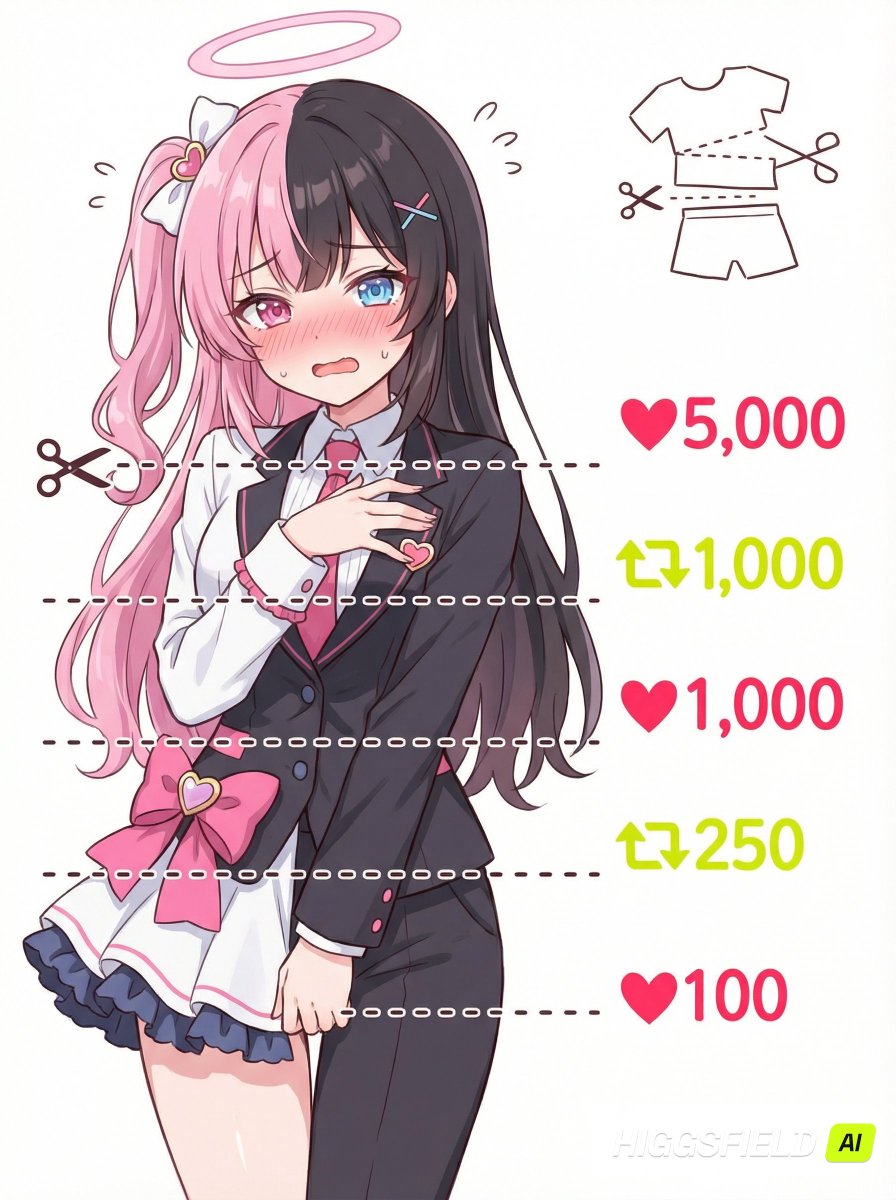
Nano Banana Pro meme-style clothing cut lines illustration prompt

Nano Banana Pro meme-style clothing cut lines illustration prompt

[Purpose] Create a "meme-style illustration where clothes get cut away based on ♥ and 🔄 counts" by referring to a user-uploaded character image, inheriting only the design elements while redrawing the facial expression and pose. [Handling of the reference] - Refer only to hairstyle, colors, outfit, and overall vibe - The facial expression and pose must always be newly redrawn - Do not make a complete copy of the reference image [Composition] - Framing from bust-up to waist, mostly facing front - Place the character on the left side - Background is simple white - In front of the character, place **five short horizontal dotted lines** (they should not extend across the entire canvas, only slightly longer than the character’s width) - The five horizontal lines divide at the shoulders, chest, abdomen, waist, and crotch. Always draw all five horizontal lines - Place a ✂ icon to the left of the top horizontal dotted line - On the right side of each horizontal line, place ♥ / 🔄 plus numbers, aligned exactly to the vertical center of each dotted line - Add a small "diagram showing how the outfit is being cut" in the upper-right corner (do not include text) [Right side labels (from top to bottom)] 1. ♥5,000 (bright red) 2. 🔄1,000 (bright yellow-green) 3. ♥1,000 (bright red) 4. 🔄250 (bright yellow-green) 5. ♥100 (bright red) - 🔄 should look like the repost icon on X - All fonts should be cute, handwritten style [Character depiction] - Include external features that clearly show it is the referenced character (hair, eyes, colors, outfit, etc.) - Blushing expression that mixes embarrassment and being upset - A shy pose that tries to hide the body - Keep the outfit based on the reference without changing it; do not cut or remove clothes [Illustration style] - Pop, cute 2D anime style - Soft, loose line art with bright colors - Prioritize readability as a meme image - No unnecessary decorations, keep the layout clean and simple

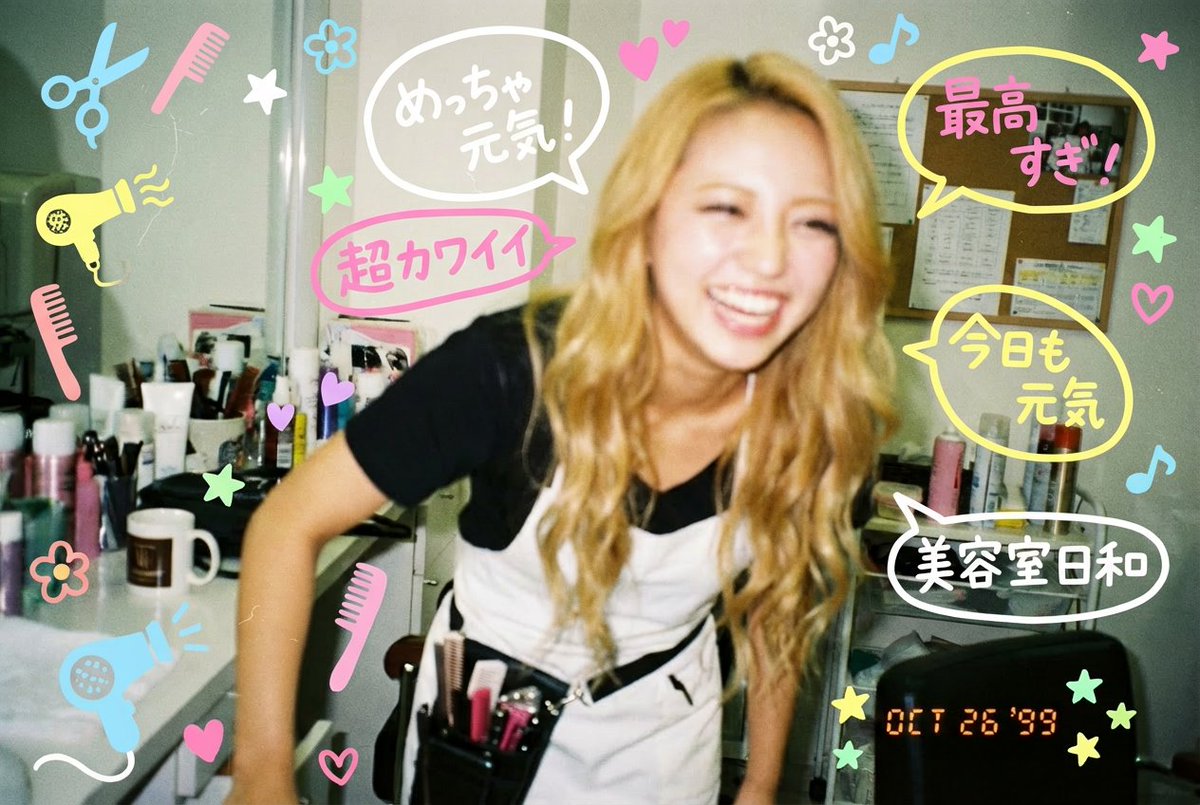
Y2K-style handwritten gal postcard overlay prompt

Y2K-style handwritten gal postcard overlay prompt

Add quirky, hand-drawn text and drawings in the style of a gal written with POSCA markers. The writing includes Japanese, and it uses wording that was common around {argument name="era" default="2003"}.

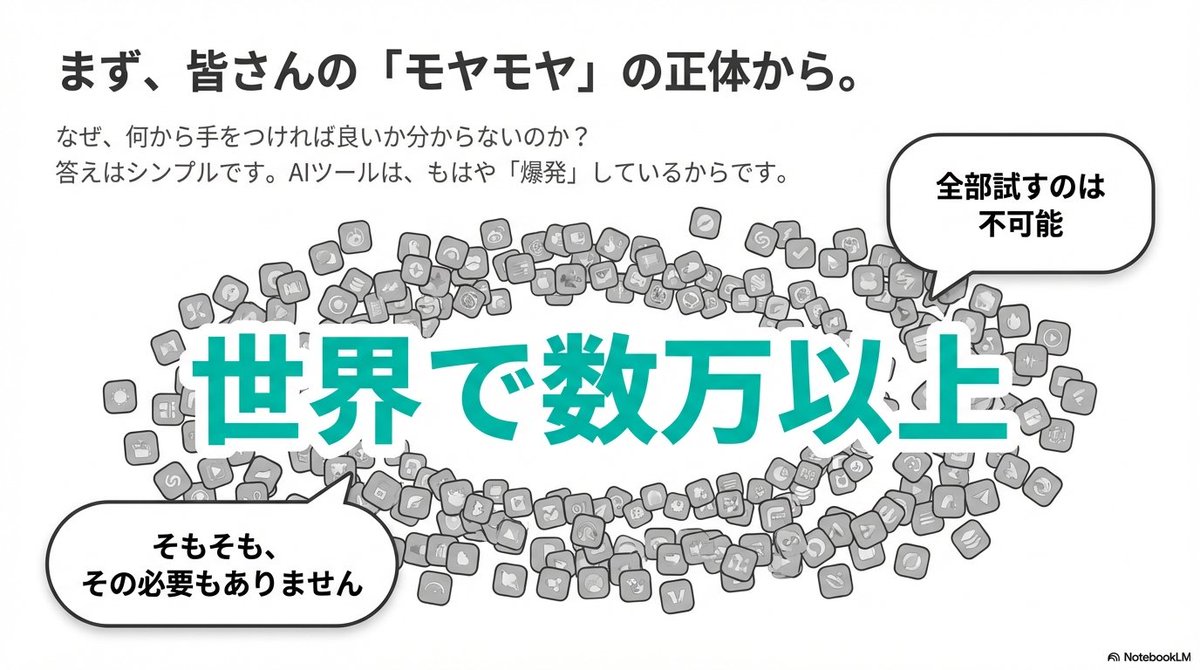
Clean flat slide design style guide for NotebookLM

Clean flat slide design style guide for NotebookLM

Brand color: [{argument name="brand color" default="#06c7b0"}] A simple and clean flat design. Place people and icons drawn with uniform black outline lines, and partially use pastel accent colors (such as sky blue and coral pink). Emphasize rounded shapes and a soft overall impression. Use a diagram-centered layout (for example: Venn diagrams, bar graphs, speech bubbles), with a friendly tone suitable for materials and social media content aimed at students and younger audiences. Leave plenty of white space to prioritize legibility and balanced composition.

部分提示词收录自 X 平台创作者,版权归原作者所有。