Kenerate

提示词库

AI 提示词库

汇集全球创作者的精选图像、视频与建站提示词。复制任意一条,替换主体或风格,即可用最新模型生成。

15,630 条提示词 · 每日更新 · 完全免费

共 15,630 条

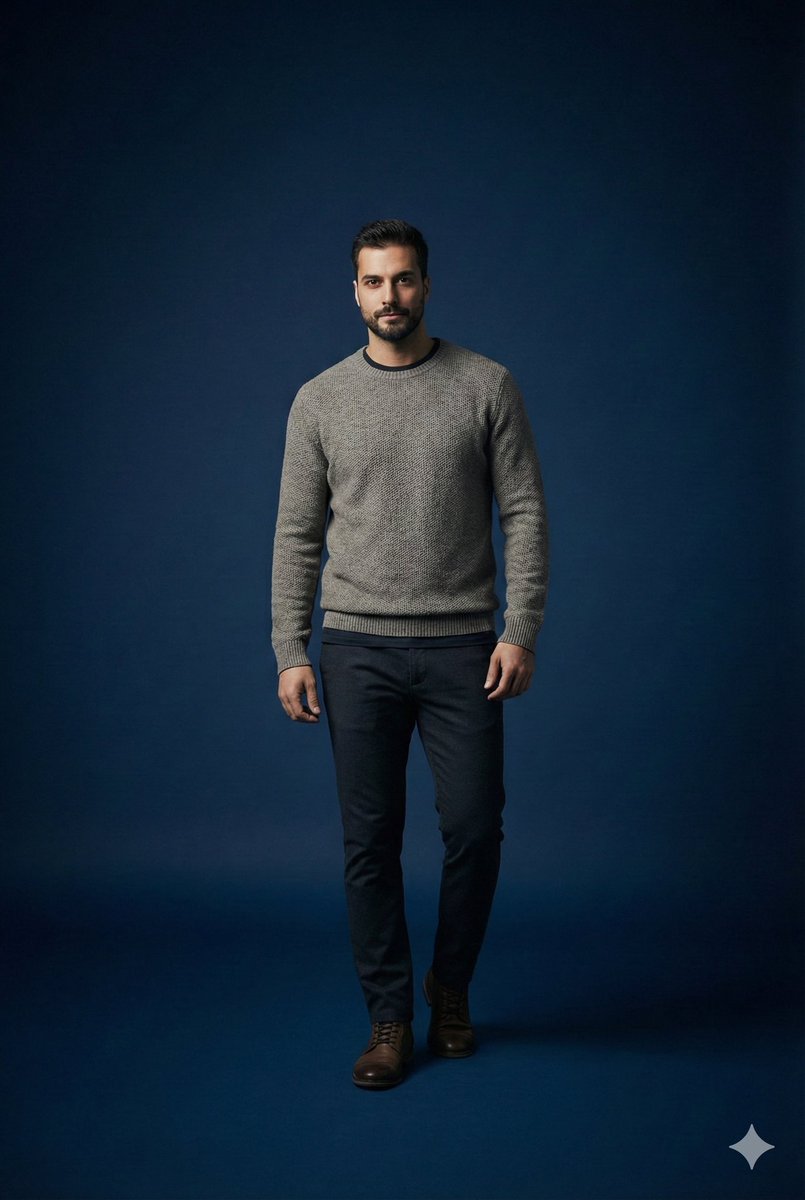
Studio portrait parameter-style prompt for a male subject

Studio portrait parameter-style prompt for a male subject

Scene studio = {argument name="studio enabled" default="true"} studio background color = "{argument name="studio background color" default="dark_blue"}" studio lighting = "{argument name="studio lighting" default="minimal_soft_spotlight"}" focus subject = "{argument name="focus subject" default="male_same_as_reference"}" focus style = "{argument name="focus style" default="sharp_primary_subject"}" depth background = "{argument name="background depth" default="smooth_blur"}" subject pose = "{argument name="subject pose" default="standing_pose_confident_casual"}" subject expression = "{argument name="subject expression" default="neutral_but_stylish"}" subject outfit type = "{argument name="subject outfit type" default="casual_fashionable"}" subject outfit details = { top: "{argument name="top" default="minimalist_warm_layer"}", bottom: "{argument name="bottom" default="clean_fitted_pants"}", overall_vibe: "{argument name="overall vibe" default="modern_casual_aesthetic"}" } camera lens = "{argument name="camera lens" default="85mm_portrait"}" camera framing = "{argument name="camera framing" default="mid_shot"}" camera mood = "{argument name="camera mood" default="studio_cinematic_minimal"}" render quality = "{argument name="render quality" default="ultra_hd"}"
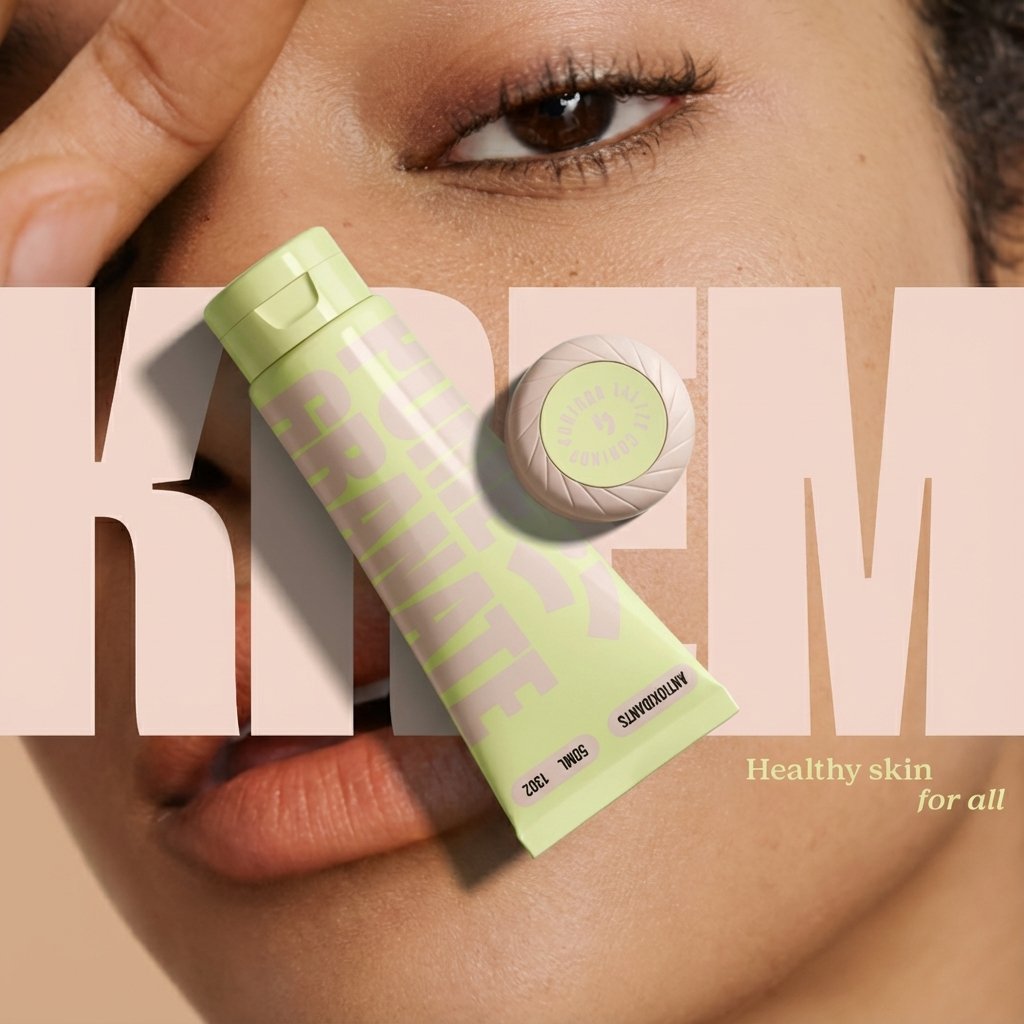
Ad recreation prompt using your product and brand aesthetics

Ad recreation prompt using your product and brand aesthetics

Recreate this ad concept using {argument name="your product" default="my product"} instead of the competitor’s product. Keep the same mood, lighting, composition, and overall vibe. Remove all competitor branding. Replace the product with the one from {argument name="reference image" default="my uploaded image"} and adapt all background elements, props, and surrounding textures to be visually relevant to {argument name="your brand" default="my product’s brand"}, {argument name="flavor profile" default="my product’s flavor profile"}, and aesthetic — not the original brand’s. Maintain photorealism and accurate product proportions.

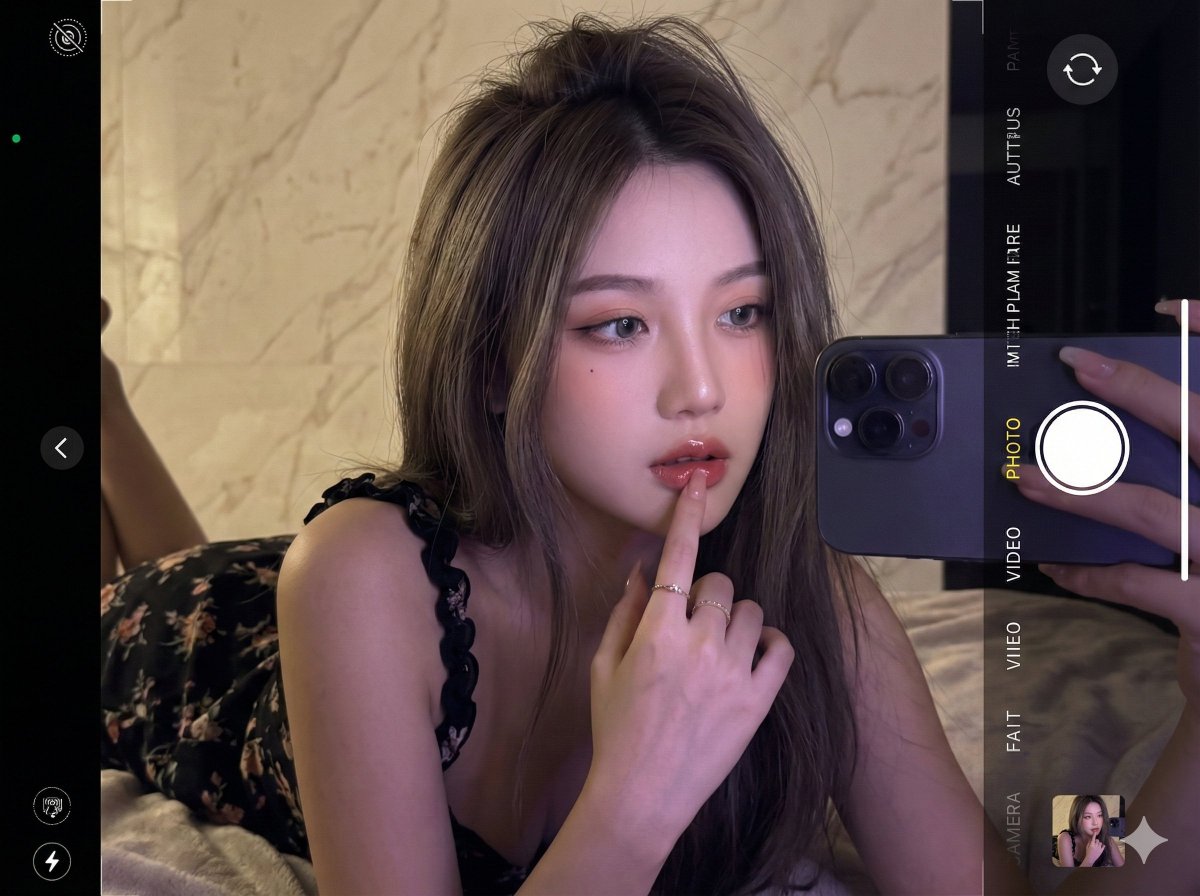
Ultra-realistic 16K selfie edit of a daydreaming girl on a blanket

Ultra-realistic 16K selfie edit of a daydreaming girl on a blanket

Edit the photo in ultra-realistic 16K resolution. A {argument name="subject age" default="young"} girl is taking a selfie inside a room. Her hair is long, layered {argument name="hair color" default="ash brown"}, slightly messy at the top, falling forward naturally. She is wearing a {argument name="dress description" default="black curly-strapped floral dress"}. Pose: she is lying face down on a blanket, with her right hand touching her lips, head tilted sideways, looking forward, appearing to be daydreaming. Her makeup is flawless, Korean-inspired with a modern touch: neatly shaped eyebrows, soft peach eyeshadow, thin eyeliner emphasizing her eyes, and soft gray contact lenses giving a captivating gaze. Her cheeks have a natural peach blush, and her lips are glossy, with a nude base lip color ombre'd into red, creating a soft yet striking contrast. The background is a {argument name="background material and color" default="cream marble wall"}. The photo is taken up-close at eye level. Lighting: cinematic and editorial, dim and dark to make the selfie look realistic, with retro purple contrast enhancing skin glow. The photo is captured with an {argument name="camera model" default="iPhone 17 Pro Max"}. Do not alter her face in any way.

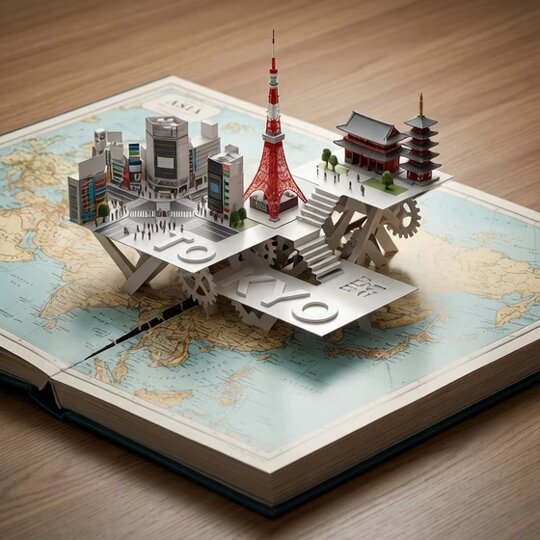
Product photography prompt for a Tokyo pop-up atlas scene

Product photography prompt for a Tokyo pop-up atlas scene

An open hardcover atlas lies flat, with a precision pop-up miniature of {argument name="city" default="Tokyo"} rising from a laser-cut slit across the {argument name="map region" default="Asia"} map. Landmarks {argument name="landmark 1" default="Shibuya Crossing"}, {argument name="landmark 2" default="Tokyo Tower"}, and {argument name="landmark 3" default="Sensō-ji Temple"} interlock with folded paper struts. White 3D "{argument name="title text" default="TOKYO"}" emboss/deboss blends into the pop-up platforms. Softboxes at 45° and 120°, polarized reflections, dynamic low angle, razor-sharp fold edges.

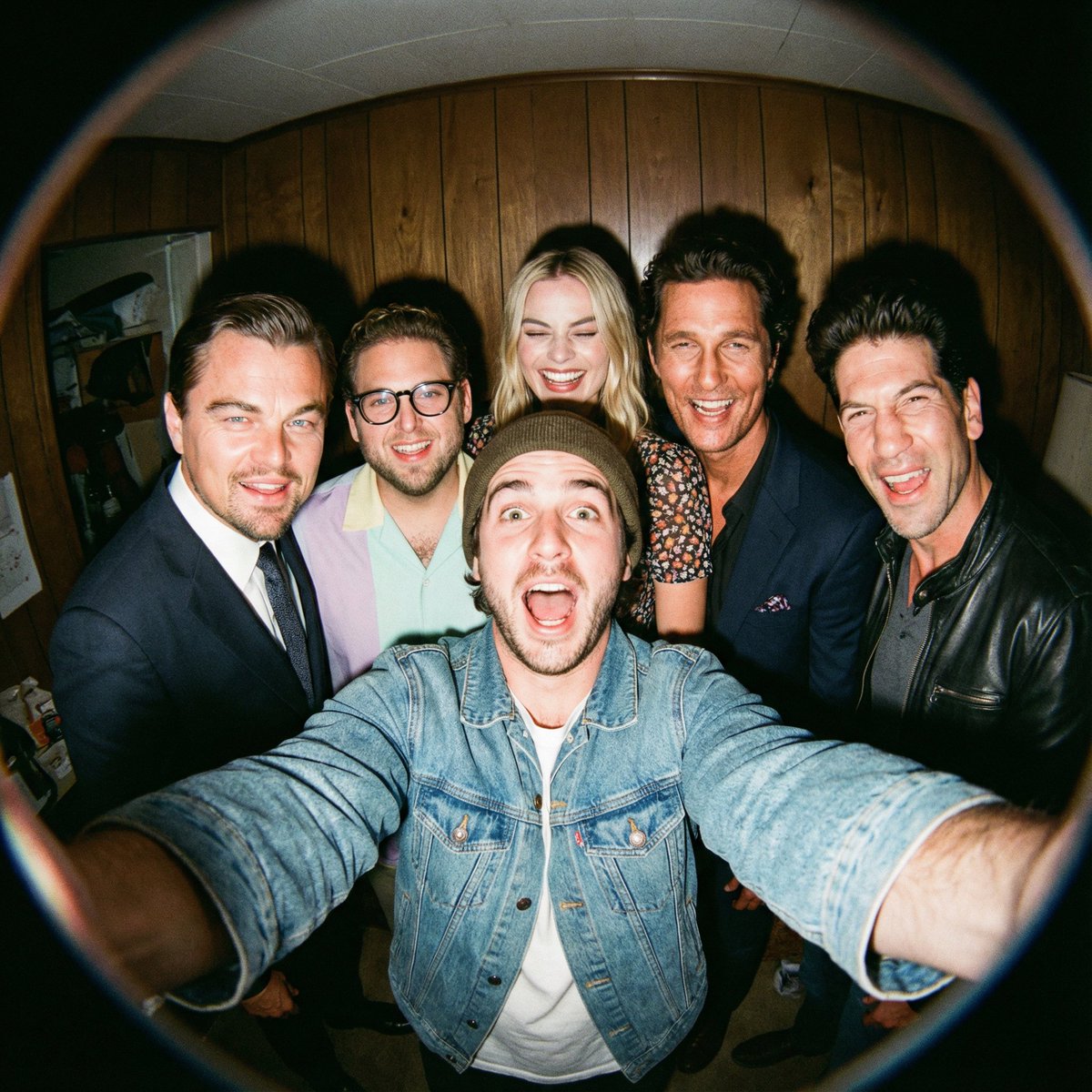
Fisheye selfie with movie characters using Nano Banana Pro

Fisheye selfie with movie characters using Nano Banana Pro

A film-like fisheye wide-angle 360-degree selfie without any camera or phone visible in the subject’s hands. A real and exaggerated selfie of {argument name="person from uploaded image in english" default="person from uploaded image"} with {argument name="characters in english" default="their favorite movie characters"}. They are making faces at the camera. A hyper-realistic fisheye wide-angle selfie, captured with a vintage 35mm fisheye lens creating heavy barrel distortion, without any camera or phone visible in the subject’s hands. Subject & Action: A close-up, distorted group photo featuring {argument name="person from uploaded image in english" default="person from uploaded image"} taking a selfie with {argument name="characters in english" default="their favorite movie characters"}. Everyone is making wild, exaggerated faces, squinting slightly from the flash. Lighting & Texture: Harsh, direct on-camera flash lighting that creates hard shadows behind the subjects. Authentic film grain, slight motion blur on the edges, and chromatic aberration. It looks like a candid, amateur snapshot as if captured during a chaotic behind-the-scenes moment, not a studio photo.

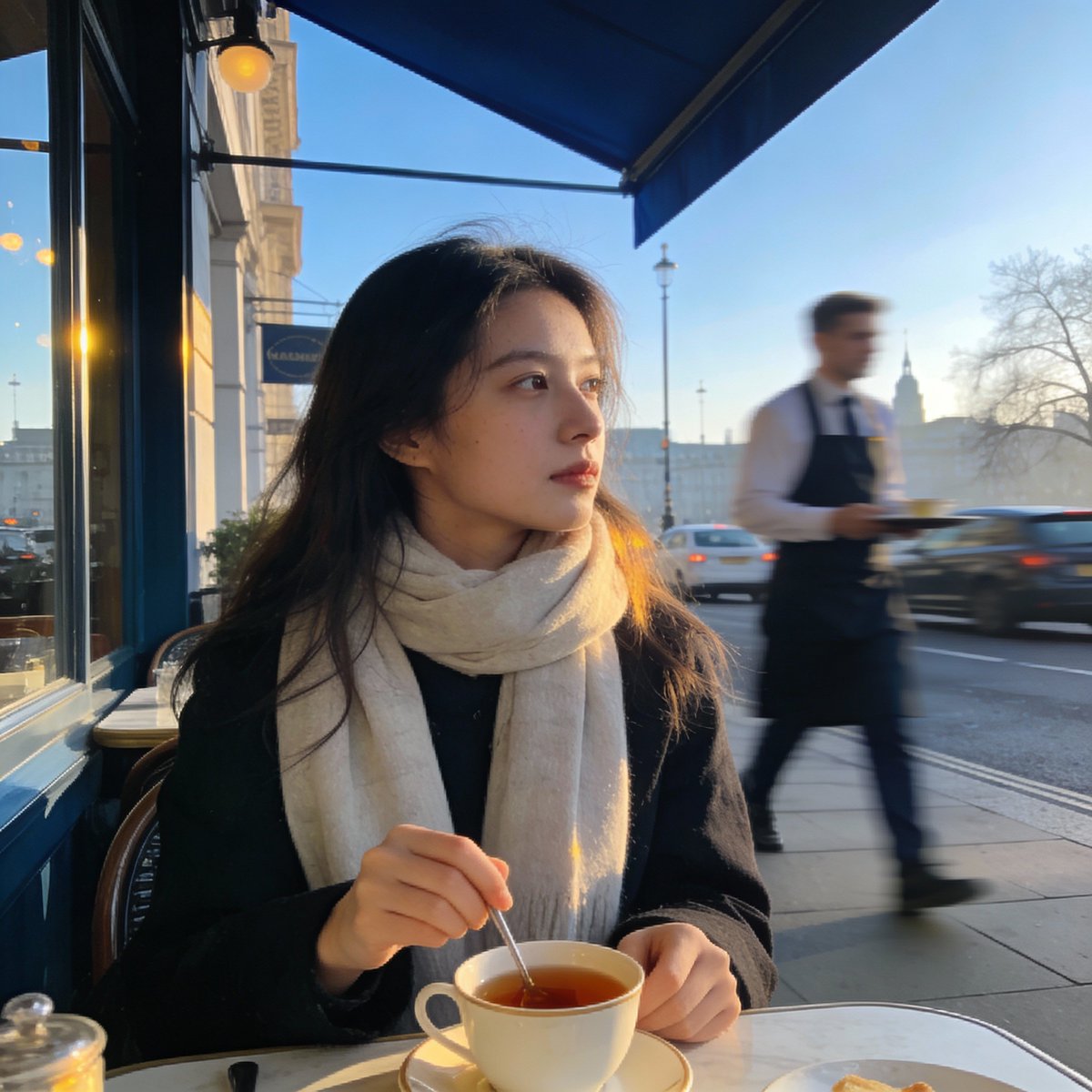
London outdoor restaurant portrait with Nano Banana Pro

London outdoor restaurant portrait with Nano Banana Pro

Create a photorealistic image of a young woman sitting at a relaxed outdoor restaurant in {argument name="city in english" default="London"} on a cool Wednesday morning in March {argument name="year in english" default="2025"}. The sky is clear, the spring air is crisp, and the city feels calm as it wakes up. She is the focal point of the shot—wearing a light scarf, gently stirring her tea while gazing off to the side with a thoughtful expression. Everything behind her, from the waiter moving about to the soft morning traffic, should fall into a smooth blur, giving the picture the effortless, candid atmosphere of a moment casually snapped on a phone.

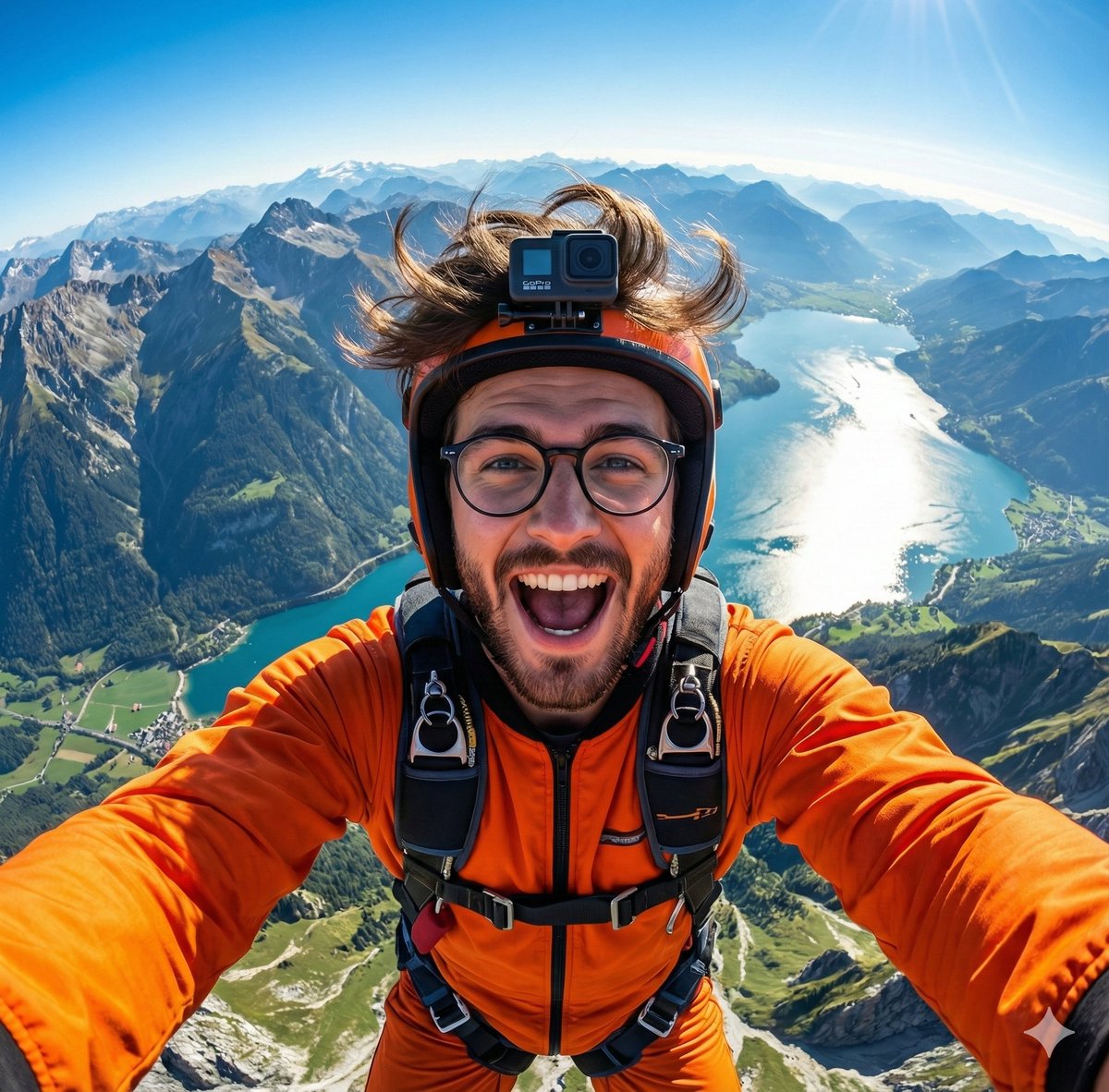
GoPro-style extreme sports selfie prompt

GoPro-style extreme sports selfie prompt

A hyper-realistic GoPro-style selfie of {argument name="subject in english" default="this handsome man"}, wearing an orange jumpsuit and helmet. Wide-angle view from above showing mountains, a shining lake, and green valleys below. Wind-blown {argument name="subject detail in english" default="hair or fur"}, joyful expression, detailed harness, vibrant lighting, 8K extreme-sports photography.

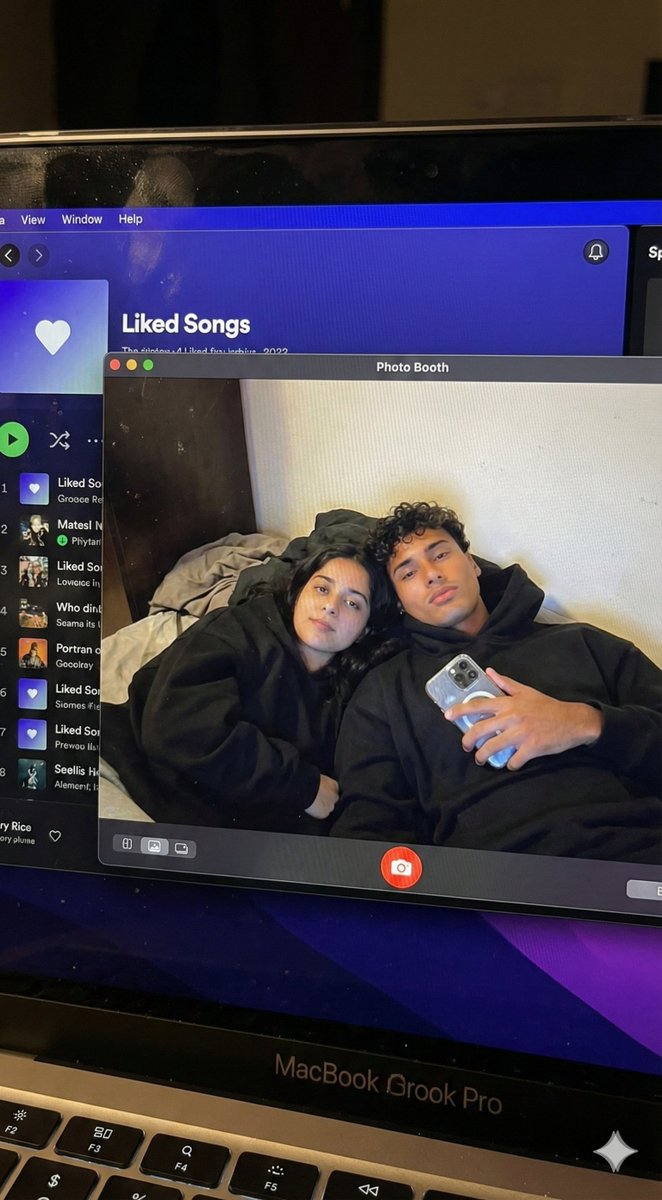
Couple MacBook screen selfie simulation prompt

Couple MacBook screen selfie simulation prompt

{ "task_configuration": { "task_type": "screen_simulation_photorealism", "target_model": "SDXL_1.0_Refiner", "aspect_ratio": "3:4", "resolution": { "width": 1152, "height": 1536 } }, "visual_hierarchy": { "layer_1_physical_macro": { "camera_angle": "Downward-angled, high-angle", "framing": "MacBook screen filling 95% of the frame", "surface_imperfections": [ "subtle pixel-grid texture (moire)", "tiny dust particles on the glass", "faint ambient light reflection on the glossy screen", "fingerprint smudges" ], "foreground_anchor": "Thin strip of the physical keyboard visible at the lower edge" }, "layer_2_digital_interface": { "theme": "Dark Mode (macOS)", "window_layout": { "left_panel": "Spotify 'Liked Songs' playlist (dimmed)", "right_panel": "Photo Booth live-preview window (dominant focus)" } }, "layer_3_nested_subject_content": { "context": "Inside the Photo Booth window", "environment": "Dim bedroom, off-white wall, rumpled bedding", "lighting_simulation": "Cool screen glow mixed with warm skin tones, deep nocturnal shadows", "subjects": { "shared_attributes": [ "Oversized black hoodies", "Hoods pushed back (faces fully visible)", "Reclining pose", "Looking at the screen" ], "subject_a_guy": { "identity_target": "{argument name="guy reference image in english" default="2nd image attached"}", "action": "Holding a phone in the right hand with a clear reflective case", "position": "Right/Center" }, "subject_b_girl": { "identity_target": "{argument name="girl reference image in english" default="1st image attached"}", "action": "Resting closely beside Subject A", "position": "Left/Center" } } } }, "prompt_assembly": { "positive_prompt": "Hyper-realistic downward shot of a MacBook screen. The screen surface has visible dust, pixel grid, and reflection. The screen displays a Photo Booth window showing a couple in a dark room. [Subject Descriptions]. They are wearing black hoodies. The lighting is low-key, candid, nocturnal, bluish screen glow. High fidelity, raw photo, unedited.", "negative_prompt": "vector art, screenshot, flat digital image, clean glass, perfect screen, daylight, bright studio lights, cartoon, 3d render, painting, watermark" }, "identity_preservation_settings": { "strictness_level": "CRITICAL", "methodology": { "face_restoration": false, "note": "Disable generic face restorers (CodeFormer) to avoid a 'plastic' look. Use IP-Adapter.", "control_net_stack_multiline_placeholder": "[ControlNet configuration continues here]" } } }

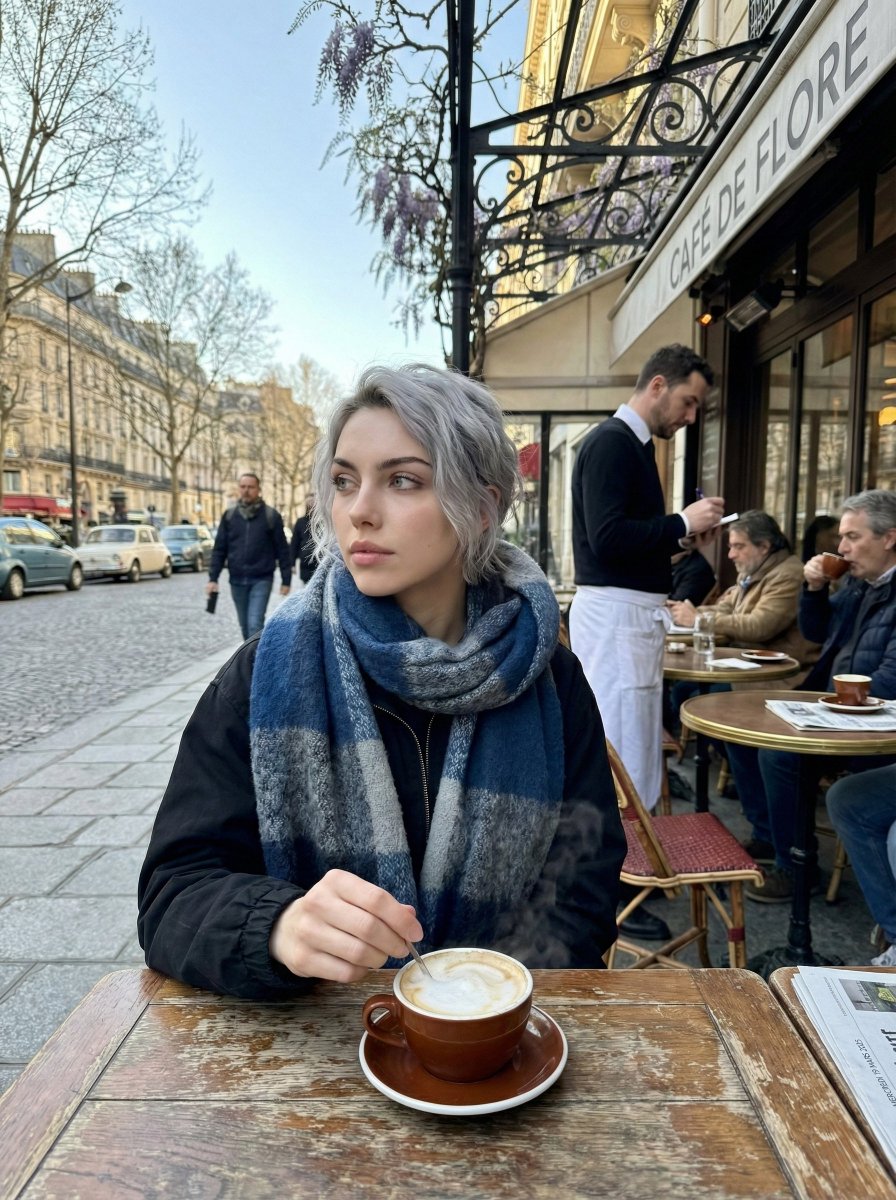
Paris Marais cafe terrace portrait prompt

Paris Marais cafe terrace portrait prompt

Generate a photorealistic image of a cafe terrace in the {argument name="district in english" default="Marais district"} of {argument name="city in english" default="Paris"} on a Wednesday morning in March {argument name="year in english" default="2025"}. It is a crisp, cool spring morning with clear skies. Locals are drinking coffee. In sharp focus should be a young woman wearing a scarf, stirring a cappuccino and looking thoughtfully to the side; the waiter and street traffic behind her are blurred. The photo should have the candid, natural morning light feel of an iPhone image.

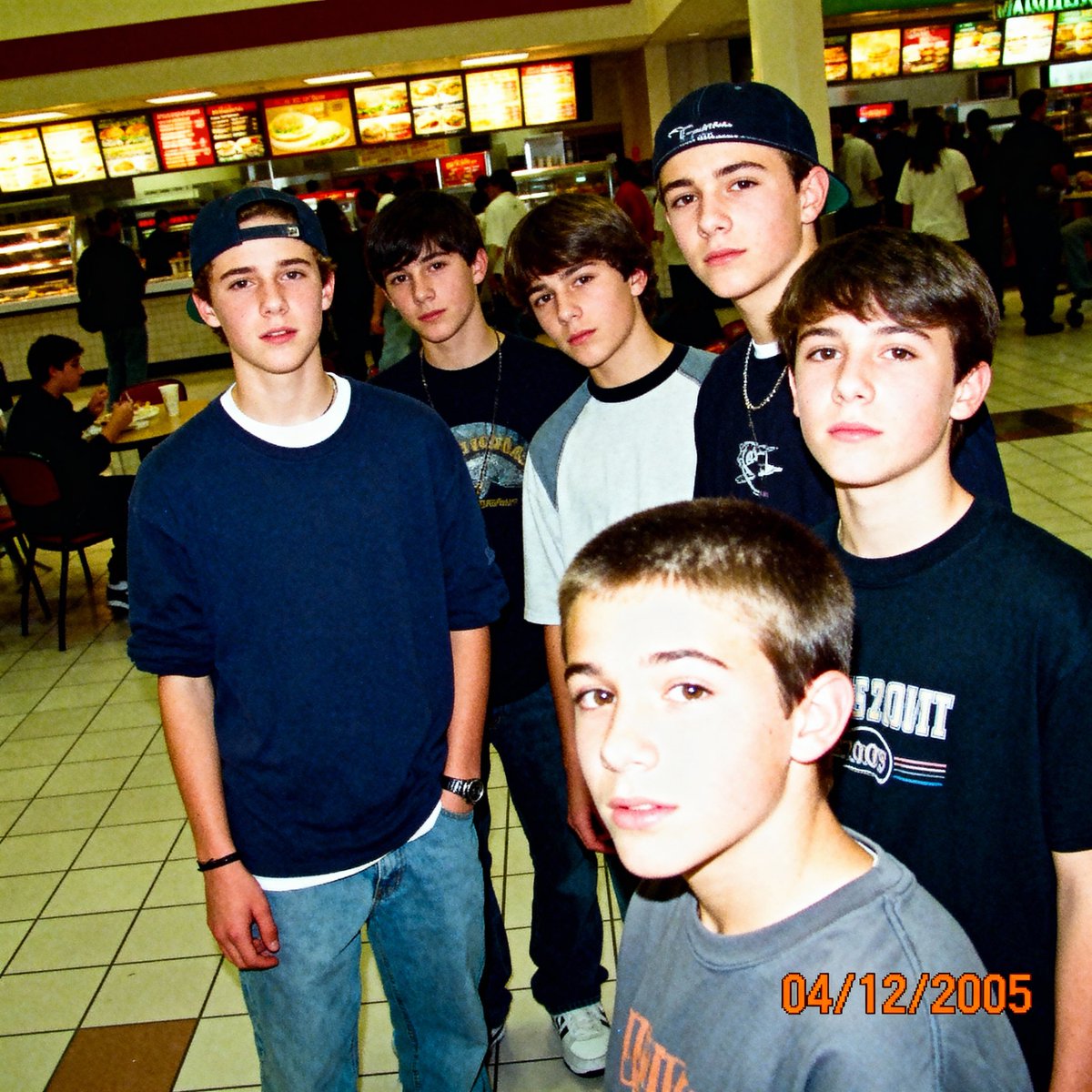
2005 Sony CyberShot mall food court snapshot prompt

2005 Sony CyberShot mall food court snapshot prompt

A low-resolution digital photo taken on a 2005 Sony CyberShot. A group of teenagers hanging out in a mall food court. Harsh on-camera flash, slightly blown-out highlights, digital noise in the shadows. The skin texture looks slightly waxy due to early digital processing. An orange date stamp appears in the bottom right corner reading "{argument name="date stamp in english" default="04/12/2005"}". Candid, awkward angles, Myspace photo aesthetic.

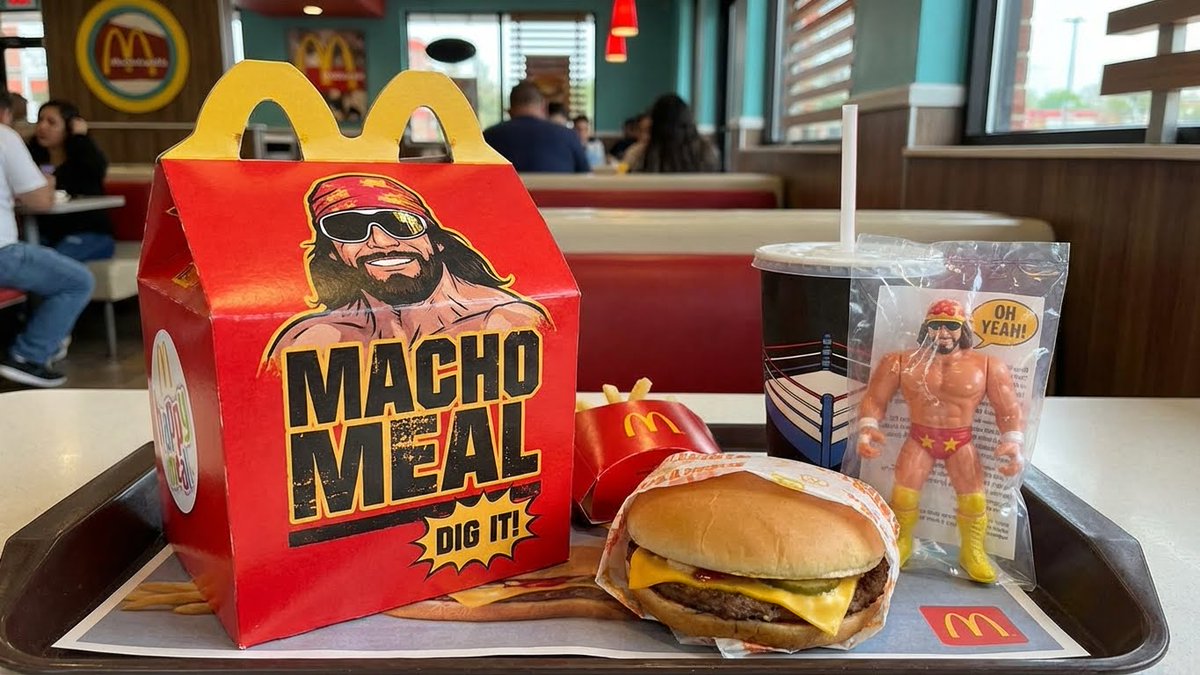
Sora video prompt for Macho Meal McDonald’s commercial

Sora video prompt for Macho Meal McDonald’s commercial

Authentic vintage 1980s commercial for the {argument name="product name in english" default="Macho Meal happy meal"} at {argument name="brand in english" default="McDonalds"} featuring {argument name="celebrity in english" default="Macho Man Randy Savage"}.

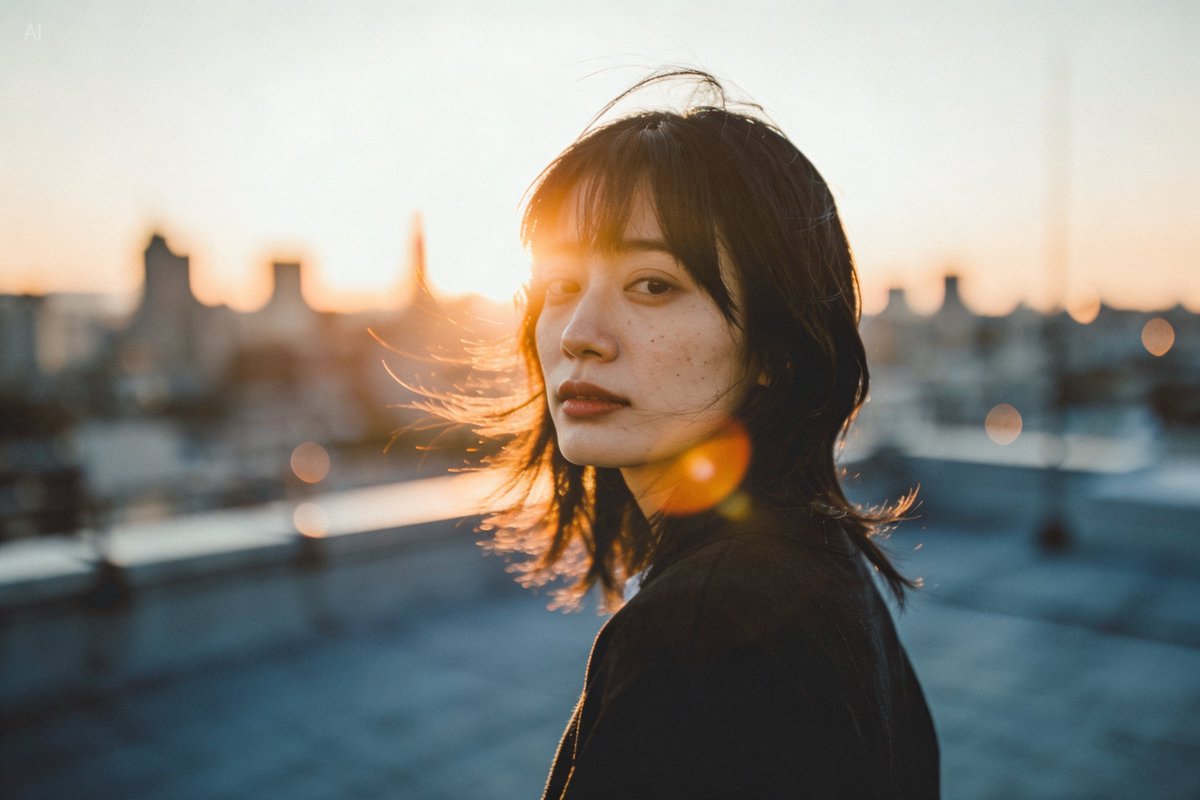
Golden hour rooftop portrait photography prompt

Golden hour rooftop portrait photography prompt

A person standing on a city rooftop during golden hour, warm sunlight wrapping around their face, subtle lens flare, wind brushing their hair, shallow depth of field, 35mm photography vibe, natural skin texture.

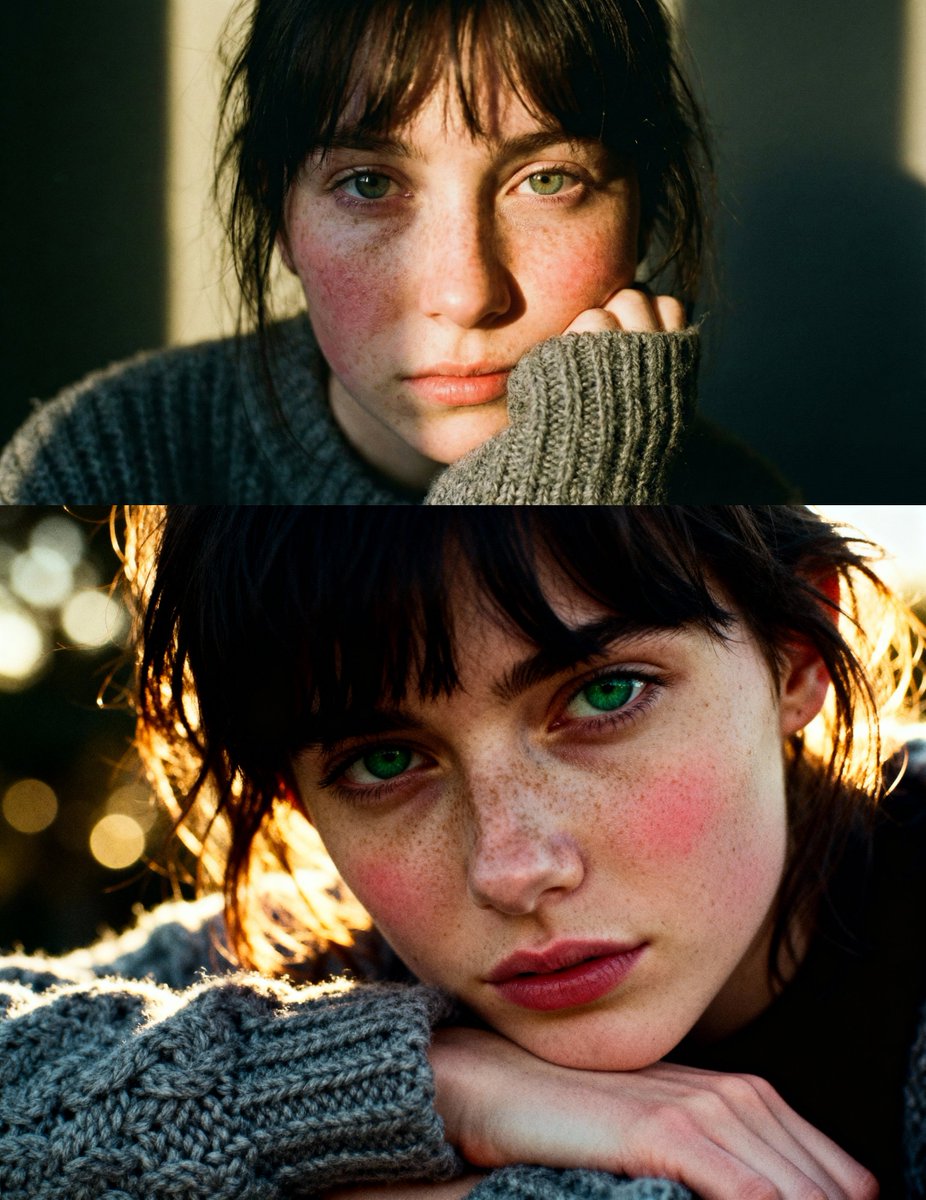
Cinematic close-up portrait with green eyes and knit sweater

Cinematic close-up portrait with green eyes and knit sweater

Cinematic close-up portrait of a young woman with dark messy bangs and striking green eyes, resting her chin on a hand covered by a chunky grey knit wool sweater. Her face is pale with a heavy dusting of natural freckles and rosy cheeks, illuminated by a beam of warm golden-hour sunlight creating a dramatic chiaroscuro contrast. 35mm analog film photography style, f/1.8, bokeh, visible film grain, highly detailed skin texture, raw and emotional mood, Kodak Portra 400 aesthetic.

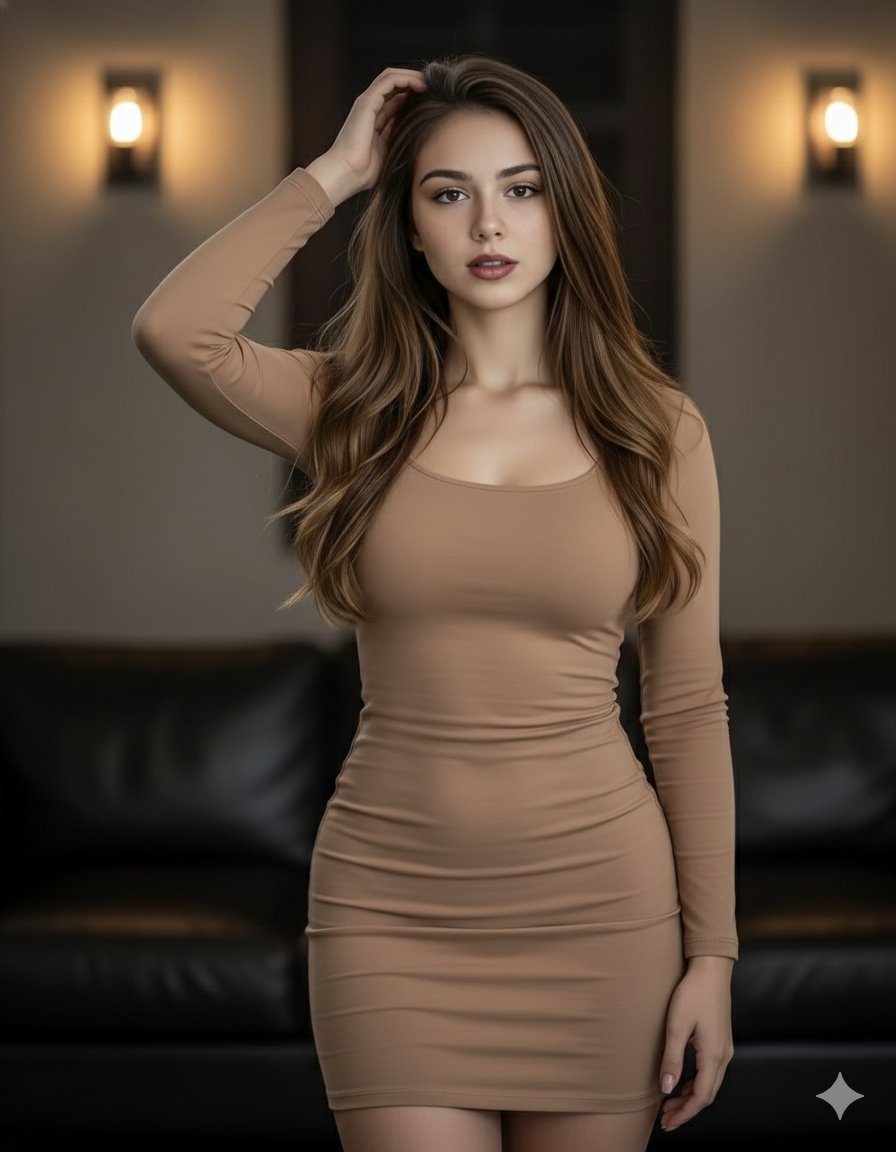
Elegant woman in brown mini dress portrait prompt

Elegant woman in brown mini dress portrait prompt

{ "prompt": "A beautiful woman with long, flowing brown hair poses confidently. She is wearing a form-fitting, light brown mini dress that accentuates her figure. Her left hand is raised to her head, and she looks directly at the viewer with a captivating gaze. The background is dimly lit, featuring warm wall sconces and a glimpse of a dark leather couch, creating an intimate and stylish atmosphere. The lighting highlights her hair and the contours of her body." }

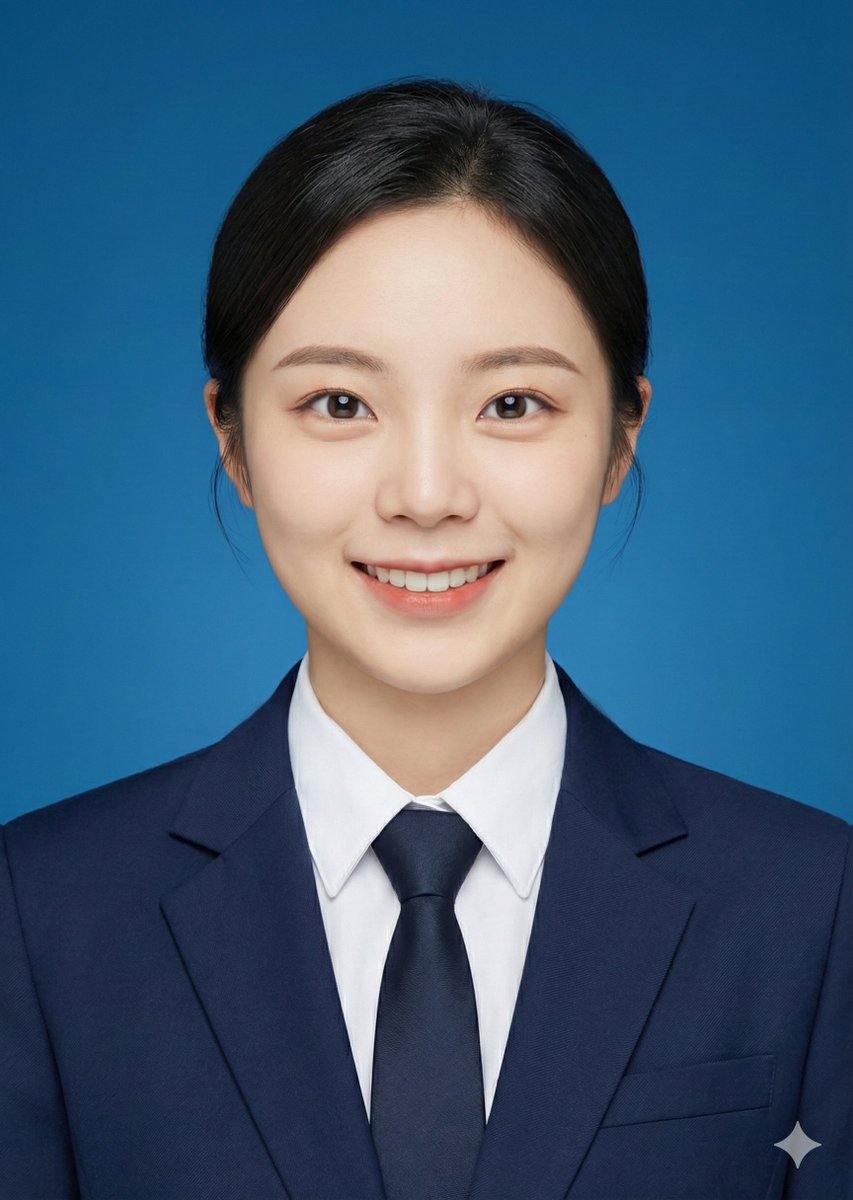
ID photo generation prompt for Nano Banana Pro

ID photo generation prompt for Nano Banana Pro

Crop the head of the person in the image and turn it into a 2-inch ID photo with the following requirements: 1. {argument name="background color" default="blue background"} 2. Professional formal attire 3. Face directly towards the camera 4. Slight smile

Anthropic-style warm academic PPT workflow prompt

Anthropic-style warm academic PPT workflow prompt

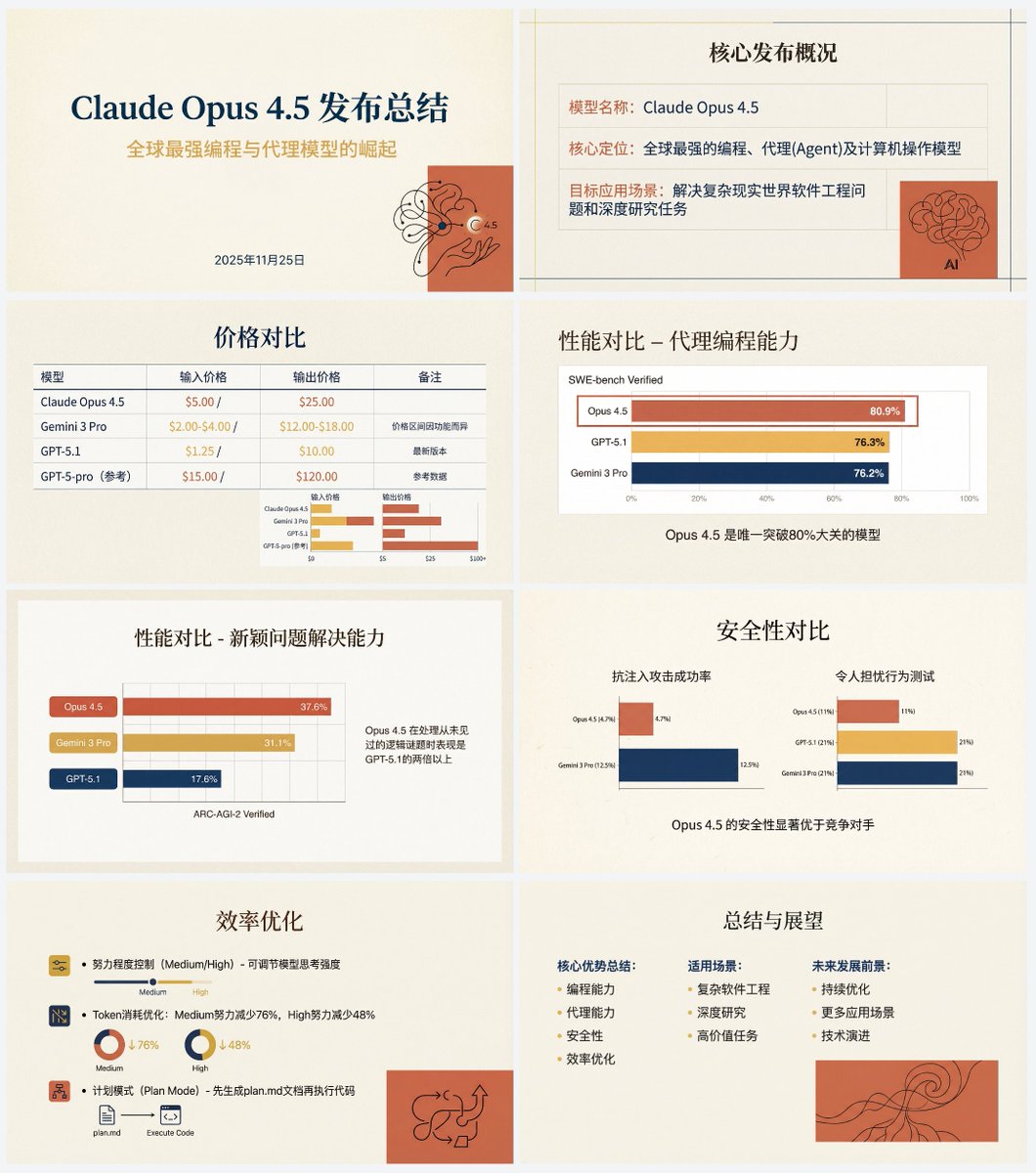
Based on the following article, create a professional Chinese PPT for me. First write a PPT outline and plan the content of each slide. Then feed the content of each slide to Nano Banana Pro to generate the corresponding PPT page, ensuring a consistent style. The specific PPT style should be an “Anthropic/Claude-style” warm academic humanistic design. Background: use warm beige/cream (#F3F0E9) as a solid base color, with a slightly premium paper texture. Fonts: use an elegant serif font for titles and a modern sans-serif font for body text. Color palette: the main colors are terracotta red (#D67052) and mustard yellow (#F0B857), accented with deep navy blue. Avoid neon colors or pure black. Visual elements: use a grid layout that emphasizes typography. Illustration style should be abstract, organic black hand-drawn line art placed on solid terracotta red blocks. You must use illustrations and decorative elements very sparingly, and they should serve the content. Charts: flat and minimal charts that emphasize data comparison, removing unnecessary borders. Both text and images are generated by Nano Banana Pro. Also, do not turn the PPT into one single large image; it should be one image per slide. The article content is:

Horizontal three-panel emotional portrait from one image

Horizontal three-panel emotional portrait from one image

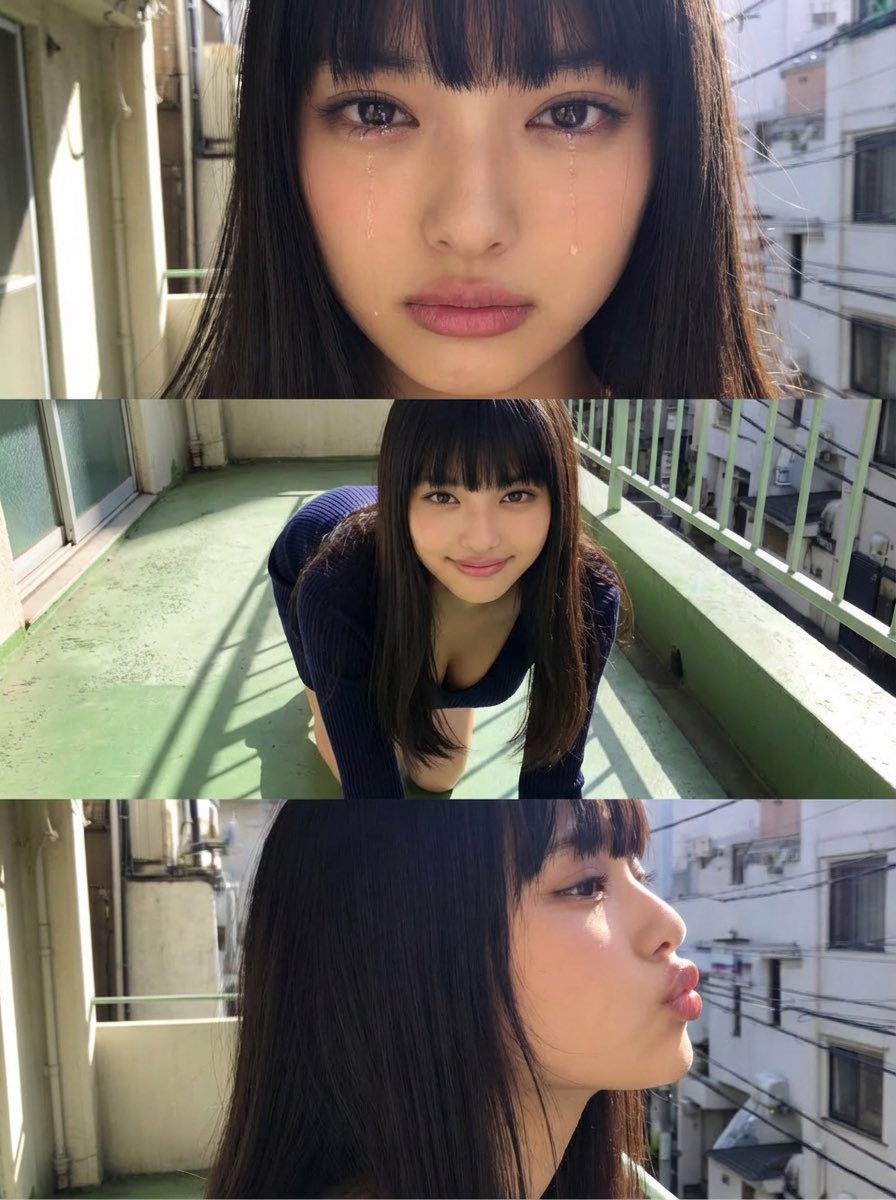
Use the attached image as the base. Do not change the person’s face, hairstyle, clothing, or body proportions. Generate a horizontal three-panel composition (top / middle / bottom). Top panel: Close-up showing only the eyes and mouth. Emotion: {argument name="top panel emotion" default="tearful, choked up, slightly crying"} Middle panel: On all fours. Gentle smile. Looking straight at the camera. Bottom panel: Side-face close-up from head to neck. {argument name="bottom panel expression and action" default="pouting lips, as if about to give a kiss"}

Vintage Polaroid collage portrait prompt

Vintage Polaroid collage portrait prompt

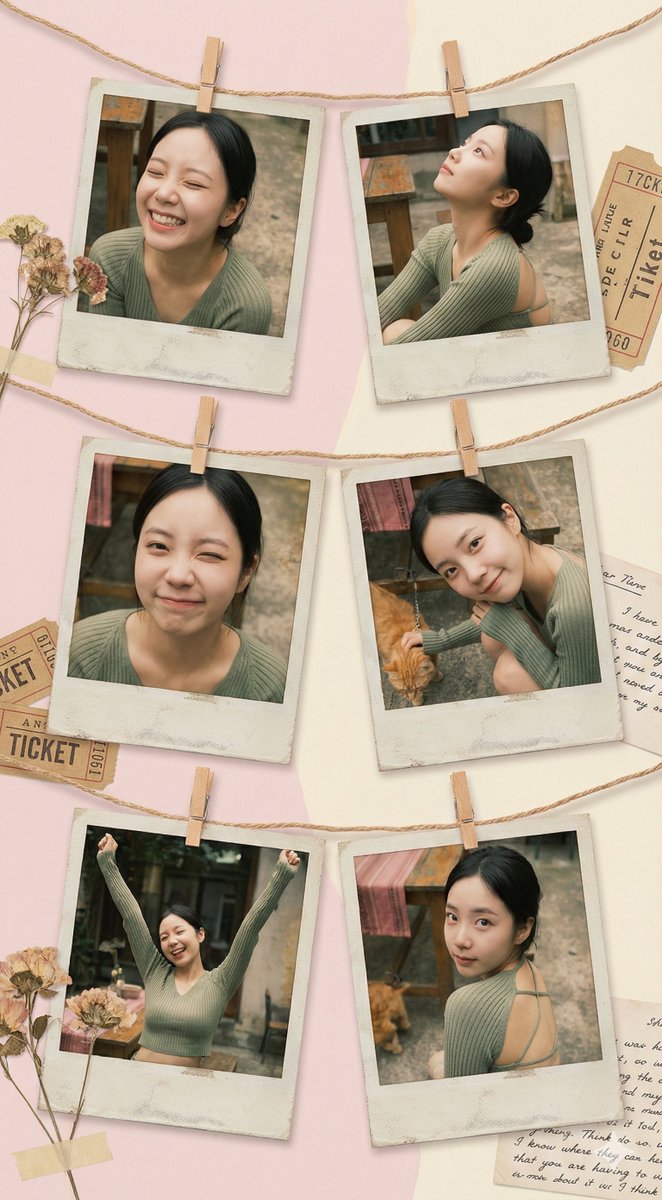
Use {argument name="number of Polaroids" default="6"} vintage Polaroid photos, fixed with decorative string and mini clothespins, to create an art collage that feels like a family album. Each Polaroid frame is slightly faded with an aged paper effect. The background is a soft pastel-colored wall with subtle shadows, creating a cozy yet creatively chaotic atmosphere. Moods and poses: * Relaxed laughter — eyes closed, naturally happy. * Dreamy gaze looking upward with a relaxed posture. * Playful wink. * Calm smile with the head tilted to one side, dynamic hand gestures with both hands raised, full of energy. * A romantic glance back over the shoulder. The space is filled with a retro art vibe, blending elements of 1970s fashion magazines, soft diffused lighting, and gentle warm golden tones. Each photo feels like a unique behind-the-scenes snapshot, carrying a hint of nostalgia and revealing little pieces of personal history.

Natural Instagram-style car selfie prompt

Natural Instagram-style car selfie prompt

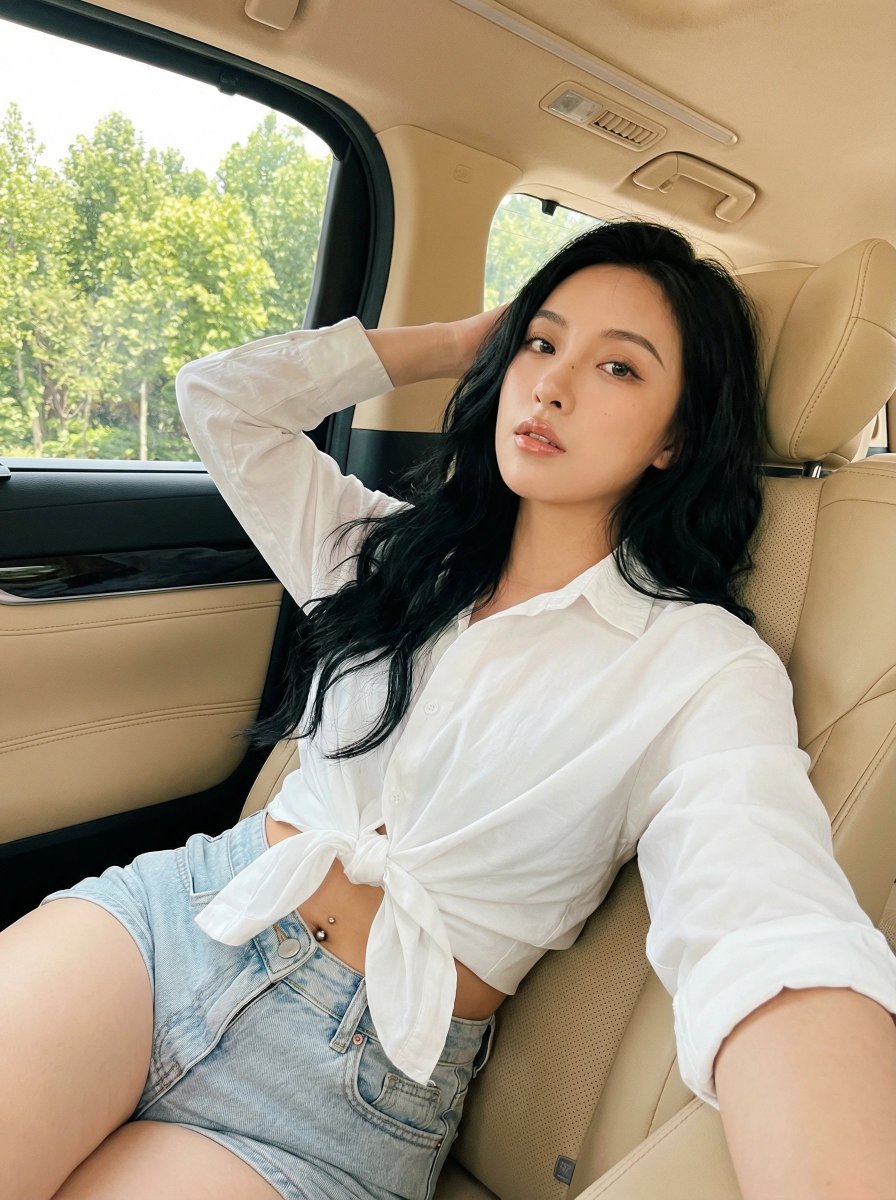
A natural Instagram-style selfie of {argument name="subject description" default="a young woman"} with {argument name="hair style and color" default="long, thick black wavy hair"}, sitting on the {argument name="seat color" default="beige leather seat"} of a {argument name="car type" default="luxury vehicle"}. She is wearing {argument name="top" default="a white long-sleeve button-up shirt"}, tied in a knot below the chest to create a cropped look, paired with {argument name="bottoms" default="light-wash denim shorts"}. A small silver navel piercing is visible. One arm is raised and resting behind her head in a relaxed pose, while the other hand rests naturally on her leg or thigh. Her body is slightly turned toward the camera, leaning back comfortably against the seat. Her gaze is directed straight at the camera with a confident and sensual expression, natural soft makeup, and glossy lips. Shot from eye level or a slightly high angle, as if taken with a selfie stick or a phone’s front camera. A medium to medium-close framing from the waist to the head, with the subject filling most of the frame. Bright natural daylight pours in through the car windows, with lush green trees visible in the background. Soft, even lighting beautifully illuminates her face and body. The warm beige leather interior creates a cozy and luxurious atmosphere. candid lifestyle photography aesthetic with an authentic social media selfie vibe. Colors: bright, airy, and slightly warm-toned. The face and upper body are sharply in focus.

3D embossed brand logo on monochrome background

3D embossed brand logo on monochrome background

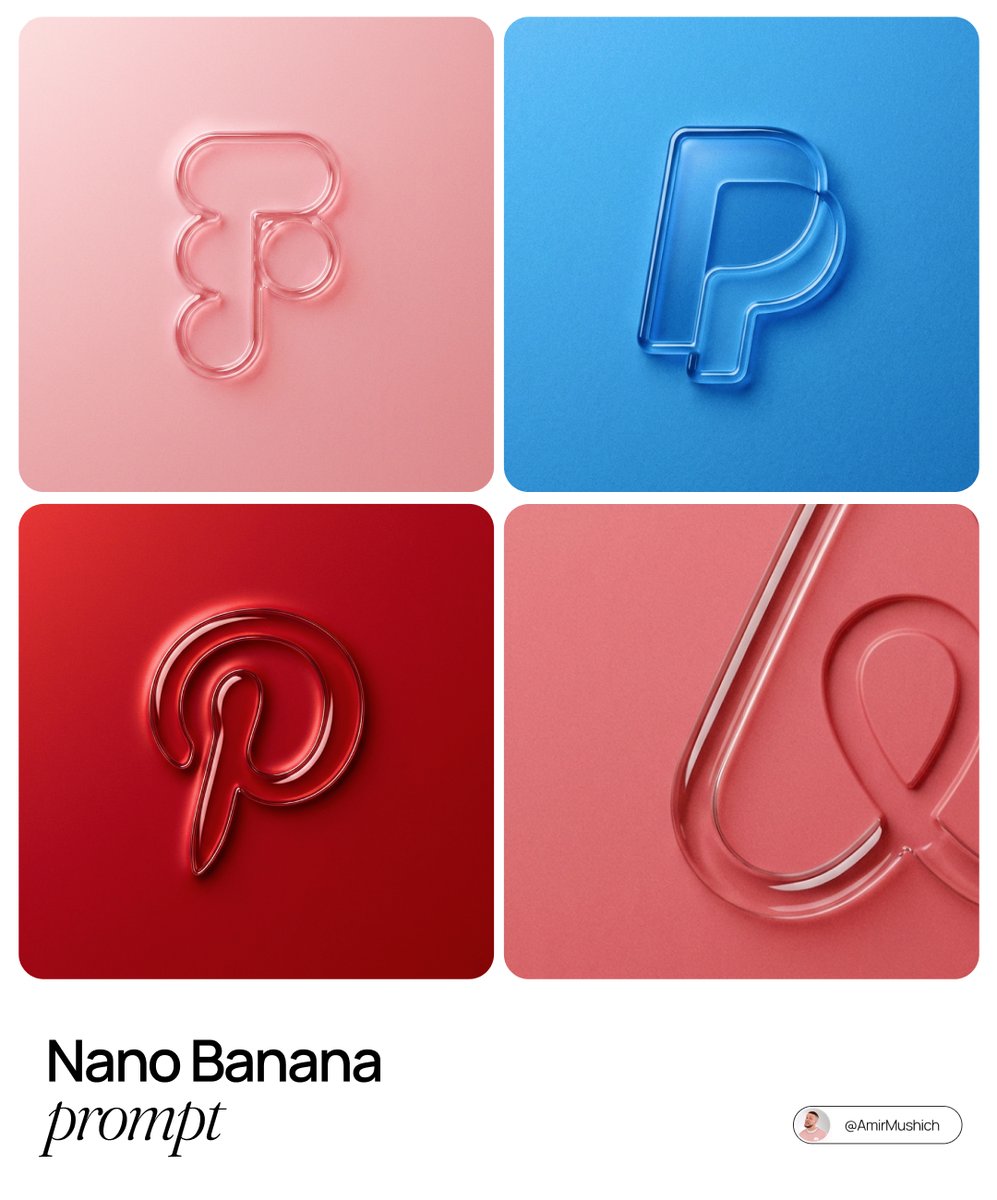
The centrally aligned {argument name="brand name" default="[brand name]"} on a flat surface is rendered with a 3D embossed glossy outline, perfectly centered in the composition with ample surrounding white space, creating a high-end minimal aesthetic. A monochrome {argument name="main color" default="[color]"} palette with a soft gradient in tone. The object is defined by raised, liquid-smooth glass borders or chrome edges, blending seamlessly with the background to form an integrated embossed effect. A matte surface overlaid with subtle film grain or noise texture. Soft diffused lighting with strong specular highlights at the rounded corners, viewed from a top-down perspective.

Nano Banana Pro torn paper style-switching edit prompt

Nano Banana Pro torn paper style-switching edit prompt

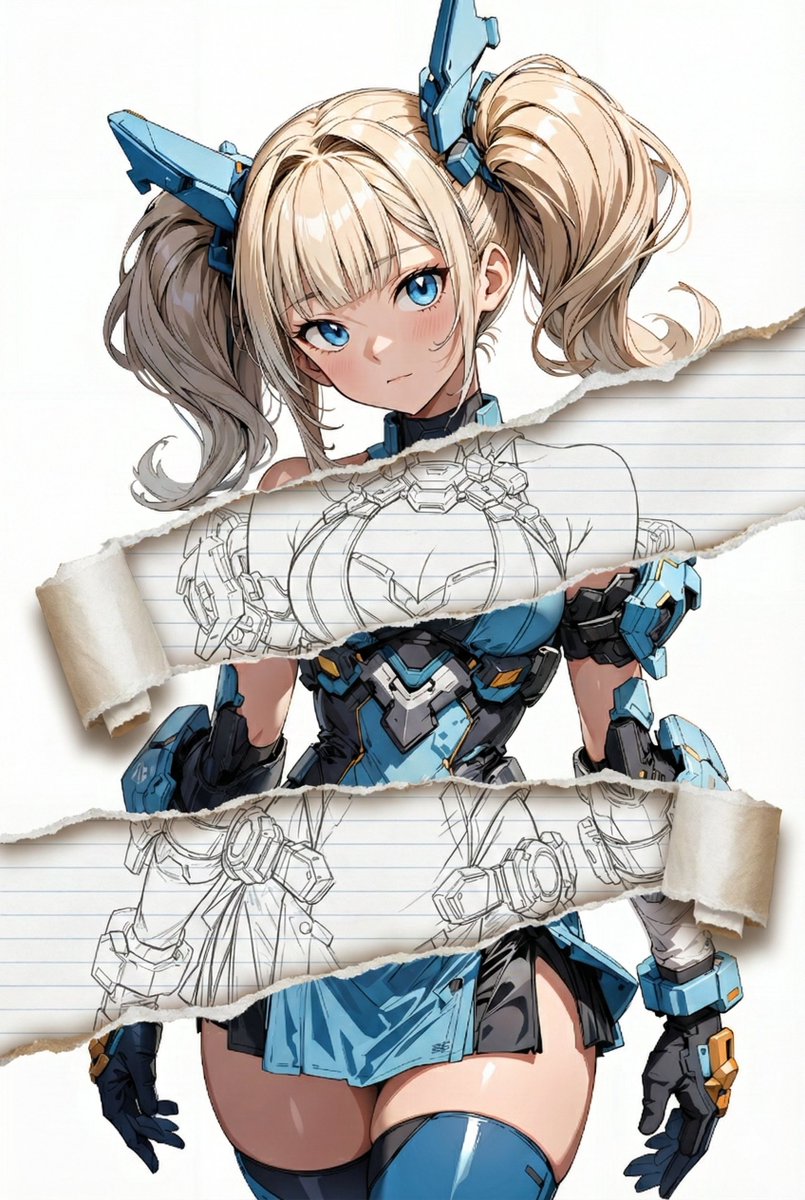
task: "edit-image: add widened torn-paper layered effect" base_image: use_reference_image: true preserve_everything: - character identity - facial features and expression - hairstyle and anatomy - outfit design and colors - background, lighting, composition - overall art style rules: - Only modify the torn-paper interior areas. - Do not change pose, anatomy, proportions, clothing details, shading, or scene elements. effects: - effect: "torn-paper-reveal" placement: "across chest height" description: - Add a wide, natural horizontal tear across the chest area. - The torn interior uses the style defined in `interior_style`. - effect: "torn-paper-reveal" placement: "lower abdomen height" description: - Add a wide horizontal tear across the lower abdomen. - The torn interior uses the style defined in `interior_style`. interior_style: mode: {argument name="style mode" default="line-art"} style_settings: line-art: palette: "monochrome" line_quality: "clean, crisp" paper: "notebook paper with subtle ruled lines" sumi-e: palette: "black ink tones" brush_texture: "soft bleeding edges" paper: "plain textured paper" figure-render: material: "PVC-like" shading: "semi-realistic highlights" paper: "plain smooth surface" colored-pencil: stroke_texture: "visible pencil grain" palette: "soft layered hues" paper: "rough sketchbook paper" watercolor: palette: "soft transparent pigments" blending: "smooth bleeding" edges: "soft contours" paper: "watercolor paper texture" pencil-drawing: graphite_texture: "visible pencil grain" shading: "smooth gradients" line_quality: "mixed sharp and soft" tone: "gray-scale" paper: "notebook paper with faint ruled lines"

Normal and depth map generation prompts for Nano Banana Pro

Normal and depth map generation prompts for Nano Banana Pro

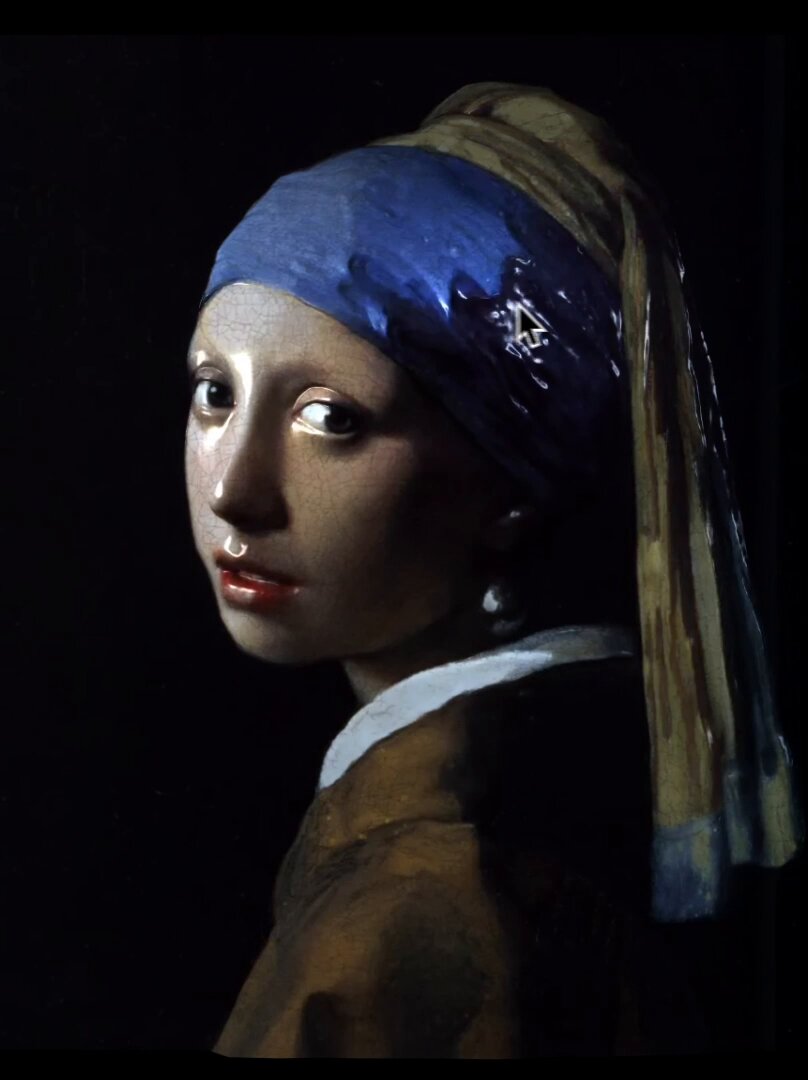
Generate a surface normal map from the input artwork image. Output one RGB image where each pixel encodes the surface normal direction in standard tangent-space format: • R = X direction • G = Y direction • B = Z direction Requirements: • Maintain the same resolution and aspect ratio as the input image. • Normal directions must follow the local geometry implied by brush strokes, shading, and contours. • Do NOT add new artistic elements or repaint the scene. • Only infer plausible micro-geometry and surface orientation. • Ensure smooth, consistent normal transitions without noise. Generate a depth map from the input artwork image. Output a single grayscale depth map where: • White = near to the viewer • Black = far from the viewer Requirements: • Maintain the same resolution and aspect ratio as the input image. • Depth must be smooth, continuous, and physically plausible. • Infer only geometric depth that could reasonably exist in the original artwork. • Do NOT add new objects or details. • Do NOT stylize, repaint, or reinterpret the scene. • Avoid texture noise; focus solely on depth structure.

部分提示词收录自 X 平台创作者,版权归原作者所有。